centos7+nginx支持lua模块+OpenResty
不要使用nginx添加 lua 模块进行编译安装!nginx 中添加 lua 模块,支持lua脚本以及遇到的坑比如添加一个lua-resty-jwt令牌校验工具,你需要重新与ngnix进行整合,上面文章只是ngnix和lua的整合推荐使用OpenResty。
·
前言
不要使用nginx添加 lua 模块进行编译安装!
nginx 中添加 lua 模块,支持lua脚本以及遇到的坑
比如添加一个lua-resty-jwt令牌校验工具,你需要重新与ngnix进行整合,上面文章只是ngnix和lua的整合
推荐使用OpenResty
安装OpenResty
OpenResty官网
推荐使用官方预编译包安装(发布在yum上面的包)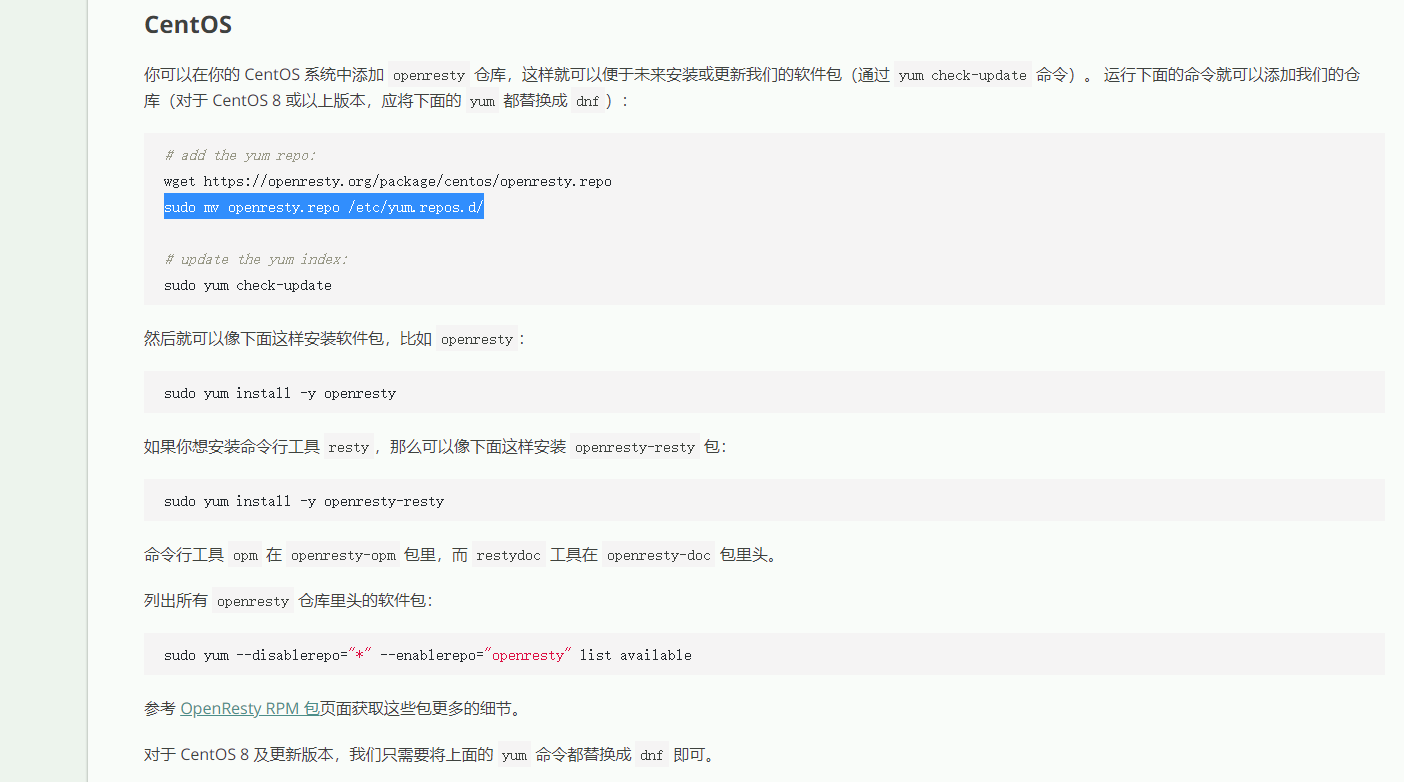
添加yum仓库
# add the yum repo:
wget https://openresty.org/package/centos/openresty.repo
sudo mv openresty.repo /etc/yum.repos.d/
# update the yum index:
sudo yum check-update
安装opm
安装openresty的包管理工具opm,非常重要,后续通过opm方式下载需要lua所需的工具包
yum install openresty-opm
OpenResty和Ngnix使用是一样的
# 查看版本和安装的模块
/usr/local/openresty/nginx/sbin/nginx -V
#检查配置
/usr/local/openresty/nginx/sbin/nginx -t
#启动
/usr/local/openresty/nginx/sbin/nginx
#重新加载配置
/usr/local/openresty/nginx/sbin/nginx -s reload
#停止
/usr/local/openresty/nginx/sbin/nginx -s stop
在ngnix执行lua,校验安装成功
    server {
        listen 8080;
        location / {
            default_type text/html;
            content_by_lua_block {
                ngx.say("<p>hello, world</p>")
            }
        }
    }
lua jwt校验
使用opm安装jwt工具
opm get SkyLothar/lua-resty-jwt
运行lua-resty-jwt示例
#user  nobody;
worker_processes  1;

#error_log  logs/error.log;
#error_log  logs/error.log  notice;
#error_log  logs/error.log  info;

#pid        logs/nginx.pid;


events {
    worker_connections  1024;
}


http {
    include       mime.types;
    default_type  application/octet-stream;

    #log_format  main  '$remote_addr - $remote_user [$time_local] "$request" '
    #                  '$status $body_bytes_sent "$http_referer" '
    #                  '"$http_user_agent" "$http_x_forwarded_for"';

    #access_log  logs/access.log  main;

    sendfile        on;
    #tcp_nopush     on;

    #keepalive_timeout  0;
    keepalive_timeout  65;

    #gzip  on;

#    server {
#        listen       80;
#        server_name  localhost;
#
#        #charset koi8-r;
#
#        #access_log  logs/host.access.log  main;
#
#        location / {
#            root   html;
#            index  index.html index.htm;
#        }
#
#        #error_page  404              /404.html;
#
#        # redirect server error pages to the static page /50x.html
#        #
#        error_page   500 502 503 504  /50x.html;
#        location = /50x.html {
#            root   html;
#        }
#
#        # proxy the PHP scripts to Apache listening on 127.0.0.1:80
#        #
#        #location ~ \.php$ {
#        #    proxy_pass   http://127.0.0.1;
#        #}
#
#        # pass the PHP scripts to FastCGI server listening on 127.0.0.1:9000
#        #
#        #location ~ \.php$ {
#        #    root           html;
#        #    fastcgi_pass   127.0.0.1:9000;
#        #    fastcgi_index  index.php;
#        #    fastcgi_param  SCRIPT_FILENAME  /scripts$fastcgi_script_name;
#        #    include        fastcgi_params;
#        #}
#
#        # deny access to .htaccess files, if Apache's document root
#        # concurs with nginx's one
#        #
#        #location ~ /\.ht {
#        #    deny  all;
#        #}
#    }


    # another virtual host using mix of IP-, name-, and port-based configuration
    #
    #server {
    #    listen       8000;
    #    listen       somename:8080;
    #    server_name  somename  alias  another.alias;

    #    location / {
    #        root   html;
    #        index  index.html index.htm;
    #    }
    #}


    # HTTPS server
    #
    #server {
    #    listen       443 ssl;
    #    server_name  localhost;

    #    ssl_certificate      cert.pem;
    #    ssl_certificate_key  cert.key;

    #    ssl_session_cache    shared:SSL:1m;
    #    ssl_session_timeout  5m;

    #    ssl_ciphers  HIGH:!aNULL:!MD5;
    #    ssl_prefer_server_ciphers  on;

    #    location / {
    #        root   html;
    #        index  index.html index.htm;
    #    }
    #}

    server {
        listen 8080;
        location / {
            default_type text/html;
            content_by_lua_block {
                ngx.say("<p>hello, world</p>")
            }
        }
    }


    server {
    default_type text/plain;
    listen    8082;
    location = /verify {
        content_by_lua_block {
            local cjson = require("cjson")
            local jwt = require("resty.jwt")

            local jwt_token = "eyJ0eXAiOiJKV1QiLCJhbGciOiJIUzI1NiJ9" ..
                ".eyJmb28iOiJiYXIifQ" ..
                ".VAoRL1IU0nOguxURF2ZcKR0SGKE1gCbqwyh8u2MLAyY"
            local jwt_obj = jwt:verify("lua-resty-jwt", jwt_token)
            ngx.say(cjson.encode(jwt_obj))
        }
    }

    location = /sign {
        content_by_lua_block {
            local cjson = require("cjson")
            local jwt = require("resty.jwt")

            local jwt_token = jwt:sign(
                "lua-resty-jwt",
                {
                    header={typ="JWT", alg="HS256"},
                    payload={foo="bar"}
                }
            )
            ngx.say(jwt_token)
        }
    }
}

}

魔乐社区(Modelers.cn) 是一个中立、公益的人工智能社区,提供人工智能工具、模型、数据的托管、展示与应用协同服务,为人工智能开发及爱好者搭建开放的学习交流平台。社区通过理事会方式运作,由全产业链共同建设、共同运营、共同享有,推动国产AI生态繁荣发展。
更多推荐



 0
0 0
0- 0


 已为社区贡献13条内容

所有评论(0)