3d机器学习笔记5--TriangleMesh处理(1)
前言
来学习一下另一种3d数据TriangleMesh,关于open3d中TriangleMesh的数据结构详解见这篇博客:TriangleMesh
数据下载地址:链接:https://pan.baidu.com/s/1wEBL_OwaVfP4AV78s8Es-Q
提取码:wnhs
一.表面法线估计
import open3d as o3d
import numpy as  np
import copy

mesh=o3d.io.read_triangle_mesh("./test_data/knot.ply")
print("计算法线")
mesh.compute_vertex_normals()
print(np.asarray(mesh.triangle_normals))
o3d.visualization.draw_geometries([mesh],window_name="mesh",
                                  width=810,height=520,
                                  zoom=0.8,
                                  front=[-0.4999, -0.1659, -0.8499],
                                  lookat=[2.1813, 2.0619, 2.0999],
                                  up=[0.1204, -0.9852, 0.1215])
我们使用TriangleMesh对象的compute_vertex_normals()进行顶点法线估计。
二.裁剪和上色TriangleMesh
import open3d as o3d
import numpy as  np
import copy

mesh=o3d.io.read_triangle_mesh("./test_data/knot.ply")
#裁剪
mesh1=copy.deepcopy(mesh)
#将三角形网格和法线用numpy索引一半,转换成3d向量
mesh1.triangles = o3d.utility.Vector3iVector(np.asarray(mesh1.triangles)[:len(mesh1.triangles) // 2, :])
mesh1.triangle_normals = o3d.utility.Vector3dVector(np.asarray(mesh1.triangle_normals)[:len(mesh1.triangle_normals) // 2, :])
print(mesh1.triangles)
#上色
mesh1.paint_uniform_color([1,0.706,0])
o3d.visualization.draw_geometries([mesh1,mesh],window_name="mesh1",
                                  width=810,height=520,
                                  zoom=0.8,
                                  front=[-0.4999, -0.1659, -0.8499],
                                  lookat=[2.1813, 2.0619, 2.0999],
                                  up=[0.1204, -0.9852, 0.1215])
我们获取一个mesh的副本mesh1,然后我们索引出triangles和triangle_normals的一半赋值给mesh1,直观来说就是我们mesh1是mesh的一半。然后我们给mesh1上色可视化。
其中o3d.utility.Vector3iVector和o3d.utility.Vector3dVector是opend3d的3d向量数据结构。o3d.utility.Vector3iVector和o3d.utility.Vector3dVector将numpy矩阵转换成open3d中的3d矩阵。其中3代表的是数据维度为3,即输入为[n,3]。i和d代表数据类型,Vector3iVector要求输入是numpy.int32数据类型,Vector3dVecto要求输入是numpy.float64数据类型。
mesh对象的paint_uniform_color方法用于给网格上色,输入的是rgb颜色值,每个范围是0-1.
程序运行结果如下:
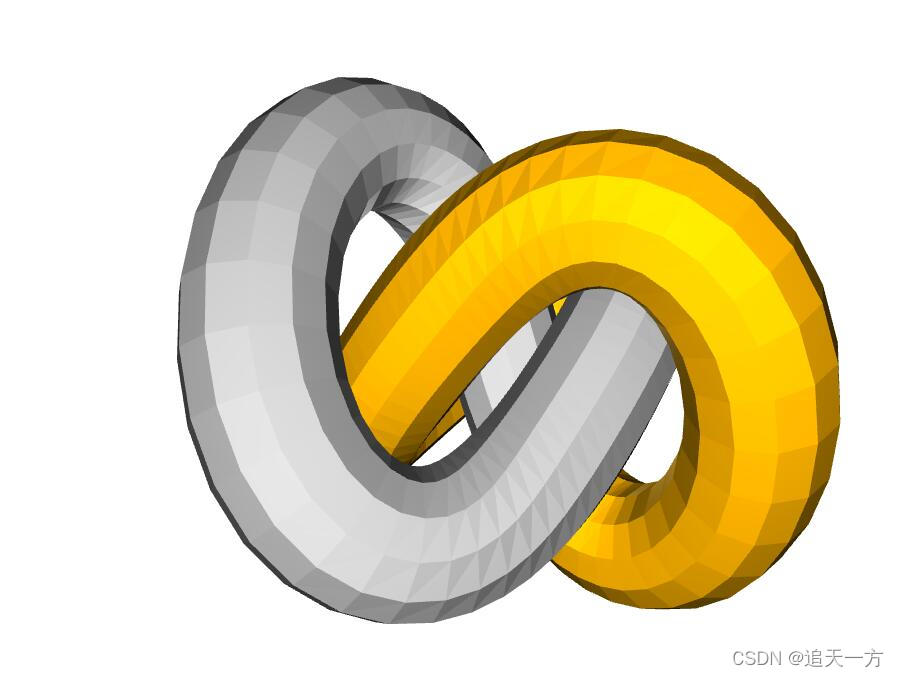
其中黄色的部分就是我们裁剪出来的TriangleMsh了。
三.网格过滤
Open3D包含许多过滤网格的方法。下面将展示一些过滤器,以平滑有噪声的三角形网格。
1.均值滤波器
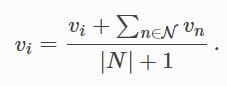
最简单的滤波器,当前顶点是相邻顶点的平均值。公式如下:
import open3d as o3d
import numpy as np

mesh_in=o3d.io.read_triangle_mesh("./test_data/knot.ply")
#拿出各个顶点,加上0-5的随机数,也就是噪声
vertices=np.asarray(mesh_in.vertices)
noise_max=5
vertices+=np.random.uniform(0,noise_max,size=vertices.shape)
#换成新顶点
mesh_in.vertices=o3d.utility.Vector3dVector(vertices)
mesh_in.compute_vertex_normals()
o3d.visualization.draw_geometries([mesh_in],window_name="noise",
                                  width=810,height=520,
                                  zoom=0.8,
                                  front=[-0.4999, -0.1659, -0.8499],
                                  lookat=[2.1813, 2.0619, 2.0999],
                                  up=[0.1204, -0.9852, 0.1215])
print("一次迭代")
mesh_out=mesh_in.filter_smooth_simple(number_of_iterations=1)
mesh_out.compute_vertex_normals()
o3d.visualization.draw_geometries([mesh_out],window_name="filter1",
                                  width=810,height=520,
                                  zoom=0.8,
                                  front=[-0.4999, -0.1659, -0.8499],
                                  lookat=[2.1813, 2.0619, 2.0999],
                                  up=[0.1204, -0.9852, 0.1215])

print("5次迭代")
mesh_out=mesh_in.filter_smooth_simple(number_of_iterations=5)
mesh_out.compute_vertex_normals()
o3d.visualization.draw_geometries([mesh_out],window_name="filter5",
                                  width=810,height=520,
                                  zoom=0.8,
                                  front=[-0.4999, -0.1659, -0.8499],
                                  lookat=[2.1813, 2.0619, 2.0999],
                                  up=[0.1204, -0.9852, 0.1215])
我们先给我们的TriangleMsh加上一些随机噪声。
TriangleMesh对象的filter_smooth_simple方法用于对TriangleMesh使用均值滤波,参数如下:
number_of_iterations:均值滤波的次数
filter_scope:设置过滤条件,默认是open3d.geometry.FilterScope.All,代表使用所有索性作为过滤条件,open3d.geometry.FilterScope.Color代表使用颜色过滤,open3d.geometry.FilterScope.Normal代表使用法线过滤,open3d.geometry.FilterScope.Vertex代表使用顶点过滤。
运行结果如下:
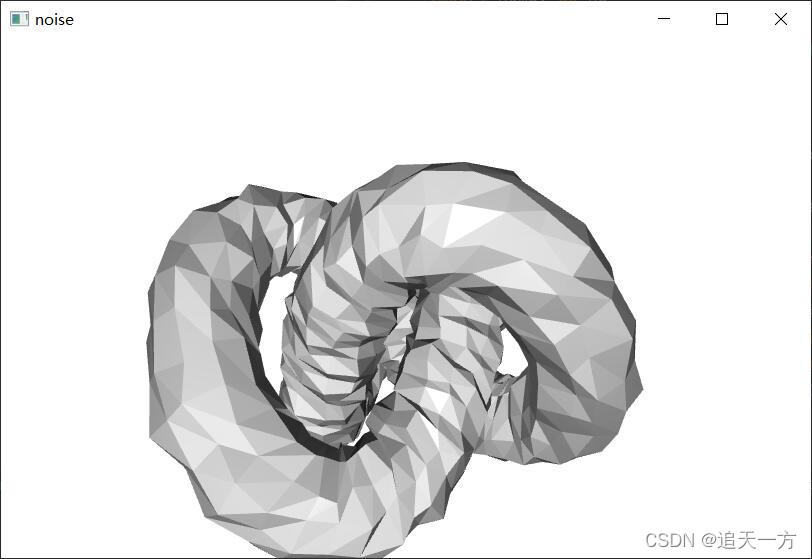
这是加了噪声的体素
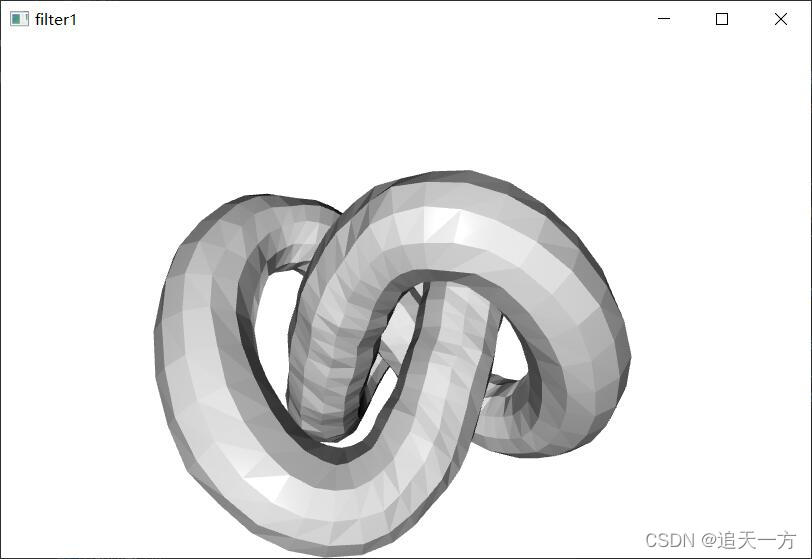
这是进行一些均值滤波的体素
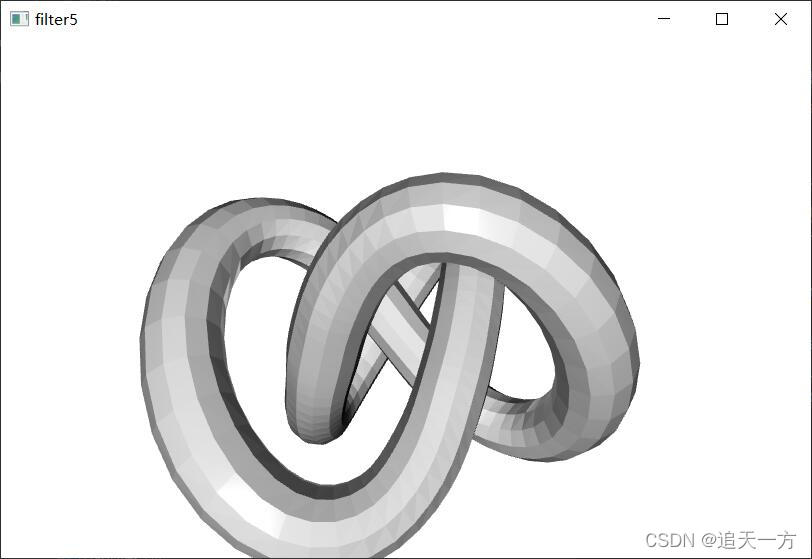
进行五次均值滤波的体素
2.拉普拉斯滤波器
open3d中拉普拉斯滤波器公式为:
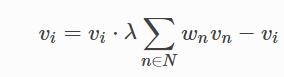
其中λ是过滤器的强度,Wn是与相邻顶点的距离相关的归一化权重。
示例代码如下:
import numpy as np
import open3d as o3d

mesh_in=o3d.io.read_triangle_mesh("test_data/knot.ply")

print("迭代10次")
mesh_out=mesh_in.filter_smooth_laplacian(number_of_iterations=10)
mesh_out.compute_vertex_normals()
o3d.visualization.draw_geometries([mesh_in],window_name="mesh_in",
                                  width=810,height=520,
                                  zoom=0.8,
                                  front=[-0.4999, -0.1659, -0.8499],
                                  lookat=[2.1813, 2.0619, 2.0999],
                                  up=[0.1204, -0.9852, 0.1215])
o3d.visualization.draw_geometries([mesh_out],window_name="laplacian10",
                                  width=810,height=520,
                                  zoom=0.8,
                                  front=[-0.4999, -0.1659, -0.8499],
                                  lookat=[2.1813, 2.0619, 2.0999],
                                  up=[0.1204, -0.9852, 0.1215])

print("迭代50次")
mesh_out=mesh_in.filter_smooth_laplacian(number_of_iterations=50)
mesh_out.compute_vertex_normals()
o3d.visualization.draw_geometries([mesh_out],window_name="laplacian50",
                                  width=810,height=520,
                                  zoom=0.8,
                                  front=[-0.4999, -0.1659, -0.8499],
                                  lookat=[2.1813, 2.0619, 2.0999],
                                  up=[0.1204, -0.9852, 0.1215])
拉普拉斯滤波器定义在TriangleMesh对象的filter_smooth_laplacian方法,参数如下:
		number_of_iterations (int, optional, default=1): 拉普拉斯滤波器迭代次数
        lambda (float, optional, default=0.5): λ
        filter_scope (open3d.geometry.FilterScope, optional, default=<FilterScope.All: 0>):和上面均值滤波器一样
运行结果如下:
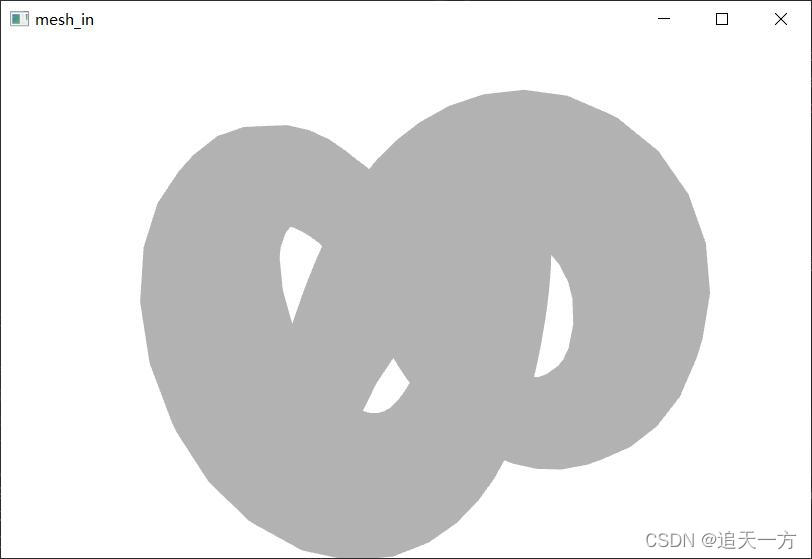
原始体素
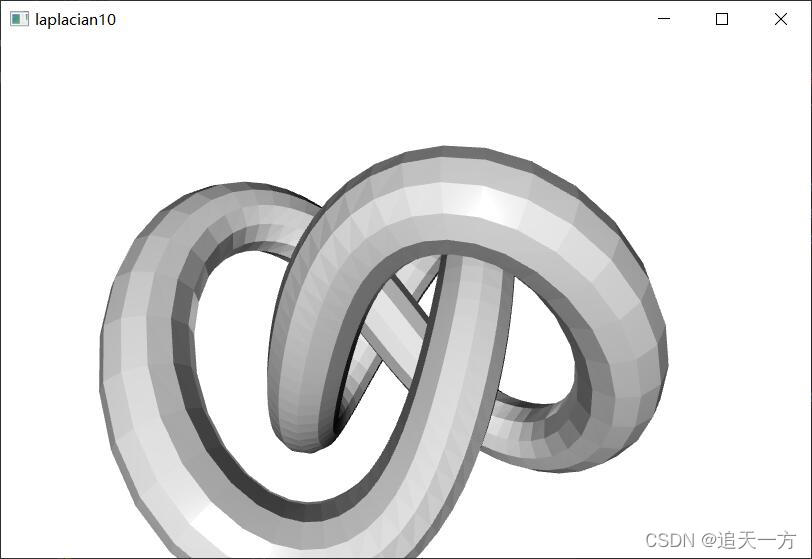
经过10次拉普拉斯滤波器
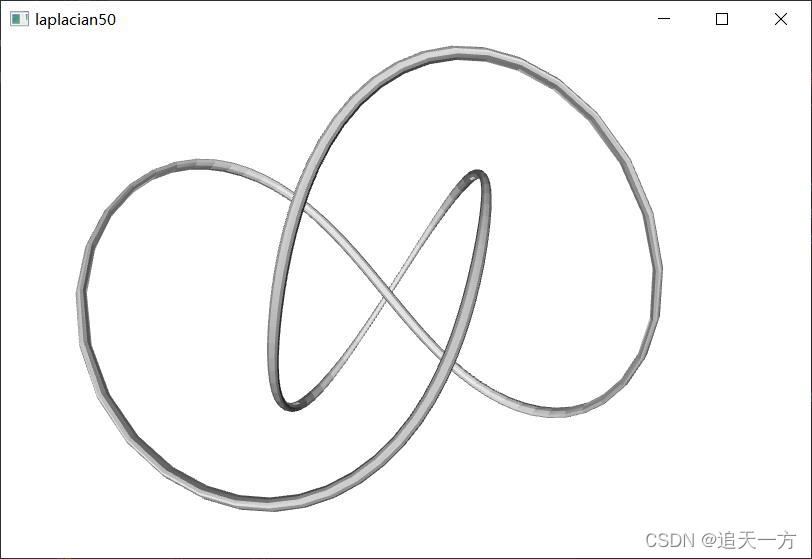
经过50次拉普拉斯滤波器
总结
朋友们还没完结,后续见下一节

魔乐社区(Modelers.cn) 是一个中立、公益的人工智能社区,提供人工智能工具、模型、数据的托管、展示与应用协同服务,为人工智能开发及爱好者搭建开放的学习交流平台。社区通过理事会方式运作,由全产业链共同建设、共同运营、共同享有,推动国产AI生态繁荣发展。
更多推荐


 3
3 0
0- 0


 已为社区贡献6条内容

所有评论(0)