使用P-Tuning v2微调ChatGLM-6B大模型
=我们选择的系统和pytorch版本是:torcheasyrec:0.6.0-pytorch2.5.0-gpu-py311-cu121-ubuntu22.04 ==但是虽然 V100 性能更好,我们测试使用没必要,就选 A10 就可以,A10 显卡每小时消耗6.991计算时,如果不关机持续使用大概可以使用30天。,可以进一步调整一下里面的share参数,让这个变成公共参数的,就是有了url以后,大
使用P-Tuning v2微调ChatGLM2-6B大模型
参考网址:
- 免费部署一个开源大模型 MOSS
- 【Python大语言模型系列】基于阿里云人工智能平台采用P-Tuning v2微调ChatGLM2-6B大模型(完整教程)
- 【Python大语言模型系列】基于阿里云人工智能平台部署ChatGLM2-6B(完整教程)
- THUDM/ChatGLM2-6B-Public-ChatGLM2-PT
- ChatGLM-Finetuning Public
- 【实战】本地部署和运行ChatGLM大模型
- AIGC|手把手教你进行ChatGLM模型部署实践
- 本地离线部署chatglm3-6b与Qanything系列模型小白教程
完整流程(流程如下):
- 在阿里云上申请免费的GPU资源。
- 开始配置ChatGLM-6B大模型并运行。
- 开始下载资料,使用P-Tuning v2进行ChatGLM-6B大模型的微调。
1. 申请GPU资源
这里选择申请阿里云试用界面的A10免费资源,没有申请过 PAI-DSW 资源的新老用户皆可申请 5000CU 的免费额度,3个月内使用。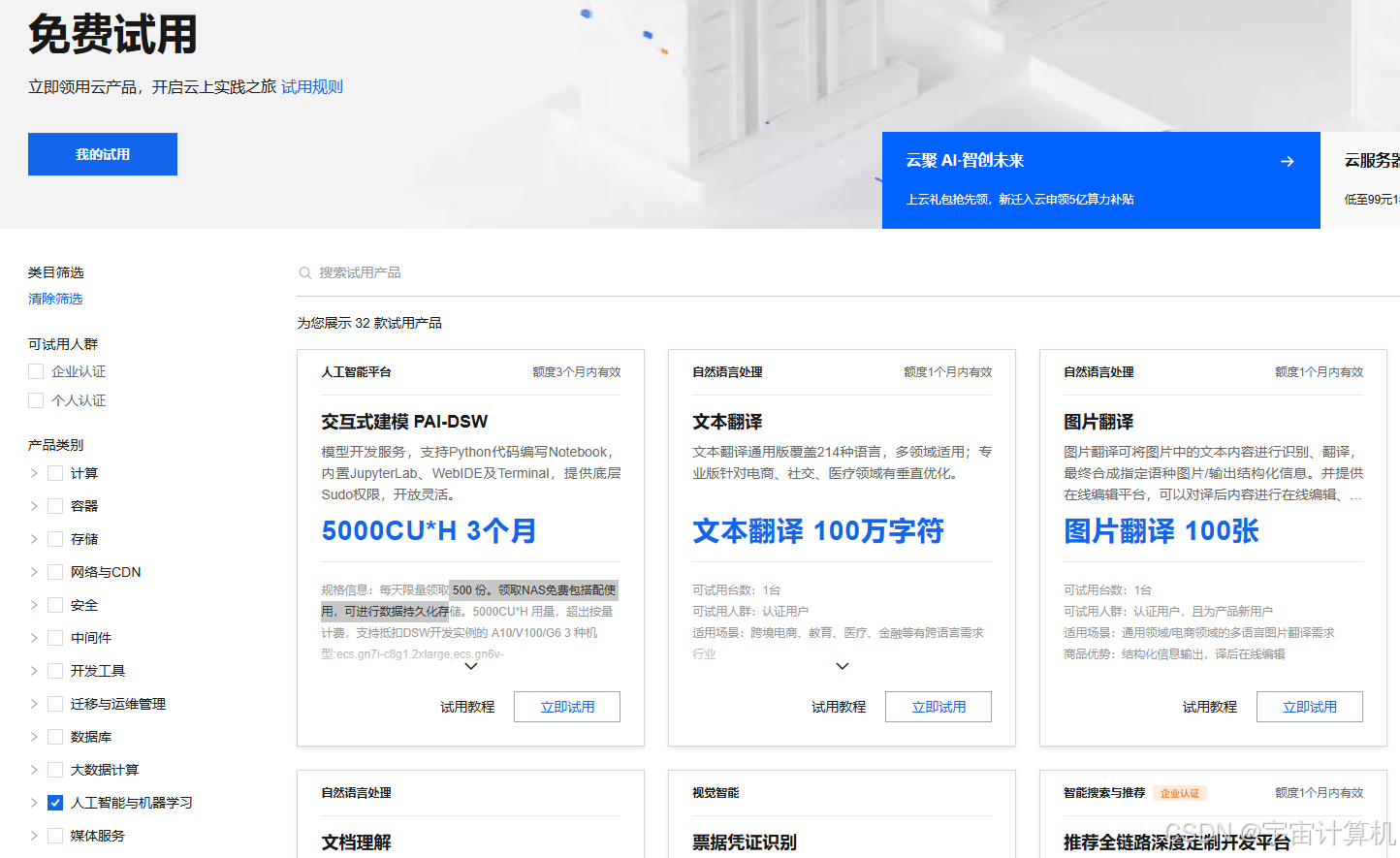
点击立即试用,开启试用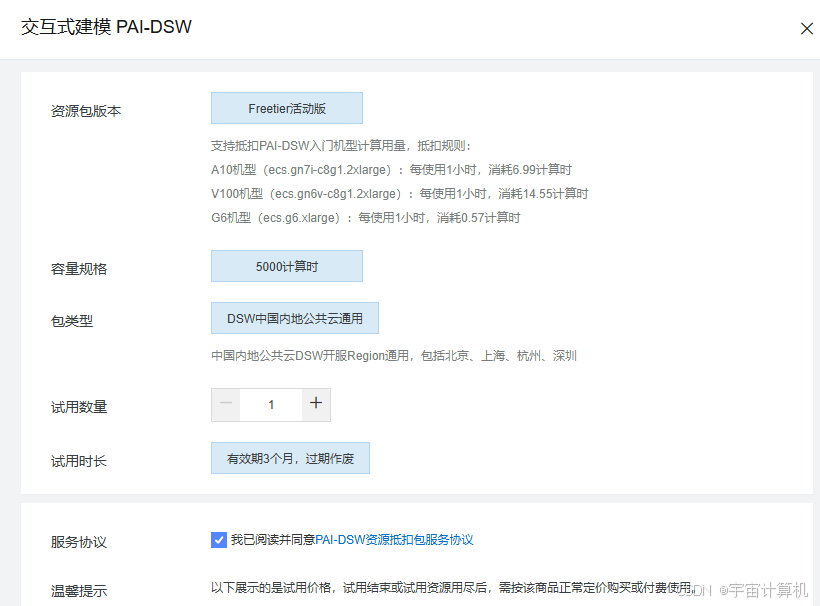
因为笔者在北京,工作台定位在北京,之后点击开通PAI并创建默认空间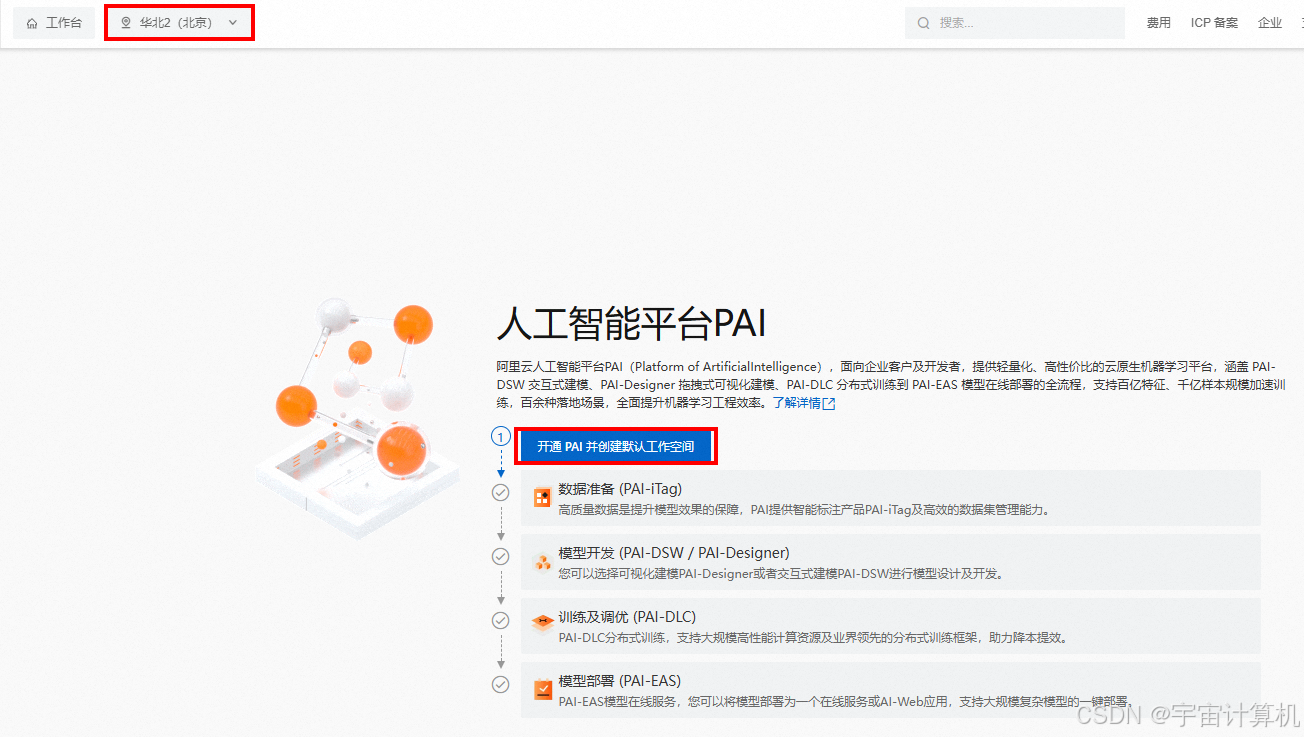
之后开通PAI并创建默认空间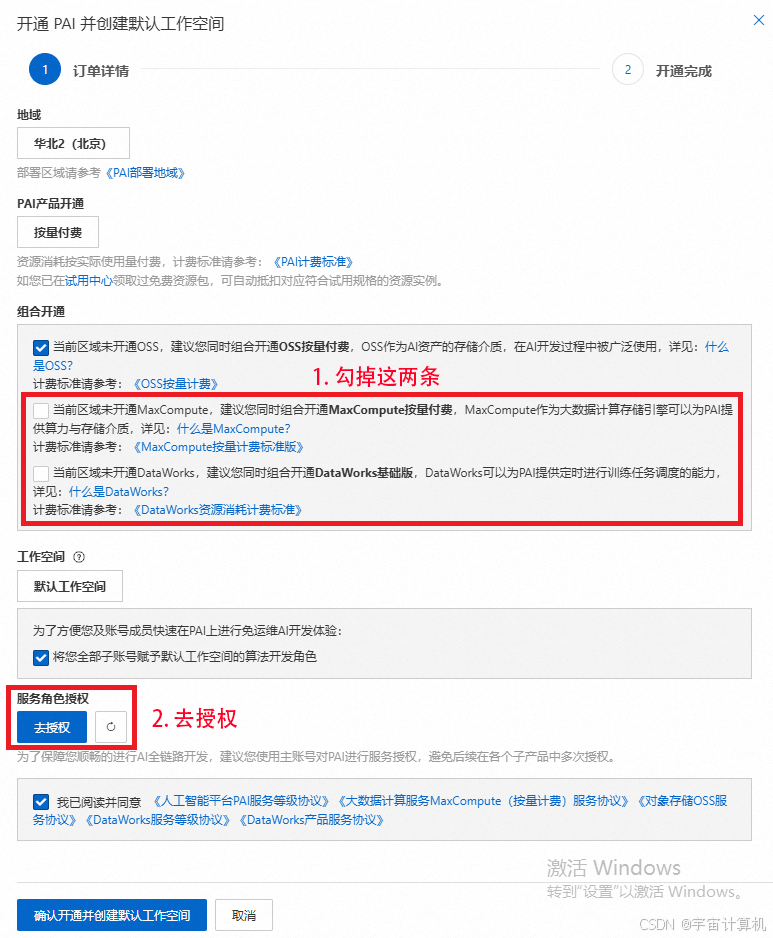
开通完成,前往默认工作空间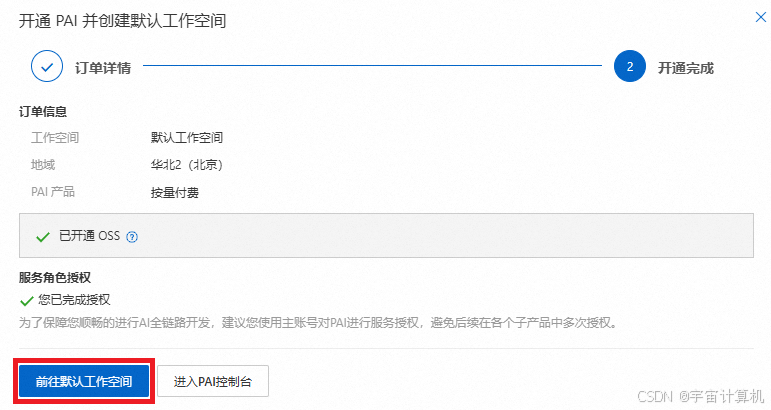
创建交互式建模实例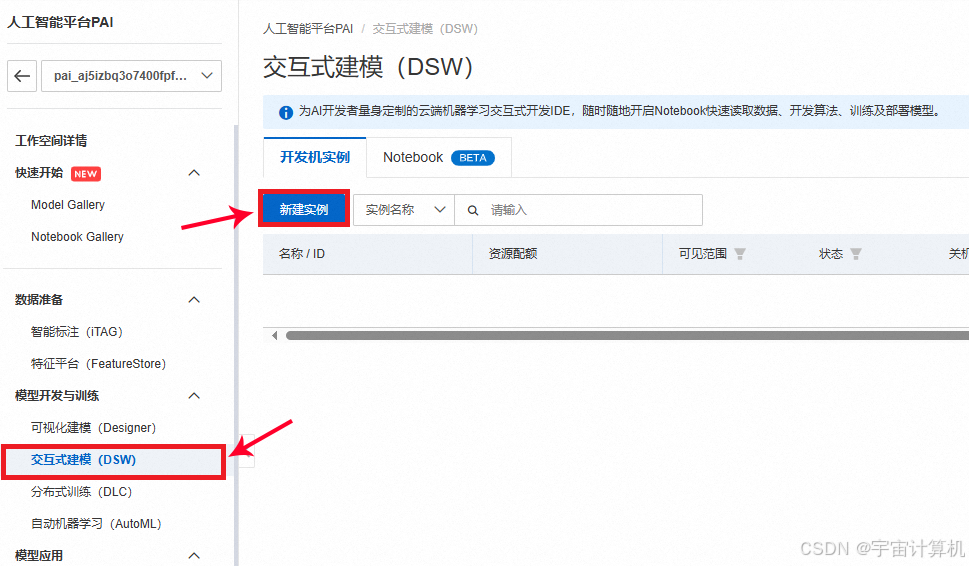
GPU 选择 A10 或者 V100 都行,这俩是支持资源包抵扣的,其他的不支持。
但是虽然 V100 性能更好,我们测试使用没必要,就选 A10 就可以,A10 显卡每小时消耗6.991计算时,如果不关机持续使用大概可以使用30天。
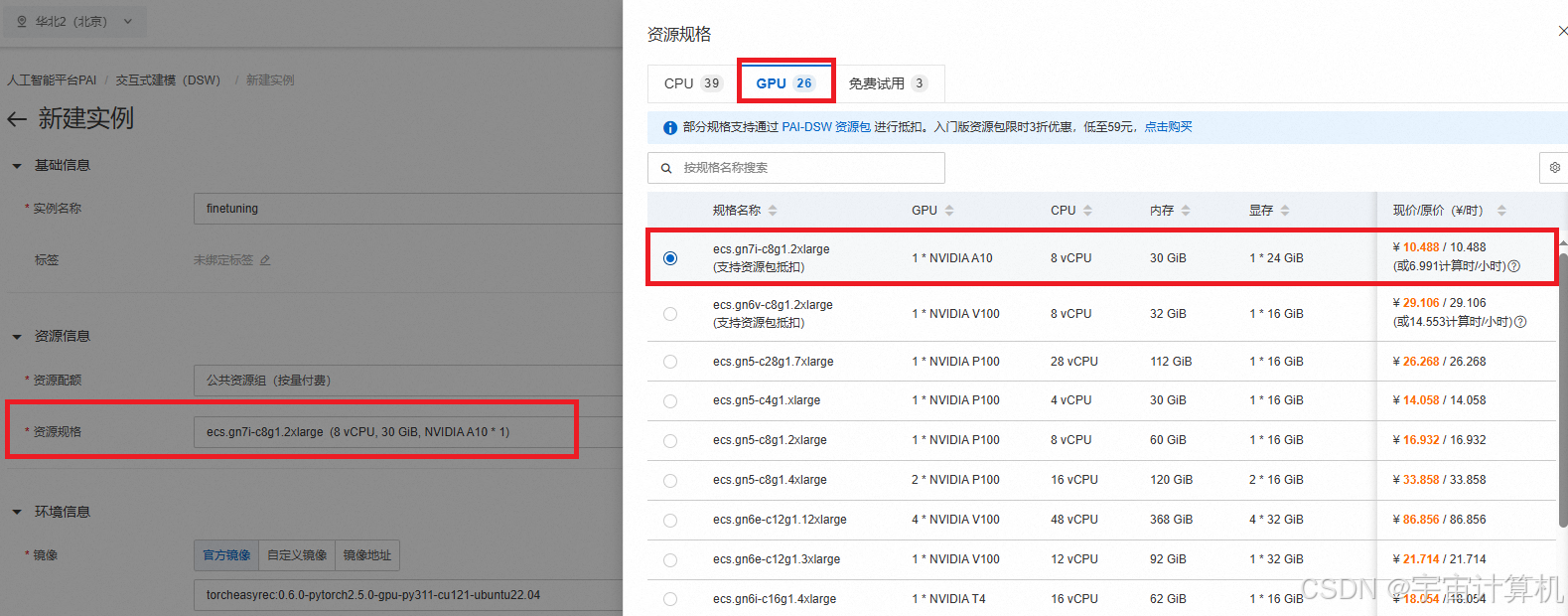
之后新建这个实例。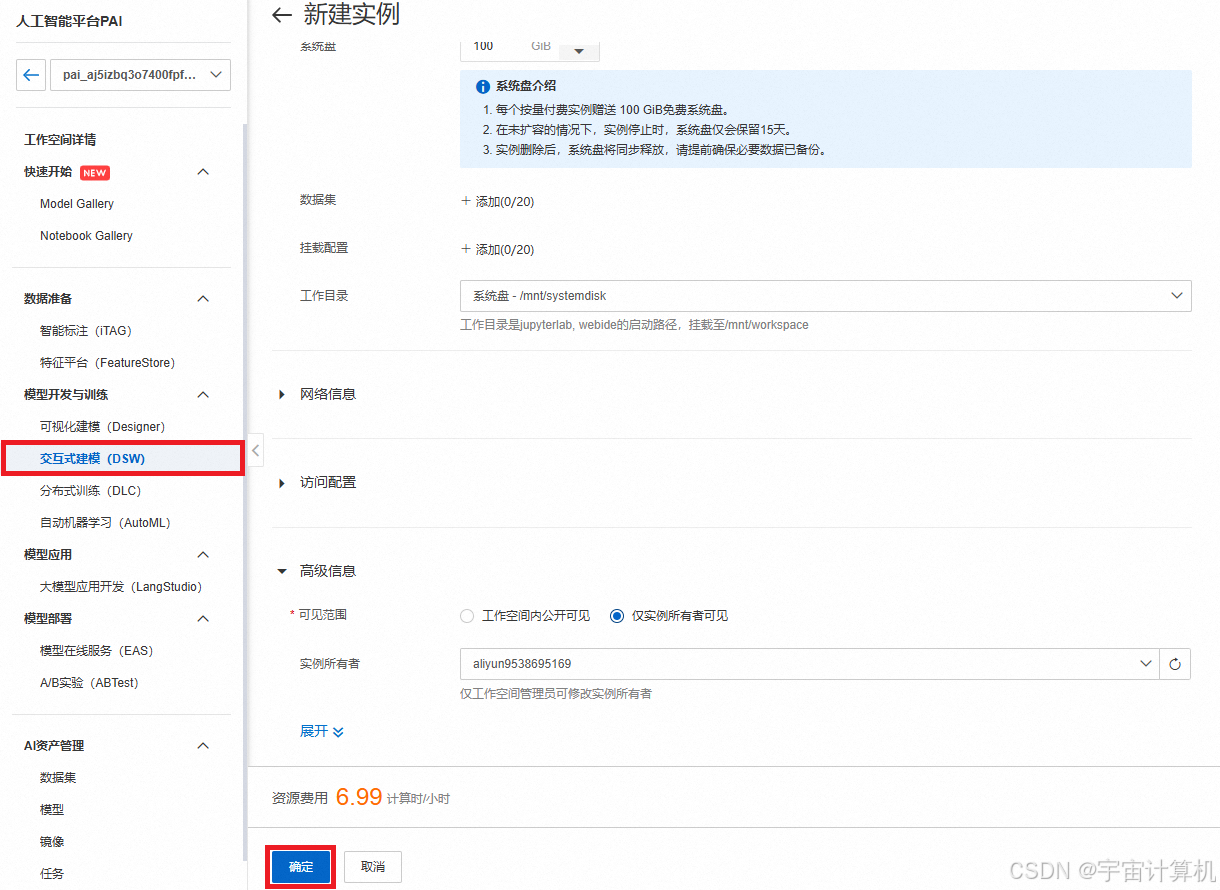
A10-GPU资源已经申请好了,接下来我们开始尝试运行ChatGLM-6B大模型。
如何再次打开人工智能 pai平台
(这里假设你已经关掉了阿里云,想重新从阿里云官网进入人工智能平台 PAI)
我们首先在阿里云首页中搜索相应的信息人工智能pai: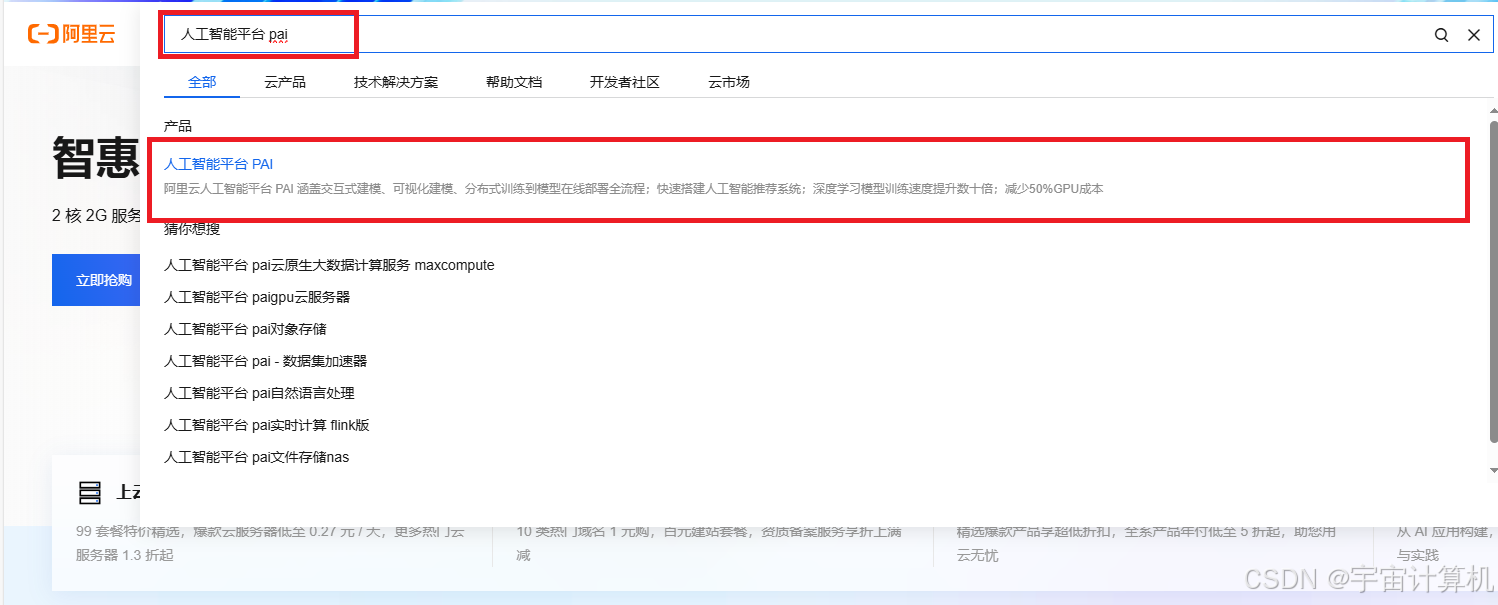
进入人工智能平台PAI,点击管控控制台 。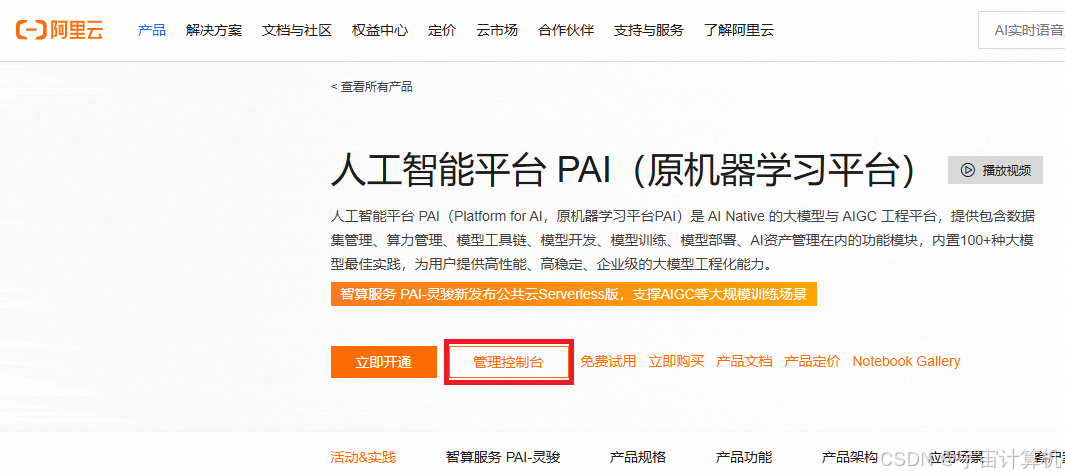
打开实例
接着在打开的界面里选中Terminal: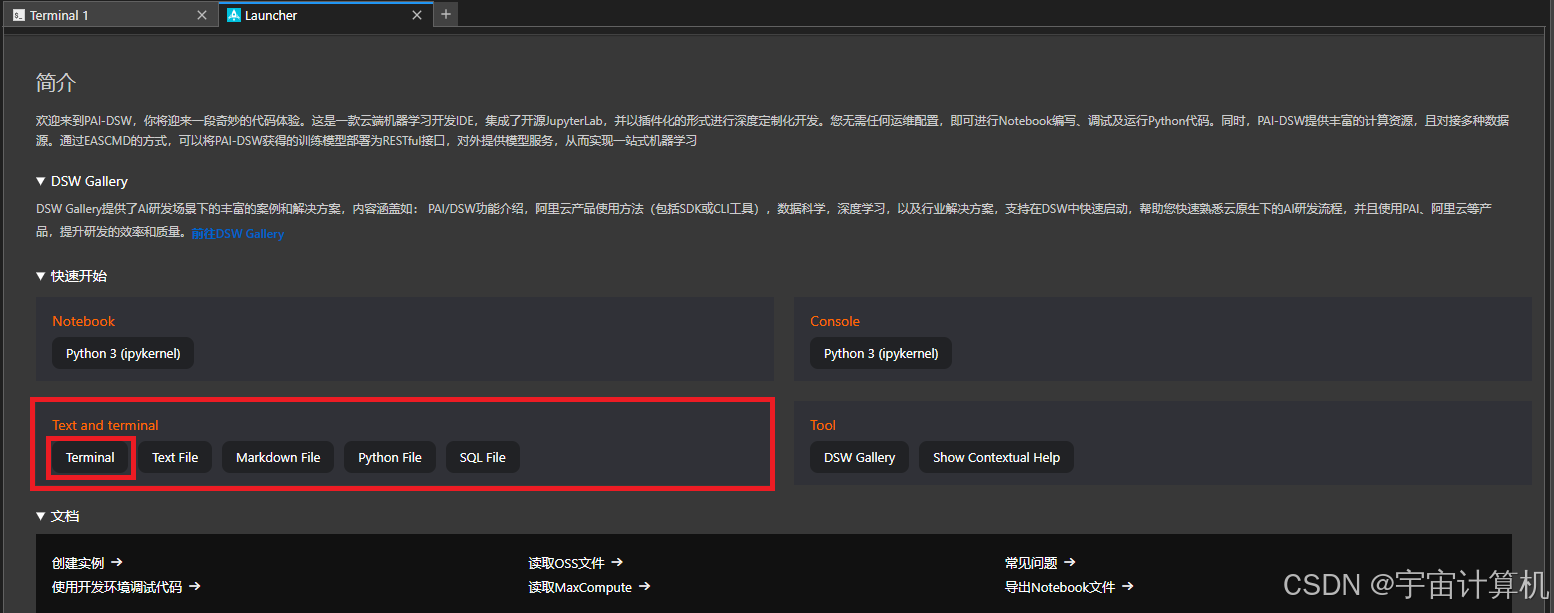
2. 配置运行ChatGLM-6B
刚才已经申请好了阿里云的免费资源,现在我们可以直接使用。
首先更新apt-get包
apt-get update
安装get-lfs
apt-get install git-lfs
之后下载github仓库:
git clone https://github.com/THUDM/ChatGLM-6B
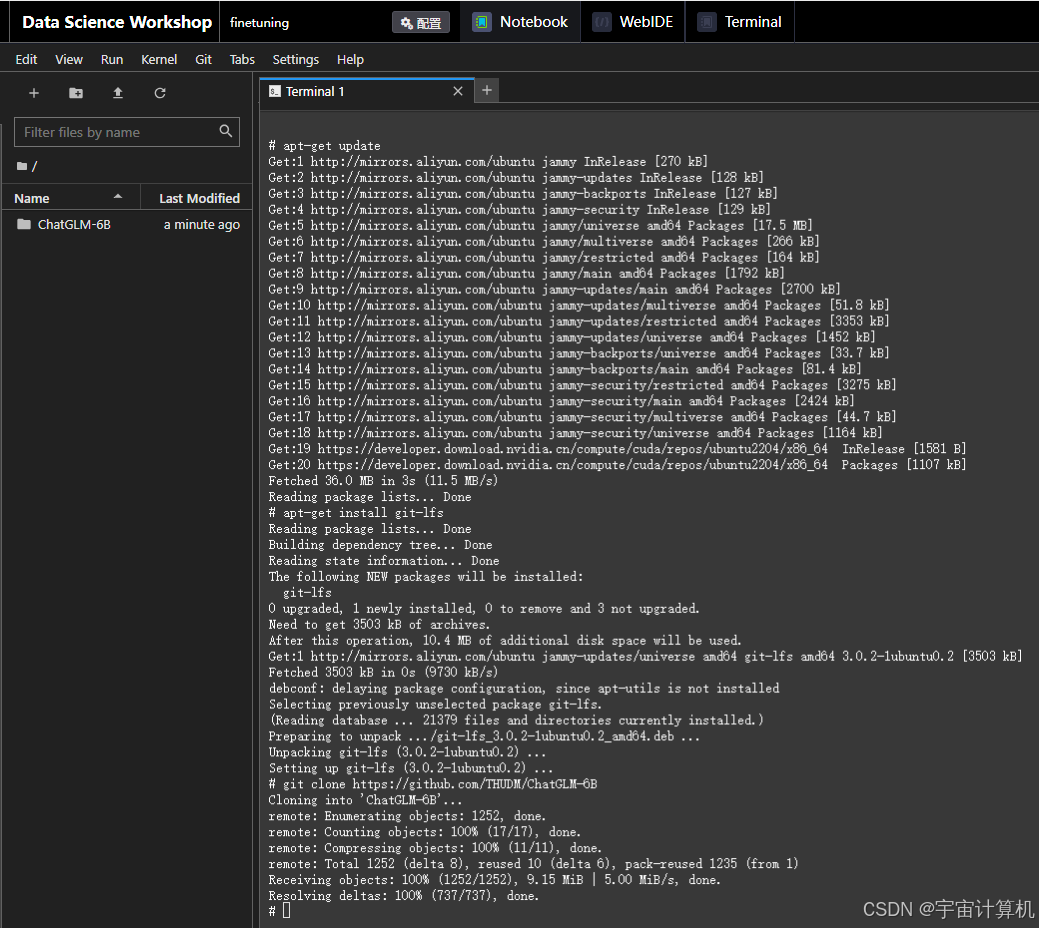
之后安装项目依赖库:
cd ChatGLM-6B
pip install -r requirements.txt
之后我们下载模型:但是如果我们直接运行以下命令下载模型的话:
git clone https://huggingface.co/THUDM/chatglm2-6b model
会报错,因为网络无法访问 https://huggingface.co/THUDM/chatglm2-6b/':Failed to connect to huggingface.co port 443 after 128959 ms:,所以报连接超时的错误。
参考帖子:本地下载huggingface模型并在服务器上使用流程,在ChatGLM的model文件夹下建立一个文件,把模型直接下载到阿里云里,问题解决。
import os

os.environ['HF_ENDPOINT'] = 'https://hf-mirror.com'   # 这个镜像网站可能也可以换掉

from huggingface_hub import snapshot_download

snapshot_download(repo_id="THUDM/chatglm2-6b",
                  local_dir_use_symlinks=False,
                  local_dir="/mnt/workspace/ChatGLM-6B/model")
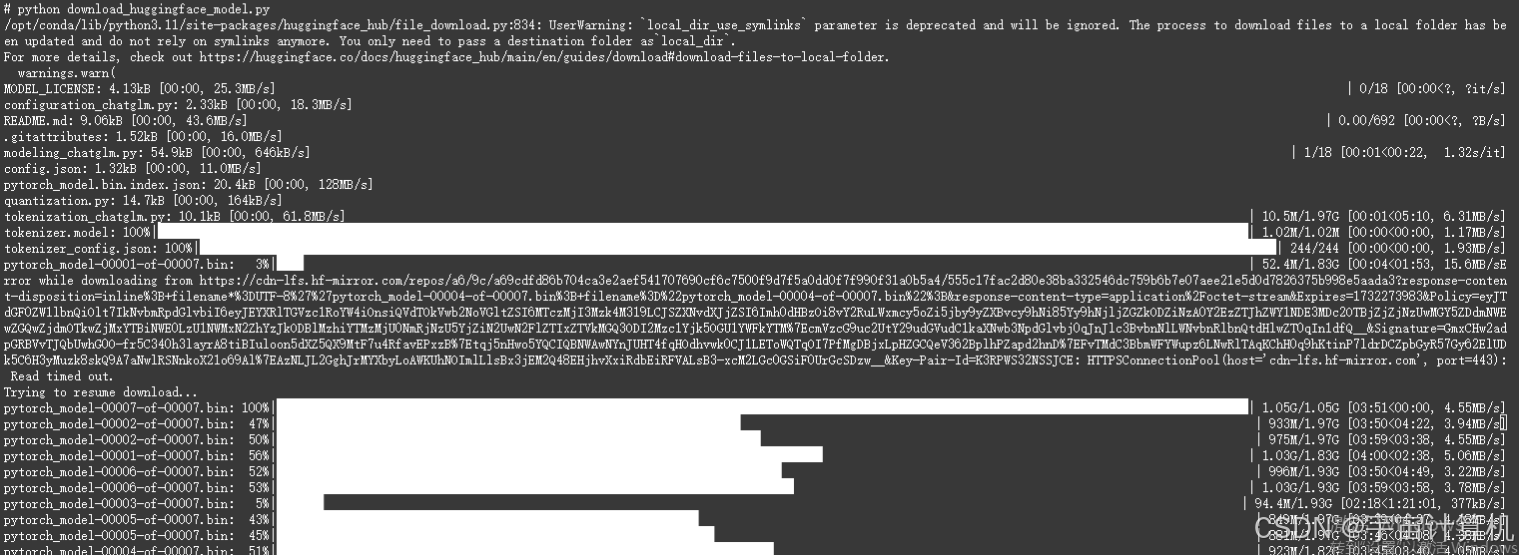
(其实大家在这里可能注意到了,就是我们下载的是ChatGLM-2的模型,而不是ChatGLM的模型,所以之后P-Tuning会报一些错误。不过大家不要担心,问题解决也不难,就在帖子下面。)
下载好的model如下所示: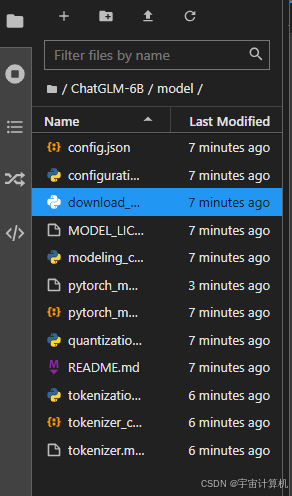
全部下载好了之后,我们需要找到from_pretrained函数,修改模型的位置。
grep -r 'from_pretrained' /mnt/workspace/ChatGLM-6B
我使用了这个语句,其效果非常非常好。一定要把linux怎么查找某一行,这个知识分享出去,帮助更多的人。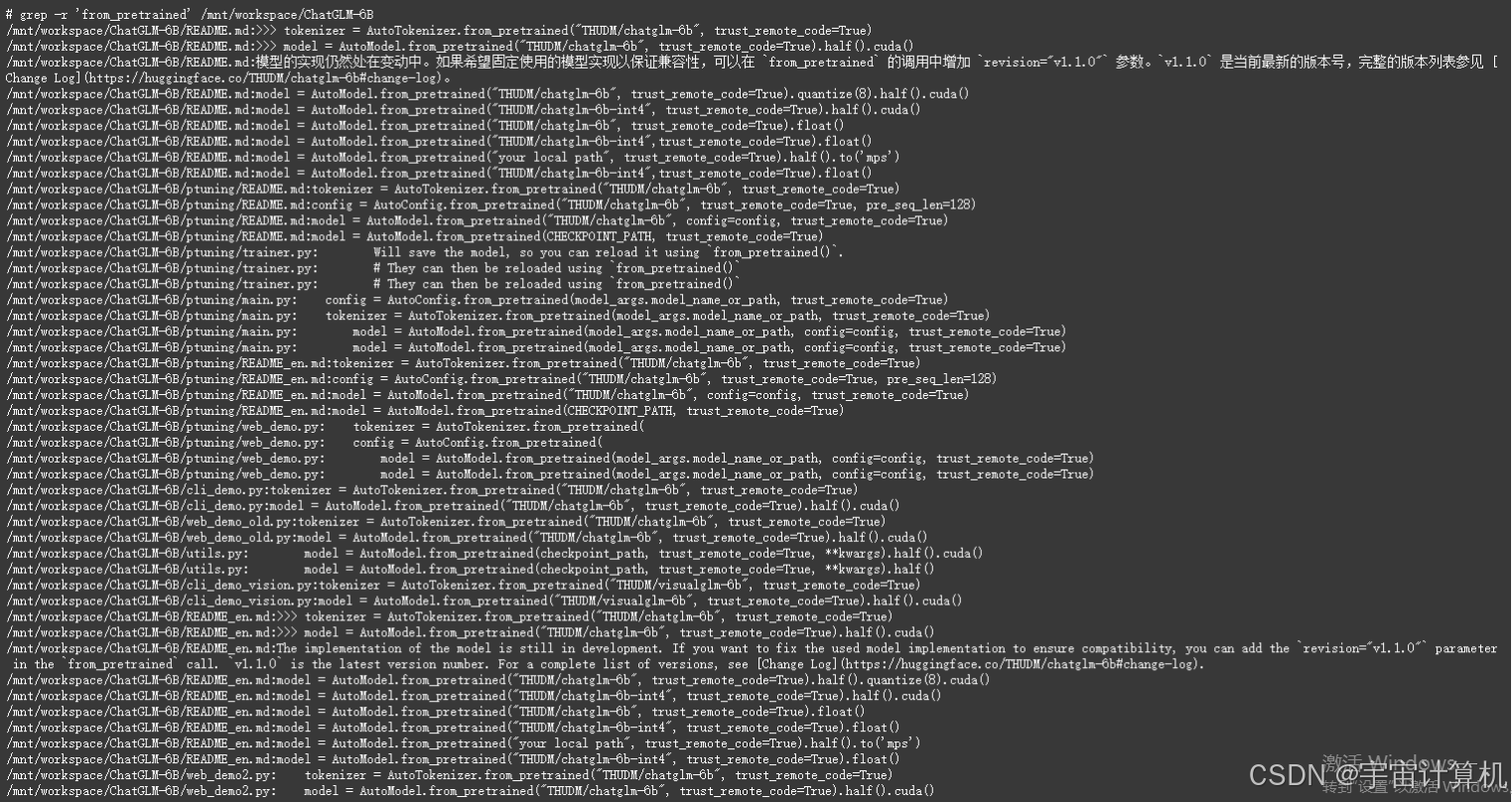
我们接下来先尝试在命令行里运行一下ChatGLM大模型。
先尝试以命令行输入的方式与大模型问答交互,进入ChatGLM3源码根目录,找到basic_demo/cli_demo.py,编辑如下图所示的第七行:
然后我们把from_pretrained函数的路径换成模型的本地路径即可:
接着我们运行命令行方法:
python cli_demo.py
如果显存和内存清理的很干净,它的回答效果会很好。如果清理的不干净,那么回答的效果会很差。。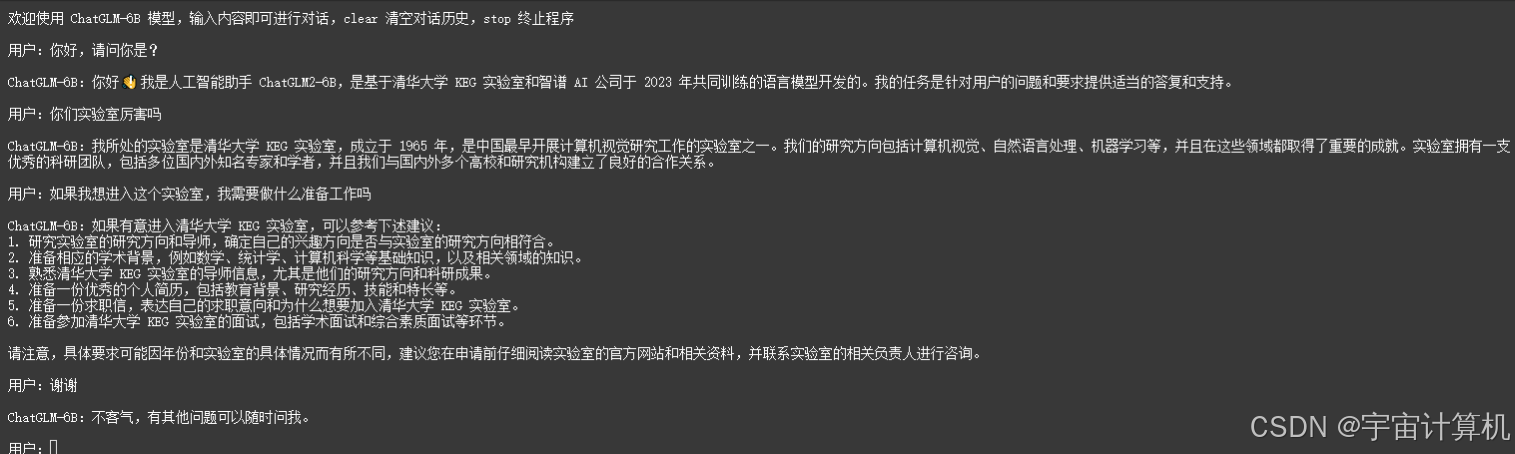
同样的,下一步我们修改web_demo.py这个文件,把模型的路径重新放上去。
tokenizer = AutoTokenizer.from_pretrained("/mnt/workspace/ChatGLM-6B/model", trust_remote_code=True)
model = AutoModel.from_pretrained("/mnt/workspace/ChatGLM-6B/model", trust_remote_code=True).half().cuda()
model = model.eval()

之后我们开始运行web_demo.py。
python web_demo.py
报错: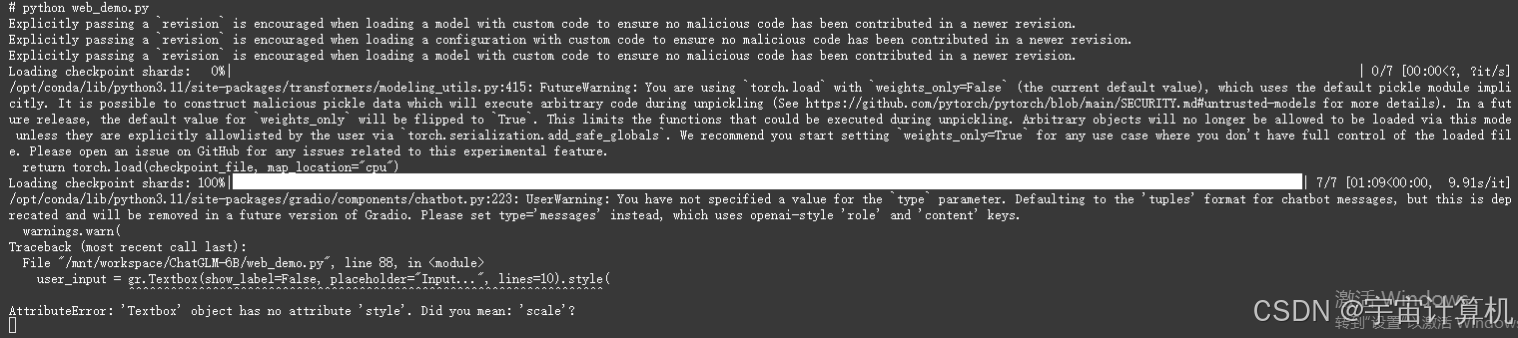
错误信息显示,gr.Textbox 中的 style 方法不存在,这可能是因为 Gradio 的版本更新导致了一些方法的变化。
参考这个帖子‘Textbox‘ object has no attribute ‘style‘. Did you mean: ‘scale‘? 原创发现原因是gradio版本太高,重新安装低版本
pip uninstall gradio
pip install gradio==3.41.2
再次运行:
python web_demo.py
成功: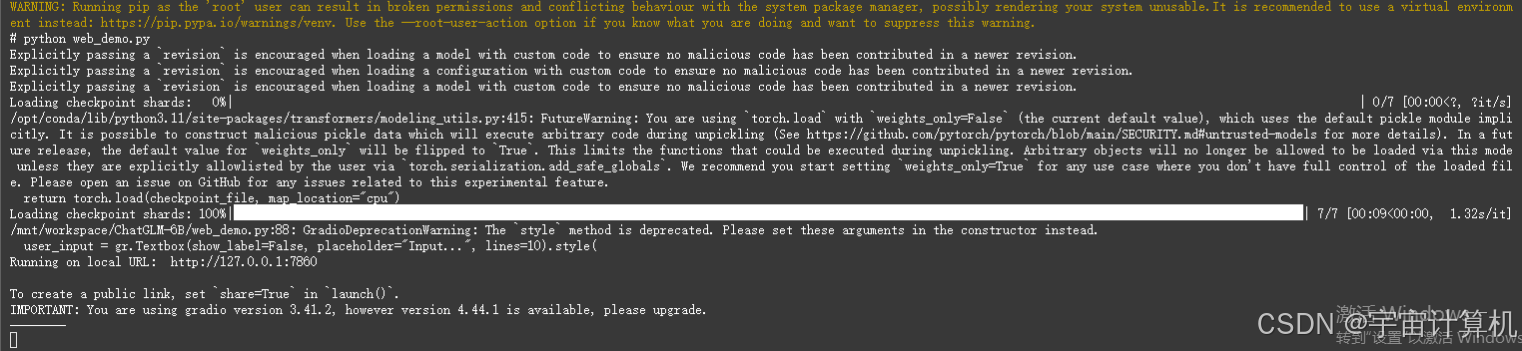
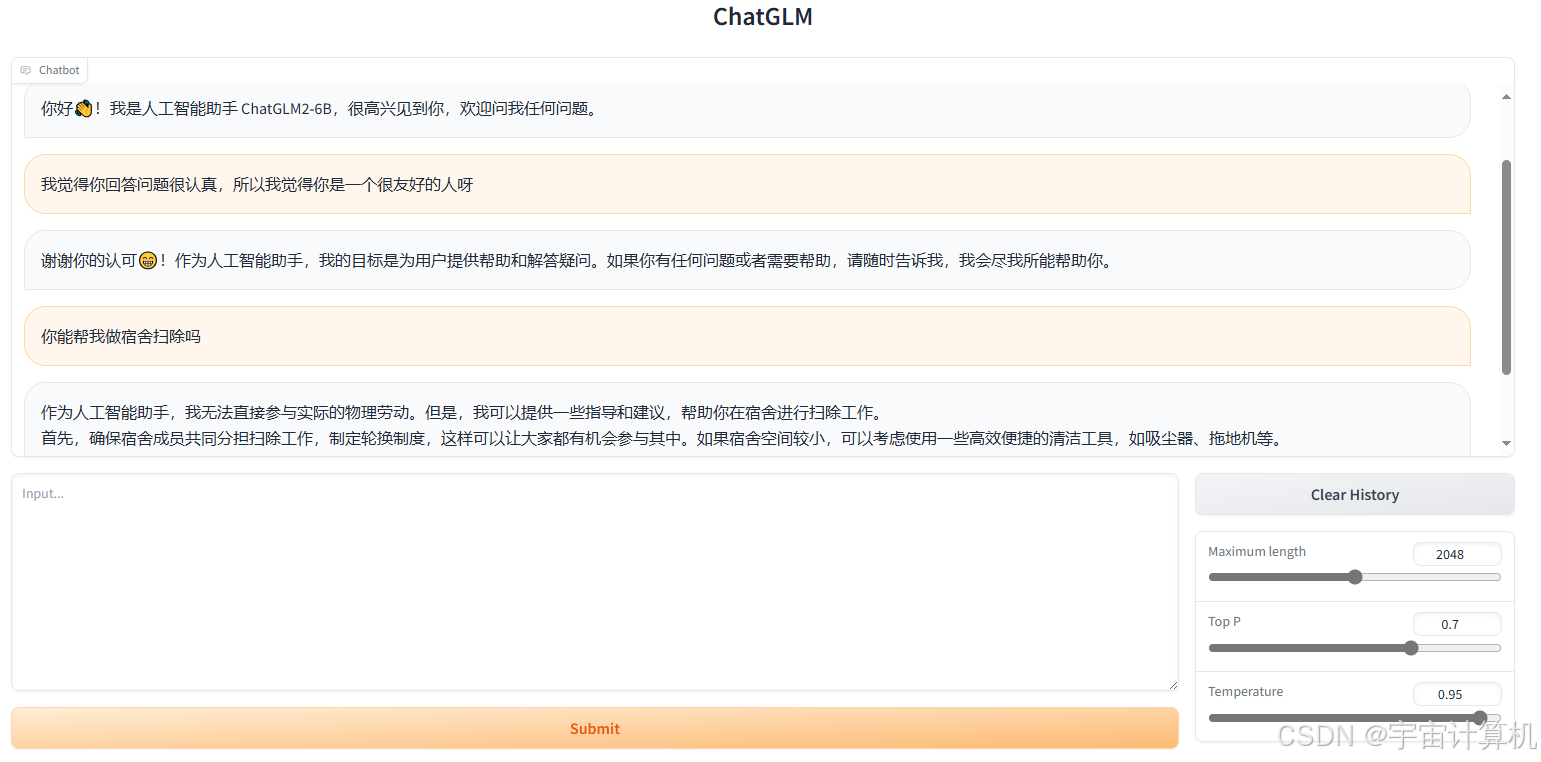
参考这个帖子:AIGC|手把手教你进行ChatGLM模型部署实践,可以进一步调整一下里面的share参数,让这个变成公共参数的,就是有了url以后,大家都能打开。
3. ChatGLM2-6B进行P-Tuning v2微调
最新的P-Tuning v2 将需要微调的参数量减少到原来的 0.1%,再通过模型量化、Gradient Checkpoint 等方法,最低只需要 7GB 显存即可运行。
我们首先进入p-tuning文件夹
下面以 ADGEN (广告生成) 数据集为例介绍代码的使用方法。
首先安装依赖项:
pip install rouge_chinese nltk jieba datasets
把文件AdvertiseGen.tar.gz完全上传到p-tuning文件夹下,在主目录里把它解压出来。
gzip -d AdvertiseGen.tar.gz
tar -xvf AdvertiseGen.tar
最终解压完以后会出现一个AdvertiseGen文件夹。并且生成相应的文件夹内的内容。
注意,这个文件夹是放在p-tuning文件夹下的。
接着我们把p-tuning文件夹中的train.sh这个文件进行修改里的模型改成我们本来的模型文件==。
- 修改
model_name_or_path,和我们下载的模型的路径相同。 - 在
train.sh中我们能看到train_file和validation_file的位置,和我们的AdvertiseGen的文件夹位置相同。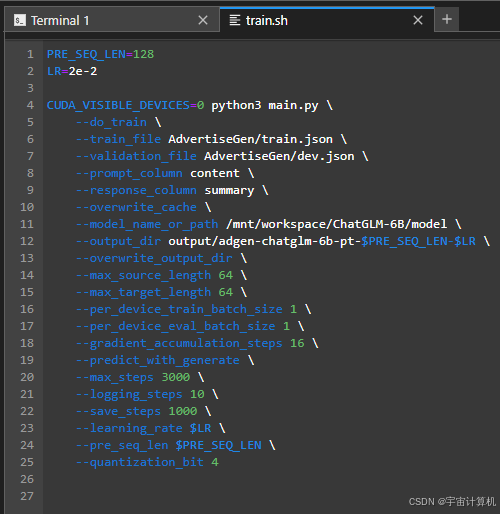
之后我们运行训练文件
bash train.sh
报错:
Traceback (most recent call last):
File "/mnt/workspace/ChatGLM-6B/ptuning/main.py", line 430, in <module>
main()
File "/mnt/workspace/ChatGLM-6B/ptuning/main.py", line 99, in main
raw_datasets = load_dataset(
^^^^^^^^^^^^^
File "/opt/conda/lib/python3.11/site-packages/datasets/load.py", line 2132, in load_dataset
builder_instance = load_dataset_builder(
^^^^^^^^^^^^^^^^^^^^^
File "/opt/conda/lib/python3.11/site-packages/datasets/load.py", line 1890, in load_dataset_builder
builder_instance: DatasetBuilder = builder_cls(
^^^^^^^^^^^^
File "/opt/conda/lib/python3.11/site-packages/datasets/builder.py", line 342, in init
self.config, self.config_id = self._create_builder_config(
^^^^^^^^^^^^^^^^^^^^^^^^^^^^
File "/opt/conda/lib/python3.11/site-packages/datasets/builder.py", line 582, in _create_builder_config
builder_config = self.BUILDER_CONFIG_CLASS(**config_kwargs)
^^^^^^^^^^^^^^^^^^^^^^^^^^^^^^^^^^^^^^^^^^
TypeError: JsonConfig.init() got an unexpected keyword argument 'use_auth_token'
报错原因:datasets版本过高。
我在huggingface /datasets Public网址内查看,发现datasets3.0.0以上版本,use_auth_token被去掉了。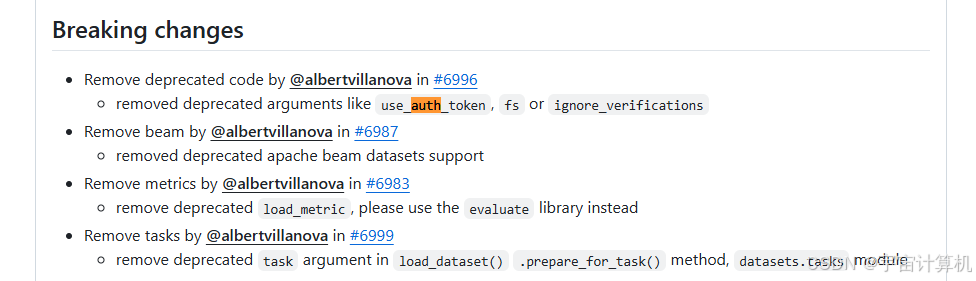
pip uninstall datasets
pip install datasets==2.21.0
之后重新:
bash train.sh
就可以成功运行了。
但是又遇到了新的问题,报错:
Traceback (most recent call last):
  File "/mnt/workspace/ChatGLM-6B/ptuning/main.py", line 430, in <module>
    main()
  File "/mnt/workspace/ChatGLM-6B/ptuning/main.py", line 248, in main
    train_dataset = train_dataset.map(
                    ^^^^^^^^^^^^^^^^^^
  File "/opt/conda/lib/python3.11/site-packages/datasets/arrow_dataset.py", line 602, in wrapper
    out: Union["Dataset", "DatasetDict"] = func(self, *args, **kwargs)
                                           ^^^^^^^^^^^^^^^^^^^^^^^^^^^
  File "/opt/conda/lib/python3.11/site-packages/datasets/arrow_dataset.py", line 567, in wrapper
    out: Union["Dataset", "DatasetDict"] = func(self, *args, **kwargs)
                                           ^^^^^^^^^^^^^^^^^^^^^^^^^^^
  File "/opt/conda/lib/python3.11/site-packages/datasets/arrow_dataset.py", line 3167, in map
    for rank, done, content in Dataset._map_single(**dataset_kwargs):
  File "/opt/conda/lib/python3.11/site-packages/datasets/arrow_dataset.py", line 3558, in _map_single
    batch = apply_function_on_filtered_inputs(
            ^^^^^^^^^^^^^^^^^^^^^^^^^^^^^^^^^^
  File "/opt/conda/lib/python3.11/site-packages/datasets/arrow_dataset.py", line 3427, in apply_function_on_filtered_inputs
    processed_inputs = function(*fn_args, *additional_args, **fn_kwargs)
                       ^^^^^^^^^^^^^^^^^^^^^^^^^^^^^^^^^^^^^^^^^^^^^^^^^
  File "/mnt/workspace/ChatGLM-6B/ptuning/main.py", line 219, in preprocess_function_train
    context_length = input_ids.index(tokenizer.bos_token_id)
                     ^^^^^^^^^^^^^^^^^^^^^^^^^^^^^^^^^^^
  ValueError: None is not in list
可以参考如下帖子:
问题出在我们下载的ChatGLM-2模型,但是使用的是ChatGLM-1的p-tuning代码。我们做如下修改就好了:
将 代码 ChatGLM-6B/ptuning/main.py 中的
context_length = input_ids.index(tokenizer.bos_token_id)
修改为:
context_length = input_ids.index(tokenizer.get_command("sop"))

另外,将 模型 model/tokenization_chatglm 中的
token_ids_0 = prefix_tokens + token_ids_0
修改为:
token_ids_0 = token_ids_0 + prefix_tokens
修改完,成功运行。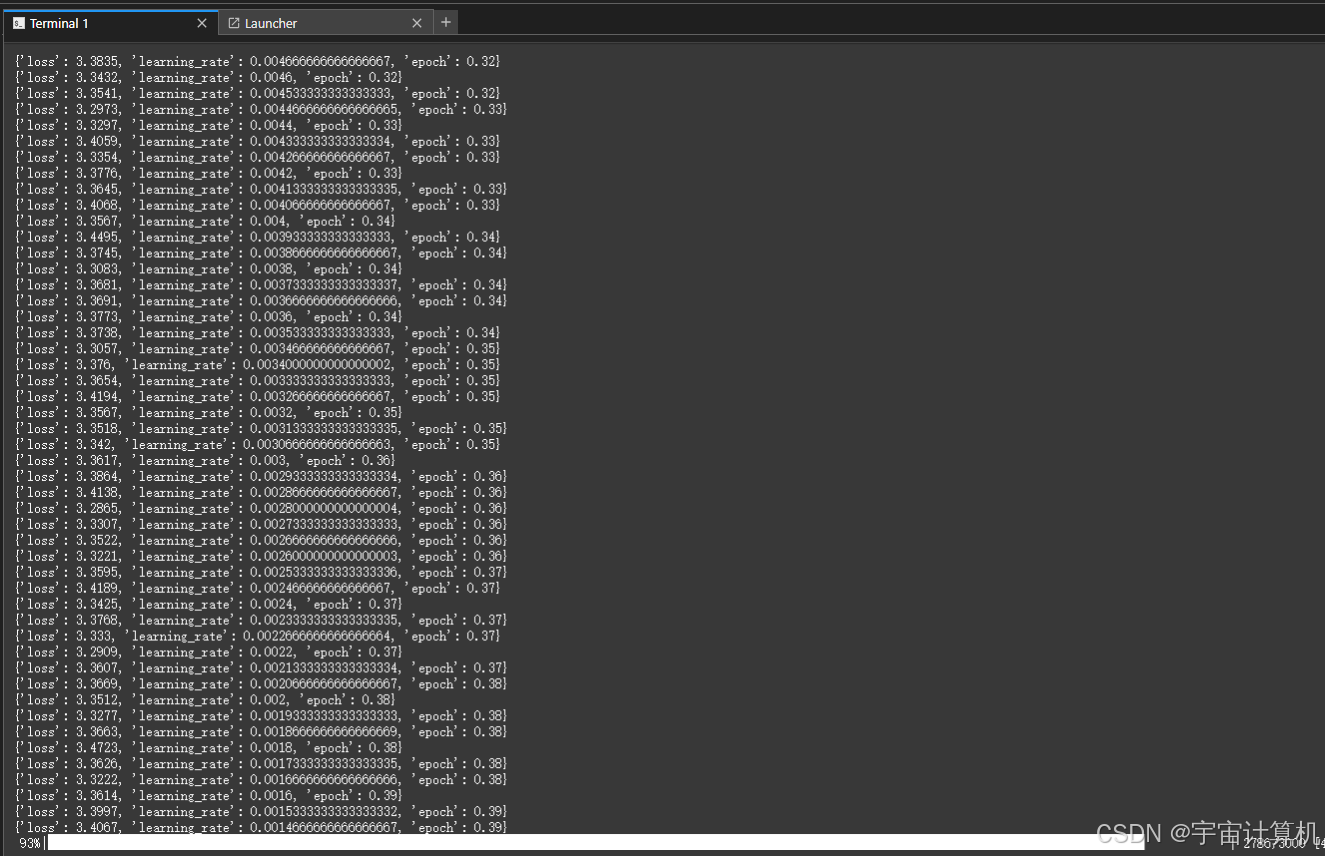
A10两天之内就微调完啦。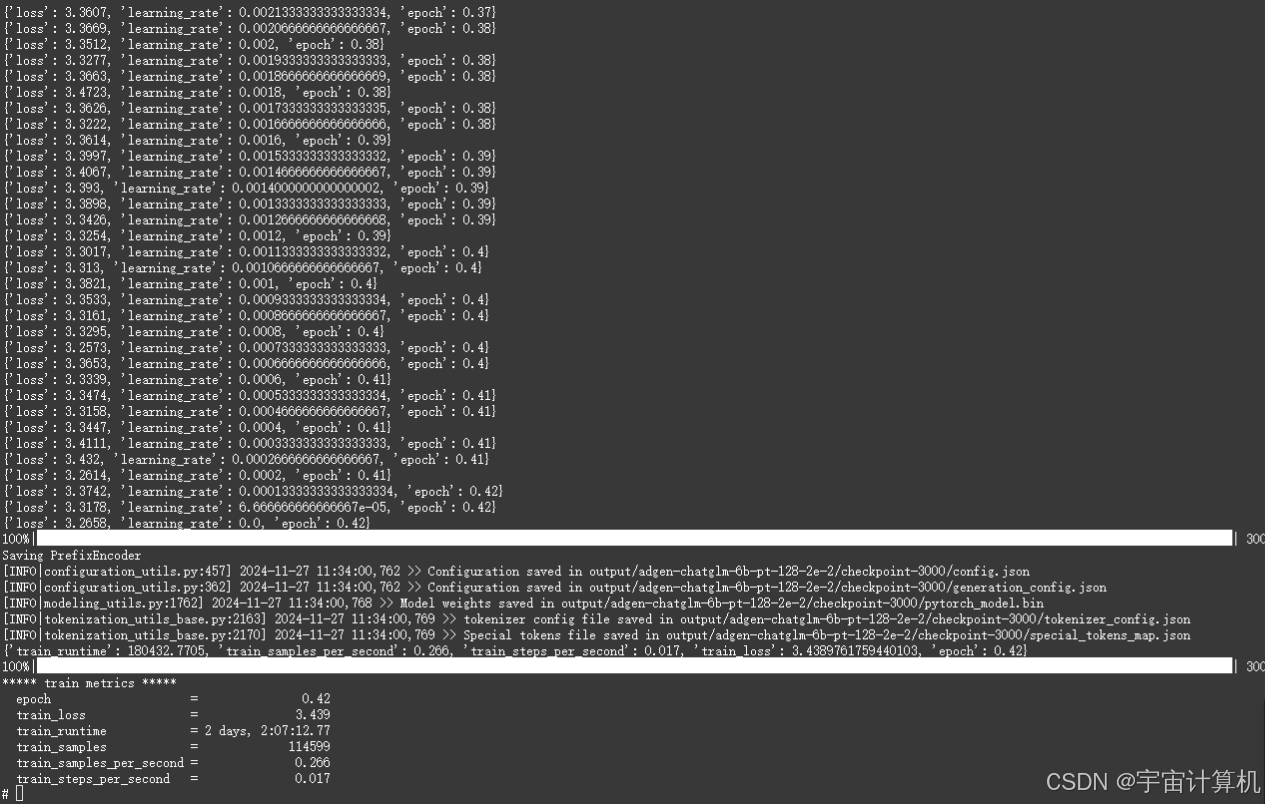
环境配置(安装配置不出来看这里):
显卡:A10
Python:3.11
CUDA:12.1
Ubuntu:22.04
torcheasyrec:0.6.0
pytorch:2.5.0
阿里云镜像:
dsw-registry-vpc.cn-beijing.cr.aliyuncs.com/pai/torcheasyrec:0.6.0-pytorch2.5.0-gpu-py311-cu121-ubuntu22.04
reuqirements.txt (但是不能直接用,里面很多保存的本地路径。大家安装出问题的话,可以在已经安装的那些包的基础上,删掉下面本地的那些语句,把其他的包的版本安装对就可以了。)
absl-py==2.1.0
accelerate==1.1.1
aiofiles==23.2.1
aiohappyeyeballs==2.4.3
aiohttp==3.10.10
aiosignal==1.3.1
alabaster==1.0.0
alibabacloud-tea==0.4.0
alibabacloud_credentials==0.3.6
altair==5.4.1
annotated-types==0.7.0
anyio==4.6.2.post1
anytree==2.12.1
archspec @ file:///home/conda/feedstock_root/build_artifacts/archspec_1708969572489/work
asttokens==2.4.1
attrs==24.2.0
babel==2.16.0
boltons @ file:///home/conda/feedstock_root/build_artifacts/boltons_1711936407380/work
Brotli @ file:///home/conda/feedstock_root/build_artifacts/brotli-split_1725267488082/work
certifi @ file:///home/conda/feedstock_root/build_artifacts/certifi_1725278078093/work/certifi
cffi @ file:///home/conda/feedstock_root/build_artifacts/cffi_1725560564262/work
cfgv==3.4.0
charset-normalizer @ file:///home/conda/feedstock_root/build_artifacts/charset-normalizer_1728479282467/work
click==8.1.7
colorama @ file:///home/conda/feedstock_root/build_artifacts/colorama_1666700638685/work
comm==0.2.2
common-io @ https://tzrec.oss-cn-beijing.aliyuncs.com/third_party/common_io-0.4.1%2Btunnel-py2.py3-none-any.whl#sha256=cdaafaf972a2d4a7d7ce6b29cb4daaa1934f621374376a8c8870d5fd80168d0a
conda @ file:///home/conda/feedstock_root/build_artifacts/conda_1729155142459/work
conda-libmamba-solver @ file:///home/conda/feedstock_root/build_artifacts/conda-libmamba-solver_1727359833193/work/src
conda-package-handling @ file:///home/conda/feedstock_root/build_artifacts/conda-package-handling_1729006966809/work
conda_package_streaming @ file:///home/conda/feedstock_root/build_artifacts/conda-package-streaming_1729004031731/work
contourpy==1.3.1
cpm-kernels==1.0.11
cycler==0.12.1
Cython==3.0.11
dataclasses-json==0.6.7
datasets==2.21.0
debugpy==1.8.8
decorator==5.1.1
dill==0.3.8
distlib==0.3.9
distro @ file:///home/conda/feedstock_root/build_artifacts/distro_1704321475663/work
docutils==0.21.2
executing==2.1.0
faiss-cpu==1.9.0
fastapi==0.115.5
fbgemm_gpu==1.0.0+cu121
ffmpy==0.4.0
filelock==3.13.1
fonttools==4.55.0
frozendict @ file:///home/conda/feedstock_root/build_artifacts/frozendict_1728841334936/work
frozenlist==1.5.0
fsspec==2024.2.0
gradio==3.41.2
gradio_client==0.5.0
graphlearn @ https://tzrec.oss-cn-beijing.aliyuncs.com/third_party/graphlearn-1.3.0-cp311-cp311-linux_x86_64.whl#sha256=b1531f24a7b9c0b2462e0f88104438b3e739d9067269a744fd00a708ff876d9f
grpcio==1.67.1
grpcio-tools==1.62.3
h11==0.14.0
h2 @ file:///home/conda/feedstock_root/build_artifacts/h2_1634280454336/work
hpack==4.0.0
httpcore==1.0.6
httpx==0.27.2
huggingface-hub==0.26.2
hyperframe @ file:///home/conda/feedstock_root/build_artifacts/hyperframe_1619110129307/work
identify==2.6.1
idna @ file:///home/conda/feedstock_root/build_artifacts/idna_1726459485162/work
imagesize==1.4.1
importlib_resources==6.4.5
intervaltree==3.1.0
iopath==0.1.9
ipykernel==6.29.5
ipython==8.29.0
jedi==0.19.2
jieba==0.42.1
Jinja2==3.1.3
joblib==1.4.2
jsonpatch @ file:///home/conda/feedstock_root/build_artifacts/jsonpatch_1695536281965/work
jsonpointer @ file:///home/conda/feedstock_root/build_artifacts/jsonpointer_1725302941992/work
jsonschema==4.23.0
jsonschema-specifications==2024.10.1
jupyter_client==8.6.3
jupyter_core==5.7.2
kiwisolver==1.4.7
latex2mathml==3.77.0
libcst==1.5.0
libmambapy @ file:///home/conda/feedstock_root/build_artifacts/mamba-split_1727883551957/work/libmambapy
lightning-utilities==0.11.8
linkify-it-py==2.0.3
mamba @ file:///home/conda/feedstock_root/build_artifacts/mamba-split_1727883551957/work/mamba
Markdown==3.7
markdown-it-py==3.0.0
MarkupSafe==2.1.5
marshmallow==3.23.1
matplotlib==3.9.2
matplotlib-inline==0.1.7
mdit-py-plugins==0.4.2
mdtex2html==1.3.0
mdurl==0.1.2
menuinst @ file:///home/conda/feedstock_root/build_artifacts/menuinst_1725359023560/work
mpmath==1.3.0
multidict==6.1.0
multiprocess==0.70.16
mypy-extensions==1.0.0
myst-parser==4.0.0
narwhals==1.14.1
nest-asyncio==1.6.0
networkx==3.2.1
nltk==3.9.1
nodeenv==1.9.1
numpy==1.26.3
nvidia-cublas-cu12==12.1.3.1
nvidia-cuda-runtime-cu12==12.1.105
nvidia-cudnn-cu12==9.1.0.70
nvidia-nccl-cu12==2.21.5
orjson==3.10.11
packaging @ file:///home/conda/feedstock_root/build_artifacts/packaging_1718189413536/work
pandas==2.2.3
parameterized==0.9.0
parso==0.8.4
pexpect==4.9.0
pillow==10.4.0
platformdirs @ file:///home/conda/feedstock_root/build_artifacts/platformdirs_1726613481435/work
pluggy @ file:///home/conda/feedstock_root/build_artifacts/pluggy_1713667077545/work
portalocker==2.10.1
pre_commit==4.0.1
prompt_toolkit==3.0.48
propcache==0.2.0
protobuf==4.25.5
psutil==6.1.0
ptyprocess==0.7.0
pure_eval==0.2.3
pyarrow==17.0.0
pycosat @ file:///home/conda/feedstock_root/build_artifacts/pycosat_1696355758146/work
pycparser @ file:///home/conda/feedstock_root/build_artifacts/pycparser_1711811537435/work
pydantic==2.9.2
pydantic_core==2.23.4
pydub==0.25.1
pyfg @ https://tzrec.oss-cn-beijing.aliyuncs.com/third_party/pyfg-0.3.4-cp311-cp311-linux_x86_64.whl#sha256=f066e01d7409962e8c06a57eaef422b1432d172cfb604b0a3ed7b976585df487
Pygments==2.18.0
pyodps==0.12.0
pyparsing==3.2.0
pyre-check==0.9.21
pyre-extensions==0.0.31
PySocks @ file:///home/conda/feedstock_root/build_artifacts/pysocks_1661604839144/work
python-dateutil==2.9.0.post0
python-multipart==0.0.12
pytz==2024.2
PyYAML==6.0.2
pyzmq==26.2.0
referencing==0.35.1
regex==2024.11.6
requests @ file:///home/conda/feedstock_root/build_artifacts/requests_1717057054362/work
rich==13.9.4
rouge-chinese==1.0.3
rpds-py==0.21.0
ruamel.yaml @ file:///home/conda/feedstock_root/build_artifacts/ruamel.yaml_1728764976564/work
ruamel.yaml.clib @ file:///home/conda/feedstock_root/build_artifacts/ruamel.yaml.clib_1728724459810/work
ruff==0.7.3
safehttpx==0.1.1
safetensors==0.4.5
scikit-learn==1.5.2
scipy==1.14.1
semantic-version==2.10.0
sentencepiece==0.2.0
shellingham==1.5.4
six==1.16.0
sniffio==1.3.1
snowballstemmer==2.2.0
sortedcontainers==2.4.0
Sphinx==8.1.3
sphinx-rtd-theme==3.0.1
sphinxcontrib-applehelp==2.0.0
sphinxcontrib-devhelp==2.0.0
sphinxcontrib-htmlhelp==2.1.0
sphinxcontrib-jquery==4.1
sphinxcontrib-jsmath==1.0.1
sphinxcontrib-qthelp==2.0.0
sphinxcontrib-serializinghtml==2.0.0
stack-data==0.6.3
starlette==0.41.2
sympy==1.13.1
tabulate==0.9.0
tensorboard==2.18.0
tensorboard-data-server==0.7.2
tensorrt-cu12==10.3.0
tensorrt-cu12-bindings==10.3.0
tensorrt-cu12-libs==10.3.0
TestSlide==2.7.1
threadpoolctl==3.5.0
tokenizers==0.13.3
tomlkit==0.12.0
torch==2.5.0+cu121
torch_tensorrt==2.5.0
torchmetrics==1.0.3
torchrec==1.0.0+cu121
tornado==6.4.1
tqdm @ file:///home/conda/feedstock_root/build_artifacts/tqdm_1722737464726/work
traitlets==5.14.3
transformers==4.27.1
triton==3.1.0
truststore @ file:///home/conda/feedstock_root/build_artifacts/truststore_1724770958874/work
typeguard==2.13.3
typer==0.13.0
typing-inspect==0.9.0
typing_extensions==4.12.2
tzdata==2024.2
uc-micro-py==1.0.3
urllib3 @ file:///home/conda/feedstock_root/build_artifacts/urllib3_1726496430923/work
uvicorn==0.32.0
virtualenv==20.27.1
wcwidth==0.2.13
websockets==11.0.3
Werkzeug==3.1.1
xxhash==3.5.0
yarl==1.17.1
zstandard==0.23.0

魔乐社区(Modelers.cn) 是一个中立、公益的人工智能社区,提供人工智能工具、模型、数据的托管、展示与应用协同服务,为人工智能开发及爱好者搭建开放的学习交流平台。社区通过理事会方式运作,由全产业链共同建设、共同运营、共同享有,推动国产AI生态繁荣发展。
更多推荐



 23
23 0
0- 0


 已为社区贡献14条内容

所有评论(0)