基于华为云服务器Docker nginx安装和配置挂载
基于华为云服务器Docker nginx安装和配置挂载
在Docker下载Nginx镜像
docker pull nginx
docker images

创建挂载目录
mkdir -p /data/nginx/{conf,conf.d,html,logs}

编写nginx,conf配置文件,并放在文件夹中
# For more information on configuration, see:
# * Official English Documentation: http://nginx.org/en/docs/
# * Official Russian Documentation: http://nginx.org/ru/docs/
user nginx;
worker_processes auto;
error_log /var/log/nginx/error.log;
pid /run/nginx.pid;
# Load dynamic modules. See /usr/share/nginx/README.dynamic.
include /usr/share/nginx/modules/*.conf;
events {
worker_connections 1024;
}
http {
log_format main '$remote_addr - remoteuser[remote_user [remoteuser[time_local] “KaTeX parse error: Double superscript at position 34: … '̲status bodybytessent"body_bytes_sent "bodybytessent"http_referer” ’
‘“httpuseragent""http_user_agent" "httpuseragent""http_x_forwarded_for”’;
access_log  /var/log/nginx/access.log  main;

sendfile            on;
tcp_nopush          on;
tcp_nodelay         on;
keepalive_timeout   65;
types_hash_max_size 2048;

include             /etc/nginx/mime.types;
default_type        application/octet-stream;

# Load modular configuration files from the /etc/nginx/conf.d directory.
# See http://nginx.org/en/docs/ngx_core_module.html#include
# for more information.
include /etc/nginx/conf.d/*.conf;

server {
    listen       80 default_server;
    listen       [::]:80 default_server;
    server_name  182.254.161.54;
    root         /usr/share/nginx/html;

    # Load configuration files for the default server block.
    include /etc/nginx/default.d/*.conf;

    location / {
    proxy_pass http://pic;
    }

    error_page 404 /404.html;
        location = /40x.html {
    }

    error_page 500 502 503 504 /50x.html;
        location = /50x.html {
    }
}
#这块是我要负载均衡的三个es的node
upstream pic{
            server 114.115.249.25:9200 weight=5;
            server 114.115.249.25:9201 weight=5;
            server 114.115.249.25:9202 weight=5;
}
}
启动容器
这边需要开启82端口,宿主机的82对应容器内部的80,-v是挂载宿主机的一个目录
docker run --name mynginx -d -p 82:80 -v /data/nginx/conf/nginx.conf:/etc/nginx/nginx.conf -v /data/nginx/logs:/var/log/nginx -d docker.io/nginx

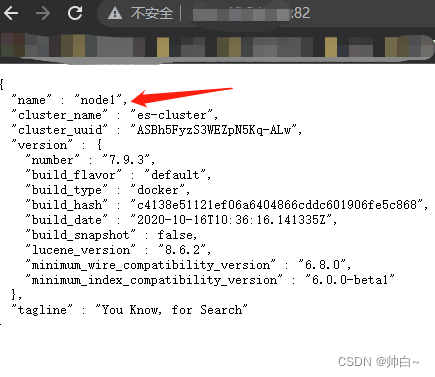
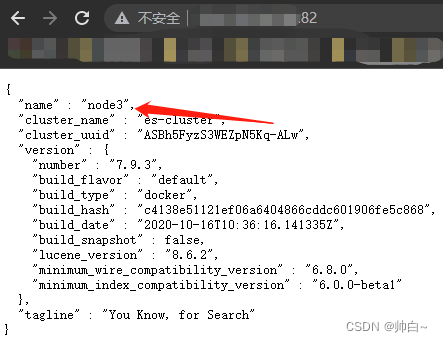
我部署了三个es的node,坐了下负载均衡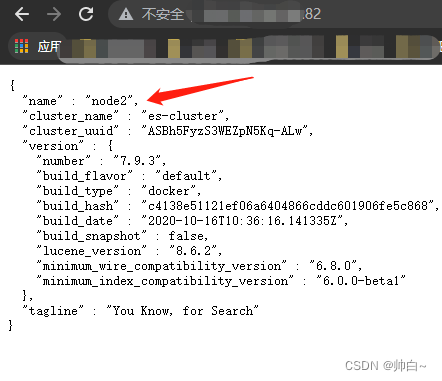

魔乐社区(Modelers.cn) 是一个中立、公益的人工智能社区,提供人工智能工具、模型、数据的托管、展示与应用协同服务,为人工智能开发及爱好者搭建开放的学习交流平台。社区通过理事会方式运作,由全产业链共同建设、共同运营、共同享有,推动国产AI生态繁荣发展。
更多推荐

 0
0 0
0- 0


 已为社区贡献1条内容

所有评论(0)