2.2 接入大模型API(阿里百炼)
·
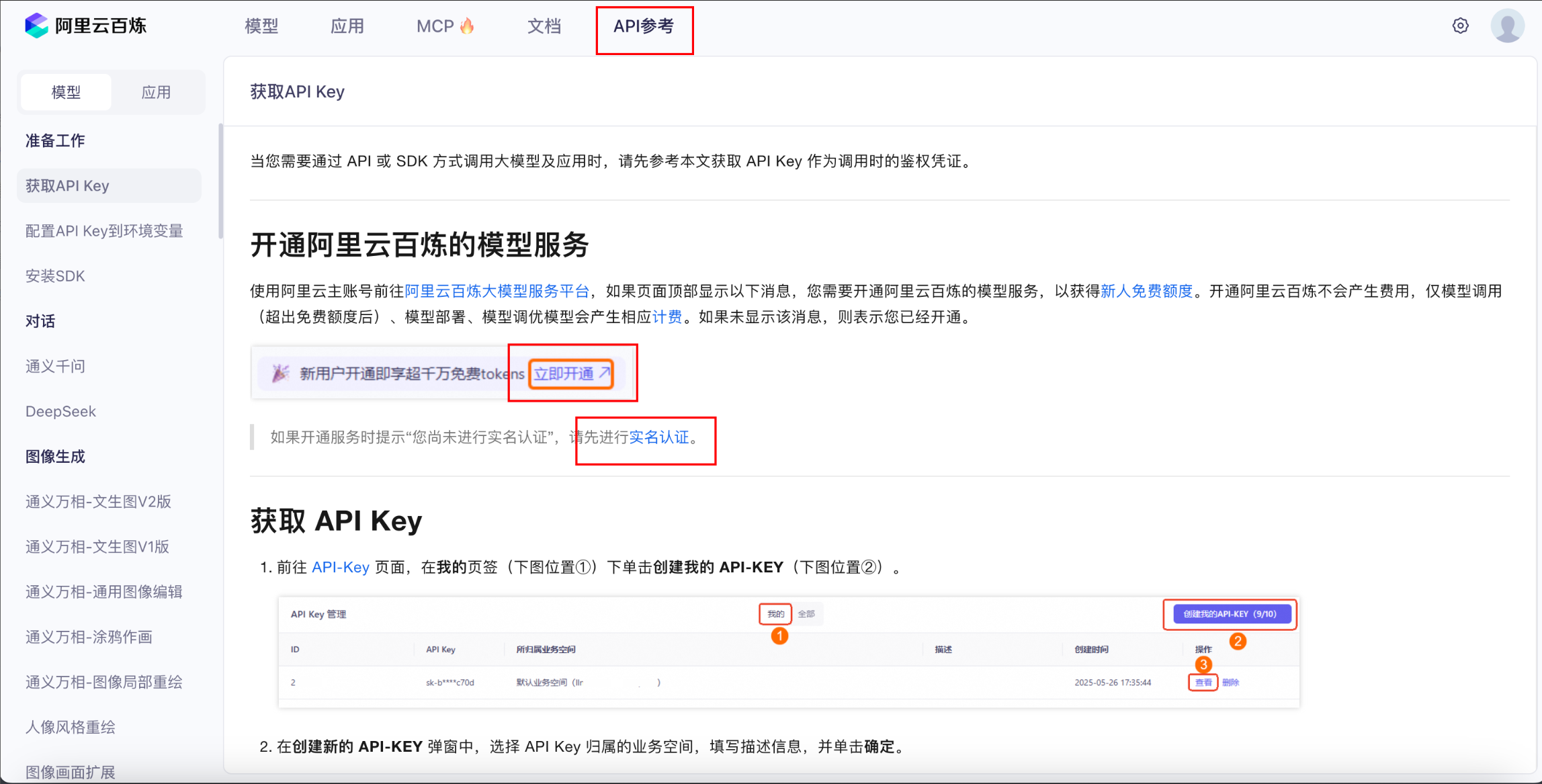
1. 完成登录注册
- 进入阿里云的百炼大模型平台,
- 完成注册,登录,实名(使用支付宝扫一下)。
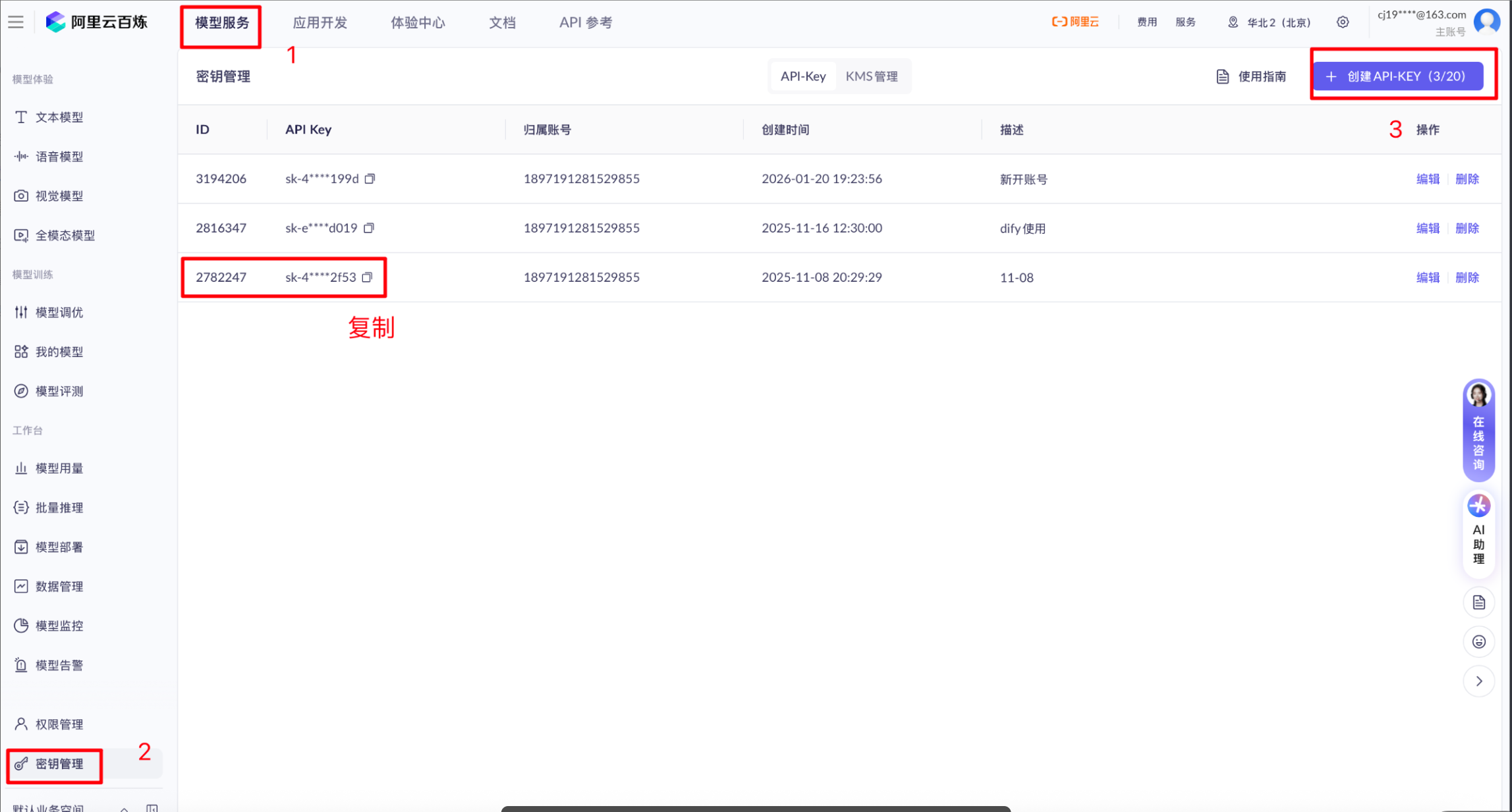
2. 创建 API Key
- 在控制台生成专属密钥(
sk-xxx格式)
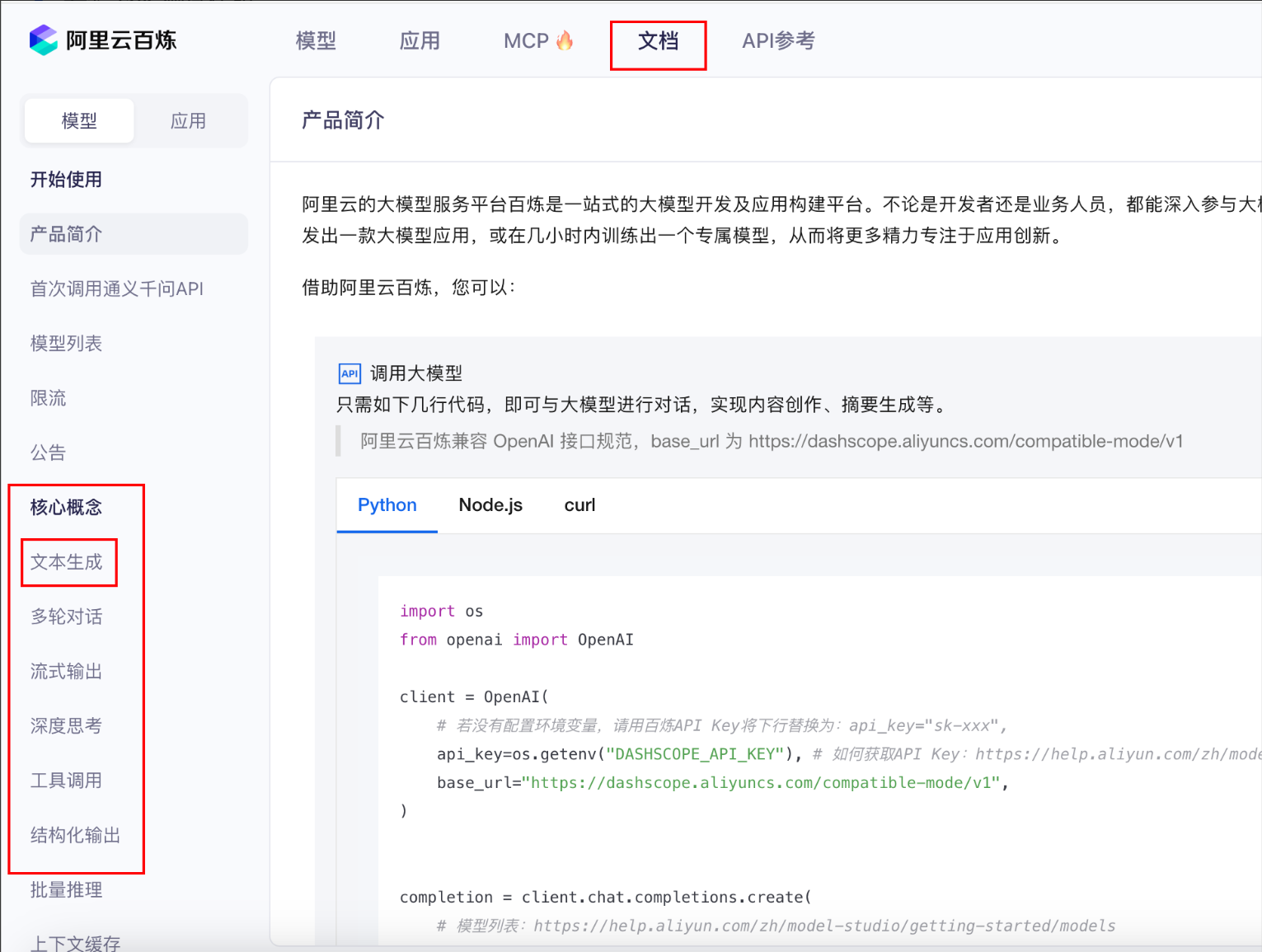
3. 测试接口
3.1 安装依赖
- pip install openai
3.2 基础API调用
非流式
import os
from openai import OpenAI
from dotenv import load_dotenv,find_dotenv


client = OpenAI(
    # 各地域的API Key不同。获取API Key:https://help.aliyun.com/zh/model-studio/get-api-key
    # 若没有配置环境变量,请用阿里云百炼API Key将下行替换为:api_key="sk-xxx",
    # api_key=os.getenv("ALY_API_KEY"),
    api_key='XX',
    # 以下是北京地域base_url,如果使用新加坡地域的模型,需要将base_url替换为:https://dashscope-intl.aliyuncs.com/compatible-mode/v1
    base_url="https://dashscope.aliyuncs.com/compatible-mode/v1",
)

completion = client.chat.completions.create(
    # 模型列表:https://help.aliyun.com/zh/model-studio/getting-started/models
    # model="qwen-plus",
    model="qwen-flash",
    messages=[
        {"role": "system", "content": "You are a helpful assistant."},
        {"role": "user", "content": '你是谁?'},
    ],
)
print(completion)
print(completion.choices[0].message.content)
流式
import os
from openai import OpenAI
from dotenv import load_dotenv,find_dotenv

client = OpenAI(
    # 各地域的API Key不同。获取API Key:https://help.aliyun.com/zh/model-studio/get-api-key
    # 若没有配置环境变量,请用阿里云百炼API Key将下行替换为:api_key="sk-xxx",
    # api_key=os.getenv("ALY_API_KEY"),
    api_key='XX',
    # 以下是北京地域base_url,如果使用新加坡地域的模型,需要将base_url替换为:https://dashscope-intl.aliyuncs.com/compatible-mode/v1
    base_url="https://dashscope.aliyuncs.com/compatible-mode/v1",
)

completion = client.chat.completions.create(
    # 模型列表:https://help.aliyun.com/zh/model-studio/getting-started/models
    # model="qwen-plus",
    model="qwen-flash",
    messages=[
        {"role": "system", "content": "You are a helpful assistant."},
        {"role": "user", "content": '你是谁?'},
    ],
    stream=True
)
# print(completion)
# print(completion.choices[0].message.content)
for chunk in completion:
    print(chunk.choices[0].delta.content,end='')
4. 配置到虚拟文件
- 目的:避免将
API_KEY硬编码进代码,提升安全性。 - 方法:
- 创建
.env文件:里面放入api_key
- 创建
ALY_API_KEY=XX
- 在创建另一个文件
import os
from openai import OpenAI
from dotenv import load_dotenv,find_dotenv


# .env 放到环境变量
# 放入环境变量有什么用?
# 数据库账号密码或者API-KEY 都需要保护起来,单独配置。部署的时候单独保存
# 也可以直接把api_key配置到电脑的环境变量中去,连env文件都不需要=> 晚上看一下是怎么写入环境变量的?
load_dotenv()
client = OpenAI(
    # 各地域的API Key不同。获取API Key:https://help.aliyun.com/zh/model-studio/get-api-key
    # 若没有配置环境变量,请用阿里云百炼API Key将下行替换为:api_key="sk-xxx",
    api_key=os.getenv("ALY_API_KEY"),
    # api_key='sk-1bd6d8d02ec54ebd85c4f7d26df32a61',
    # 以下是北京地域base_url,如果使用新加坡地域的模型,需要将base_url替换为:https://dashscope-intl.aliyuncs.com/compatible-mode/v1
    base_url="https://dashscope.aliyuncs.com/compatible-mode/v1",
)

completion = client.chat.completions.create(
    # 模型列表:https://help.aliyun.com/zh/model-studio/getting-started/models
    # model="qwen-plus",
    model="qwen-flash",
    messages=[
        {"role": "system", "content": "You are a helpful assistant."},
        {"role": "user", "content": '给我讲个冷笑话,关于坦克有没有后视镜的笑话。最多200字'},
    ],
    stream=True
)
# print(completion)
# print(completion.choices[0].message.content)
for chunk in completion:
    print(chunk.choices[0].delta.content,end='')
5. 代码封装
- 常用模型:
qwen-flash(快)、qwen-plus(平衡)、qwen-max(强)
import os
from openai import OpenAI
from dotenv import load_dotenv
client = OpenAI(
    # 各地域的API Key不同。获取API Key:https://help.aliyun.com/zh/model-studio/get-api-key
    # 若没有配置环境变量,请用阿里云百炼API Key将下行替换为:api_key="sk-xxx",
    # api_key=os.getenv("ALY_API_KEY"),
    api_key='sk-1bd6d8d02ec54ebd85c4f7d26df32a61',
    # 以下是北京地域base_url,如果使用新加坡地域的模型,需要将base_url替换为:https://dashscope-intl.aliyuncs.com/compatible-mode/v1
    base_url="https://dashscope.aliyuncs.com/compatible-mode/v1",
)

# todo 封装成函数调用
def model_chat(content: str , model: str = 'qwen-flash')-> str:
    """
    调用千问大模型接口
    :param prompt: 输入文本或者指令
    :param model: 模型名称,默认qwen-plus
    :return: 模型调用结果
    """
    support_model = ['qwen-flash' , 'qwen-max' , 'qwen3-max']
    if not model in support_model:
        raise ValueError(f'模型不再支持的列表中,{support_model}')
    try:
        completion = client.chat.completions.create(
            model='qwen-flash',
            messages=[
                {"role": "system", "content": "You are a helpful assistant."},
                {"role": "user", "content": content}
            ],
        )
        return completion.choices[0].message.content
    except Exception as e:
        print(e)
        return '模型调用失败'

魔乐社区(Modelers.cn) 是一个中立、公益的人工智能社区,提供人工智能工具、模型、数据的托管、展示与应用协同服务,为人工智能开发及爱好者搭建开放的学习交流平台。社区通过理事会方式运作,由全产业链共同建设、共同运营、共同享有,推动国产AI生态繁荣发展。
更多推荐


 5
5 0
0- 0


 已为社区贡献1条内容

所有评论(0)