dify-on-wechat部署(gewechat在2025-5-08已停用,个人微信已不可用)本文只做记录
dify-on-wechat部署(gewechat在2025-5-08已停用)本文只做记录
1. github下载代码 https://github.com/hanfangyuan4396/dify-on-wechat.git
2. 准备环境
python3.8 https://www.python.org/downloads/windows/
dify,docker请看这个文章 https://blog.csdn.net/Shi_haoliu/article/details/151969031?spm=1001.2014.3001.5501
3. 在git代码目录下的操作
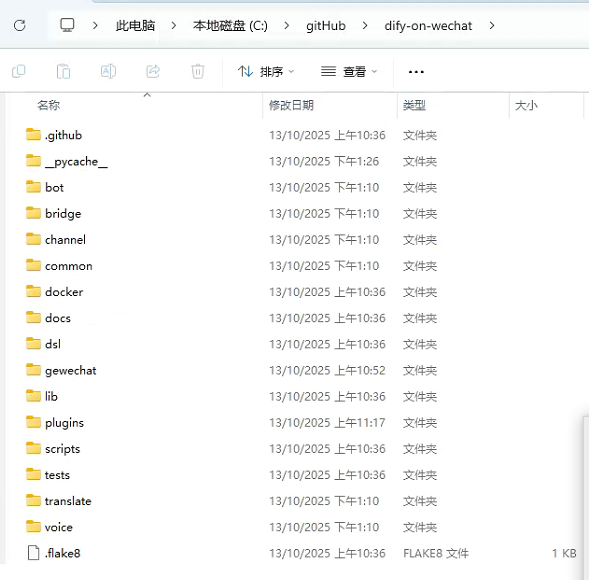
1. 找到目录下的config-template.json,复制成config.json
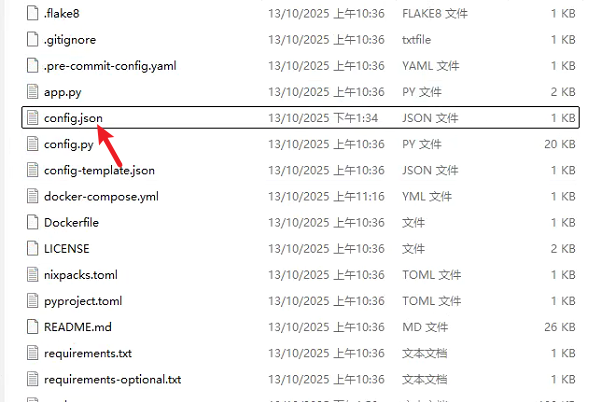
2. 编辑这个文件,写入以下内容,下面会解释字段
	{
    "channel_type": "gewechat",
    "dify_api_base": "",
    "dify_api_key": "",
    "dify_app_type": "chatbot",
    "gewechat_app_id": "",
    "gewechat_base_url": "http://本机ip地址:2531/v2/api",
    "gewechat_callback_url": "http://本机ip地址:9919/v2/api/callback/collect",
    "gewechat_download_url": "http://本机ip地址:2532/download",
    "gewechat_token": "326348a971ff4453935ca659c92f6067",
    "group_chat_prefix": [
        "@bot"
    ],
    "group_name_white_list": [
        "ALL_GROUP"
    ],
    "model": "dify",
    "single_chat_prefix": [
        ""
    ],
    "single_chat_reply_prefix": ""
}
- gewechat_token: gewechat服务的认证token,首次登录时,可以留空,启动dify-on-wechat服务时,会自动获取token并自动保存到config.json中
- gewechat_app_id: gewechat服务分配的设备ID,首次登录时,可以留空,启动dify-on-wechat服务时,会自动获取appid并自动保存到config.json中
- gewechat_base_url: gewechat服务的API基础地址,请根据实际情况配置,如果
- gewechat服务与dify-on-wechat服务部署在同一台机器上,可以配置为http://本机ip:2531/v2/api
- gewechat_callback_url: 接收gewechat消息的回调地址,请根据实际情况配置,如果
- gewechat服务与dify-on-wechat服务部署在同一台机器上,可以配置为http://本机ip:9919/v2/api/callback/collect,如无特殊需要,请使用9919端口号
- gewechat_download_url: 文件下载地址,用于下载语音、图片等文件,请根据实际部署情况配置,如果gewechat服务与dify-on-wechat服务部署在同一台机器上,可以配置为http://本机ip:2532/download
- “dify_api_base”: “https://api.dify.ai/v1”, # dify base url
- “dify_api_key”: “app-xxx”, # dify api key
- “dify_app_type”: “chatbot”, # dify应用类型,对应聊天助手
- “channel_type”: “gewechat”, # 通道类型设置为gewechat
- “model”: “dify”, # 模型名称设置为dify
- “single_chat_prefix”: [“”], # 私聊触发前缀
- “single_chat_reply_prefix”: “”, # 私聊回复前缀
- “group_chat_prefix”: [“@bot”], # 群聊触发前缀
- “group_name_white_list”: [“ALL_GROUP”], # 允许响应的群组
获取dify_api_base及dify_api_key: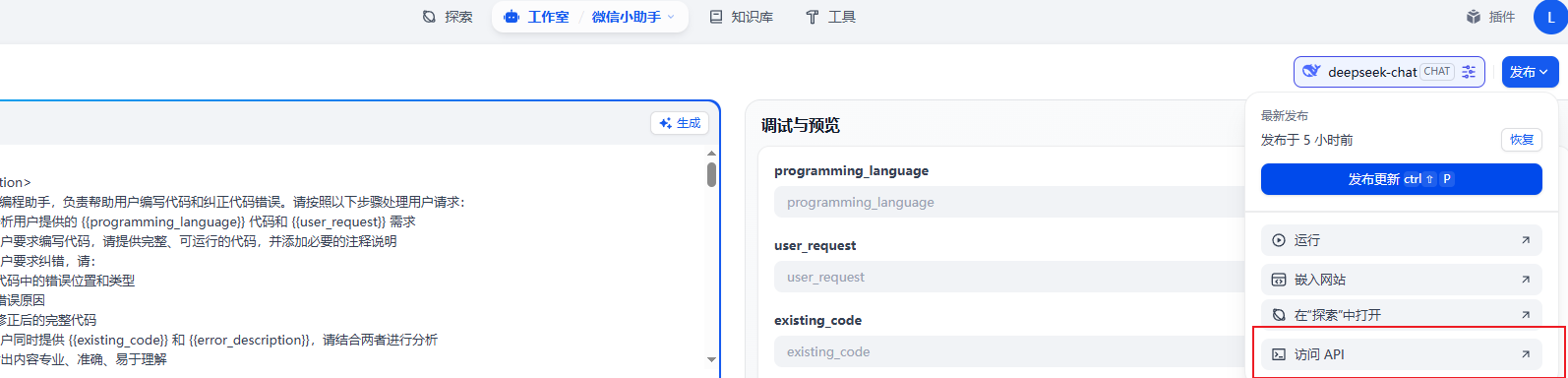
3. 安装镜像
从阿里云镜像仓库拉取(国内)
docker pull registry.cn-chengdu.aliyuncs.com/tu1h/wechotd:alpine
docker tag registry.cn-chengdu.aliyuncs.com/tu1h/wechotd:alpine gewe
4. 新建文件夹
mkdir -p gewechat/data
5. 根目录新建docker配置文件
创建 docker-compose.yml 文件:
version: '3'
services:
  gewechat:
    image: gewe
    container_name: gewe
    volumes:
      - ./gewechat/data:/root/temp
    ports:
      - "2531:2531"
      - "2532:2532"
    restart: always
6. 直接在根目录启动直接启动
docker compose up -d
7. 在根目录启动dify-on-wechat服务
python app.py
到这里应该就不行了 我最终只到了这里,然后就报错请求不到这个api了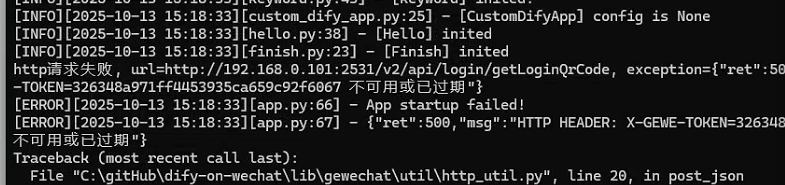
docker我现在还不是很熟,我不太懂这个问题

为什么这里分出来了两个项目 然后启动dify-on-wechat就是和python app.py一样
然后如果不启动这个dify-on-wechat的话"gewechat_callback_url": "http://本机ip地址:9919/v2/api/callback/collect",这个端口是怎么链接的呢
项目暂停之后-个人微信的dify-on-wechat不可用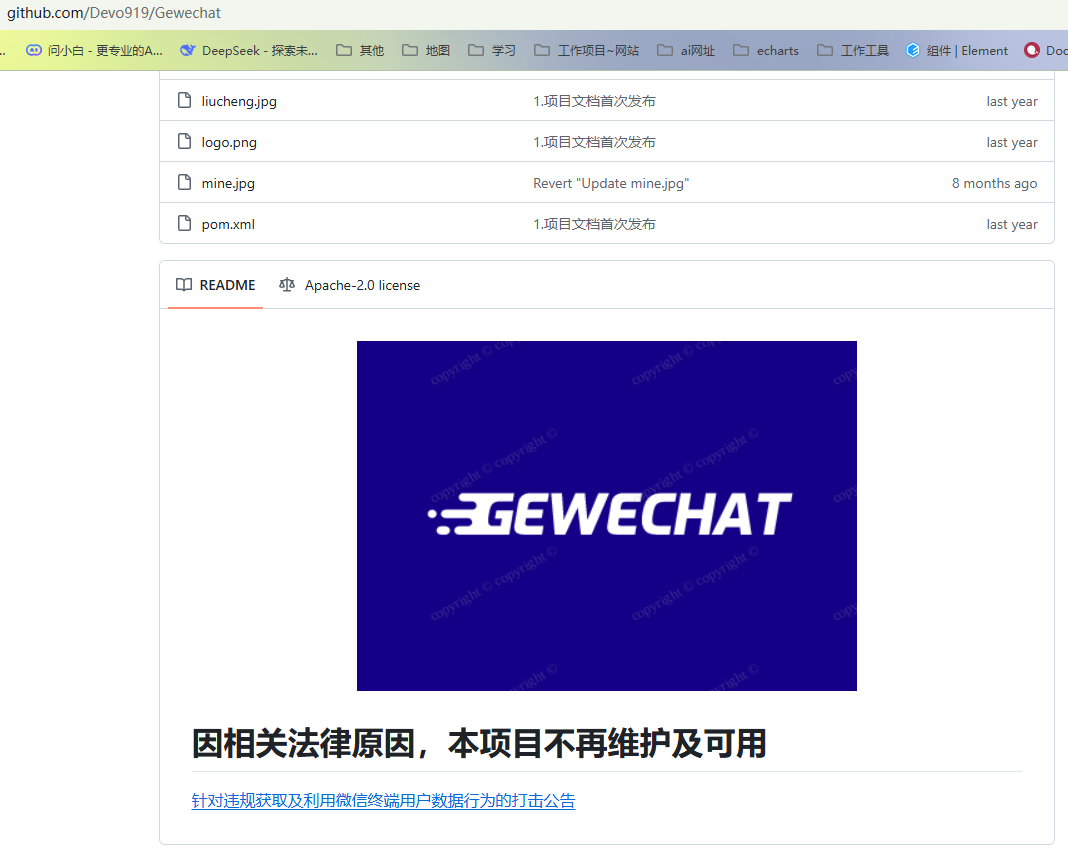
github原文 https://github.com/hanfangyuan4396/dify-on-wechat/blob/master/docs/gewechat/README.md

魔乐社区(Modelers.cn) 是一个中立、公益的人工智能社区,提供人工智能工具、模型、数据的托管、展示与应用协同服务,为人工智能开发及爱好者搭建开放的学习交流平台。社区通过理事会方式运作,由全产业链共同建设、共同运营、共同享有,推动国产AI生态繁荣发展。
更多推荐


 28
28 0
0- 0


 已为社区贡献5条内容

所有评论(0)