【开源代码】MinerU-PDF解析工具部署-CPU/GPU加速推理-可转Markdown格式
【代码】【开源代码】MinerU-PDF解析工具部署-CPU/GPU加速推理-可转Markdown格式。
·
准备环境
# python 3.10
/data/PDF_Chat/bin/python3 -m venv myenv
source myenv/bin/activate
python3 -m pip install huggingface_hub
python3 -m pip install modelscope
python3 -m pip install -U magic-pdf[full] --extra-index-url https://wheels.myhloli.com
下载需要的模型
import json
import os

import requests
from huggingface_hub import snapshot_download
# from modelscope import snapshot_download  # 下载'opendatalab/PDF-Extract-Kit-1.0' 快


def download_json(url):
    # 下载JSON文件
    response = requests.get(url)
    response.raise_for_status()  # 检查请求是否成功
    return response.json()


def download_and_modify_json(url, local_filename, modifications):
    if os.path.exists(local_filename):
        data = json.load(open(local_filename))
        config_version = data.get('config_version', '0.0.0')
        if config_version < '1.0.0':
            data = download_json(url)
    else:
        data = download_json(url)

    # 修改内容
    for key, value in modifications.items():
        data[key] = value

    # 保存修改后的内容
    with open(local_filename, 'w', encoding='utf-8') as f:
        json.dump(data, f, ensure_ascii=False, indent=4)


if __name__ == '__main__':

    mineru_patterns = [
        "models/Layout/LayoutLMv3/*",
        "models/Layout/YOLO/*",
        "models/MFD/YOLO/*",
        "models/MFR/unimernet_small/*",
        "models/TabRec/TableMaster/*",
        "models/TabRec/StructEqTable/*",
    ]
    model_dir = snapshot_download('opendatalab/PDF-Extract-Kit-1.0', allow_patterns=mineru_patterns)

    layoutreader_pattern = [
        "*.json",
        "*.safetensors",
    ]
    layoutreader_model_dir = snapshot_download('hantian/layoutreader', allow_patterns=layoutreader_pattern)

    model_dir = model_dir + '/models'
    print(f'model_dir is: {model_dir}')
    print(f'layoutreader_model_dir is: {layoutreader_model_dir}')

    json_url = 'https://github.com/opendatalab/MinerU/raw/master/magic-pdf.template.json'
    config_file_name = 'magic-pdf.json'
    home_dir = os.path.expanduser('~')
    config_file = os.path.join(home_dir, config_file_name)

    json_mods = {
        'models-dir': model_dir,
        'layoutreader-model-dir': layoutreader_model_dir,
    }

    download_and_modify_json(json_url, config_file, json_mods)
    print(f'The configuration file has been configured successfully, the path is: {config_file}')
测试
wget https://github.com/opendatalab/MinerU/raw/master/demo/small_ocr.pdf -O small_ocr.pdf
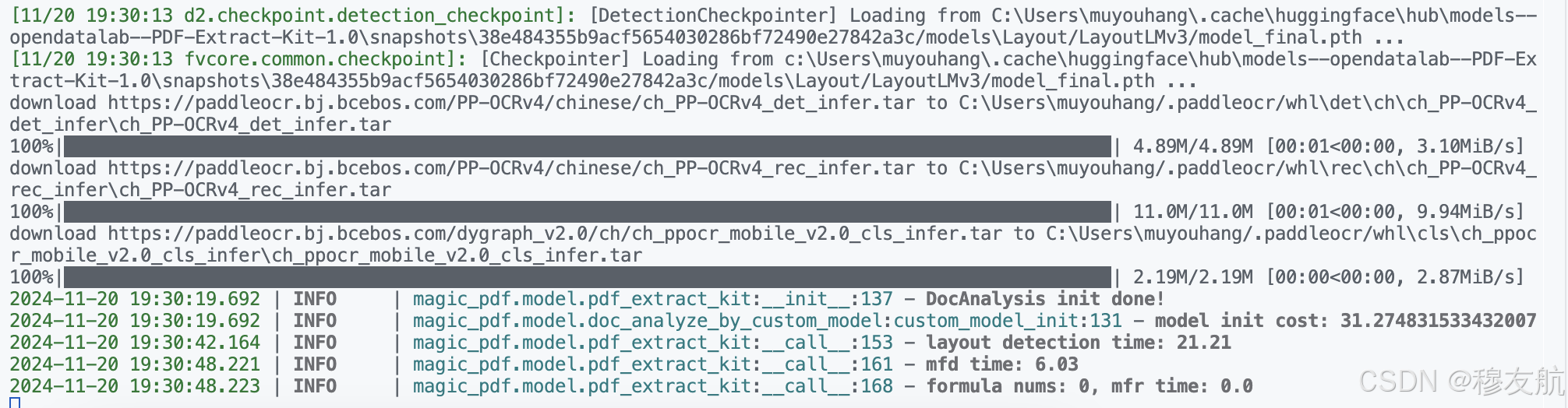
magic-pdf -p small_ocr.pdf -o ./output
GPU加速
vim yourpath/magic-pdf.json
"device-mode": "cpu" -> "device-mode": "cuda",
环境报错
libGL.so.1
ImportError: libGL.so.1: cannot open shared object file: No such file or directory
centos 系统下解决办法
yum install mesa-libGL mesa-libGLU
scaled_dot_product_attention
ValueError: CustomMBartDecoder does not support an attention implementation through torch.nn.functional.scaled_dot_product_attention yet. Please request the support for this architecture: https://github.com/huggingface/transformers/issues/28005. If you believe this error is a bug, please open an issue in Transformers GitHub repository and load your model with the argument `attn_implementation="eager"` meanwhile. Example: `model = AutoModel.from_pretrained("openai/whisper-tiny", attn_implementation="eager")`
修改transformers的版本为4.45
python3 -m pip install transformers==4.45

魔乐社区(Modelers.cn) 是一个中立、公益的人工智能社区,提供人工智能工具、模型、数据的托管、展示与应用协同服务,为人工智能开发及爱好者搭建开放的学习交流平台。社区通过理事会方式运作,由全产业链共同建设、共同运营、共同享有,推动国产AI生态繁荣发展。
更多推荐


 3
3 0
0- 0


 已为社区贡献2条内容

所有评论(0)