ubuntu借助overlay方案实现重启自动还原
首先:sudo apt install overlayroot 安装一下软件然后编辑配置文件:/etc/overlayroot.conf。
·
配置重启还原OS
首先:sudo apt install overlayroot 安装一下软件
然后编辑配置文件:/etc/overlayroot.conf
* overlayroot=tmpfs or overlayroot=tmpfs:PARAMETERS
write all changes to a temporary (ram only) backing device
A tmpfs mount will be created, and usable filesystem can
grow to 1/2 available memory.
available parameters:
* see COMMON PARAMETERS
examples:
overlayroot=tmpfs
将最后的:overlayroot=“” 改成 overlayroot=“tmpfs:dirs=/home”
临时关闭
到如下界面时,按键盘上的字母‘’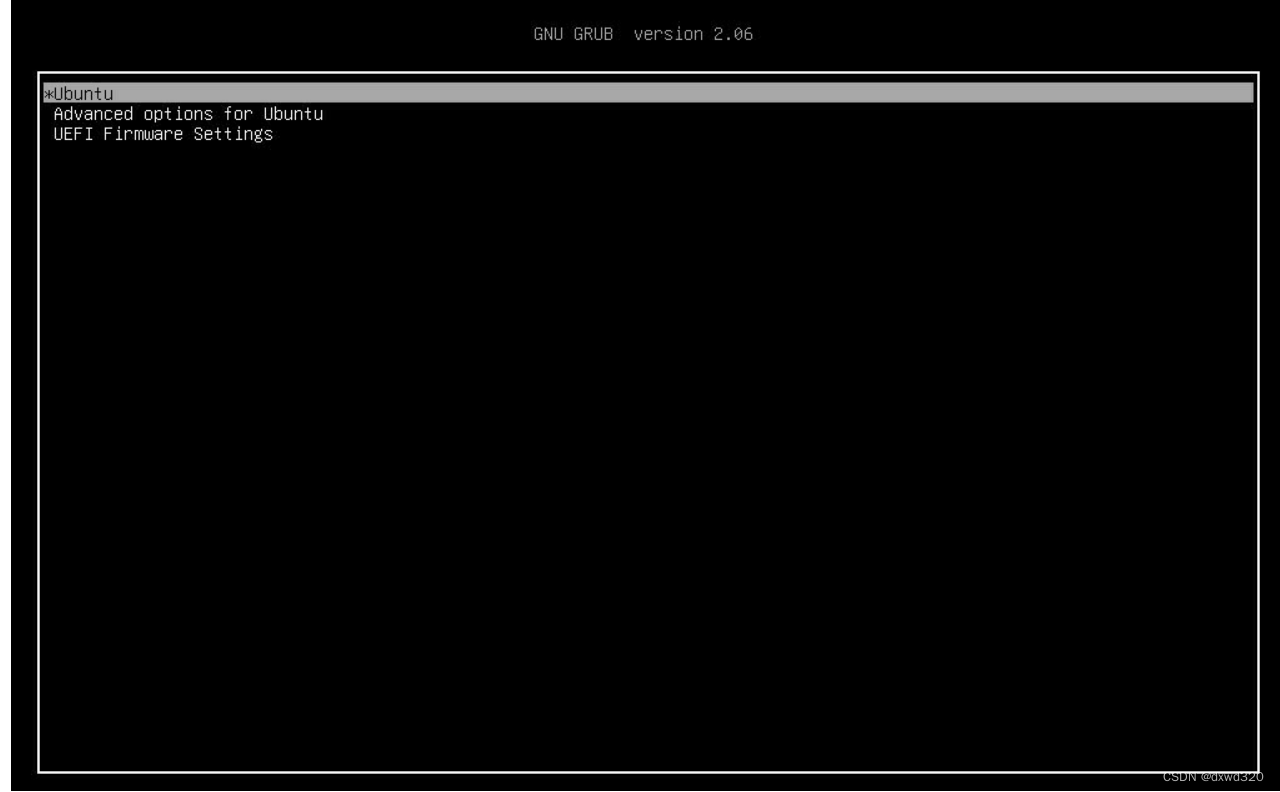
在开机到 grub2 的时候,编辑引导参数加上 overlayroot=disable 即可进入正常模式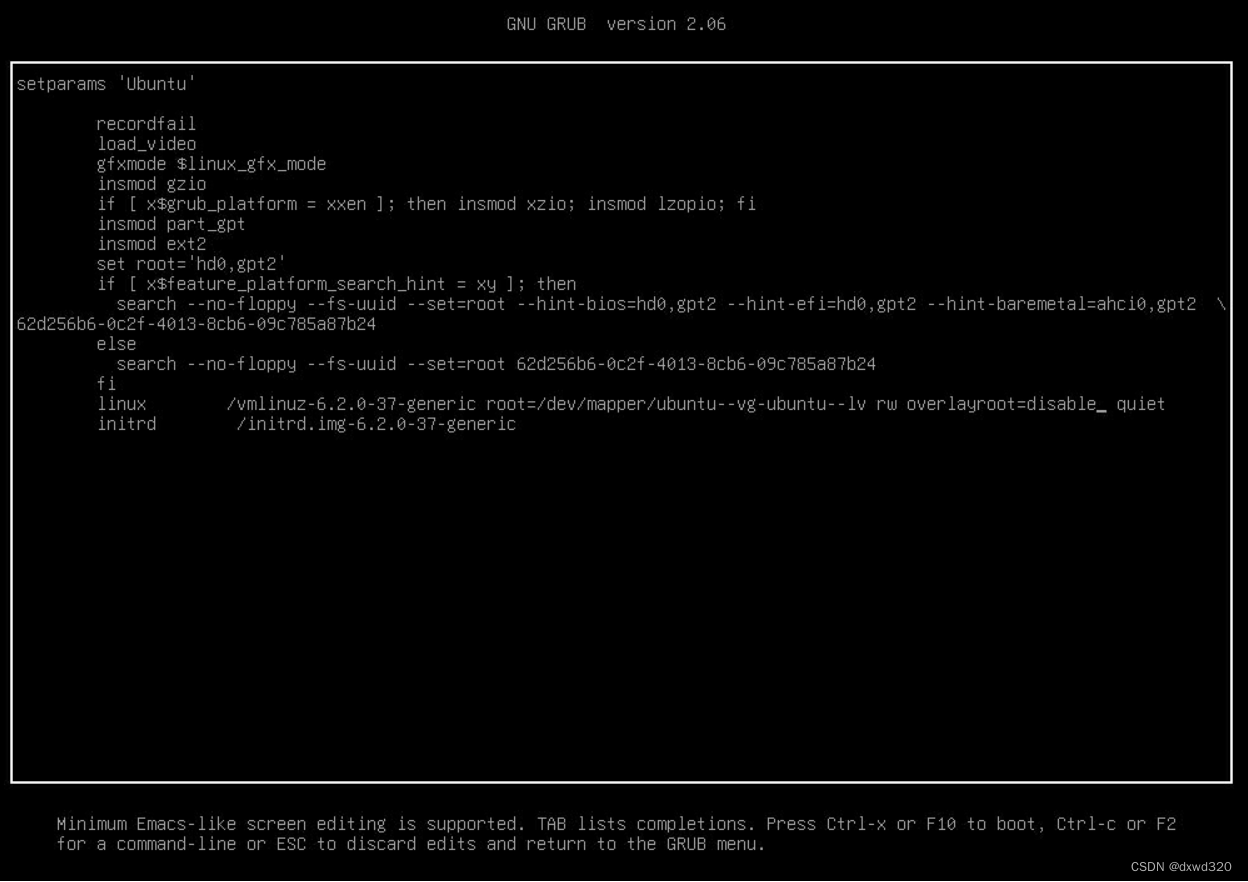
参考
https://blog.dustinkirkland.com/2012/08/introducing-overlayroot-overlayfs.html
https://forum.ubuntu.org.cn/viewtopic.php?t=486416
https://bbs.deepin.org/zh/post/261919

魔乐社区(Modelers.cn) 是一个中立、公益的人工智能社区,提供人工智能工具、模型、数据的托管、展示与应用协同服务,为人工智能开发及爱好者搭建开放的学习交流平台。社区通过理事会方式运作,由全产业链共同建设、共同运营、共同享有,推动国产AI生态繁荣发展。
更多推荐

 0
0 0
0- 0


 已为社区贡献11条内容

所有评论(0)