ROS机械臂仿真:ure5+RealSense手眼标定跟随与基于ROS的机械臂视觉抓取
ros机械臂仿真1.ure5+real sense,手眼标定+跟随2.基于ros的机械臂视觉抓取最近在折腾ROS机械臂仿真时发现,UR5机械臂+RealSense相机的组合真是仿真界的黄金搭档。今天咱们就聊聊怎么让这个组合实现手眼标定和视觉抓取,手把手带你在Gazebo里造个能看会动的机械臂。
ros机械臂仿真 1.ure5+real sense,手眼标定+跟随 2.基于ros的机械臂视觉抓取
用ROS玩转UR5机械臂仿真:从手眼标定到视觉抓取实战
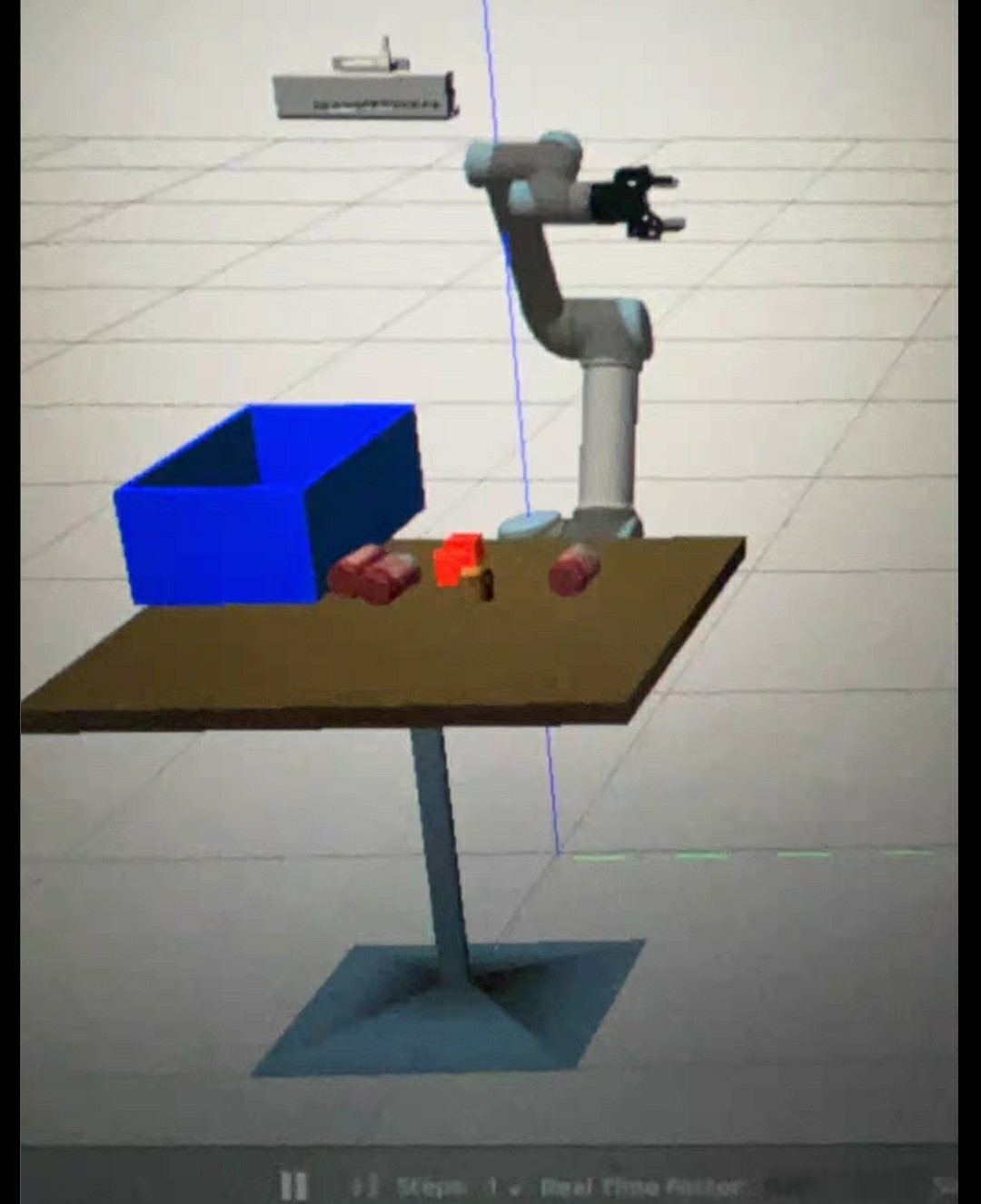
最近在折腾ROS机械臂仿真时发现,UR5机械臂+RealSense相机的组合真是仿真界的黄金搭档。今天咱们就聊聊怎么让这个组合实现手眼标定和视觉抓取,手把手带你在Gazebo里造个能看会动的机械臂。
一、让机械臂"长眼睛":手眼标定实战
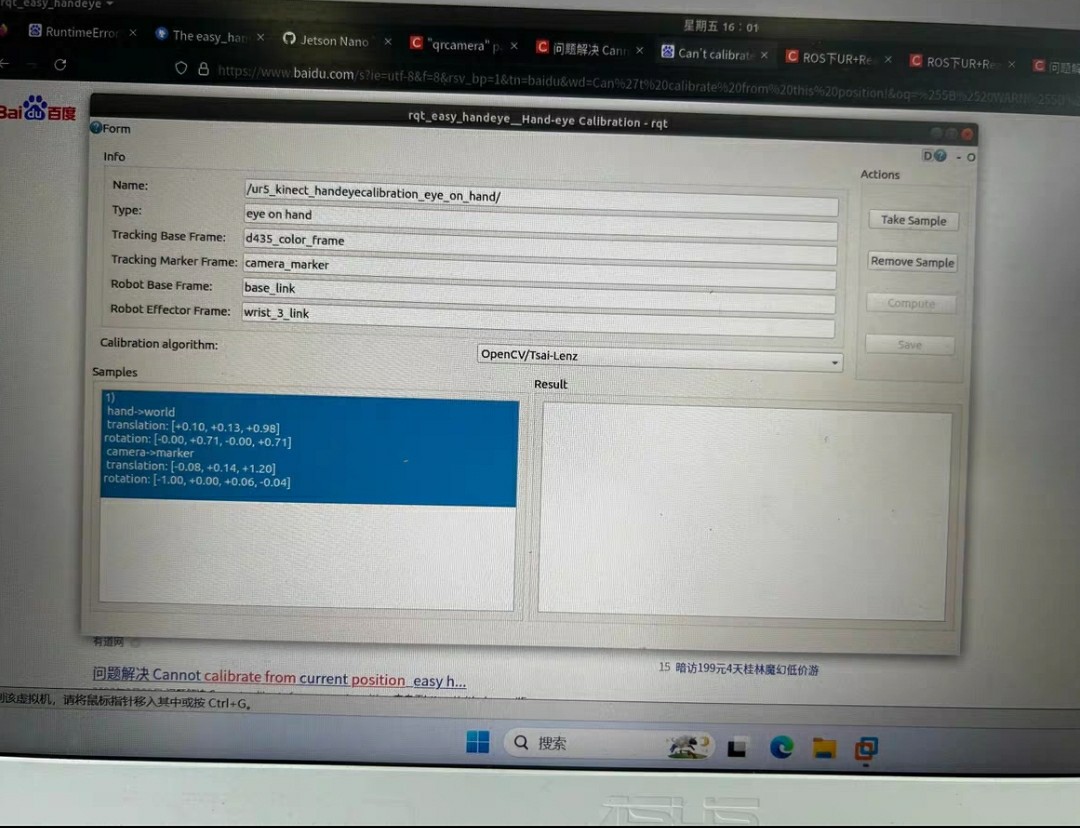
先上硬菜——手眼标定。这里用的是easy_handeye方案,配置启动文件时注意相机安装方式:
<!-- launch/handeye_calibration.launch -->
<launch>
  <include file="$(find ur5_moveit_config)/launch/ur5_moveit_planning_execution.launch"/>
  <include file="$(find realsense2_camera)/launch/rs_camera.launch">
    <arg name="align_depth" value="true"/>
  </include>

  <node pkg="easy_handeye" type="calibrate.py" name="handeye_calibration"/>
</launch>
跑起来之后重点看这个回调函数:
def compute_calibration(req):
    eye_on_hand = req.eye_on_hand
    tracker_base_frame = req.tracker_base_frame
    robot_base_frame = req.robot_base_frame
    # 这里会调用OpenCV的solvePnP算法
    transformation = do_compute_calibration(...)
return transformation标定完记得用handeye_validation.launch测试精度,实测误差超过3mm就得重做。有个坑要注意:机械臂运动时别让相机视野里出现反光物体,仿真环境里金属材质特别容易让标定翻车。
二、实时跟随:让机械臂"活过来"
实现跟随功能时,坐标转换才是灵魂。这个TF监听器必须跑在独立线程:
// 重点代码片段
tf2_ros::Buffer tfBuffer;
auto listener = std::make_shared<tf2_ros::TransformListener>(tfBuffer);

geometry_msgs::TransformStamped transform_stamped;
try {
    transform_stamped = tfBuffer.lookupTransform("ur5_arm_base", "target_object", ros::Time(0));
} catch (tf2::TransformException &ex) {
    ROS_WARN("%s", ex.what());
}
控制部分用PID实现位置闭环,但仿真环境下建议先调低刚度系数:
# config/follow_params.yaml
pid:
  p: 0.8
  i: 0.05
  d: 0.2
max_velocity: 0.5  # 仿真环境下建议不超过0.7
实测发现,在Gazebo里跑跟随时,开启物理引擎的实时因子要调到0.8以上,否则会出现机械臂"抽风"现象。
三、视觉抓取全流程拆解
视觉抓取的核心在点云处理,这个Python类处理RealSense数据很管用:
class PointCloudProcessor:
    def __init__(self):
        self.bridge = CvBridge()
        self.pc_sub = message_filters.Subscriber('/camera/depth/color/points', PointCloud2)
        self.img_sub = message_filters.Subscriber('/camera/color/image_raw', Image)
        self.ts = message_filters.ApproximateTimeSynchronizer([self.pc_sub, self.img_sub], 10, 0.5)
        self.ts.registerCallback(self.callback)

    def callback(self, cloud, img):
        # 转换点云数据
        pc_data = point_cloud2.read_points(cloud, field_names=("x", "y", "z"), skip_nans=True)
        # 这里用OpenCV做平面分割
        mask = self.create_roi_mask(cv_image)
        # 调用PCL的欧式聚类
        clusters = self.euclidean_cluster_extraction(pc_data)
运动规划部分建议配合MoveIt的API:
move_group = MoveGroupCommander("manipulator")
pose_target = geometry_msgs.msg.Pose()
pose_target.position.x = target_pose[0]
pose_target.position.y = target_pose[1]
pose_target.position.z = target_pose[2]
move_group.set_pose_target(pose_target)
plan = move_group.plan()
if plan.joint_trajectory.points:
    move_group.execute(plan, wait=True)
实测抓取成功率取决于点云降采样参数,建议在仿真中把leaf_size设为0.005,既能降噪又不损失细节。
四、避坑指南
- Gazebo时钟同步问题:在launch文件里加上
- RealSense仿真延迟:把图像话题从/color/imageraw切换到/color/imageraw/compressed
- MoveIt规划失败时,试试调整轨迹速度限制:
move_group.set_max_velocity_scaling_factor(0.6)
move_group.set_max_acceleration_scaling_factor(0.3)
这套方案在20.04+Noetic环境实测通过,机械臂能在仿真环境中实现亚厘米级抓取精度。下次打算试试加入YOLO做动态目标检测,有同好想组队可以私信!

魔乐社区(Modelers.cn) 是一个中立、公益的人工智能社区,提供人工智能工具、模型、数据的托管、展示与应用协同服务,为人工智能开发及爱好者搭建开放的学习交流平台。社区通过理事会方式运作,由全产业链共同建设、共同运营、共同享有,推动国产AI生态繁荣发展。
更多推荐


 4
4 0
0- 0


 已为社区贡献8条内容

所有评论(0)