基于cursor实现的简单登录页面
<a href="#home">首页</a>
首先要先准备安装cursor,这里官网可以直接搜。最重要的是要登录cursor需要google或者github账号。cursor是一个al编译器,也是现在程序员笔记喜欢的一种al大模型编译软件。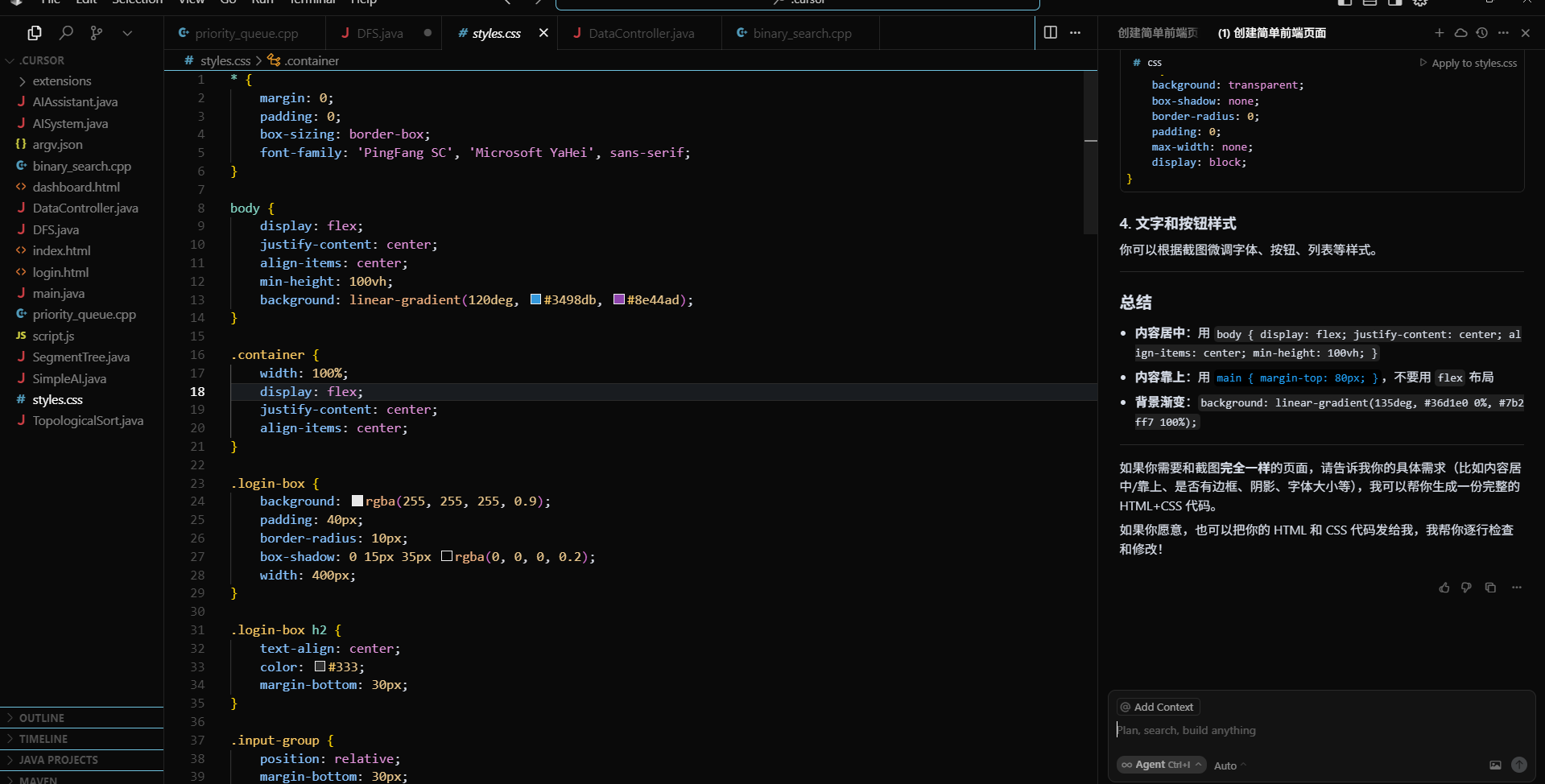
这里的cursor的页面,左边有问al生成的代码用特定的文件名储存的文件。cursor的优势在于cursor可以直接运行生成的代码,很多语言都可以直接运行,非常使用。然后这次的作业是利用前端实现的一些页面。这里我直接问cursor生成一个简单的登录页面。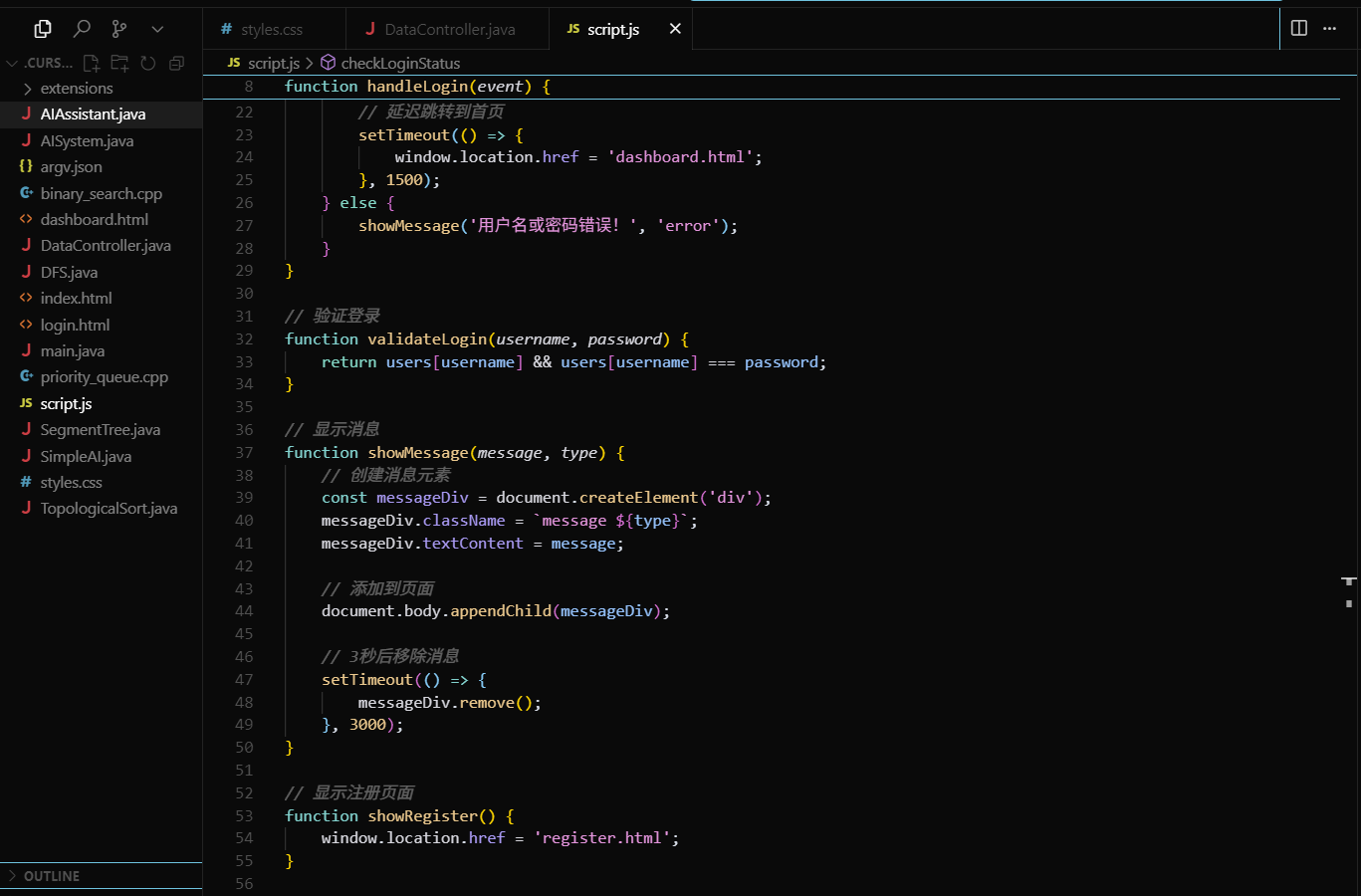
这里直接生成了三个html,js,css的文件。这里因为每个电脑的像素不同等等,所以实现的页面可能有些格式或者颜色错误。这里我们可以自行修改,然后复制代码到vs里面去运行。运行成功后的页面即为这个: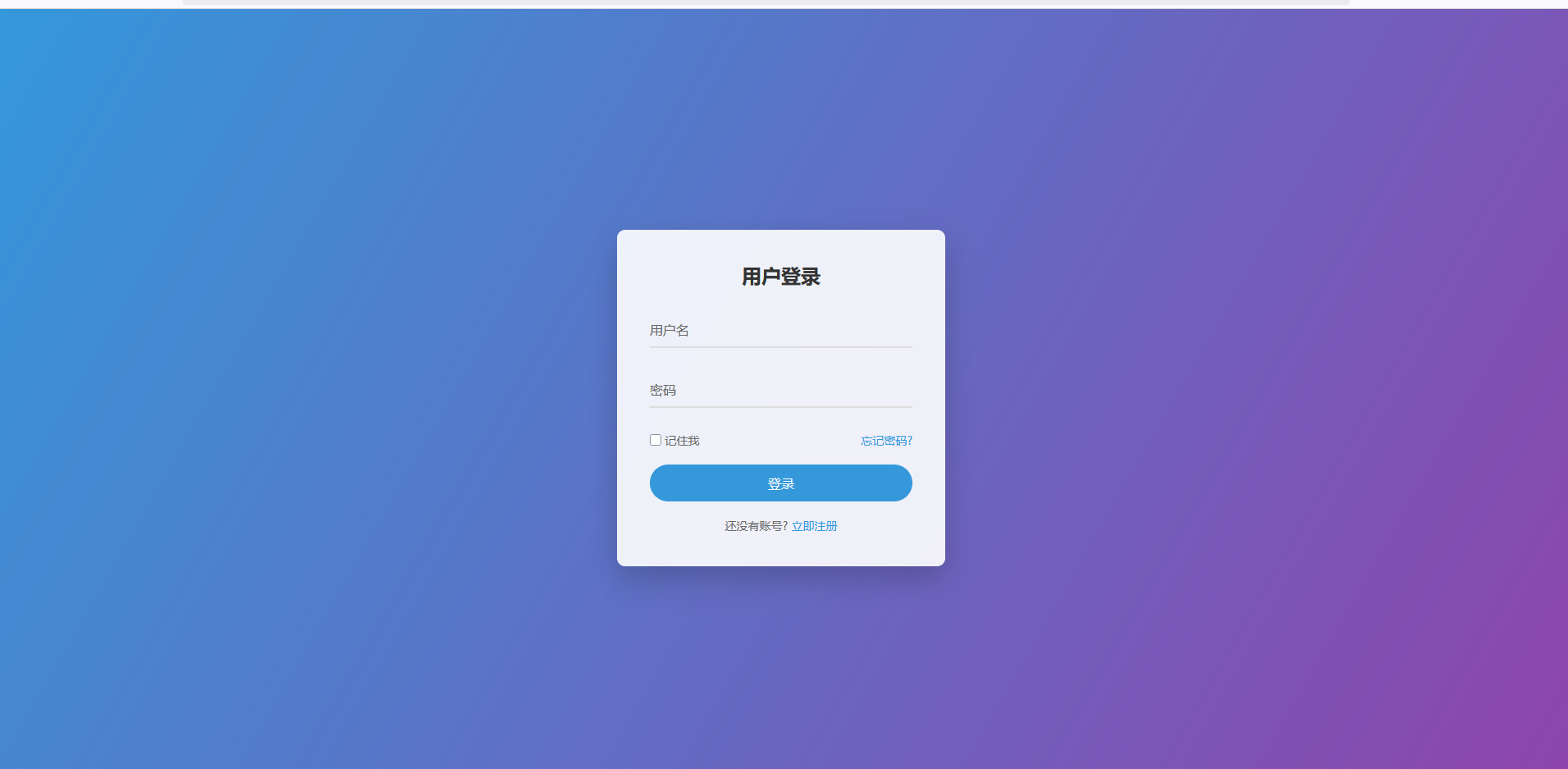
源码(html)如下:
<!DOCTYPE html>
<html lang="zh">
<head>
<meta charset="UTF-8">
<meta name="viewport" content="width=device-width, initial-scale=1.0">
<title>简洁的网页</title>
<link rel="stylesheet" href="styles.css">
</head>
<body>
<header>
<nav>
<h1>欢迎</h1>
<ul>
<li><a href="#home">首页</a></li>
<li><a href="#about">关于</a></li>
<li><a href="#contact">联系我们</a></li>
</ul>
</nav>
</header>
<main>
<section id="home" class="hero">
<h2>创新设计,简约风格</h2>
<p>这是一个简洁优雅的网页设计示例</p>
<button class="cta-button">了解更多</button>
</section>
<section id="about" class="content">
<h2>关于我们</h2>
<p>我们致力于创造简单而优雅的用户体验</p>
</section>
<section id="contact" class="content">
<h2>联系我们</h2>
<p>邮箱:contact@example.com</p>
</section>
</main>
<footer>
<p>© 2024 简洁网页设计. 保留所有权利.</p>
</footer>
</body>
</html>
代码解释:这里的代码就是简单的html框架,写一些标题标签,比如列表标签(li),p标签等等。然后简单的html框架完成后就是利用css对html框架进行优化。
css文件如下:
* {
margin: 0;
padding: 0;
box-sizing: border-box;
font-family: 'PingFang SC', 'Microsoft YaHei', sans-serif;
}
body {
display: flex;
justify-content: center;
align-items: center;
min-height: 100vh;
background: linear-gradient(120deg, #3498db, #8e44ad);
}
.container {
width: 100%;
display: flex;
justify-content: center;
align-items: center;
}
.login-box {
background: rgba(255, 255, 255, 0.9);
padding: 40px;
border-radius: 10px;
box-shadow: 0 15px 35px rgba(0, 0, 0, 0.2);
width: 400px;
}
.login-box h2 {
text-align: center;
color: #333;
margin-bottom: 30px;
}
.input-group {
position: relative;
margin-bottom: 30px;
}
.input-group input {
width: 100%;
padding: 10px 0;
font-size: 16px;
color: #333;
border: none;
border-bottom: 2px solid #ddd;
outline: none;
background: transparent;
transition: 0.3s;
}
.input-group label {
position: absolute;
top: 0;
left: 0;
padding: 10px 0;
font-size: 16px;
color: #666;
pointer-events: none;
transition: 0.3s;
}
.input-group input:focus ~ label,
.input-group input:valid ~ label {
top: -20px;
font-size: 12px;
color: #3498db;
}
.input-group input:focus {
border-bottom: 2px solid #3498db;
}
.remember-forgot {
display: flex;
justify-content: space-between;
margin-bottom: 20px;
font-size: 14px;
}
.remember-forgot label {
color: #666;
cursor: pointer;
}
.remember-forgot a {
color: #3498db;
text-decoration: none;
}
.remember-forgot a:hover {
text-decoration: underline;
}
.login-btn {
width: 100%;
padding: 12px;
background: #3498db;
color: #fff;
border: none;
border-radius: 25px;
cursor: pointer;
font-size: 16px;
transition: 0.3s;
}
.login-btn:hover {
background: #2980b9;
}
.register-link {
text-align: center;
margin-top: 20px;
font-size: 14px;
color: #666;
}
.register-link a {
color: #3498db;
text-decoration: none;
}
.register-link a:hover {
text-decoration: underline;
}
/* 添加响应式设计 */
@media (max-width: 480px) {
.login-box {
width: 90%;
padding: 20px;
}
}
css代码解释:
这里首先可以用margin,padding等完成格式间隔,内型补充等等。然后通过一些细微的改格式的标签比如justify-content来实现两边对齐,还有背景颜色(background),这里的选择器可以多设几个,然后这里选择添加响应式设计,@media(max-width:##)。
最后是js文件如下:
// 模拟用户数据
const users = {
'admin': 'password123',
'user': 'password456'
};
// 处理登录
function handleLogin(event) {
event.preventDefault();
const username = document.getElementById('username').value;
const password = document.getElementById('password').value;
if (validateLogin(username, password)) {
// 保存登录状态
localStorage.setItem('isLoggedIn', 'true');
localStorage.setItem('username', username);
// 显示成功消息
showMessage('登录成功!正在跳转...', 'success');
// 延迟跳转到首页
setTimeout(() => {
window.location.href = 'dashboard.html';
}, 1500);
} else {
showMessage('用户名或密码错误!', 'error');
}
}
// 验证登录
function validateLogin(username, password) {
return users[username] && users[username] === password;
}
// 显示消息
function showMessage(message, type) {
// 创建消息元素
const messageDiv = document.createElement('div');
messageDiv.className = `message ${type}`;
messageDiv.textContent = message;
// 添加到页面
document.body.appendChild(messageDiv);
// 3秒后移除消息
setTimeout(() => {
messageDiv.remove();
}, 3000);
}
// 显示注册页面
function showRegister() {
window.location.href = 'register.html';
}
// 显示忘记密码页面
function showForgotPassword() {
window.location.href = 'forgot-password.html';
}
// 检查登录状态
function checkLoginStatus() {
const isLoggedIn = localStorage.getItem('isLoggedIn');
const currentPage = window.location.pathname;
if (isLoggedIn === 'true' && currentPage.includes('login.html')) {
// 如果已登录且在登录页,跳转到首页
window.location.href = 'dashboard.html';
} else if (isLoggedIn !== 'true' && !currentPage.includes('login.html')) {
// 如果未登录且不在登录页,跳转到登录页
window.location.href = 'login.html';
}
}
// 退出登录
function logout() {
localStorage.removeItem('isLoggedIn');
localStorage.removeItem('username');
window.location.href = 'login.html';
}
// 页面加载时检查登录状态
document.addEventListener('DOMContentLoaded', checkLoginStatus);
这里有点击事件,比如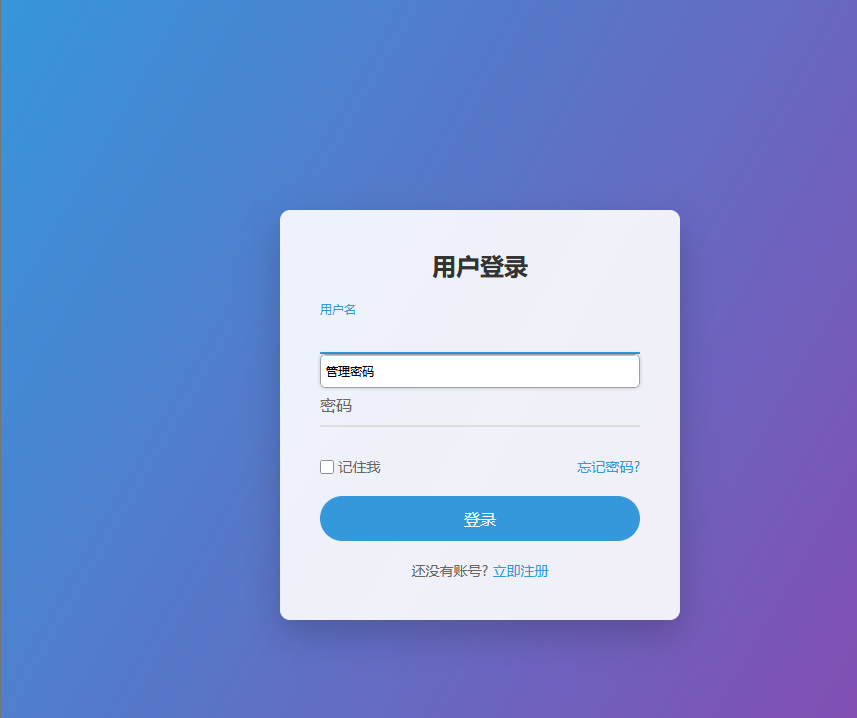
我输入用户名点击这个输入框的时候用户名会着重显示,密码同理,这里的忘记密码和立即注册功能没有实现,只是一个简单的登录页面,js里面存了两个用户名和密码。
登录成功的页面即下: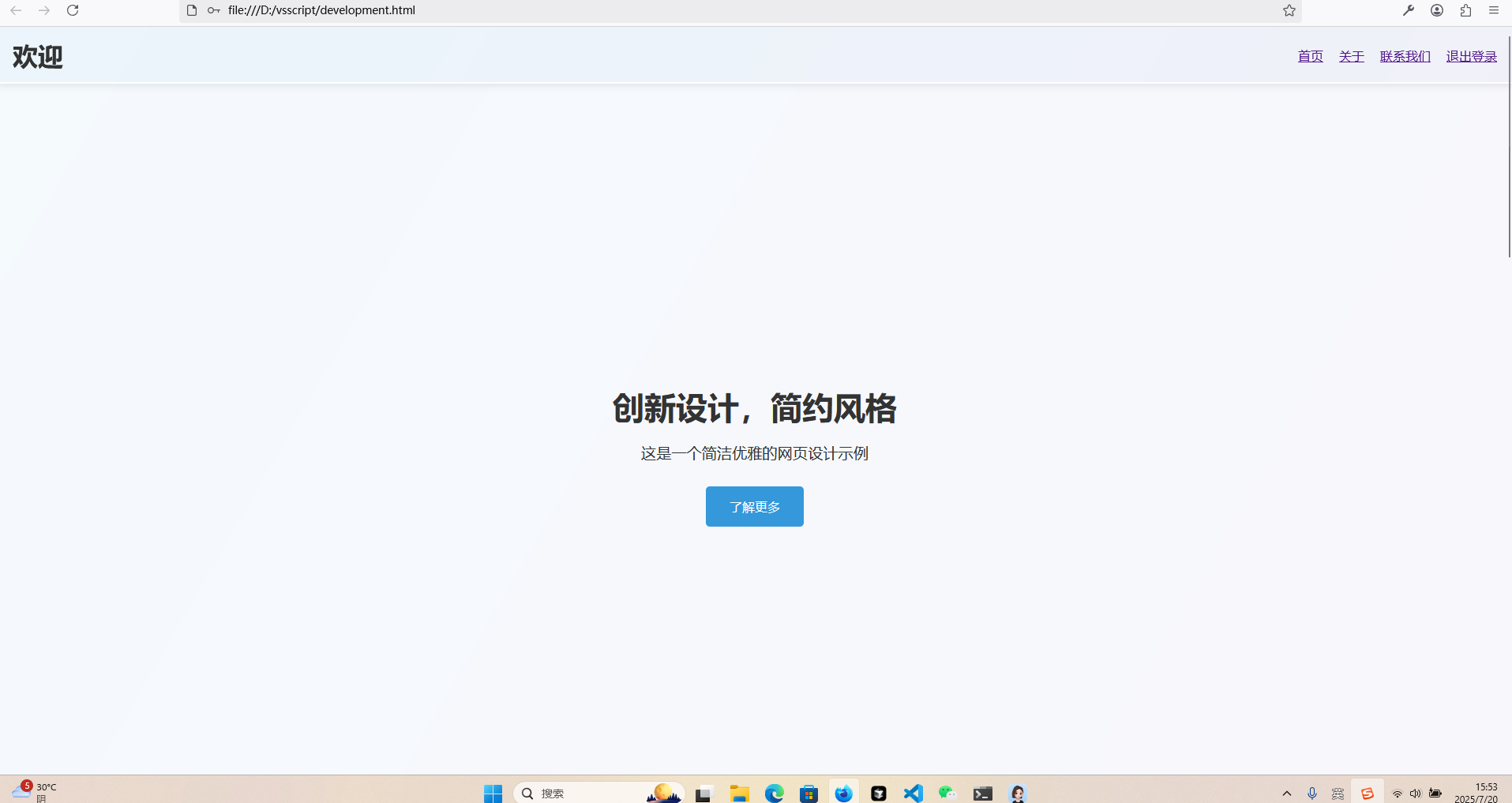
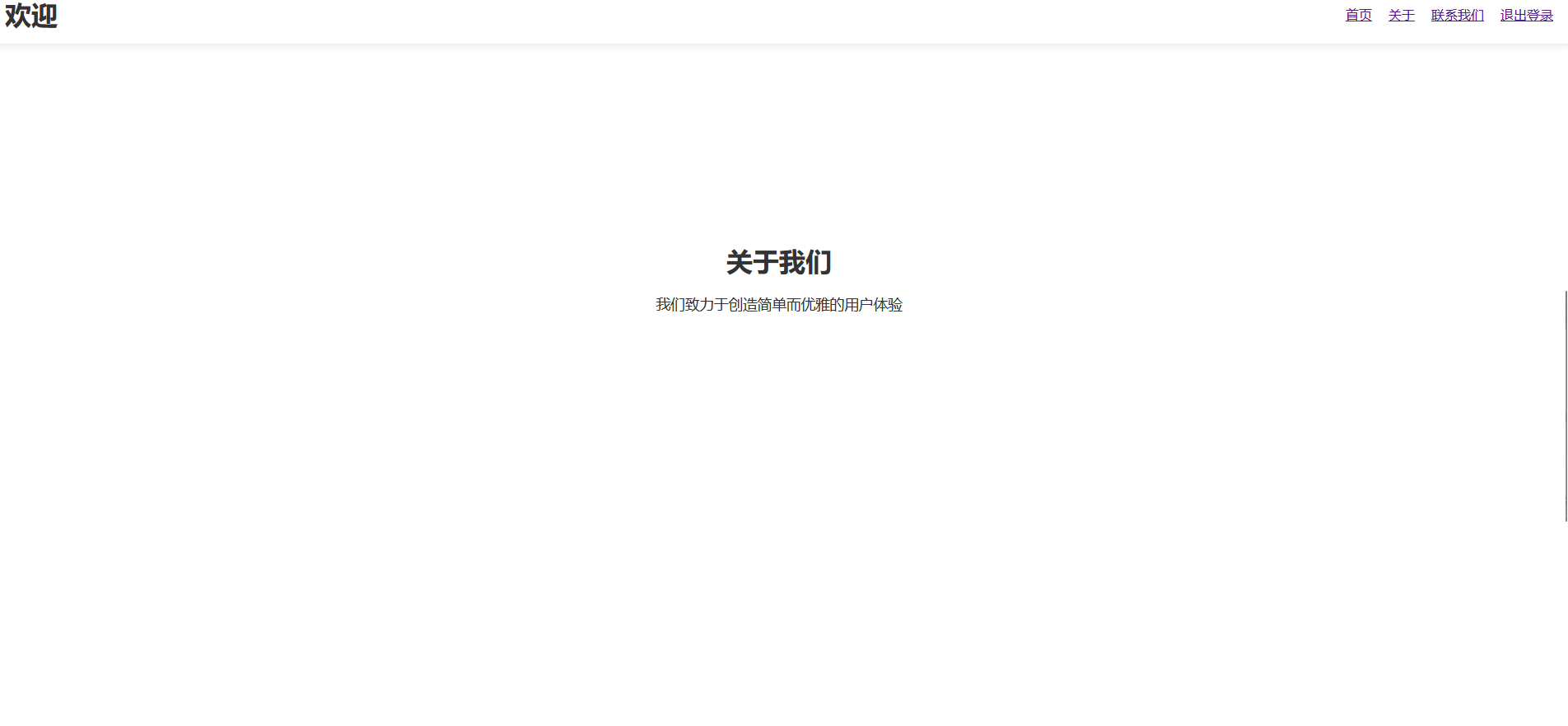

这里只是实现了一个简单的跳转页面,首页,关于,联系我们都是做在一个页面上的。
到这里这个简单的登录页面就完成了。

魔乐社区(Modelers.cn) 是一个中立、公益的人工智能社区,提供人工智能工具、模型、数据的托管、展示与应用协同服务,为人工智能开发及爱好者搭建开放的学习交流平台。社区通过理事会方式运作,由全产业链共同建设、共同运营、共同享有,推动国产AI生态繁荣发展。
更多推荐

 0
0 0
0- 0


 已为社区贡献1条内容

所有评论(0)