

输电线路缺陷检测是一个关键的任务,旨在确保电力传输系统的可靠性和安全性。今天我们使用CableInspect-AD数据集进行训练完成缺陷检测,下载的数据集格式如下:
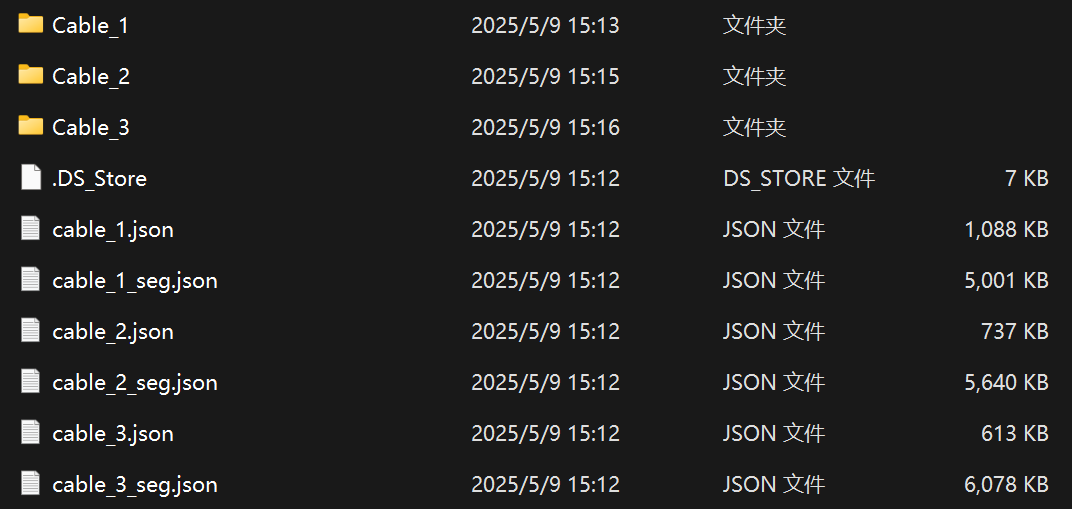
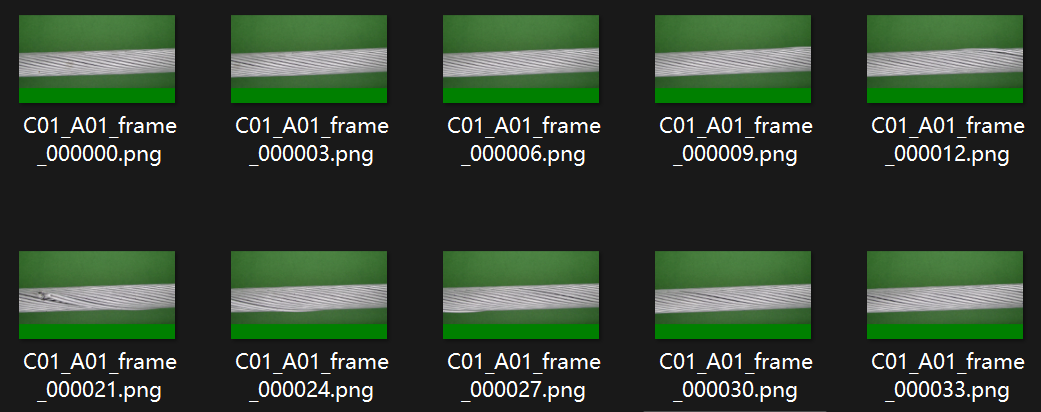
我们需要经过以下步骤:
COCO转YOLO
首先是将COCO格式的数据转换为YOLO格式,即将json转换为txt,这里的json与我们先前的标注有所不同,其是把所有数据都存放到一个json文件中。
下面的脚本便是将所有的json转换为txt格式
import json
import os
from pathlib import Path
def coco_to_yolo(json_path, output_folder):
    with open(json_path, 'r') as f:
        data = json.load(f)

    categories = {cat['id']: i for i, cat in enumerate(data['categories'])}
    images = {img['id']: (img['file_name'], img['width'], img['height']) for img in data['images']}

    output_path = Path(output_folder)
    output_path.mkdir(parents=True, exist_ok=True)

    for anno in data['annotations']:
        img_id = anno['image_id']
        if img_id not in images:
            continue
        file_name, img_w, img_h = images[img_id]
        label_file = output_path / Path(file_name).with_suffix('.txt').name

        class_id = categories[anno['category_id']]
        x, y, w, h = anno['bbox']

        # Normalize
        xc = (x + w / 2) / img_w
        yc = (y + h / 2) / img_h
        wn = w / img_w
        hn = h / img_h

        with open(label_file, 'a') as f:
            f.write(f"{class_id} {xc:.6f} {yc:.6f} {wn:.6f} {hn:.6f}\n")

    print(f"✅ Labels saved to: {output_path}")

# 示例调用
coco_to_yolo("D:\datasets\CableInspect-AD\CableInspect-AD/cable_1.json", "labels")
coco_to_yolo("D:\datasets\CableInspect-AD\CableInspect-AD/cable_2.json", "labels")
coco_to_yolo("D:\datasets\CableInspect-AD\CableInspect-AD/cable_3.json", "labels")- 1.
- 2.
- 3.
- 4.
- 5.
- 6.
- 7.
- 8.
- 9.
- 10.
- 11.
- 12.
- 13.
- 14.
- 15.
- 16.
- 17.
- 18.
- 19.
- 20.
- 21.
- 22.
- 23.
- 24.
- 25.
- 26.
- 27.
- 28.
- 29.
- 30.
- 31.
- 32.
- 33.
- 34.
- 35.
- 36.
- 37.
- 38.
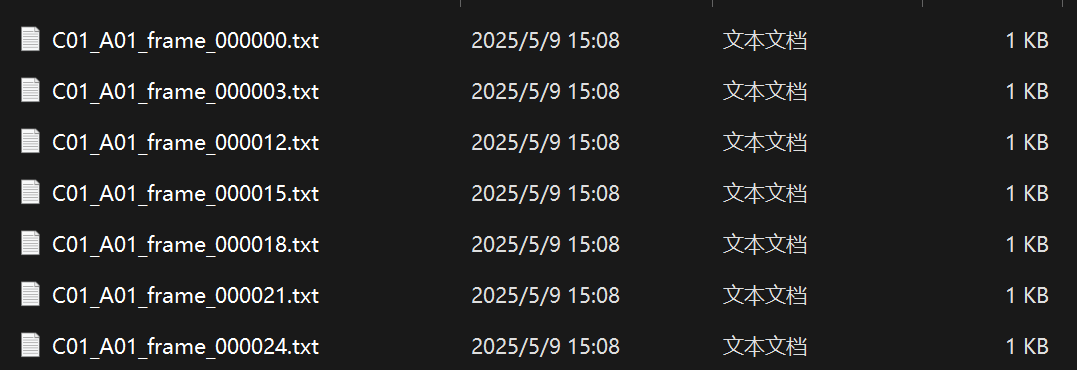
提取后的标签全部存储在labels文件夹里
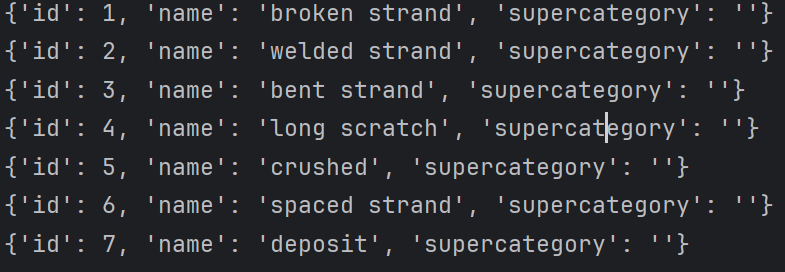
同时我们还要确定有多少个类别,以及其对应的ID
import json
def print_categories(json_path):
    with open(json_path, 'r') as f:
        data = json.load(f)

    categories = data.get('categories', [])
    print(f"\n🔍 Categories in {json_path}:")
    for cat in categories:
        print(cat)
print_categories("D:/datasets/CableInspect-AD/CableInspect-AD/cable_1.json")- 1.
- 2.
- 3.
- 4.
- 5.
- 6.
- 7.
- 8.
- 9.
- 10.
数据集划分提取
得到txt标注文件后,我们就需要将数据集进行提取和划分,首先将图像全部提取到images文件夹里
import os
import shutil
def copy_jpg_files(src_dir, dst_dir):
    # 如果目标文件夹不存在,则创建
    if not os.path.exists(dst_dir):
        os.makedirs(dst_dir)
    # 遍历源文件夹及其所有子文件夹
    for dirpath, _, filenames in os.walk(src_dir):
        for filename in filenames:
            if filename.lower().endswith('.png'):
                # 构建完整的文件路径
                file_path = os.path.join(dirpath, filename)
                # 复制文件到目标文件夹
                try:
                    shutil.copy(file_path, dst_dir)
                    print(f"已复制: {file_path}")
                except Exception as e:
                    print(f"复制失败: {file_path} - {e}")
# 使用示例
source_directory = 'D:\datasets\CableInspect-AD\CableInspect-AD\Cable_3\images'  # 替换为你的源文件夹路径
destination_directory = 'D:\datasets\images'  # 替换为你想要放置.jpg文件的目标文件夹路径
copy_jpg_files(source_directory, destination_directory)- 1.
- 2.
- 3.
- 4.
- 5.
- 6.
- 7.
- 8.
- 9.
- 10.
- 11.
- 12.
- 13.
- 14.
- 15.
- 16.
- 17.
- 18.
- 19.
- 20.
- 21.
- 22.
随后,便根据labels提取对应的image,从而进行数据集划分:
import argparse
import json
import os
from tqdm import tqdm
import shutil
import random

def convert_label_json(json_dir, save_dir, classes):
    json_paths = os.listdir(json_dir)
    classes = classes.split(',')

    # 创建输出文件夹
    if not os.path.exists(save_dir):
        os.makedirs(save_dir)

    for json_path in tqdm(json_paths):
        # for json_path in json_paths:
        path = os.path.join(json_dir, json_path)
        encodings = ["utf-8", "gbk"]
        for encoding in encodings:
            try:
                with open(path, "r", encoding=encoding) as load_f:
                    json_dict = json.load(load_f)

            except (UnicodeDecodeError, json.JSONDecodeError):
                continue
        # try:
        #     with open(path, 'r',encoding="gbk") as load_f:
        #         json_dict = json.load(load_f)
        # except TypeError:
        #     with open(path, 'r',encoding="utf-8") as load_f:
        #         json_dict = json.load(load_f)
        #     continue

        h, w = json_dict['imageHeight'], json_dict['imageWidth']


        # save txt path
        txt_path = os.path.join(save_dir, json_path.replace('json', 'txt'))
        txt_file = open(txt_path, 'w')

        for shape_dict in json_dict['shapes']:
            label = shape_dict['label']
            label_index = classes.index(label)
            points = shape_dict['points']

            points_nor_list = []

            for point in points:
                points_nor_list.append(point[0] / w)
                points_nor_list.append(point[1] / h)

            points_nor_list = list(map(lambda x: str(x), points_nor_list))
            points_nor_str = ' '.join(points_nor_list)

            label_str = str(label_index) + ' ' + points_nor_str + '\n'
            txt_file.writelines(label_str)

# 检查文件夹是否存在
def mkdir(path):
    if not os.path.exists(path):
        os.makedirs(path)

def split_datasets(image_dir, txt_dir, save_dir):
    # 创建文件夹
    mkdir(save_dir)
    images_dir = os.path.join(save_dir, 'images')
    labels_dir = os.path.join(save_dir, 'labels')

    img_train_path = os.path.join(images_dir, 'train')
    img_test_path = os.path.join(images_dir, 'test')
    img_val_path = os.path.join(images_dir, 'val')

    label_train_path = os.path.join(labels_dir, 'train')
    label_test_path = os.path.join(labels_dir, 'test')
    label_val_path = os.path.join(labels_dir, 'val')

    mkdir(images_dir)
    mkdir(labels_dir)
    mkdir(img_train_path)
    mkdir(img_test_path)
    mkdir(img_val_path)
    mkdir(label_train_path)
    mkdir(label_test_path)
    mkdir(label_val_path)

    # 数据集划分比例,训练集75%,验证集15%,测试集15%,按需修改
    train_percent = 0.8
    val_percent = 0.2
    test_percent = 0

    total_txt = os.listdir(txt_dir)
    num_txt = len(total_txt)
    list_all_txt = range(num_txt)  # 范围 range(0, num)

    num_train = int(num_txt * train_percent)
    num_val = int(num_txt * val_percent)
    num_test = num_txt - num_train - num_val

    train = random.sample(list_all_txt, num_train)
    # 在全部数据集中取出train
    val_test = [i for i in list_all_txt if not i in train]
    # 再从val_test取出num_val个元素,val_test剩下的元素就是test
    val = random.sample(val_test, num_val)

    print("训练集数目:{}, 验证集数目:{},测试集数目:{}".format(len(train), len(val), len(val_test) - len(val)))
    for i in list_all_txt:
        name = total_txt[i][:-4]

        srcImage = os.path.join(image_dir, name + '.png')
        srcLabel = os.path.join(txt_dir, name + '.txt')

        if i in train:
            dst_train_Image = os.path.join(img_train_path, name + '.png')
            dst_train_Label = os.path.join(label_train_path, name + '.txt')
            shutil.copyfile(srcImage, dst_train_Image)
            shutil.copyfile(srcLabel, dst_train_Label)
        elif i in val:
            dst_val_Image = os.path.join(img_val_path, name + '.png')
            dst_val_Label = os.path.join(label_val_path, name + '.txt')
            shutil.copyfile(srcImage, dst_val_Image)
            shutil.copyfile(srcLabel, dst_val_Label)
        else:
            dst_test_Image = os.path.join(img_test_path, name + '.png')
            dst_test_Label = os.path.join(label_test_path, name + '.txt')
            shutil.copyfile(srcImage, dst_test_Image)
            shutil.copyfile(srcLabel, dst_test_Label)


if __name__=="__main__":

        # # labelme生成的json格式标注转为yolov8支持的txt格式
        # """
        # python json2txt_nomalize.py --json-dir my_datasets/color_rings/jsons --save-dir my_datasets/color_rings/txts --classes "cat,dogs"
        # """
        # parser = argparse.ArgumentParser(description='json convert to txt params')
        # parser.add_argument('--json-dir', type=str,default='D:/project_mine/detection/datasets/juanzi_origin/labels', help='json path dir')
        # parser.add_argument('--save-dir', type=str,default='D:/project_mine/detection/datasets/juanzi_origin/txt' ,help='txt save dir')
        # parser.add_argument('--classes', type=str, default='bjyz',help='classes')#,道路,房屋,水渠,桥
        # args = parser.parse_args()
        # json_dir = args.json_dir
        # save_dir = args.save_dir
        # classes = args.classes
        # convert_label_json(json_dir, save_dir, classes)

        # 将图片和标注数据按比例切分为 训练集和测试集

        """
        python split_datasets.py --image-dir my_datasets/color_rings/imgs --txt-dir my_datasets/color_rings/txts --save-dir my_datasets/color_rings/train_data
        """
        parser = argparse.ArgumentParser(description='split datasets to train,val,test params')
        parser.add_argument('--image-dir', type=str,default='D:\datasets\images', help='image path dir')
        parser.add_argument('--txt-dir', type=str,default='D:\datasets\labels' , help='txt path dir')
        parser.add_argument('--save-dir', default='D:/project_mine/detection/datasets/quexian',type=str, help='save dir')
        args_split = parser.parse_args()
        image_dir = args_split.image_dir
        txt_dir = args_split.txt_dir
        save_dir_split = args_split.save_dir

split_datasets(image_dir, txt_dir, save_dir_split)- 1.
- 2.
- 3.
- 4.
- 5.
- 6.
- 7.
- 8.
- 9.
- 10.
- 11.
- 12.
- 13.
- 14.
- 15.
- 16.
- 17.
- 18.
- 19.
- 20.
- 21.
- 22.
- 23.
- 24.
- 25.
- 26.
- 27.
- 28.
- 29.
- 30.
- 31.
- 32.
- 33.
- 34.
- 35.
- 36.
- 37.
- 38.
- 39.
- 40.
- 41.
- 42.
- 43.
- 44.
- 45.
- 46.
- 47.
- 48.
- 49.
- 50.
- 51.
- 52.
- 53.
- 54.
- 55.
- 56.
- 57.
- 58.
- 59.
- 60.
- 61.
- 62.
- 63.
- 64.
- 65.
- 66.
- 67.
- 68.
- 69.
- 70.
- 71.
- 72.
- 73.
- 74.
- 75.
- 76.
- 77.
- 78.
- 79.
- 80.
- 81.
- 82.
- 83.
- 84.
- 85.
- 86.
- 87.
- 88.
- 89.
- 90.
- 91.
- 92.
- 93.
- 94.
- 95.
- 96.
- 97.
- 98.
- 99.
- 100.
- 101.
- 102.
- 103.
- 104.
- 105.
- 106.
- 107.
- 108.
- 109.
- 110.
- 111.
- 112.
- 113.
- 114.
- 115.
- 116.
- 117.
- 118.
- 119.
- 120.
- 121.
- 122.
- 123.
- 124.
- 125.
- 126.
- 127.
- 128.
- 129.
- 130.
- 131.
- 132.
- 133.
- 134.
- 135.
- 136.
- 137.
- 138.
- 139.
- 140.
- 141.
- 142.
- 143.
- 144.
- 145.
- 146.
- 147.
- 148.
- 149.
- 150.
- 151.
- 152.
- 153.
- 154.
- 155.
- 156.
- 157.
- 158.
- 159.
- 160.
- 161.
至此,我们就得到了YOLO格式的数据集了。
随后我们设置以下数据集配置文件和训练文件即可开启训练了
path: ../datasets/quexian # dataset root dir
train: images/train # train images (relative to 'path') 4 images
val: images/val # val images (relative to 'path') 4 images
test: # test images (optional)
# Classes
names:
  0: broken strand
  1: welded strand
  2: bent strand
  3: long scratch
  4: crushed
  5: spaced strand
6: deposit- 1.
- 2.
- 3.
- 4.
- 5.
- 6.
- 7.
- 8.
- 9.
- 10.
- 11.
- 12.
- 13.



 已为社区贡献35条内容

所有评论(0)