回顾mybatis使用注解完成一对一关系查询
一,需求查询所有的订单,订单中包含产品的名称,以及产品的价格。二,分析从订单角度分析为一对一查询三,实现3.1 在订单表实体类中添加产品对象3.2关于一对一注解查询的说明@Results 注解代替的是xml标签中的<resultMap>该注解中可以使用单个@Result 注解,也可以使用@Result 集合@Results({@Result(),@Result()})或@Results
·
一,需求
查询所有的订单,订单中包含产品的名称,以及产品的价格。
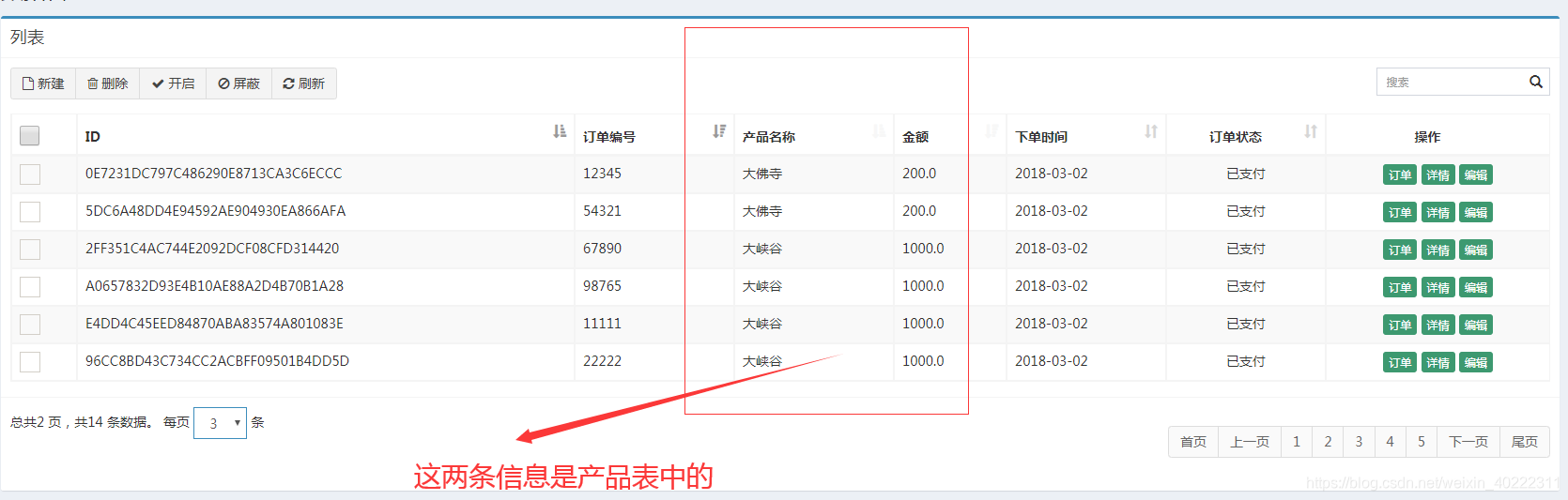
二,分析
从订单角度分析为一对一查询
三,实现
3.1 在订单表实体类中添加产品对象
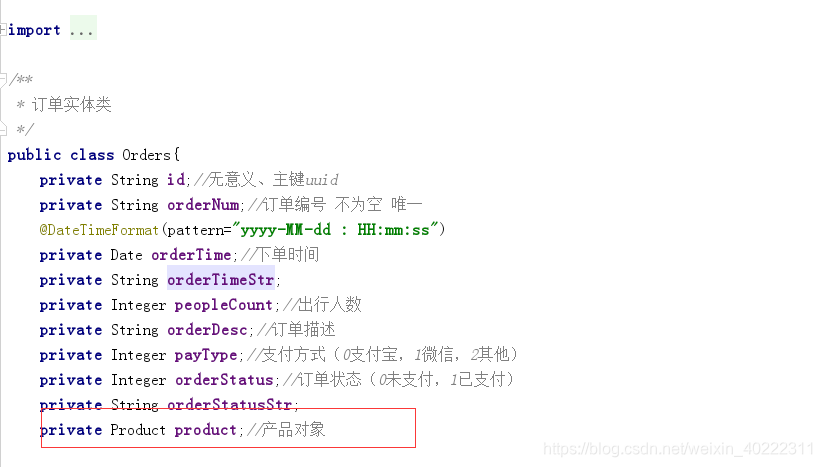
3.2关于一对一注解查询的说明
@Results 注解
代替的是xml标签中的<resultMap>
该注解中可以使用单个@Result 注解,也可以使用@Result 集合
@Results({@Result(),@Result()})或@Results(@Result())

@Result注解
代替了 <id>标签和<result>标签
@Result 中 属性介绍:
id 是否是主键字段,true代表是主键、false代表不是。(注意默认为false)
column 数据库的列名
property 需要装配的属性名(实体类中属性名)
one 需要使用的@One 注解(@Result(one=@One)()))
@One 注解(一对一)
代替了<assocation>标签,是一对一查询的关键,在注解中用来指定子查询返回单一对象。
@One 注解属性介绍:
select 指定用来多表查询的 sqlmapper
fetchType 会覆盖全局的配置参数 lazyLoadingEnabled。。
使用格式:
@Result(column=" ",property="",one=@One(select=""))
3.3dao层代码
public interface IOrdersDao {

    /**
     * 查询所有订单
     * @return
     * @throws Exception
     */
    @Results({
            @Result(id = true,column = "id",property = "id"),
            @Result(column = "id",property = "id"),
            @Result(column = "ordernum",property = "orderNum"),
            @Result(column = "ordertime",property = "orderTime"),
            @Result(column = "peoplecount",property = "peopleCount"),
            @Result(column = "orderdesc",property = "orderDesc"),
            @Result(column = "paytype",property = "payType"),
            @Result(column = "orderstatus",property = "orderStatus"),
            @Result(column = "productid",property = "product",one = @One(select = "com.itheima.ssm.dao.IProductDao.findById")),
    })
    @Select("select * from orders")
    public List<Orders> findAll() throws Exception;
}
3.4子表查询代码
    /**
     * 根据id查询产品信息
     * @param id
     * @return
     */
    @Select("select * from product where id=#{id}")
    public Product findById(String id);

魔乐社区(Modelers.cn) 是一个中立、公益的人工智能社区,提供人工智能工具、模型、数据的托管、展示与应用协同服务,为人工智能开发及爱好者搭建开放的学习交流平台。社区通过理事会方式运作,由全产业链共同建设、共同运营、共同享有,推动国产AI生态繁荣发展。
更多推荐
 0
0 0
0- 0


 已为社区贡献3条内容

所有评论(0)