spring+testng+allure
制作testng +spring+allure学习目的:熟悉testng和spring的配置以及allure如何使用2.创建项目通过idea工具新建一个maven,项目名称定义为demo,package为com.example.demo包,如图1图1 项目目录结构建立一个java的class工具类为DateUtil类,用java实现获取日期和上一周的日期2个方法,具体代码如图...
制作testng +spring+allure
学习目的:熟悉testng和spring的配置以及allure如何使用
2.创建项目
通过idea工具新建一个maven,项目名称定义为demo,package为com.example.demo包,如图1
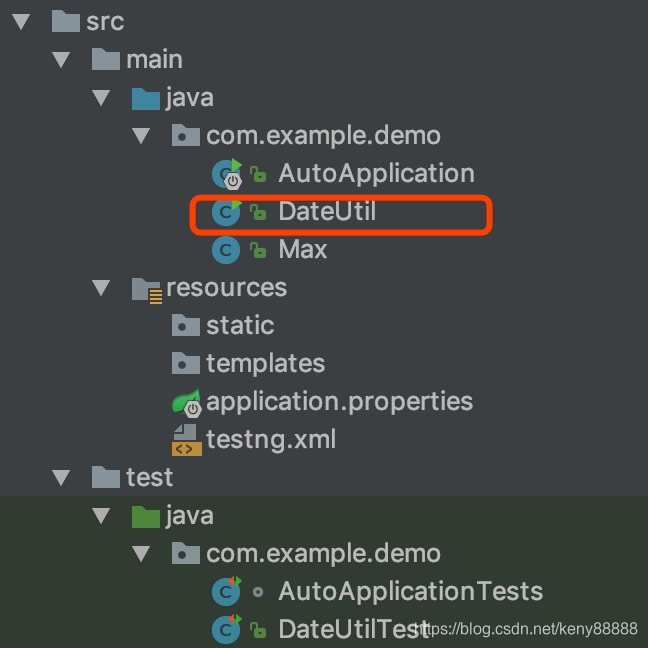
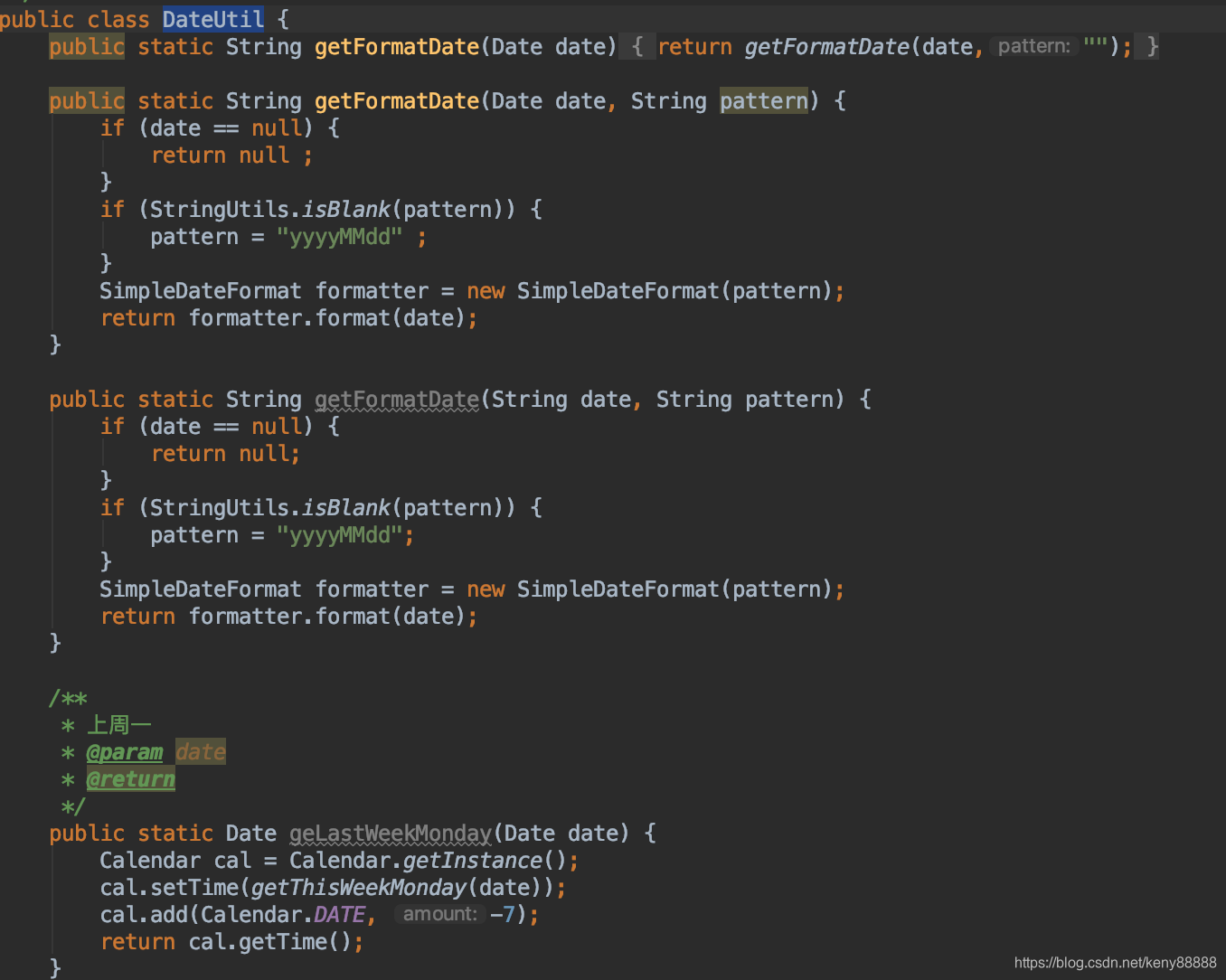
建立一个java的class工具类为DateUtil类,用java实现获取日期和上一周的日期2个方法,具体代码如图2
3.配置
修改和增加根目录的的pom.xml文件,让spring支持testng。如下说明;
<?xml version="1.0" encoding="UTF-8"?>
<project xmlns="http://maven.apache.org/POM/4.0.0" xmlns:xsi="http://www.w3.org/2001/XMLSchema-instance"
   xsi:schemaLocation="http://maven.apache.org/POM/4.0.0 https://maven.apache.org/xsd/maven-4.0.0.xsd">
   <modelVersion>4.0.0</modelVersion>
   <parent>
      <groupId>org.springframework.boot</groupId>
      <artifactId>spring-boot-starter-parent</artifactId>
      <version>2.2.2.RELEASE</version>
      <relativePath/> <!-- lookup parent from repository -->
   </parent>
   <groupId>com.example</groupId>
   <artifactId>auto</artifactId>
   <version>0.0.1-SNAPSHOT</version>
   <name>auto</name>
   <description>Demo project for Spring Boot</description>
   <properties>
      <selenide.version>4.4.1</selenide.version>
      <testng>testng</testng>
      <aspectj.version>1.8.9</aspectj.version>
      <allure.version>1.5.2</allure.version>
   </properties>

   <dependencies>
      <dependency>
         <groupId>org.springframework.boot</groupId>
         <artifactId>spring-boot-starter-thymeleaf</artifactId>
      </dependency>
      <dependency>
         <groupId>org.springframework.boot</groupId>
         <artifactId>spring-boot-starter-web</artifactId>
      </dependency>
      <dependency>
         <groupId>org.mybatis.spring.boot</groupId>
         <artifactId>mybatis-spring-boot-starter</artifactId>
         <version>2.1.1</version>
      </dependency>

      <dependency>
         <groupId>org.projectlombok</groupId>
         <artifactId>lombok</artifactId>
         <optional>true</optional>
      </dependency>
      <dependency>
         <groupId>commons-lang</groupId>
         <artifactId>commons-lang</artifactId>
         <version>2.6</version>
      </dependency>
      <dependency>
         <groupId>org.springframework.boot</groupId>
         <artifactId>spring-boot-starter-test</artifactId>
         <scope>test</scope>
         <exclusions>
            <exclusion>
               <groupId>org.junit.vintage</groupId>
               <artifactId>junit-vintage-engine</artifactId>
            </exclusion>
         </exclusions>
      </dependency>


      <!-- 依赖reportNg 关联testNg-->
      <dependency>
         <groupId>org.uncommons</groupId>
         <artifactId>reportng</artifactId>
         <version>1.1.4</version>
         <scope>test</scope>
         <exclusions>
            <exclusion>
               <groupId>org.testng</groupId>
               <artifactId>testng</artifactId>
            </exclusion>
         </exclusions>
      </dependency>

      <dependency>
         <groupId>ru.yandex.qatools.allure</groupId>
         <artifactId>allure-testng-adaptor</artifactId>
         <version>1.3.6</version>
         <exclusions>
            <exclusion>
               <groupId>org.testng</groupId>
               <artifactId>testng</artifactId>
            </exclusion>
         </exclusions>
      </dependency>

      <!-- 依赖Guice -->
      <dependency>
         <groupId>com.google.inject</groupId>
         <artifactId>guice</artifactId>
         <version>4.0</version>
      </dependency>

      <dependency>
         <groupId>io.qameta.allure</groupId>
         <artifactId>allure-testng</artifactId>
         <version>2.0-BETA14</version>
         <scope>test</scope>
      </dependency>
      <dependency>
         <groupId>org.testng</groupId>
         <artifactId>testng</artifactId>
         <version>6.10</version>
      </dependency>
      <dependency>
         <groupId>io.qameta.allure</groupId>
         <artifactId>allure-java-commons</artifactId>
         <version>RELEASE</version>
      </dependency>
      <dependency>
         <groupId>org.testng</groupId>
         <artifactId>testng</artifactId>
         <version>6.8.5</version>
      </dependency>
      <!-- selenide-->
      <dependency>
         <groupId>com.codeborne</groupId>
         <artifactId>selenide</artifactId>
         <version>${selenide.version}</version>
         <scope>test</scope>
      </dependency>

   </dependencies>
   <!-- allure-->
   <build>
      <plugins>

         <plugin>
            <groupId>org.apache.maven.plugins</groupId>
            <artifactId>maven-surefire-plugin</artifactId>
            <version>2.20</version>
            <configuration>
               <argLine>
                  -javaagent:"${settings.localRepository}/org/aspectj/aspectjweaver/${aspectj.version}/aspectjweaver-${aspectj.version}.jar"
               </argLine>
               <!--生成allure-result的目录-->
               <systemProperties>
                  <property>
                     <name>allure.results.directory</name>
                     <value>./target/allure-results</value>
                  </property>
               </systemProperties>
            </configuration>
            <dependencies>
               <dependency>
                  <groupId>org.aspectj</groupId>
                  <artifactId>aspectjweaver</artifactId>
                  <version>${aspectj.version}</version>
               </dependency>
            </dependencies>
         </plugin>

         <!--Needed only to show reports locally. Run jetty:run and
            open localhost:8080 to show the report-->
         <plugin>
            <groupId>org.eclipse.jetty</groupId>
            <artifactId>jetty-maven-plugin</artifactId>
            <version>9.2.10.v20150310</version>
            <configuration>
               <webAppSourceDirectory>${project.build.directory}/site/allure-maven-plugin</webAppSourceDirectory>
               <stopKey>stop</stopKey>
               <stopPort>1234</stopPort>
            </configuration>
         </plugin>
      </plugins>
   </build>
   <reporting>
      <excludeDefaults>true</excludeDefaults>
      <plugins>
         <plugin>
            <groupId>ru.yandex.qatools.allure</groupId>
            <artifactId>allure-maven-plugin</artifactId>
            <version>2.5</version>
         </plugin>
      </plugins>
   </reporting>

</project>
4.编译
执行编译mvn clean test,可能会有错误,xdjm可以调试一下,代码很简单。
5.allure的安装
brew install allure
提示:
appledeMacBook-Pro-3:auto apple$ allure serve target/allure-results
Generating report to temp directory...
Report successfully generated to /var/folders/vd/ws8lqd9x5hd9w0cp_d4gfzd80000gn/T/5682109283730258913/allure-report
Starting web server...
2019-12-24 17:59:11.639:INFO::main: Logging initialized @2410ms to org.eclipse.jetty.util.log.StdErrLog
Server started at <http://192.168.31.212:58375/>. Press <Ctrl+C> to exit
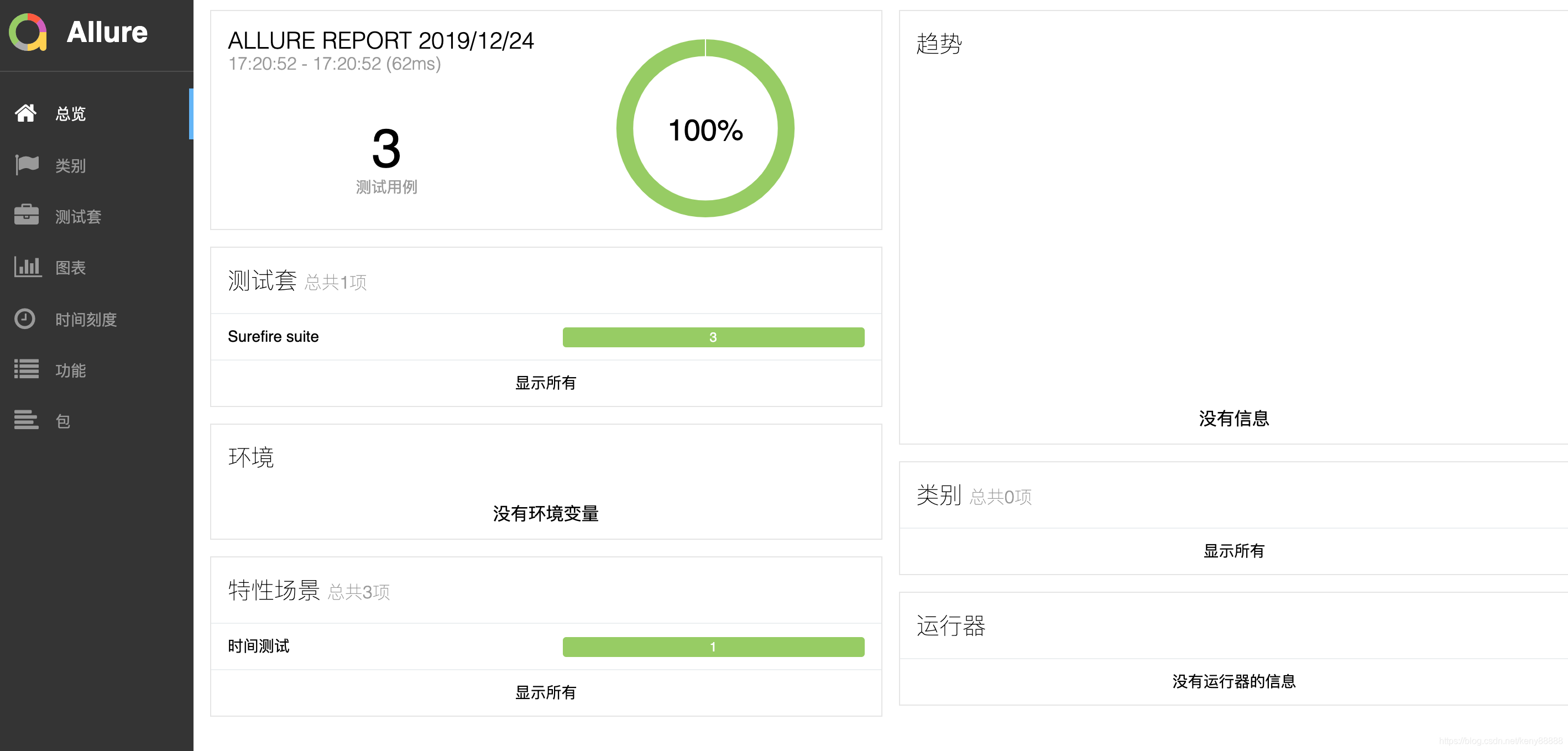
界面为:运行allure的例子,如图3-1,图3-2 图3-3
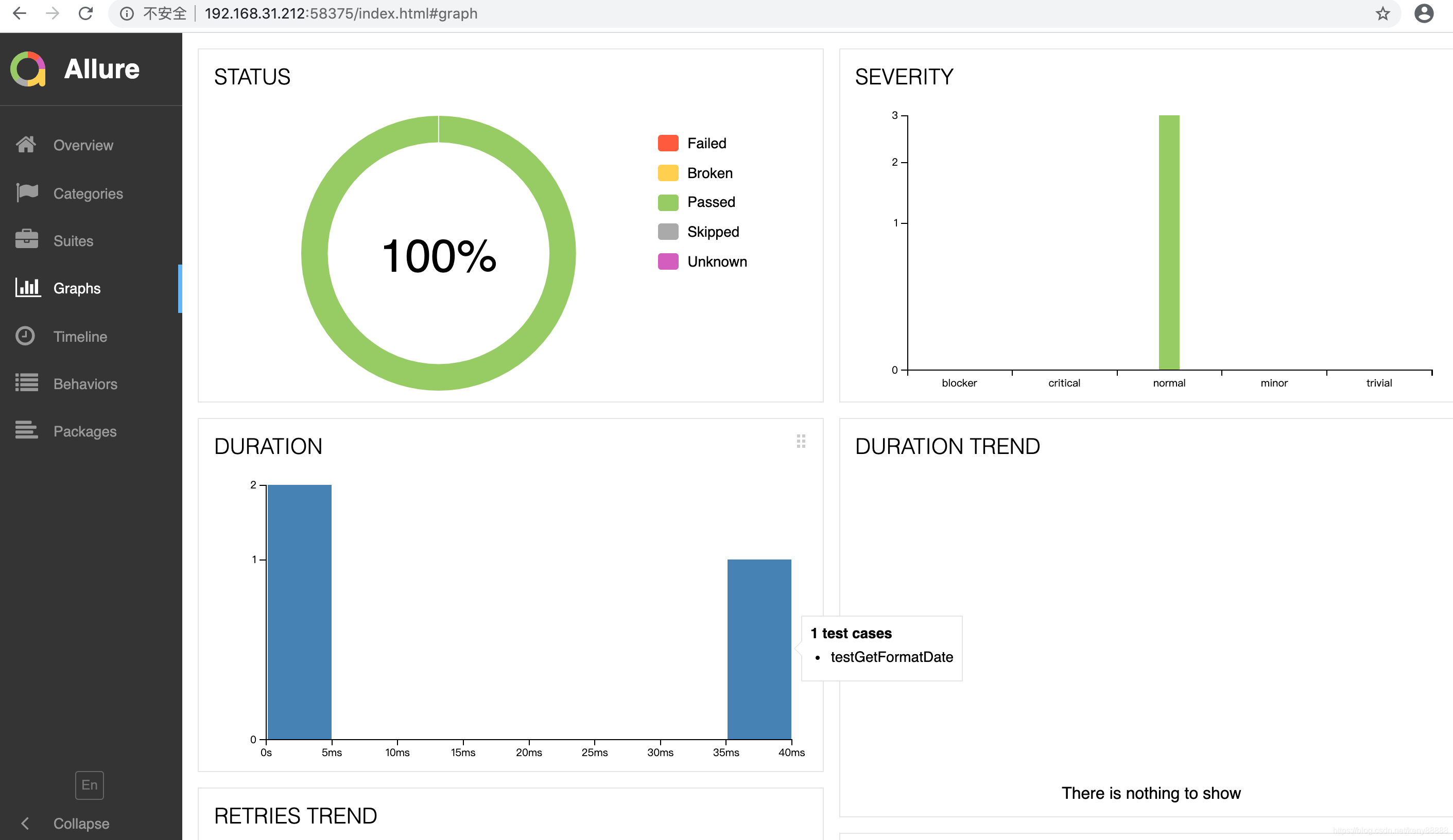
时间测试;
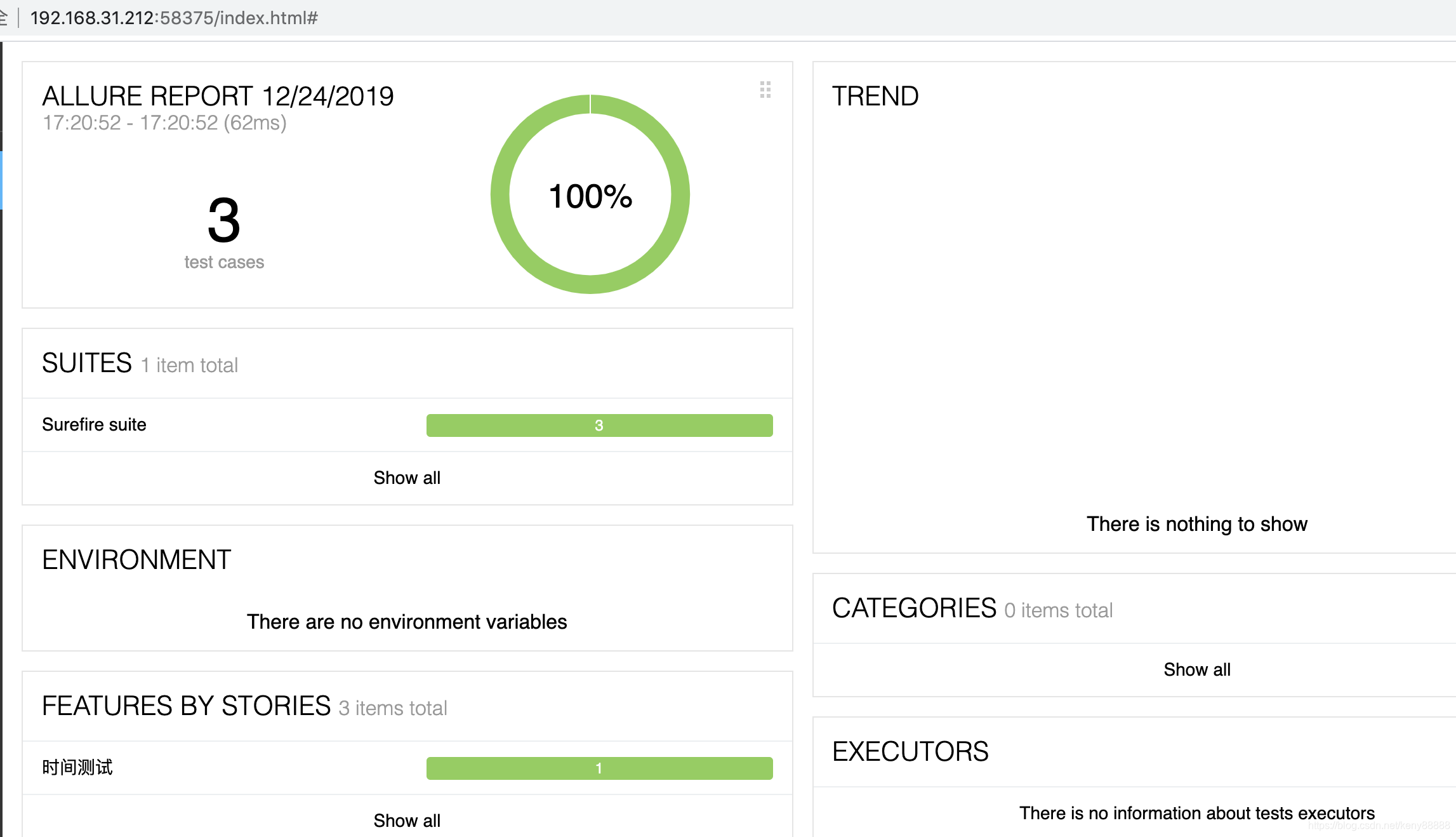
allure有中文的

魔乐社区(Modelers.cn) 是一个中立、公益的人工智能社区,提供人工智能工具、模型、数据的托管、展示与应用协同服务,为人工智能开发及爱好者搭建开放的学习交流平台。社区通过理事会方式运作,由全产业链共同建设、共同运营、共同享有,推动国产AI生态繁荣发展。
更多推荐

 1
1 0
0- 0


 已为社区贡献8条内容

所有评论(0)