推荐一个优雅的jQuery Toast消息插件 - jquery/jquery-toastr插件,漂亮的消息提示插件,使用简单、方便,可以根据设置的超时时间自动消失
推荐一个优雅的jQuery Toast消息插件 - jquery/jquery-toastr插件,漂亮的消息提示插件,使用简单、方便,可以根据设置的超时时间自动消失
·
推荐一个优雅的jQuery Toast消息插件 - jquery/jquery-toastr插件,漂亮的消息提示插件,使用简单、方便,可以根据设置的超时时间自动消失
toastr是一个基于jQuery简单、漂亮的消息提示插件,使用简单、方便,用于 Web 应用程序的 jQuery 插件,它允许你创建非阻塞的通知信息,可以根据设置的超时时间自动消失。
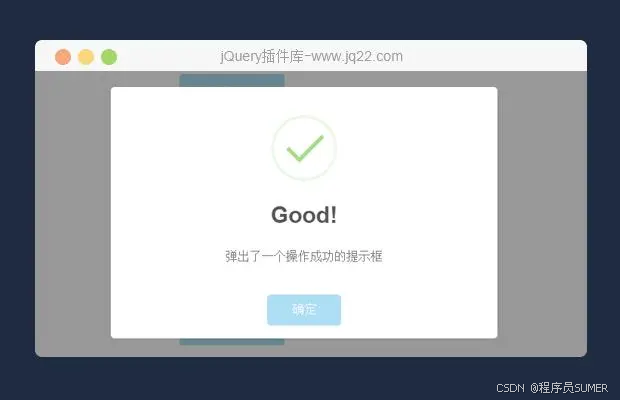
首先,确保你已经在你的项目中包含了 jQuery 库和 toastr 的 CSS 和 JavaScript 文件。你可以从 toastr 的官方 GitHub 仓库下载这些文件,或者使用 CDN 链接。
1、使用很简单,首选引入toastr的js、css文件
<script src="<%=path%>/res/toastr/toastr.min.js"></script>
<link rel="stylesheet" href="<%=path%>/res/toastr/toastr.min.css">
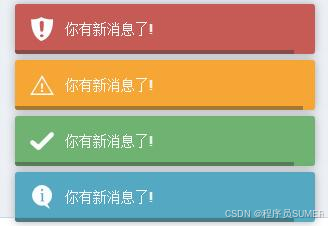
2、效果
3、集成使用
//常规消息提示,默认背景为浅蓝色
toastr.info("你有新消息了!");
//成功消息提示,默认背景为浅绿色
toastr.success("你有新消息了!");
//警告消息提示,默认背景为橘黄色
toastr.warning("你有新消息了!");
//错误消息提示,默认背景为浅红色
toastr.error("你有新消息了!");
//带标题的消息框
toastr.success("你有新消息了!","消息提示");
//另一种调用方法
toastr["info"]("你有新消息了!","消息提示");
4、自定义用法
toastr.options = {
    closeButton: false,
    debug: false,
    progressBar: true,
    positionClass: "toast-bottom-center",
    onclick: null,
    showDuration: "300",
    hideDuration: "1000",
    timeOut: "2000",
    extendedTimeOut: "1000",
    showEasing: "swing",
    hideEasing: "linear",
    showMethod: "fadeIn",
    hideMethod: "fadeOut"
};
参数说明:
closeButton:false,是否显示关闭按钮(提示框右上角关闭按钮);
debug:false,是否为调试;
progressBar:false,是否显示进度条(设置关闭的超时时间进度条);
positionClass,消息框在页面显示的位置
toast-top-left  顶端左边
toast-top-right    顶端右边
toast-top-center  顶端中间
toast-top-full-width 顶端,宽度铺满整个屏幕
toast-botton-right
toast-bottom-left
toast-bottom-center
toast-bottom-full-width
其他参数:
onclick,点击消息框自定义事件
showDuration: “300”,显示动作时间
hideDuration: “1000”,隐藏动作时间
timeOut: “2000”,自动关闭超时时间
extendedTimeOut: “1000”
showEasing: “swing”,
hideEasing: “linear”,
showMethod: “fadeIn” 显示的方式,和jquery相同
hideMethod: “fadeOut” 隐藏的方式,和jquery相同
参考文献:
1、基于Uni-app前端框架的SUMER UI3.0组件库
2、uniapp精仿支付宝UI界面源码下载,基于SumerUI一款仿支付宝APP
3、uniapp精仿微信源码,基于SumerUI一款仿微信APP应用
SUMER UI【用于开发APP、小程序、H5网站、毕业设计…】

魔乐社区(Modelers.cn) 是一个中立、公益的人工智能社区,提供人工智能工具、模型、数据的托管、展示与应用协同服务,为人工智能开发及爱好者搭建开放的学习交流平台。社区通过理事会方式运作,由全产业链共同建设、共同运营、共同享有,推动国产AI生态繁荣发展。
更多推荐


 5
5 0
0- 0


 已为社区贡献22条内容

所有评论(0)