在Linux上使用ffmpeg摆脱DTS / AC3音频,以在iOS或Android上播放MKV文件
I encountered the problem on iPhone that MKV video files with AC3 are played with no sound. The OPlayer reports to me that “According to DTS patent, DTS is forbidden to play , None of the media player
I encountered the problem on iPhone that MKV video files with AC3 are played with no sound. The OPlayer reports to me that “According to DTS patent, DTS is forbidden to play , None of the media player on iPhone/iPad can play DTS”.
我在iPhone上遇到了问题,即AC3的MKV 视频 文件无法播放。 OPlayer向我报告说:“根据DTS专利,禁止播放DTS,iPhone / iPad上的任何媒体播放器都不能播放DTS”。
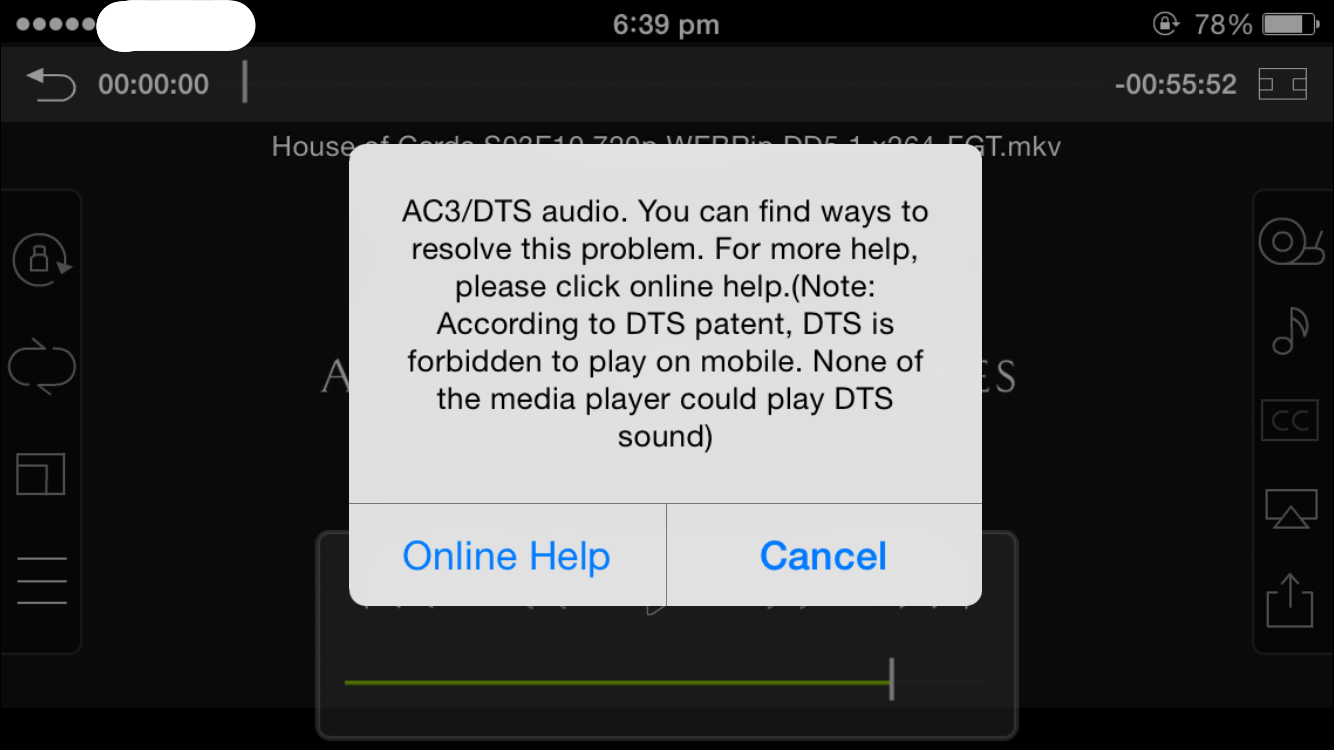
However, the video file can be played in MPlayer on Linux just well. Checking MPlayer’s output:
但是,视频文件可以很好地在Linux上的MPlayer中播放。 检查MPlayer的输出:
==========================================================================
Opening audio decoder: [ffmpeg] FFmpeg/libavcodec audio decoders
[ac3 @ 0x7ff826946dc0]Channel layout '5.1(side)' with 6 channels does not match specified number of channels 2: ignoring specified channel layout
AUDIO: 48000 Hz, 2 ch, floatle, 640.0 kbit/20.83% (ratio: 80000->384000)
Selected audio codec: [ffac3] afm: ffmpeg (FFmpeg AC-3)
==========================================================================
Here, “Selected audio codec: [ffac3] afm: ffmpeg (FFmpeg AC-3)” indicates that the audio is encoded in AC-3.
在此,“ 选择的音频编解码器:[ffac3] afm:ffmpeg(FFmpeg AC-3) ”表示音频以AC-3编码。
That’s unpleasant. Let’s fix it. If you would like to convert many such files and would like to have a script to convert them on Linux, you may use the ffmpeg tool.
真不愉快 让我们修复它。 如果您想转换许多这样的文件,并希望有一个脚本在Linux上进行转换,则可以使用ffmpeg工具。
The command is as follows for one file:
一个文件的命令如下:
$ ffmpeg -i your_video.mkv -vcodec copy -acodec libmp3lame your_video_noac3.mkvAfter the file is converted, let’s play it again in MPlayer. The output shows
转换文件后,让我们在MPlayer中再次播放。 输出显示
==========================================================================
Opening audio decoder: [mpg123] MPEG 1.0/2.0/2.5 layers I, II, III
AUDIO: 48000 Hz, 2 ch, s16le, 128.0 kbit/8.33% (ratio: 16000->192000)
Selected audio codec: [mpg123] afm: mpg123 (MPEG 1.0/2.0/2.5 layers I, II, III)
==========================================================================
Now, the audio codec is mpg123 (mp3). Most players on iOS and Android can play the audio now.
现在,音频编解码器为mpg123(mp3)。 iOS和Android上的大多数播放器现在都可以播放音频。
Note: you can find some other methods for Windows and VLC users manually.

魔乐社区(Modelers.cn) 是一个中立、公益的人工智能社区,提供人工智能工具、模型、数据的托管、展示与应用协同服务,为人工智能开发及爱好者搭建开放的学习交流平台。社区通过理事会方式运作,由全产业链共同建设、共同运营、共同享有,推动国产AI生态繁荣发展。
更多推荐

 0
0 0
0- 0


 已为社区贡献11条内容

所有评论(0)