高通Android stressapptest测试应用
本案使用Google开源的stressapptest进行测试一些压力,如内存,Flash等压力测试。
·
目录
本案使用Google开源的stressapptest进行测试一些压力,如内存,Flash等压力测试
1.代码仓库
默认stressapptest的代码会在{$PROJECT_PATH}/LINUX/android/external目录下
若是在部分工程中没有stressapptest源码路径,可以从下面开Googlesource网站进行下载
 https://android.googlesource.com/platform/external/stressapptest/
2.编译stressapptest
代码仓库如:{$PROJECT_PATH}/LINUX/android/external/stressapptest/
source build/envsetup.sh

lunch bengal

mmm external/stressapptest/

或者使用

make stressapptest -j8
编译成功后会在下面有stressapptest的可执行文件
{$PROJECT_PATH}/LINUX/android/out/target/product/bengal/system/bin/stressapptest
然后将stressapptest push到设备中
3.使用案例
这边仅仅测试编译出来的stressapptest是否可以正常工作,详细的Guide,网上其它大神均有参考
3.1测试CPU压力
./stressapptest -C 4 -s 60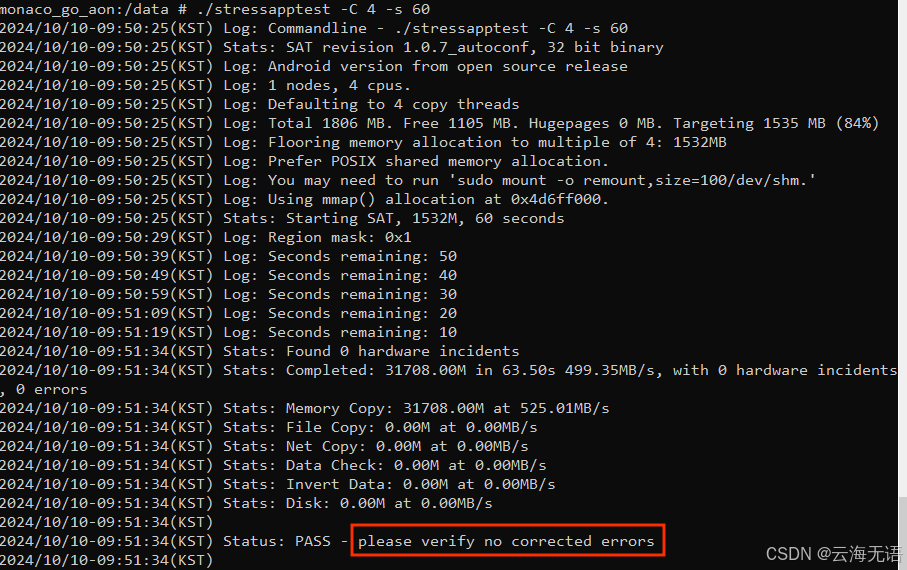
3.2.测试内存压力
./stressapptest -s 100 -M 1024 -m 4 -W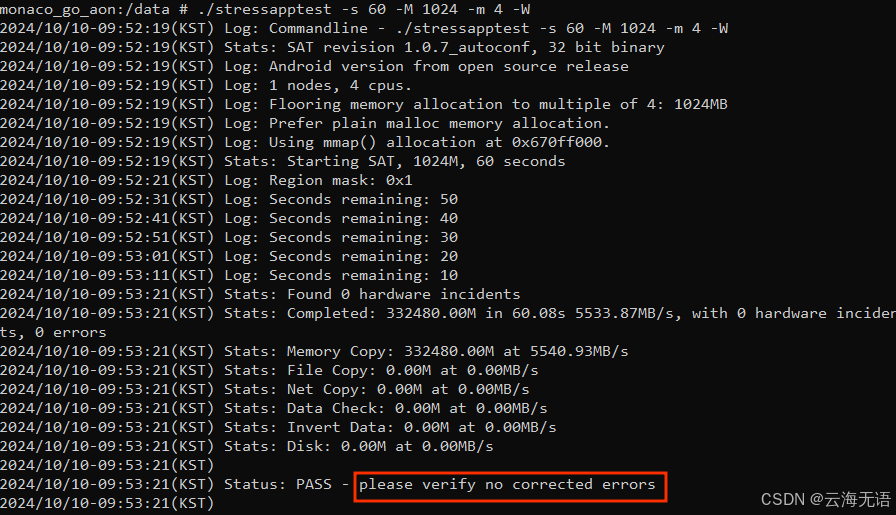

魔乐社区(Modelers.cn) 是一个中立、公益的人工智能社区,提供人工智能工具、模型、数据的托管、展示与应用协同服务,为人工智能开发及爱好者搭建开放的学习交流平台。社区通过理事会方式运作,由全产业链共同建设、共同运营、共同享有,推动国产AI生态繁荣发展。
更多推荐



 4
4 0
0- 0


 已为社区贡献1条内容

所有评论(0)