vue项目使用海康H5播放器播放视频
·
在视频播放场景中,如果仅展示视频内容,使用普通模式即可满足需求。但如果并发量较大,建议使用子流码以优化性能。
引入h5player_2.5.1版本,在 Windows 系统的各个浏览器上测试,视频播放表现正常,但在国产操作系统上播放不稳定。经过排查,发现使用 2.1.3 版本后,视频可以正常播放。最初采用 WS 协议取流时,视频频繁卡顿,后来改为 WSS 协议取流,并加入 SSL 证书,通过 HTTPS 请求,视频会用 jsdecoder3.0 解码,视频的加载和播放流畅度得到了显著提升。
一、下载并引入海康H5播放器包
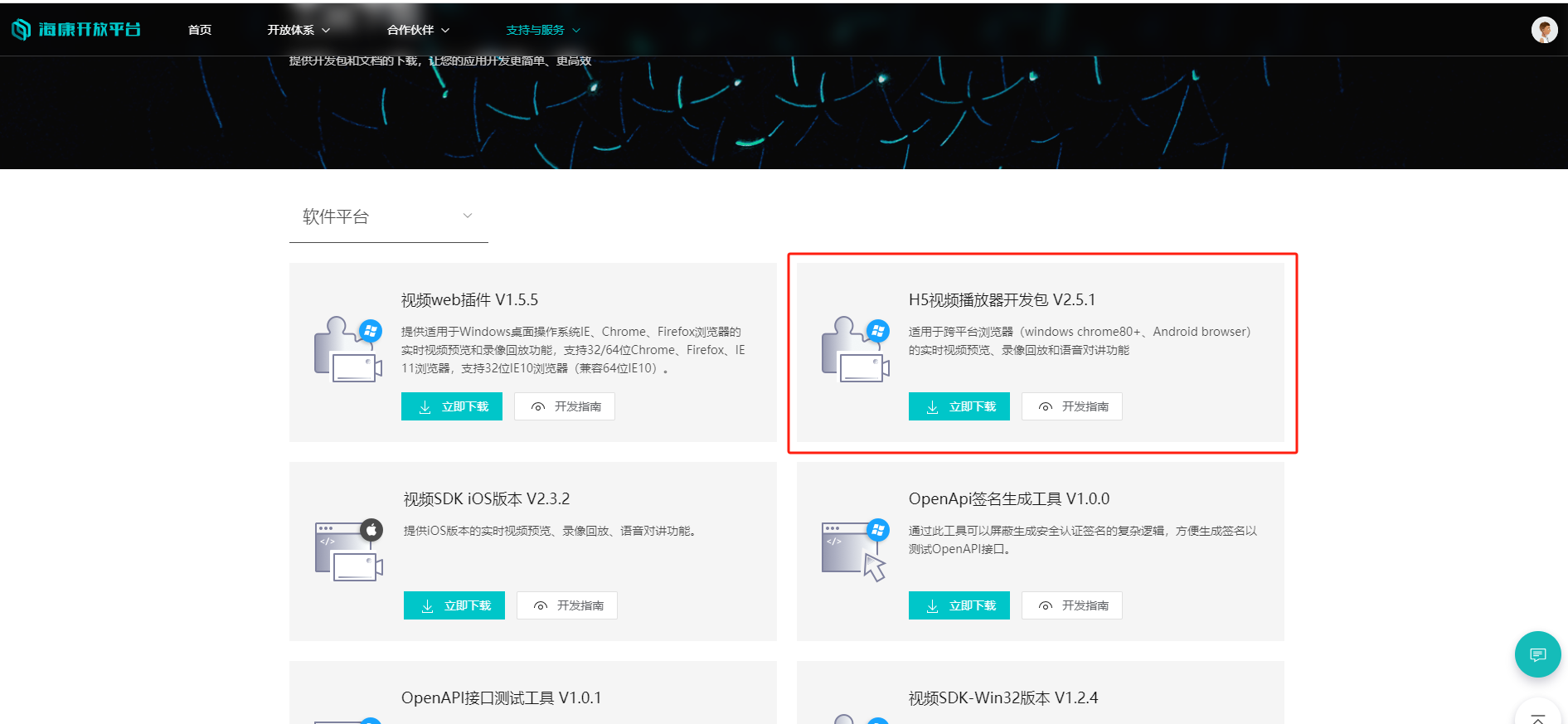
在海康官网(海康开放平台)下载h5player_2.5.1版本,其中demo文件夹可运行调试视频。

bin文件夹引用时一定要放在public文件夹下,然后在index.html中引入h5player.min.js文件
 <!-- 海康H5播放器引用 -->
 <script src="/bin/h5player.min.js"></script>
二、在web中使用
以下是完整的代码实现,包含视频播放、分页展示以及相关功能:
<template>
  <div class="home">
    <div id="player"></div>
    <div class="grid_switch">
      <el-pagination @size-change="handleSizeChange" @current-change="handleCurrentChange"
    :current-page="pageNum" :page-size="pageSize" background layout="prev, pager, next" :total="total" />
    </div>
  </div>
</template>

<script>
import {  videoListPaging } from './video.api';

export default {
  data() {
    return {
      list2: [],
      splitNum: 4,   //当前方格布局 4*4
      player: null,
      total: 0,  //分页总数
      pageNum: 1,   //分页页数
      pageSize: 16,  //分页尺寸
    }
  },
  mounted() {
    this.init();
    this.createPlayer();
    this.getData()
  },
  beforeUnmount() {
    if (this.player) {
      this.player.JS_StopRealPlayAll(); // 停止所有播放
      this.player = null; // 清理播放器对象
    }
  },
  methods: {
    //分页
    handleSizeChange(val) {
      this.pageSize = val;
      this.getData();
    },
    handleCurrentChange(val) {
      this.pageNum = val;
      this.getData();
    },
    //处理数据16宫格展示
    async getData() {
      try {
        const {total,rows}= await videoListPaging({
          pageNum: this.pageNum,    // 使用pageNum
          pageSize: this.pageSize,  // 使用pageSize
        })
        this.total = total;
        this.list2 = rows;
        this.list2.forEach((e, index) => {
          this.playVideo(e, index);
        })
        // 如果当前分页的视频数量不足pageSize,停止多余的窗口播放
        if (this.list2.length < this.pageSize) {
          for (let i = this.list2.length; i < this.pageSize; i++) {
            this.stopCurrentStream(i);
          }
        }
      } catch (err) {
        console.error(err);
      }
    },
    //初始加载时视频播放
    playVideo(e, index) {
      let { player } = this,
        playURL = e.visibleLightStreamUrl;
      this.stopCurrentStream(index)
      player.JS_Play(playURL, { playURL, mode: 0, keepDecoder: 0 }, index).then(
        () => {
          console.log('realplay success');
          player.JS_GetTraceId(index).then((id) => { console.log("traceid:", id) })
        },
        e => { console.error(e) }
      )
    },

    //停止指定窗口流的播放
    stopCurrentStream(index) {
      if (this.player) {
        this.player.JS_Stop(index); // 停止当前播放
      }
    },

    init() {
      // 设置播放容器的宽高并监听窗口大小变化
      window.addEventListener('resize', () => {
        this.player.JS_Resize()
      })
    },
    createPlayer() {
      this.player = new JSPlugin({
        szId: 'player',//父窗口id,需要英文字母开头 必填
        szBasePath: "./bin/",// 必填,与h5player.min.js的引用路径一致
        iMaxSplit: 4,
        iCurrentSplit: 4,
        openDebug: true,
        mseWorkerEnable: false,//是否开启多线程解码,分辨率大于1080P建议开启,否则可能卡顿
        bSupporDoubleClickFull: true,//是否支持双击全屏,true-双击是全屏;false-双击无响应
        oStyle: {
          borderSelect: '#FFCC00',
        }
      })

      // 事件回调绑定
      this.player.JS_SetWindowControlCallback({
        windowEventSelect: function (iWndIndex) {  //插件选中窗口回调
          console.log('windowSelect callback: ', iWndIndex);
        },
        pluginErrorHandler: function (iWndIndex, iErrorCode, oError) {  //插件错误回调
          console.log('pluginError callback: ', iWndIndex, iErrorCode, oError);
        },
        windowEventOver: function (iWndIndex) {  //鼠标移过回调
          console.log(iWndIndex);
        },
        windowEventOut: function (iWndIndex) {  //鼠标移出回调
          console.log(iWndIndex);
        },
        windowEventUp: function (iWndIndex) {  //鼠标mouseup事件回调
          console.log(iWndIndex);
        },
        windowFullCcreenChange: function (bFull) {  //全屏切换回调
          console.log('fullScreen callback: ', bFull);
        },
        firstFrameDisplay: function (iWndIndex, iWidth, iHeight) {  //首帧显示回调
          console.log('firstFrame loaded callback: ', iWndIndex, iWidth, iHeight);
        },
        performanceLack: function (iWndIndex) {  //性能不足回调
          console.log('performanceLack callback: ', iWndIndex);
        },
        StreamEnd: function (iWndIndex) {  //性能不足回调
          console.log('recv StreamEnd: ', iWndIndex);
        },
        StreamHeadChanged: function (iWndIndex) {
          console.log('recv StreamHeadChanged: ', iWndIndex);
        },
        ThumbnailsEvent: (iWndIndex, eventType, eventCode) => {
          console.log('recv ThumbnailsEvent: ' + iWndIndex + ", eventType:" + eventType + ", eventCode:" + eventCode);
        },
        InterruptStream: (iWndIndex, iTime) => {
          console.log('recv InterruptStream: ' + iWndIndex + ", iTime:" + iTime);
        },
        ElementChanged: (iWndIndex, szElementType) => {//回调采用的是video还是canvas
          console.log('recv ElementChanged: ' + iWndIndex + ", szElementType:" + szElementType);
        },
      });
    },
  },
}
</script>

<style lang="scss" scoped>
.home{
  #player {
          width: 100%;
          height: 100%;
   }
}
</style>

魔乐社区(Modelers.cn) 是一个中立、公益的人工智能社区,提供人工智能工具、模型、数据的托管、展示与应用协同服务,为人工智能开发及爱好者搭建开放的学习交流平台。社区通过理事会方式运作,由全产业链共同建设、共同运营、共同享有,推动国产AI生态繁荣发展。
更多推荐


 7
7 0
0- 0


 已为社区贡献1条内容

所有评论(0)