vue 打印机 直打 通过打印代理服务
vue 浏览器打印 直打
·
vue 打印机 直打 通过打印代理服务
1.安装依赖
npm i vue-plugin-hiprint
2.引入「打印样式」print-lock.css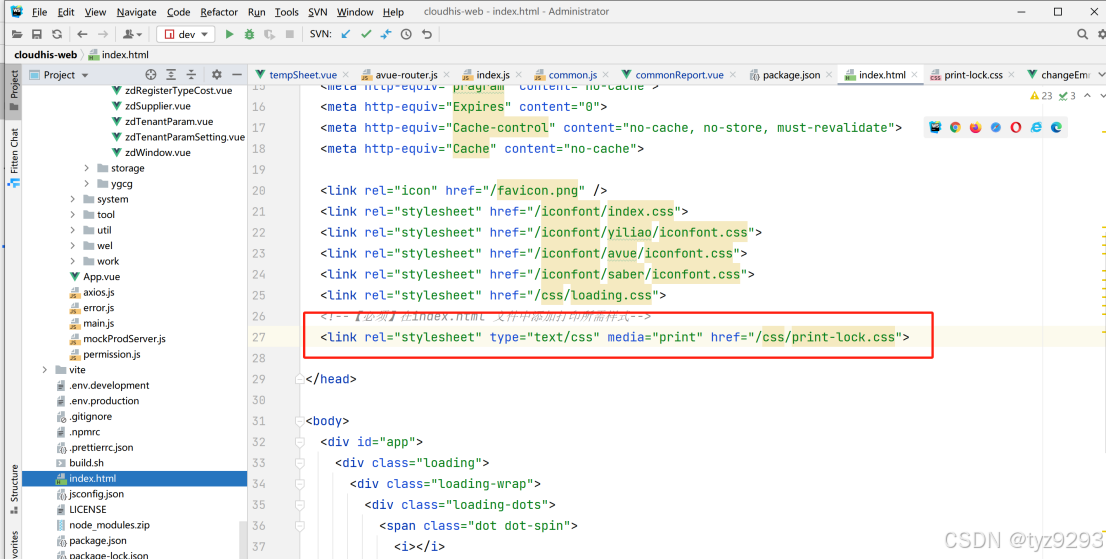
  <!--【必须】在index.html 文件中添加打印所需样式-->
  <link rel="stylesheet" type="text/css" media="print" href="/css/print-lock.css">
3.全局挂载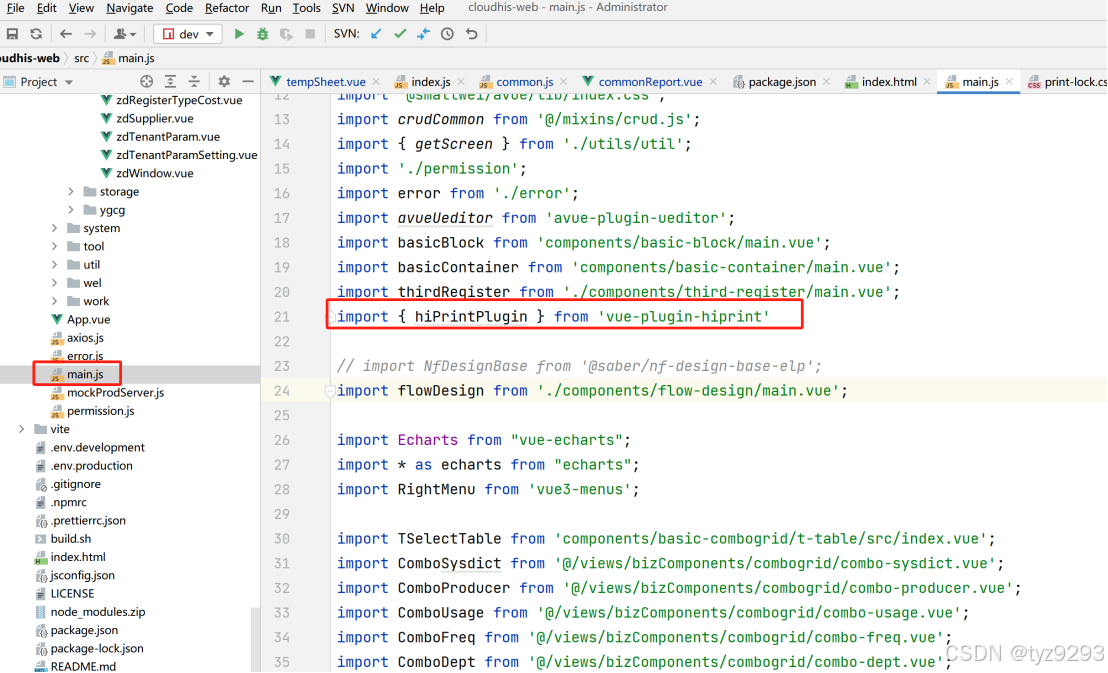
import { hiPrintPlugin } from 'vue-plugin-hiprint'
app.use(hiPrintPlugin, '$hisPrint');
hiPrintPlugin.disAutoConnect(); // 取消自动连接直接打印客户端
4.在需要打印的地方调用打印服务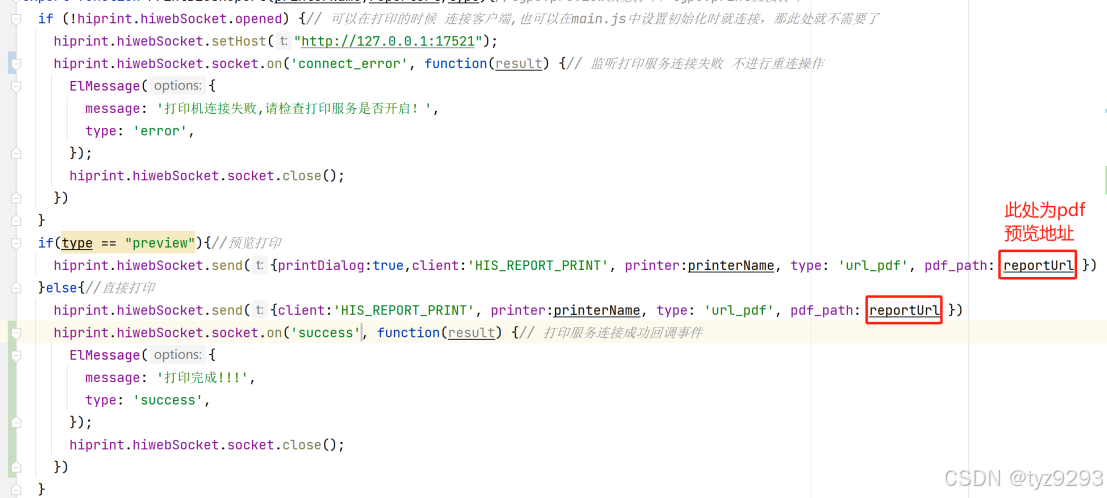
if (!hiprint.hiwebSocket.opened) {// 可以在打印的时候 连接客户端,也可以在main.js中设置初始化时就连接,那此处就不需要了
    hiprint.hiwebSocket.setHost("http://127.0.0.1:17521");
    hiprint.hiwebSocket.socket.on('connect_error', function(result) {// 监听打印服务连接失败 不进行重连操作
      ElMessage({
        message: '打印机连接失败,请检查打印服务是否开启!',
        type: 'error',
      });
      hiprint.hiwebSocket.socket.close();
    })
  }
  if(type == "preview"){//预览打印
    hiprint.hiwebSocket.send({printDialog:true,client:'HIS_REPORT_PRINT', printer:printerName, type: 'url_pdf', pdf_path: reportUrl })
  }else{//直接打印
    hiprint.hiwebSocket.send({client:'HIS_REPORT_PRINT', printer:printerName, type: 'url_pdf', pdf_path: reportUrl })
    hiprint.hiwebSocket.socket.on('success', function(result) {// 打印服务连接成功回调事件
      ElMessage({
        message: '打印完成!!!',
        type: 'success',
      });
      hiprint.hiwebSocket.socket.close();
    })
  }
5.安装打印代理服务程序

魔乐社区(Modelers.cn) 是一个中立、公益的人工智能社区,提供人工智能工具、模型、数据的托管、展示与应用协同服务,为人工智能开发及爱好者搭建开放的学习交流平台。社区通过理事会方式运作,由全产业链共同建设、共同运营、共同享有,推动国产AI生态繁荣发展。
更多推荐



 3
3 0
0- 0


 已为社区贡献2条内容

所有评论(0)