vue打印表格
·
1、npm 下载 npm install print-js
2、在需要的页面使用
import printJS from ‘print-js’
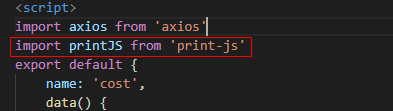
3、写一个按钮
<!-- 点击按钮进行打印 -->
<el-button type="primary" icon="el-icon-printer" @click="printTable">
    打印
</el-button>
4、打印表格的方法
printTable(){//打印表格
	 //通过getdata调用后台接口获取全部数据封装到res
	 axios({
	     url:'/apis/cost/getData',
	     methods: "GET",
	     params:{
	         "tId":this.tId
	     }
	 }).then(response => {
	     const res = response.data;
	     let data = [];
	     for(let i = 0; i<res.length; i++){
	         data.push({
	             field1:i+1,
	             field2:res[i].comment,
	             field3:res[i].designator,
	             field4:res[i].footprint,
	             field5:res[i].quantity,
	             field6:res[i].inventoryCount,
	             field7:res[i].cUnit,
	             field8:res[i].cTotal
	         })
	     }
	     console.log("data=",data);
	     printJS({
	         printable:data,
	         properties:[{
	             field:'field1',
	             displayName:'序号',
	             columnSize:1
	         },{
	             field:'field2',
	             displayName:'物料名称',
	             columnSize:1
	         },{
	             field:'field3',
	             displayName:'方位',
	             columnSize:1
	         },{
	             field:'field4',
	             displayName:'覆盖范围',
	             columnSize:1
	         },{
	             field:'field5',
	             displayName:'数量',
	             columnSize:1
	         },{
	             field:'field6',
	             displayName:'库存数量',
	             columnSize:1
	         },{
	             field:'field7',
	             displayName:'单价/元',
	             columnSize:1
	         },{
	             field:'field8',
	             displayName:'合计/元',
	             columnSize:1
	         }],
	         type:'json',
	         header:'C001',
	         //样式设置
	         gridStyle:'border:2px solid #3971A5;',
	         gridHeaderStyle:'color:red; border:2px solid #3971A5;'
	     })

	 }).catch(function (error) { // 请求失败处理
	     console.log(error);
	 });
}
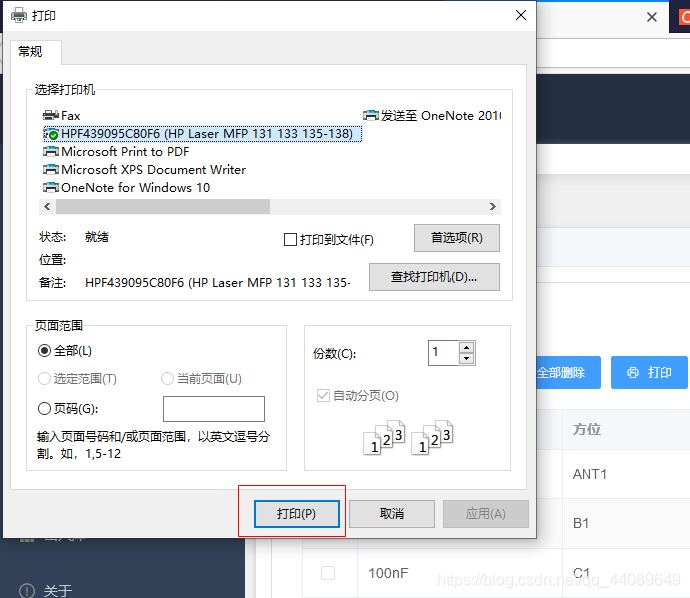
5、效果图:

魔乐社区(Modelers.cn) 是一个中立、公益的人工智能社区,提供人工智能工具、模型、数据的托管、展示与应用协同服务,为人工智能开发及爱好者搭建开放的学习交流平台。社区通过理事会方式运作,由全产业链共同建设、共同运营、共同享有,推动国产AI生态繁荣发展。
更多推荐


 0
0 0
0- 0


 已为社区贡献1条内容

所有评论(0)