【微信小程序】webview内嵌H5中回调小程序原生方法实现GET请求获取的文件流预览功能
项目场景如下
开发框架是uniapp,使用uniapp脚手架搭建,最终打包成H5部署在服务器上。
微信小程序的主体内容使用了标签将H5的页面内容展示,H5中有页面存放了下载的路径。点击下载按钮下载文件,或者预览文件让用户手动保存。
难点一、在于webview不能使用如下代码直接下载。
h5_download(blobURL, fileName) {
	// 创建a标签,用于跳转至下载链接
	  const tempLink = document.createElement("a");
	  tempLink.style.display = "none";
	  tempLink.href = blobURL;
	  tempLink.setAttribute("download", decodeURI(fileName));
	  // 兼容:某些浏览器不支持HTML5的download属性
	  if (typeof tempLink.download === "undefined") {
	    tempLink.setAttribute("target", "_blank");
	  }
	  document.body.appendChild(tempLink);
	  tempLink.click();
	  document.body.removeChild(tempLink);
	  // 释放blob URL地址
	  window.URL.revokeObjectURL(blobURL);
},
参考大多数网站常见的就是使用uni.downloadFile进行文件的的下载,然后通过 uni.openDocument进行文件预览,实际上 uni.openDocument无法将GET请求文件流直接打开
参考微信的原生方法**wx.getFileSystemManager().readFile()**将文件读取到临时文件夹中产生临时路径
难点二 webview内嵌页面无法直接使用wx原生方法
**解决方案:**在webview中引入微信所需要的的SDK,目的是和微信小程序进行互动,将下面代码直接扔进H5的index.html中
<script type="text/javascript">
		var userAgent = navigator.userAgent;
		if (userAgent.indexOf('AlipayClient') > -1) {
			// 支付宝小程序的 JS-SDK 防止 404 需要动态加载,如果不需要兼容支付宝小程序,则无需引用此 JS 文件。
			document.writeln('<script src="https://appx/web-view.min.js"' + '>' + '<' + '/' + 'script>');
		} else if (/QQ/i.test(userAgent) && /miniProgram/i.test(userAgent)) {
			// QQ 小程序
			document.write(
				'<script type="text/javascript" src="https://qqq.gtimg.cn/miniprogram/webview_jssdk/qqjssdk-1.0.0.js"><\/script>'
			);
		} else if (/miniProgram/i.test(userAgent) && /micromessenger/i.test(userAgent)) {
			// 微信小程序 JS-SDK 如果不需要兼容微信小程序,则无需引用此 JS 文件。
			document.write('<script type="text/javascript" src="https://res.wx.qq.com/open/js/jweixin-1.4.0.js"><\/script>');
		} else if (/toutiaomicroapp/i.test(userAgent)) {
			// 头条小程序 JS-SDK 如果不需要兼容头条小程序,则无需引用此 JS 文件。
			document.write(
				'<script type="text/javascript" src="https://s3.pstatp.com/toutiao/tmajssdk/jssdk-1.0.1.js"><\/script>');
		} else if (/swan/i.test(userAgent)) {
			// 百度小程序 JS-SDK 如果不需要兼容百度小程序,则无需引用此 JS 文件。
			document.write(
				'<script type="text/javascript" src="https://b.bdstatic.com/searchbox/icms/searchbox/js/swan-2.0.18.js"><\/script>'
			);
		} else if (/quickapp/i.test(userAgent)) {
			// quickapp
			document.write('<script type="text/javascript" src="https://quickapp/jssdk.webview.min.js"><\/script>');
		}
	</script>

	<!--上面的都是copy uni-app web-view组件官方的案例,懒得再去删减修改了 -->

	<!-- uni 的 SDK -->
   <script type="text/javascript" src="<%= BASE_URL %>static/js/uni.webview.1.5.3.js"></script>
	<script type="text/javascript">
		// 待触发 `UniAppJSBridgeReady` 事件后,即可调用 uni 的 API。
		document.addEventListener('UniAppJSBridgeReady', function() {
			webUni.getEnv(function(res) {
				console.log('当前环境:' + JSON.stringify(res));
			});
		});
		// window.handleMessage = function(msg){
		// 	console.log("接收到消息",msg);
		// 	alert("接收到消息"+msg);
		// }

	</script>
使用webUni即可完成与小程序的交互
点击下载按钮调用download方法回到小程序的pages/upload/page页面并带上你的get请求文件流路径
download(item){
				webUni.navigateTo({
				  url: '/pages/upload/page?url='+encodeURIComponent(item.url),
				})
				// this.h5_download(item.url,item.name)
			},
pages/upload/page页面处理方式,在onload方法完成对小程序中webview页面参数的赋值,这里使用的是previousPage.$vm.customFun 获取webview中customFun 并传值true wx.navigateBack回到上页
onLoad(options) {
			 let that = this;
				wx.setStorageSync('uploadData', options)//保存传入的参数
			//option为一个对象,内容就是{ link,fileToken,fileName,cookie等之前使用&拼上的数据}
				let pages = getCurrentPages();
				let previousPage = pages[pages.length - 2]; //上一个页面
				if(previousPage!=undefined){
					previousPage.$vm.customFun({
					  isDownLoadPageBack: true  //在上一个页面设置标记,用来判断
					})
					// previousPage.setData({
					//   isDownLoadPageBack: true  //在上一个页面设置标记,用来判断
					// })
					wx.navigateBack({
					  delta: 1
					})
				}
		},
处理小程序webview页面,提供方法给upload/page页面并在onshow里完成每次的处理工作
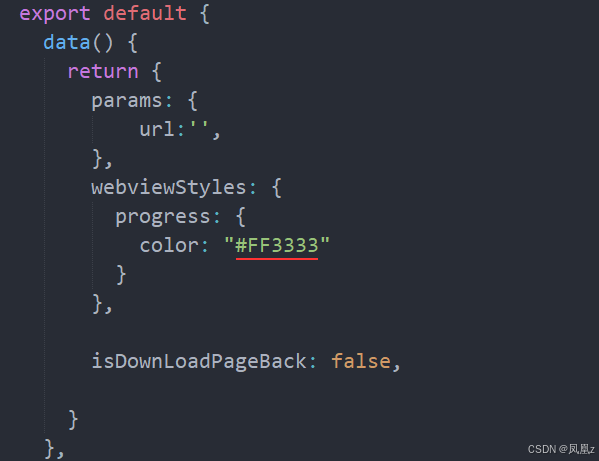
onShow() {
		wx.hideHomeButton();

		let pages = getCurrentPages()
			// 取得当前页面
		 let currPage = pages[pages.length-1]
		if (this.isDownLoadPageBack) {
		  this.previewFile1() //具体的微信下载文件的方法
		}
	//每次onShow执行完,还有上面的下载方法执行完后要把这个标记重置为false,这样不同情况触发的onShow才能区分是否是下载文件页面回来的。可能写的重复但是多写几次比较放心

		this.isDownLoadPageBack =false
	},
在method中完成文件的预览 uni.openDocument
customFun (obj) {
			if (obj) {
				// 将打印出 { name: '周某某', sex: '女' }
				console.log(obj)
				this.isDownLoadPageBack = obj.isDownLoadPageBack
			}
		},
		previewFile1() {
			// 流程步骤: 利用下载文件功能 先生成临时文件 - 调用api打开临时文件里面的内容,从而生成预览的效果,但是这个未能真实的下载到本地
			// 1.pdfUrl  可以直接在浏览器打开  2.一定要在小程序后台配置该pdf的域名 让其可以下载
			let that  =this
			let options = wx.getStorageSync('uploadData')
			uni.downloadFile({
				url: decodeURIComponent(options.url), // 图片或者文件地址
				success: function(res) {
					 console.log('下载的res', res);
					 uni.showLoading({
					 	title: '下载的res',
					 	duration: 3,
						 mask:true,
					 });
					var filePath = res.tempFilePath; // 临时文件存储路径
					//  文件打开文件预览
					wx.getFileSystemManager().readFile({
							filePath: filePath,
							encoding: "utf-8",
							position: 0,
							length: 8, // 通常读取前8个字节即可
							success: (fileRes) => {

								// 文件保存到本地
								wx.getFileSystemManager().saveFile({
								  tempFilePath: res.tempFilePath, //临时路径
								  success: function (res) {


									 const fileHead = fileRes.data;
									if (
									  fileHead.indexOf("PK") ||
									  fileHead.indexOf("pk")
									) {
									  that.saveSucFunc( res, "docx");
									} else {
									  that.saveSucFunc( res, "pdf");
									}
								  },
								  fail: function (saveerr) {
									wx.showModal({
									  title: "保存失败",
									  showCancel: false, // 是否显示取消按钮,默认为true
									  success: function (res) {
										wx.navigateBack({ delta: 1 });
									  },
									});
								  },
								});

							},
							fail: (err) => {
							  wx.showModal({
								title: "读取文件失败",
								showCancel: false, // 是否显示取消按钮,默认为tr
								success: function (res) {
								  wx.navigateBack({ delta: 1 });
								},
							  });
							},
						  });

				},
				fail: function(err) {
					console.log('下载失败原因', err);
					uni.hideLoading();
					uni.showModal({
						title: '您需要授权相册权限',
						success(res) {
							if (res.confirm) {
								uni.openSetting({
									success(res) {},
									fail(res) {
										console.log(res);
									}
								});
							}
						}
					});
				}
			});

		},
		saveSucFunc(res, fileType) {
		  console.log(res, "savesuc");
		  uni.hideLoading();
		  uni.openDocument({
			filePath: res.savedFilePath,
			fileType: fileType,
			showMenu: true,
			success: function (res) {
			  console.log("打开成功", res);
			},
			fail: function (error) {
			  console.log("打开失败", error);
			},
		  });
		      // }, 3000);
		},
经测试,Android和iOS,微信小程序内都能够预览文件
参考链接:https://www.jianshu.com/p/b544f8deed7e

魔乐社区(Modelers.cn) 是一个中立、公益的人工智能社区,提供人工智能工具、模型、数据的托管、展示与应用协同服务,为人工智能开发及爱好者搭建开放的学习交流平台。社区通过理事会方式运作,由全产业链共同建设、共同运营、共同享有,推动国产AI生态繁荣发展。
更多推荐


 4
4 0
0- 0


 已为社区贡献1条内容

所有评论(0)