MongoDB-4.2.1 之安装和使用
MongoDB-4.2.1 之安装和使用
·
安装
下载安装包
我自己电脑是 Windows7 的老古董,所以就下载老版本的 MongoDB。
mongodb:
https://fastdl.mongodb.org/win32/mongodb-win32-x86_64-2012plus-4.2.1.zip
解压安装包到指定路径
我解压到的 C 盘
C:\mongodb-4.2.1
添加环境变量
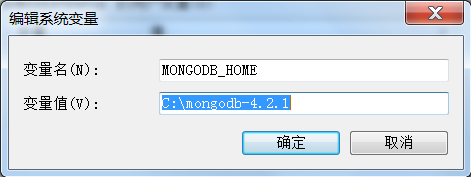
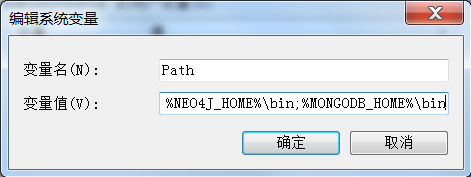
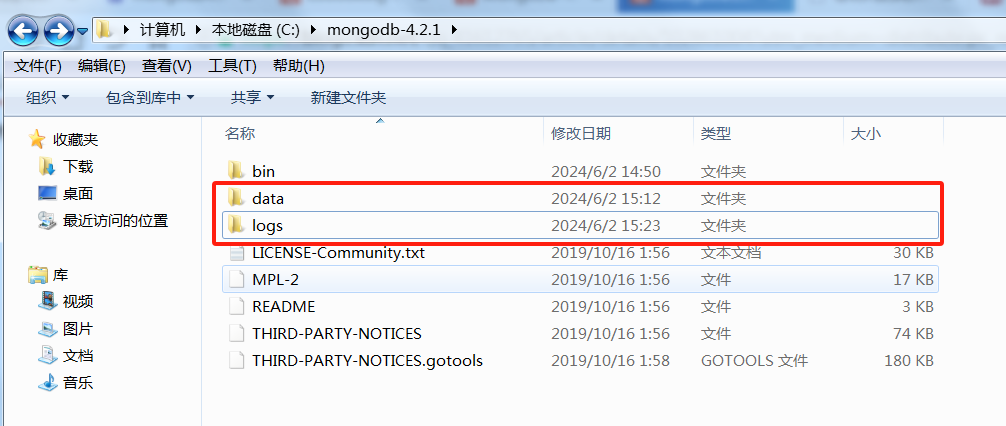
创建数据库和日志目录
启动守护进程
mongod --dbpath "C:\mongodb-4.2.1\data" --logpath "C:\mongodb-4.2.1\logs\mongo.log"
连接MongoDB数据库
mongo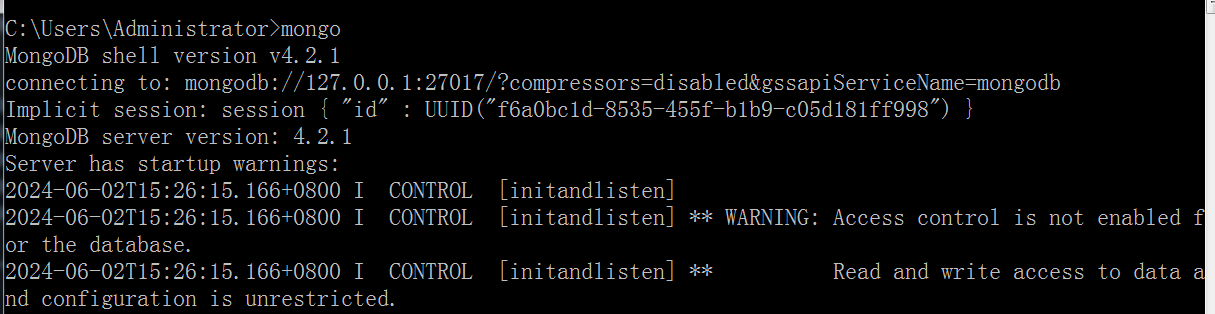

 下载 MongoDB Compass
compass:
https://downloads.mongodb.com/compass/mongodb-compass-1.25.0-win32-x64.zip
启动连接数据库
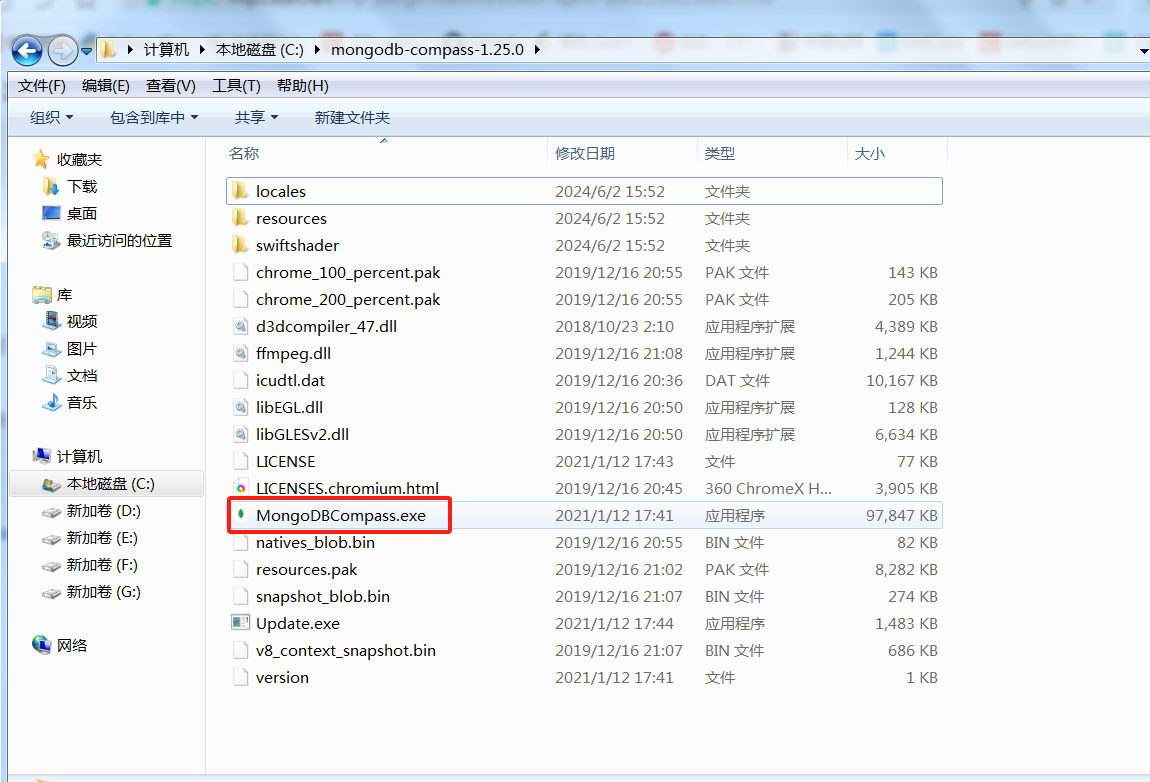
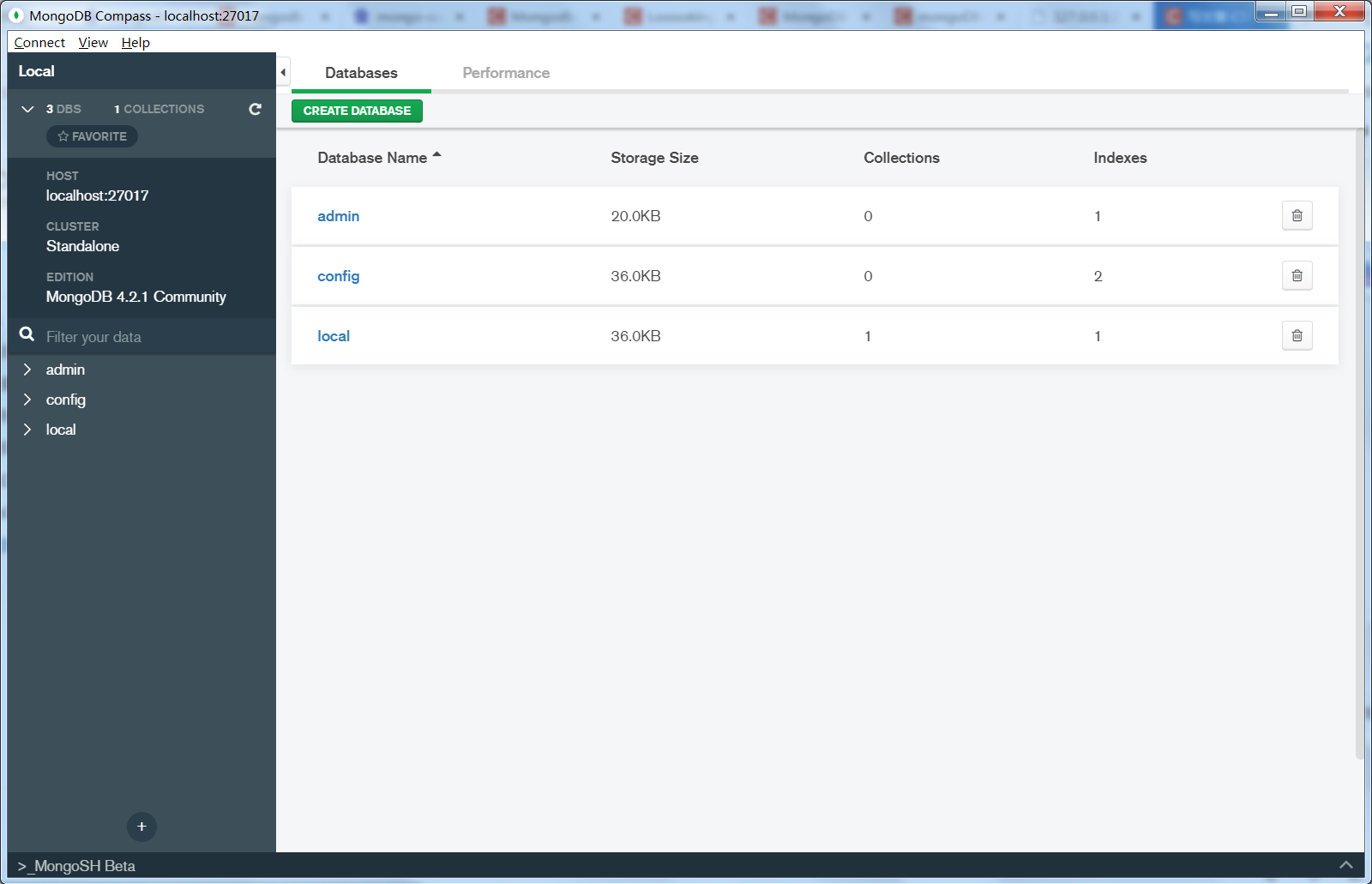
用户名密码登录
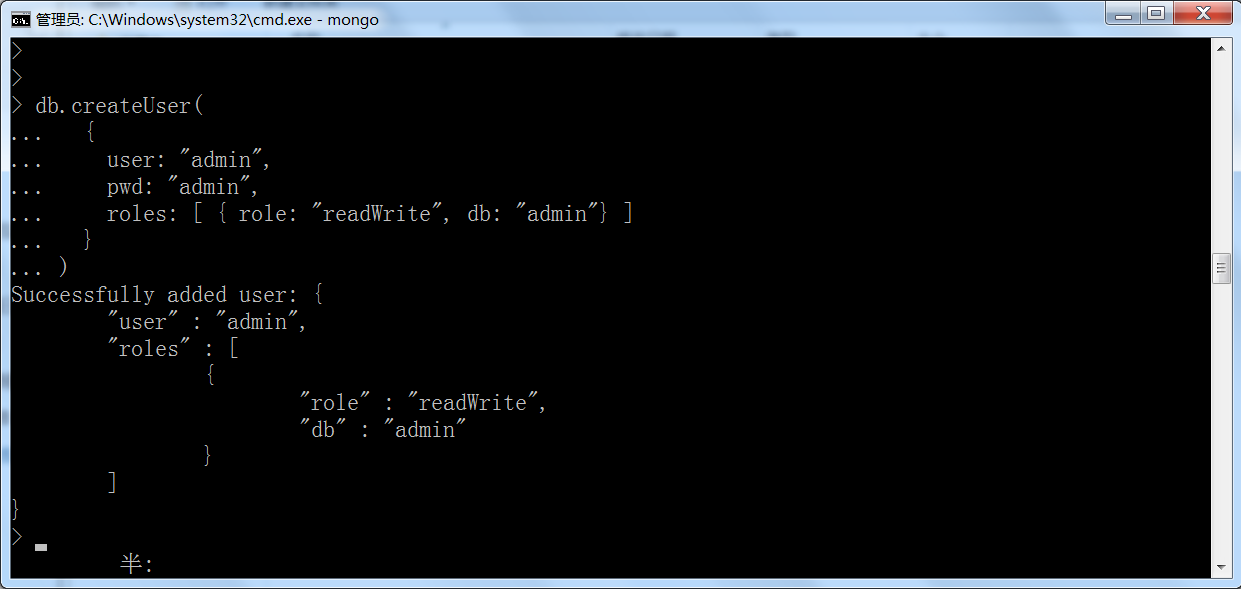
默认不需要用户名密码即可登录,但我们可以自己创建用户名密码以及指定对应的的权限。
记得要在 admin 数据库下创建哟。
admin> db.createUser(
  {
    user: "admin",
    pwd: "admin",
    roles: [ { role: "readWrite", db: "admin"} ]
  }
)
然后就可以使用新的用户名密码在 Compass 进行登录了。
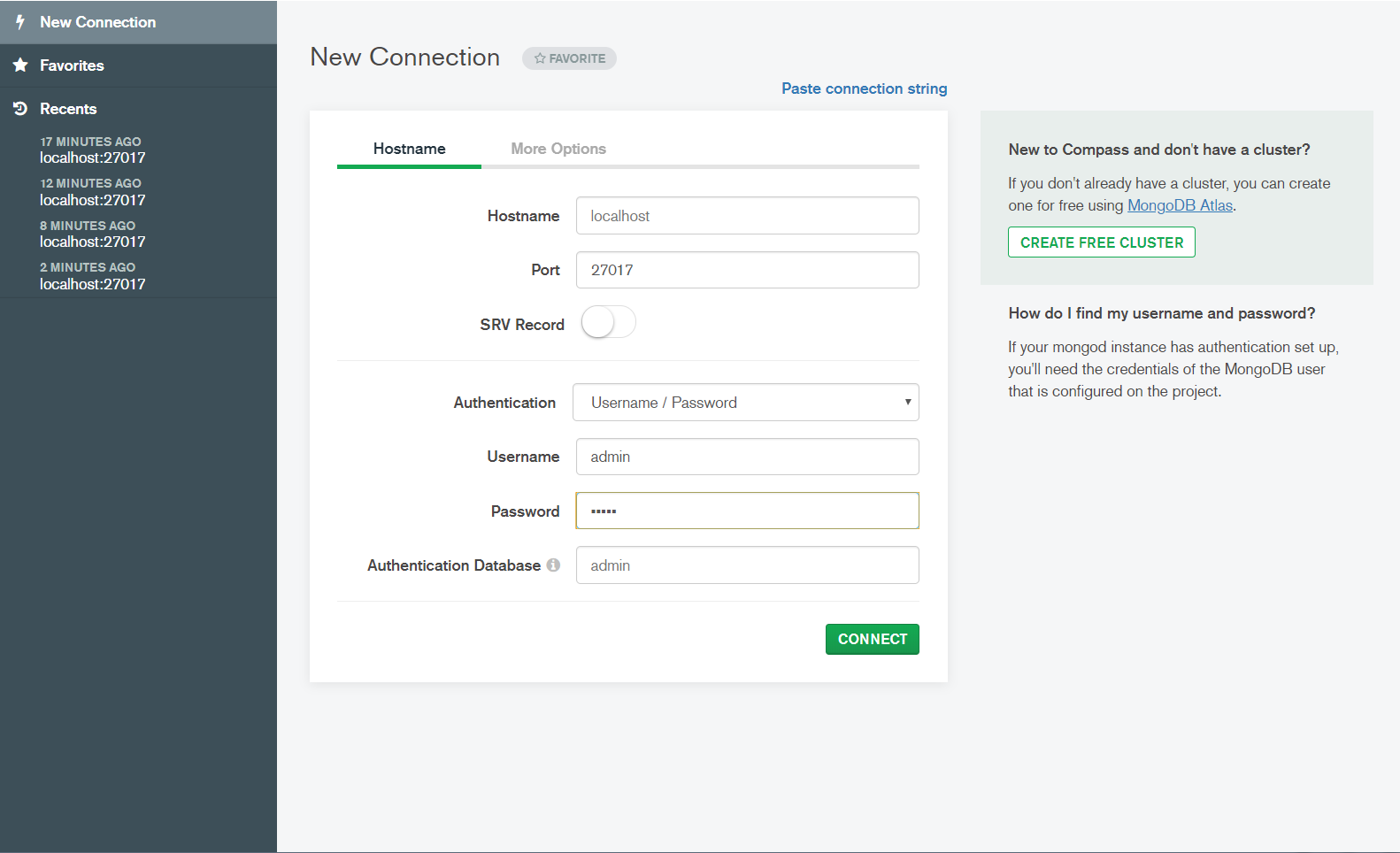
使用
具体使用可以参考这个链接:https://www.sjkjc.com/mongodb-ref/comparison/
数据库操作
创建数据库
> use test
switched to db test
集合操作
创建集合
db.createCollection("orders")
{ ok: 1 }
操作文档
插入文档
db.orders.insertOne({ "username": "Tom", "product": "phone", "price": 1000 })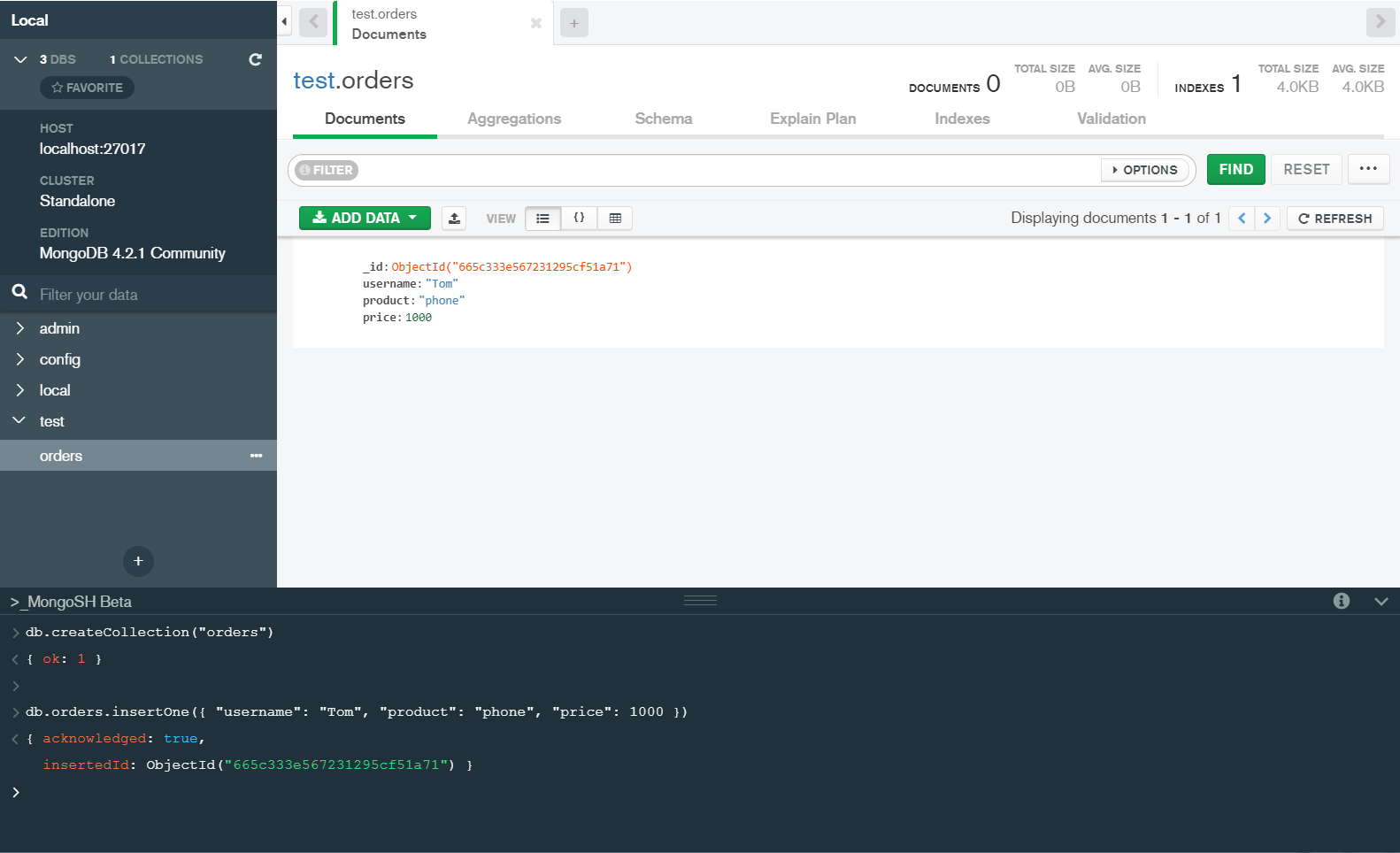
查询文档
db.orders.find({username:"Tom"})
{ _id: ObjectId("665c333e567231295cf51a71"),
  username: 'Tom',
  product: 'phone',
  price: 1000 }
索引操作
创建索引
db.orders.createIndex({ "username": 1 })
{ createdCollectionAutomatically: false,
  numIndexesBefore: 1,
  numIndexesAfter: 2,
  ok: 1 }
常用操作符
比较操作符
语法:
{ <field>: { $regex: <value> } }  # 正则
{ <field>: { $eq: <value> } }  # 等于
{ <field>: { $gt: <value> } }  # 大于
{ <field>: { $gte: <value> } } # 大于或等于
{ <field>: { $lt: <value> } }  # 小于
{ <field>: { $lte: <value> } } # 小于或等于
{ <field>: { $ne: <value> } }  # 不等于
{ <field>: { $in: [<value1>, <value2>, ... <valueN> ] } }  # 在
{ <field>: { $nin: [<value1>, <value2>, ... <valueN> ] } } # 不在
示例:
db.orders.find({"username": {"$eq": "Looking"}})
{
  _id: ObjectId('665da1e320eb30348a6c1a37'),
  username: 'Looking',
  product: 'Book',
  price: 50
}
db.orders.find({"price": {"$gt": 750}})
{
_id: ObjectId('665da1e320eb30348a6c1a36'),
username: 'Tom',
product: 'phone',
price: 1000
}db.orders.find({"username": {"$in": ["Looking", "John"]}})
db.orders.find({"username": {"$nin": ["Looking", "John"]}})逻辑操作符
AND 查询的多个 key 同时限定
db.orders.find({"username": "Looking", "product": "Book"})
{
  _id: ObjectId('665da1e320eb30348a6c1a37'),
  username: 'Looking',
  product: 'Book',
  price: 50
}
db.orders.find({"$and": [{"username": "Looking"}, {"product": "Book"}]})OR
db.orders.find({"$or": [{"username": "Looking"}, {"product": "Food"}]})
{
  _id: ObjectId('665da1e320eb30348a6c1a37'),
  username: 'Looking',
  product: 'Book',
  price: 50
}
{
  _id: ObjectId('665da1e320eb30348a6c1a37'),
  username: 'Looking',
  product: 'Book',
  price: 50
}
NOT
db.orders.find({"username": {"$not": {"$eq": "Looking"}}})NOR
字段值不匹配所有的表达式
db.orders.find({"$nor": [{"price": 500}, {"username": "Looking"}]})API接口
Python连接操作
from pymongo import MongoClient

# 创建MongoDB连接
client = MongoClient('mongodb://admin:admin@localhost:27017')


# 选择数据库和集合
# db = client['test']  # 选择数据库
# collection = db['orders']  # 选择集合


class MongoDbHandler:
    def __init__(self, db_name, collection_name):
        self.client = client
        self.db = client['test']
        self.collection = self.db['orders']

    def list_database_names(self):
        print(self.client.list_database_names())
        # ['admin', 'config', 'local', 'test']

    def list_collection_names(self):
        print(self.db.list_collection_names())
        # ['orders', 'test']

    def find_data(self):
        # for document in self.collection.find({"username": "Looking"}):
        # for document in self.collection.find({"price.num": 500}):
        for document in self.collection.find().sort("username"):
            print(document)

    def insert_one(self):
        data = {"username": "John", "product": "Shoes", "price": 500}
        res = self.collection.insert_one(data)
        print(res)  # InsertOneResult(ObjectId('665c3c7cec9751b7de2b09d6'), acknowledged=True)

    def insert_many(self):
        datas = [
            {'username': 'Tom', 'product': 'phone', 'price': 1000},
            {'username': 'Looking', 'product': 'Book', 'price': 50},
            {'username': 'John', 'product': 'Shoes', 'price': 500},
            {'username': 'Sandra', 'product': 'Shoes', 'price': 500},
            {'username': 'Jerry', 'product': 'Food', 'price': 500},
        ]
        res = self.collection.insert_many(datas)
        print(res)
        # InsertManyResult([ObjectId('665c3d90b7e847ae9f730c62'), ObjectId('665c3d90b7e847ae9f730c63')], acknowledged=True)

    def update_data(self):
        query = {"username": "Tom"}
        new_values = {"$set": {"price": 12345}}
        res = self.collection.update_one(query, new_values)  # update_one 只修改匹配到的第一个结果
        # res = self.collection.update_many(query, new_values)  # update_many 用于修改所有匹配的结果
        print("matched:", res.matched_count)
        # matched: 1
        print("modified:", res.modified_count)
        # modified: 1

    def delete_data(self):
        query = {"username": "John"}
        res = self.collection.delete_one(query)  # delete_one 只删除匹配到的第一个结果
        # res = self.collection.delete_many({})  # delete_many 删除所有匹配的文档,如果传入空查询对象,删除所有
        print("acknowledged:", res.acknowledged)
        # acknowledged: True
        print("deleted_count:", res.deleted_count)
        # deleted_count: 1

    def delete_collection(self):
        self.collection.drop()

    def create_collection(self):
        self.db.create_collection("test")


if __name__ == '__main__':
    mongodb_handler = MongoDbHandler(db_name="test", collection_name="orders")
    # mongodb_handler.list_collection_names()
    # mongodb_handler.list_database_names()
    mongodb_handler.find_data()
    # mongodb_handler.insert_one()
    # mongodb_handler.insert_many()
    # mongodb_handler.update_data()
    # mongodb_handler.delete_data()
    # mongodb_handler.delete_collection()
    # mongodb_handler.create_collection()

魔乐社区(Modelers.cn) 是一个中立、公益的人工智能社区,提供人工智能工具、模型、数据的托管、展示与应用协同服务,为人工智能开发及爱好者搭建开放的学习交流平台。社区通过理事会方式运作,由全产业链共同建设、共同运营、共同享有,推动国产AI生态繁荣发展。
更多推荐



 11
11 0
0- 0


 已为社区贡献4条内容

所有评论(0)