【用python画出惊艳的的3d论文图】3D曲面图
在科研绘图中经常需要绘制一些3D曲面图,使用Origin可以达到下面的效果:但是用Origin自带的功能很难调出令人满意的配色,而其实用python也可以达到与上面类似的效果:绘制方法如下,首先引入一些包from matplotlib import cbookfrom matplotlib import cmfrom matplotlib.colors import LightSourcefrom
·
在科研绘图中经常需要绘制一些3D曲面图,使用Origin可以达到下面的效果:
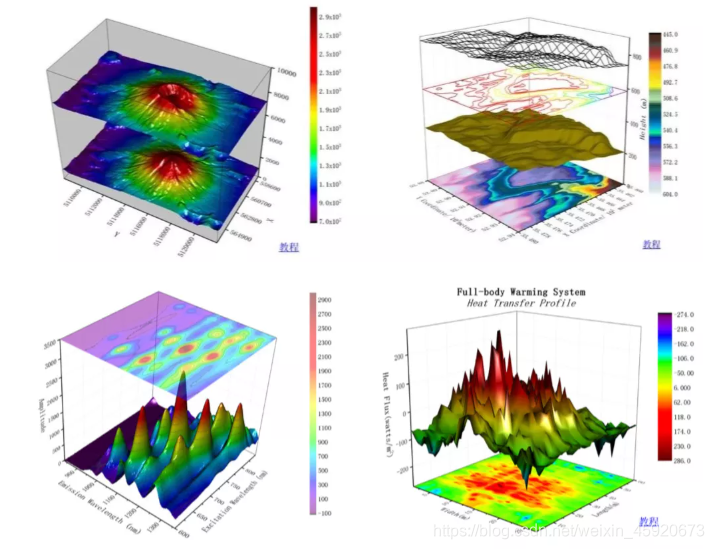
但是用Origin自带的功能很难调出令人满意的配色,而其实用python也可以达到与上面类似的效果: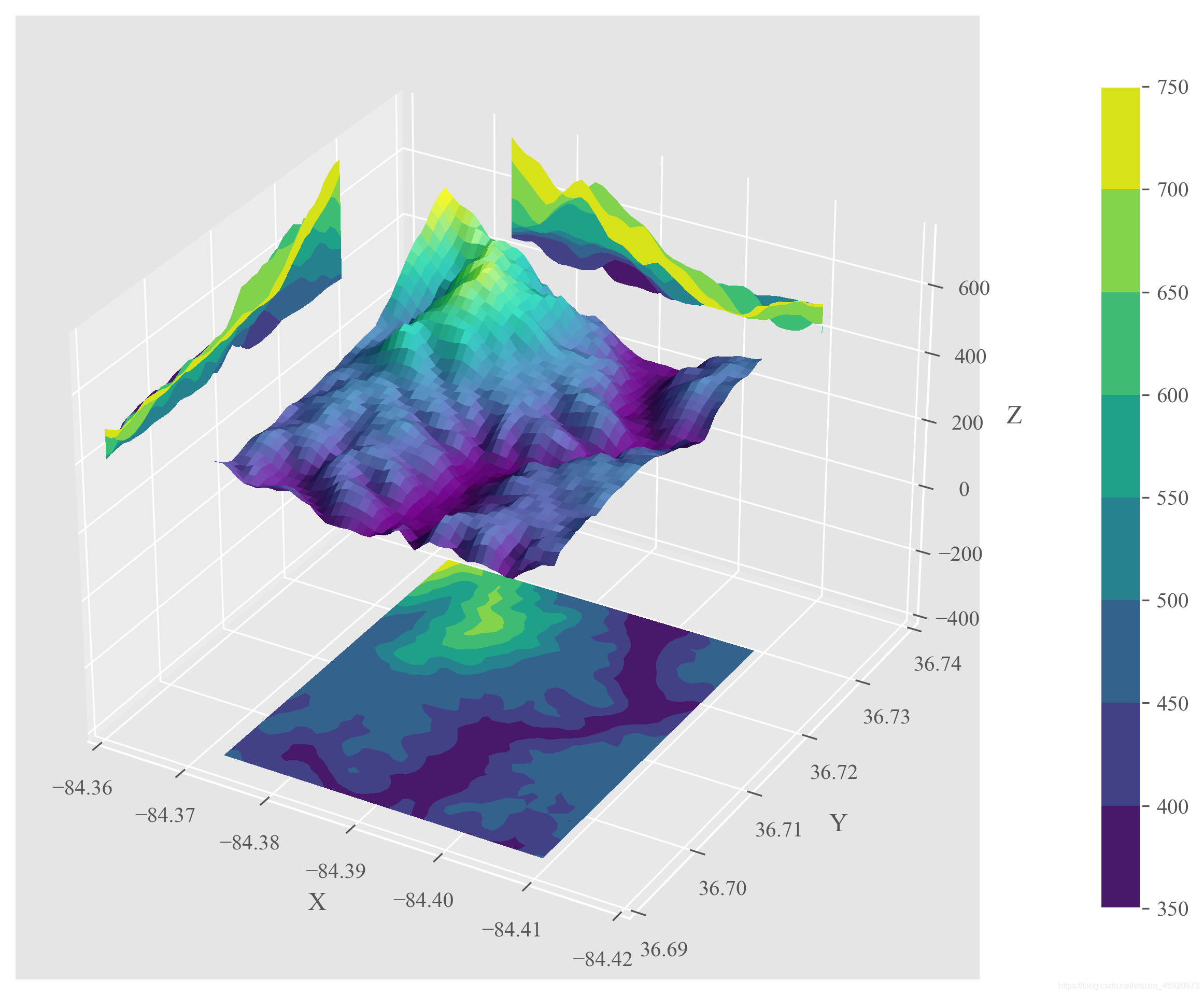
绘制方法如下,首先引入一些包
from matplotlib import cbook
from matplotlib import cm
from matplotlib.colors import LightSource
from mpl_toolkits.axes_grid1 import make_axes_locatable
import matplotlib.pyplot as plt
import numpy as np
import matplotlib as mpl
接着引入数据,这里的数据参考 https://matplotlib.org/stable/gallery/mplot3d/custom_shaded_3d_surface.html#sphx-glr-gallery-mplot3d-custom-shaded-3d-surface-py,实际使用时替换成自己的3维数据就行了。
# Load and format data
dem = cbook.get_sample_data('jacksboro_fault_dem.npz', np_load=True)
z = dem['elevation']
nrows, ncols = z.shape
x = np.linspace(dem['xmin'], dem['xmax'], ncols)
y = np.linspace(dem['ymin'], dem['ymax'], nrows)
x, y = np.meshgrid(x, y)
region = np.s_[5:50, 5:50]
x, y, z = x[region], y[region], z[region]
设置绘图风格,figure.dpi是图片的像素密度,调成300可以获得清晰大图,style用我们熟悉的ggplot。
# plot settings
plt.rcParams['figure.figsize'] = (10,10)
plt.rcParams['figure.dpi']     = 300
plt.rcParams['font.size']      = 20
plt.rcParams['font.family']    = 'Times New Roman'
plt.style.use('ggplot')
下面完成绘图,注意ax.contourf中的offset决定了三轴投影图所在投影面的具体位置。
# Set up plot
fig, ax = plt.subplots(subplot_kw=dict(projection='3d'))

# 设置光源和colormap
ls   = LightSource(270, 45)
cmap = cm.viridis
# To use a custom hillshading mode, override the built-in shading and pass
# in the rgb colors of the shaded surface calculated from "shade".
rgb = ls.shade(z, cmap=cmap, vert_exag=0.1, blend_mode='soft')
surf = ax.plot_surface(x, y, z, rstride=1, cstride=1, facecolors=rgb,
                       linewidth=0, antialiased=False, shade=False)

# 增加投影图
cset = ax.contourf(x, y, z, zdir='x', offset=-84.36, cmap=cmap)
cset = ax.contourf(x, y, z, zdir='y', offset=36.74, cmap=cmap)
cset = ax.contourf(x, y, z, zdir='z', offset=-400, cmap=cmap)

# 增加色条
cbar = fig.colorbar(cset, ax=ax, shrink=0.7, fraction=0.1, pad=0.1)

ax.set_xlim(-84.36, -84.42)
ax.set_ylim(36.69, 36.74)
ax.set_zlim(-400, 750)
ax.set_xlabel('X')
ax.set_ylabel('Y')
ax.set_zlabel('Z')
plt.savefig("3Dsurface+contour.png", bbox_inches='tight')
plt.show()

魔乐社区(Modelers.cn) 是一个中立、公益的人工智能社区,提供人工智能工具、模型、数据的托管、展示与应用协同服务,为人工智能开发及爱好者搭建开放的学习交流平台。社区通过理事会方式运作,由全产业链共同建设、共同运营、共同享有,推动国产AI生态繁荣发展。
更多推荐



 6
6 0
0- 0


 已为社区贡献1条内容

所有评论(0)