react项目实现前端国际化(react+react-i18next)
·
1. 安装 react-i18next
npm install react-i18next i18next --save
2. 代码结构
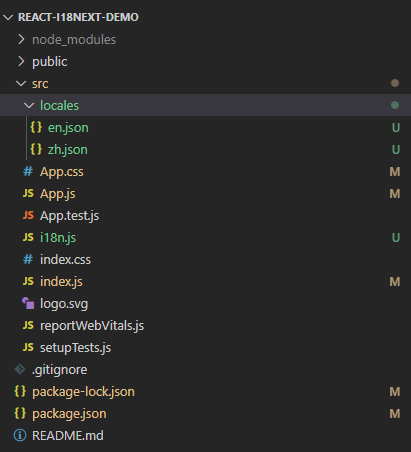
i18n的配置i18n.js
import i18n from "i18next";
import { initReactI18next } from "react-i18next";
import en from "./locales/en.json";
import zh from "./locales/zh.json";
import LanguageDetector from "i18next-browser-languagedetector";
i18n
  .use(LanguageDetector)
  .use(initReactI18next)
  .init({
    debug: true,
    fallbackLng: "en",
    interpolation: {
      escapeValue: false,
    },
    resources: {
      en,
      zh,
    },
  });

export default i18n;
locales文件夹下的两个json文件:
en.json
{
  "translation": {
    "message": "I'm a handsome boy"
  }
}
zh.json
{
  "translation": {
    "message": "我是大帅哥"
  }
}
App.js
import "./App.css";
import "./i18n";
import { useTranslation } from "react-i18next";
const lngs = {
  en: { nativeName: "English" },
  zh: { nativeName: "Chinese" },
};

function App() {
  const { t, i18n } = useTranslation();

  return (
    <div className="App">
      {Object.keys(lngs).map((lng) => (
        <button
          key={lng}
          style={{
            fontWeight: i18n.resolvedLanguage === lng ? "bold" : "normal",
          }}
          type="submit"
          onClick={() => {
            i18n.changeLanguage(lng);
          }}
        >
          {lngs[lng].nativeName}
        </button>
      ))}
      <h1>{t("message")}</h1>
    </div>
  );
}

export default App;
App.css
.App {
  text-align: center;
  margin-top: 10px;
}
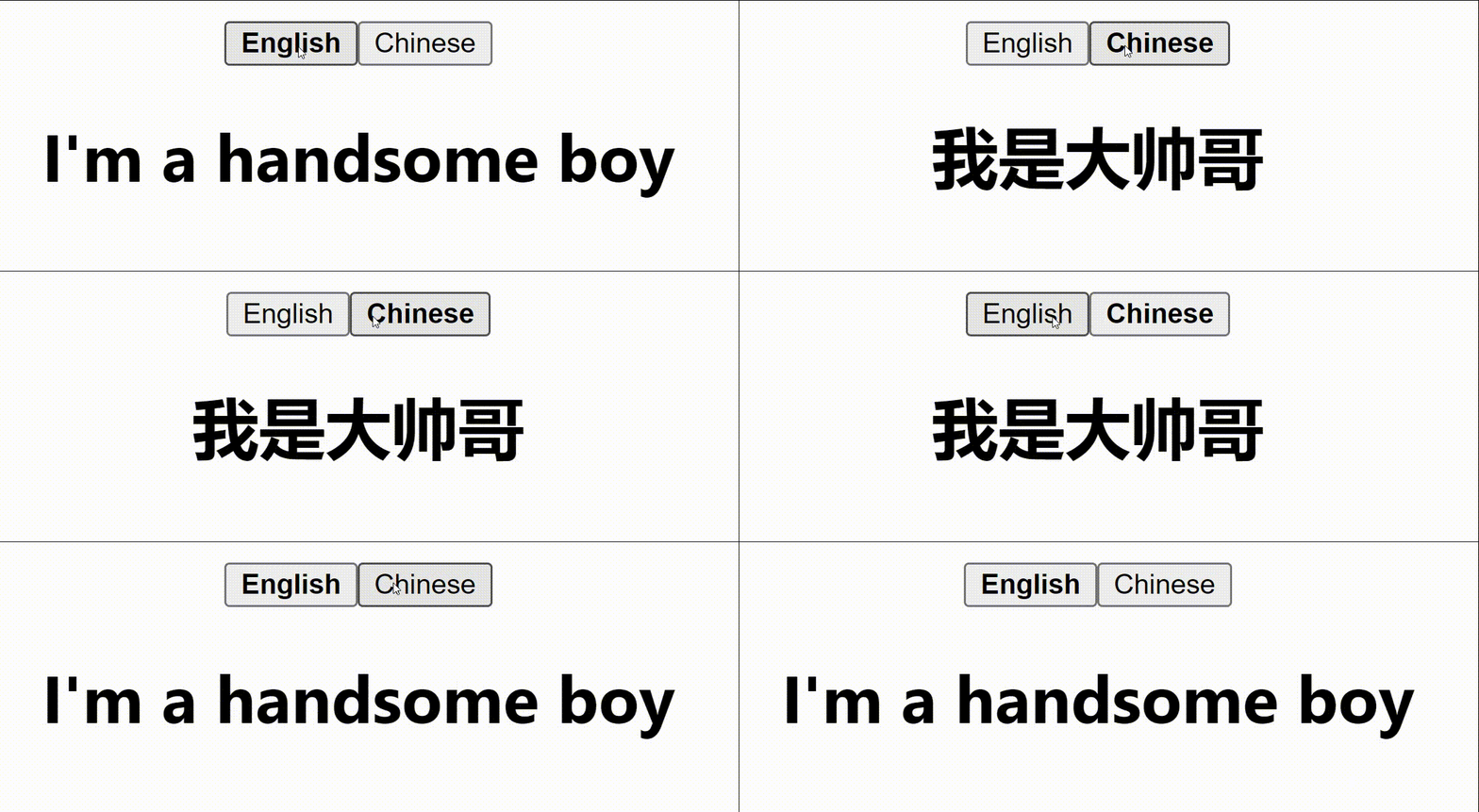
3. 实现效果:

魔乐社区(Modelers.cn) 是一个中立、公益的人工智能社区,提供人工智能工具、模型、数据的托管、展示与应用协同服务,为人工智能开发及爱好者搭建开放的学习交流平台。社区通过理事会方式运作,由全产业链共同建设、共同运营、共同享有,推动国产AI生态繁荣发展。
更多推荐


 0
0 0
0- 0


 已为社区贡献1条内容

所有评论(0)