抖音评论爬虫学习
"仅供学习,禁止商用",并声明"不鼓励任何违规爬取行为"
分享一下评论的爬虫学习,有一定的风险:即代理部署导致浏览器连接断开,但有解决方案,需要认真学习
软件提前下载:
nodejs mitmproxy vscode
脚本代码准备:
server.js,如下:
const http = require('http');
const fs = require('fs');
const path = require('path');
const PORT = 3000;

const allVideoComments = {};

const server = http.createServer((req, res) => {
  if (req.method === 'POST') {
    let body = '';
    req.on('data', chunk => body += chunk);
    req.on('end', () => {
      try {
        const params = new URLSearchParams(body);
        const fullUrl = params.get('url');
        const responseRaw = params.get('response');
        if (!responseRaw || responseRaw.trim().length === 0) {
          res.writeHead(200);
          return res.end('空响应');
        }


        const response = JSON.parse(responseRaw);
        const awemeId = new URL(fullUrl).searchParams.get('aweme_id');
        const videoUrl = `https://www.douyin.com/video/${awemeId}`;

        if (!response.comments) {
          res.writeHead(200);
          return res.end('无评论字段');
        }

        if (!allVideoComments[videoUrl]) {
          allVideoComments[videoUrl] = {
            video_id: awemeId,
            comments: []
          };
        }

        const formattedComments = response.comments.map(comment => ({
          user_id: comment.user?.uid || '未知用户',
          user_nickname: comment.user?.nickname || '匿名用户',
          comment_content: comment.text,
          comment_date: new Date(comment.create_time * 1000).toISOString(),
          like_count: comment.digg_count,
          ip_region: comment.ip_label,
          is_hot: comment.is_hot,
          reply_count: comment.reply_comment_total
        }));

        allVideoComments[videoUrl].comments.push(...formattedComments);
        saveToFile(allVideoComments);

        res.writeHead(200, { 'Content-Type': 'application/json' });
        res.end(JSON.stringify({
          video_url: videoUrl,
          comment_count: formattedComments.length,
          comments: formattedComments
        }, null, 2));

      } catch (err) {
        res.writeHead(500);
        res.end('解析失败');
      }
    });
  } else {
    res.writeHead(200);
    res.end('请通过 POST 发送副本数据');
  }
});

// 写入 JSON 文件
function saveToFile(data) {
  const filePath = path.join(__dirname, 'douyin_comments.json');
  fs.writeFileSync(filePath, JSON.stringify(data, null, 2), 'utf8');
}

// 启动监听
server.listen(PORT, () => {
  console.log(`🚀 本地服务已启动:http://localhost:${PORT}`);
  console.log('📡 等待mitmproxy发送副本...');
});
dup_forward.py,如下:
from mitmproxy import http
import requests

def response(flow: http.HTTPFlow):
    if "/aweme/v1/web/comment/list/" in flow.request.pretty_url:
        try:
            requests.post(
                "http://127.0.0.1:3000",  # 发送给本地 Node.js
                data={
                    "url": flow.request.pretty_url,
                    "response": flow.response.get_text()
                },
                timeout=3
            )
            print("✅ 已转发副本:", flow.request.pretty_url)
        except Exception as e:
            print("❌ 副本发送失败:", e)
comment.js
const XLSX = require('xlsx');
const fs = require('fs');

const jsonData = JSON.parse(fs.readFileSync('douyin_comments.json', 'utf8'));

const allComments = [];

Object.keys(jsonData).forEach(videoUrl => {
  const videoData = jsonData[videoUrl];
  const videoId = videoData.video_id;

  videoData.comments.forEach(comment => {
    allComments.push({
      "视频链接": videoUrl,
      "视频ID": videoId,
      "用户ID": comment.user_id,
      "用户昵称": comment.user_nickname,
      "评论内容": comment.comment_content,
      "评论日期": comment.comment_date,
      "点赞数": comment.like_count,
      "IP属地": comment.ip_region,
      "是否热门": comment.is_hot ? "是" : "否",
      "回复数": comment.reply_count
    });
  });
});

const workbook = XLSX.utils.book_new();
const worksheet = XLSX.utils.json_to_sheet(allComments);

XLSX.utils.book_append_sheet(workbook, worksheet, "");
XLSX.writeFile(workbook, 'douyin_comments.xlsx');

console.log('✅ 数据已导出至 douyin_comments.xlsx');
comment50.js
const XLSX = require('xlsx');
const fs = require('fs');


const jsonData = JSON.parse(fs.readFileSync('douyin_comments.json', 'utf8'));


const allComments = [];


const MAX_COMMENTS_PER_VIDEO = 50;

Object.keys(jsonData).forEach(videoUrl => {
  const videoData = jsonData[videoUrl];
  const videoId = videoData.video_id;

  const topComments = videoData.comments.slice(0, MAX_COMMENTS_PER_VIDEO);

  topComments.forEach(comment => {
    allComments.push({
      "视频链接": videoUrl,
      "视频ID": videoId,
      "用户ID": comment.user_id,
      "用户昵称": comment.user_nickname,
      "评论内容": comment.comment_content,
      "评论日期": comment.comment_date,
      "点赞数": comment.like_count,
      "IP属地": comment.ip_region,
      "是否热门": comment.is_hot ? "是" : "否",
      "回复数": comment.reply_count
    });
  });
});


const workbook = XLSX.utils.book_new();
const worksheet = XLSX.utils.json_to_sheet(allComments);


XLSX.utils.book_append_sheet(workbook, worksheet, "");
XLSX.writeFile(workbook, 'douyin_comments.xlsx');

console.log('✅ 每个视频最多导出 50 条评论,已写入 douyin_comments.xlsx');
package.json,如下
{
  "dependencies": {
    "@alicloud/pop-core": "^1.8.0",
    "@google/genai": "^1.9.0",
    "@google/generative-ai": "^0.24.1",
    "axios": "^1.10.0",
    "dotenv": "^17.2.0",
    "http-proxy": "^1.18.1",
    "https-proxy-agent": "^7.0.6",
    "xlsx": "^0.18.5"
  }
}
配置环境:
使用vscode编辑器把他们文件放在同一个目录之下(看参考deepseek如何操作)

vscode新建并打开终端,需要操作两次:


结果如下:下面有一个终端栏,这个栏的右边是新开的两个终端的按钮,之后需切换

终端执行代码,npm install,按一下空格。就会自动安装node_modules(检查一下)


部署操作:
终端输入node server.js,然后按下enter回车键

然后切换终端,选中另一个终端。

然后终端输入mitmproxy -s dup_forward.py,按下enter回车键

然后出现如下场景,才算成功:

修改代理:
博主是windows11,其他系统问deepseek如何修改代理服务器设置
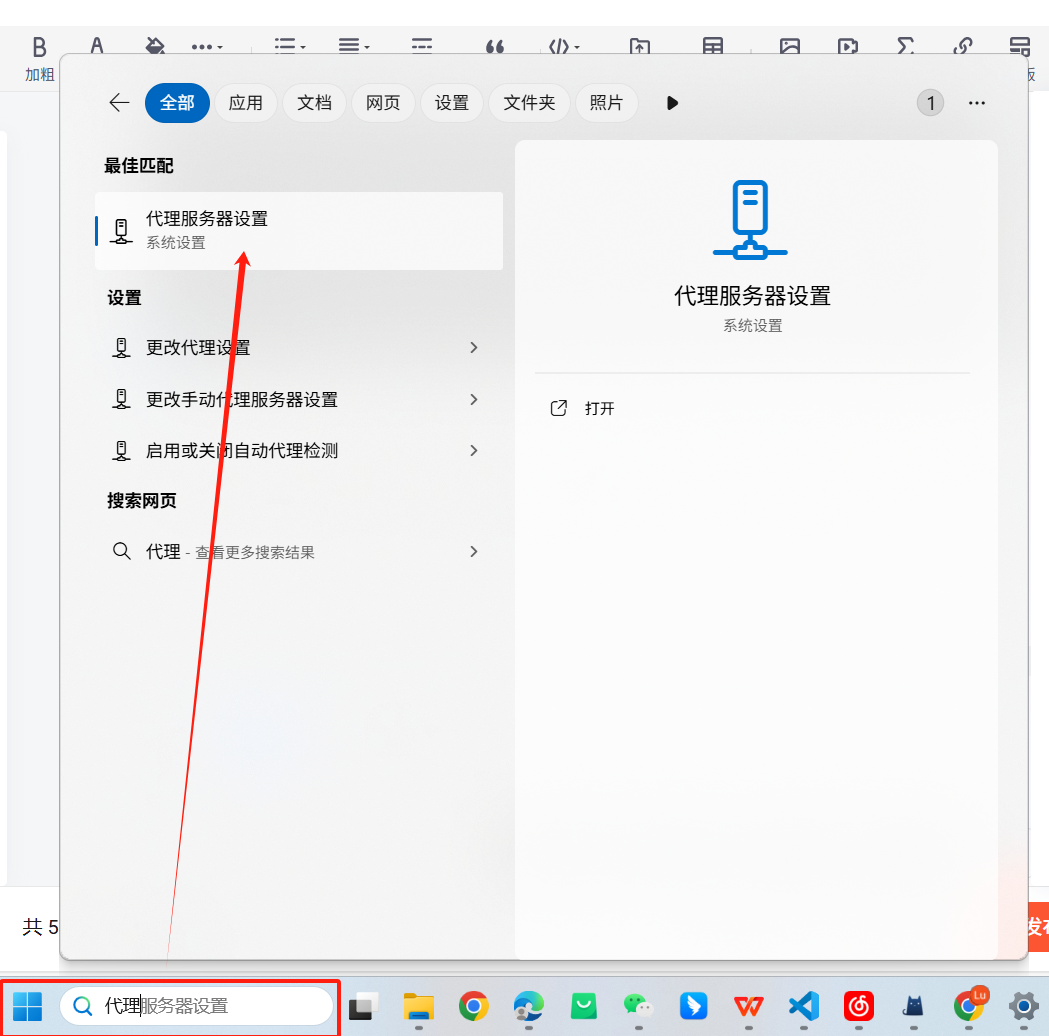
点击编辑:
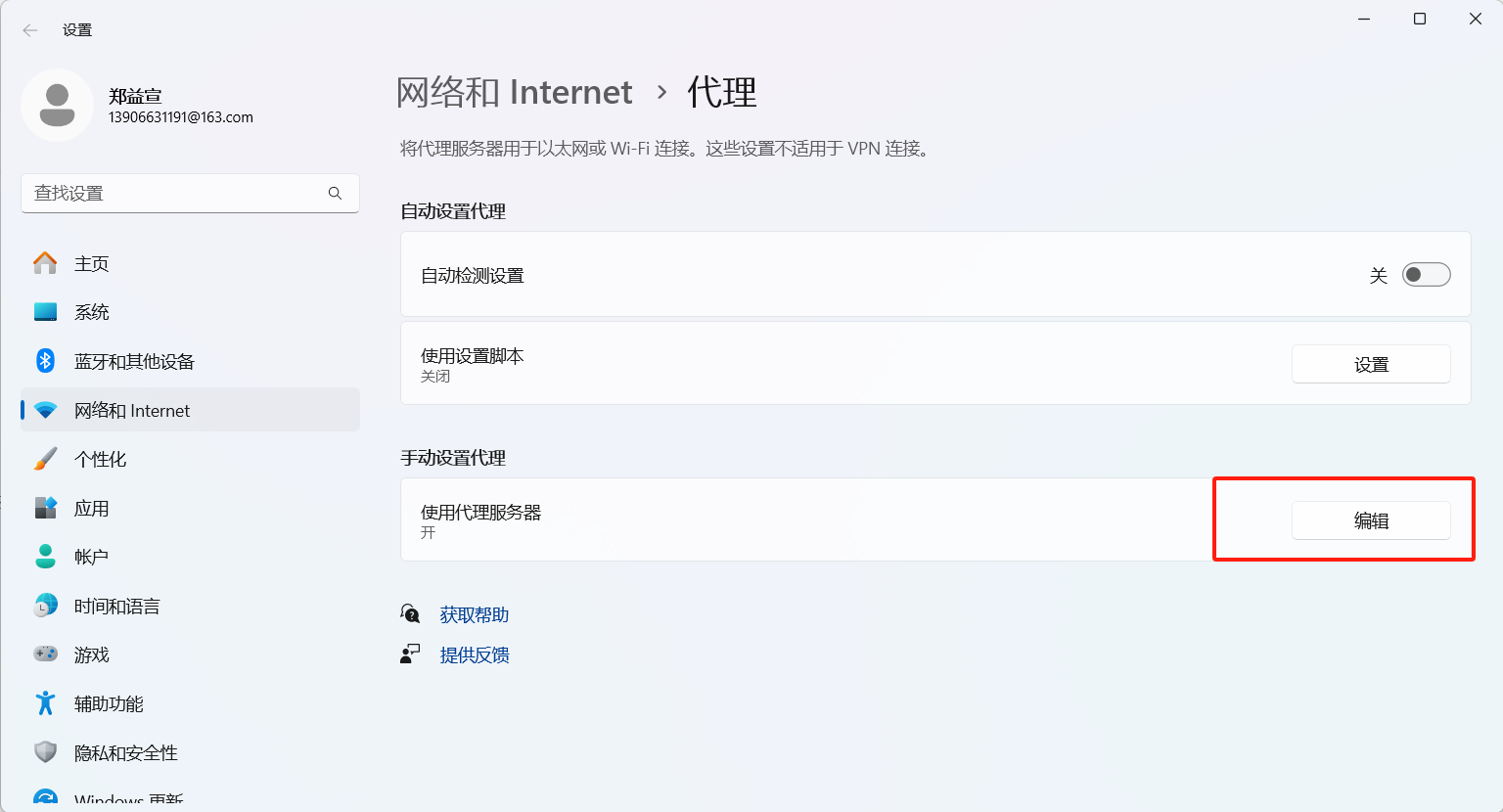
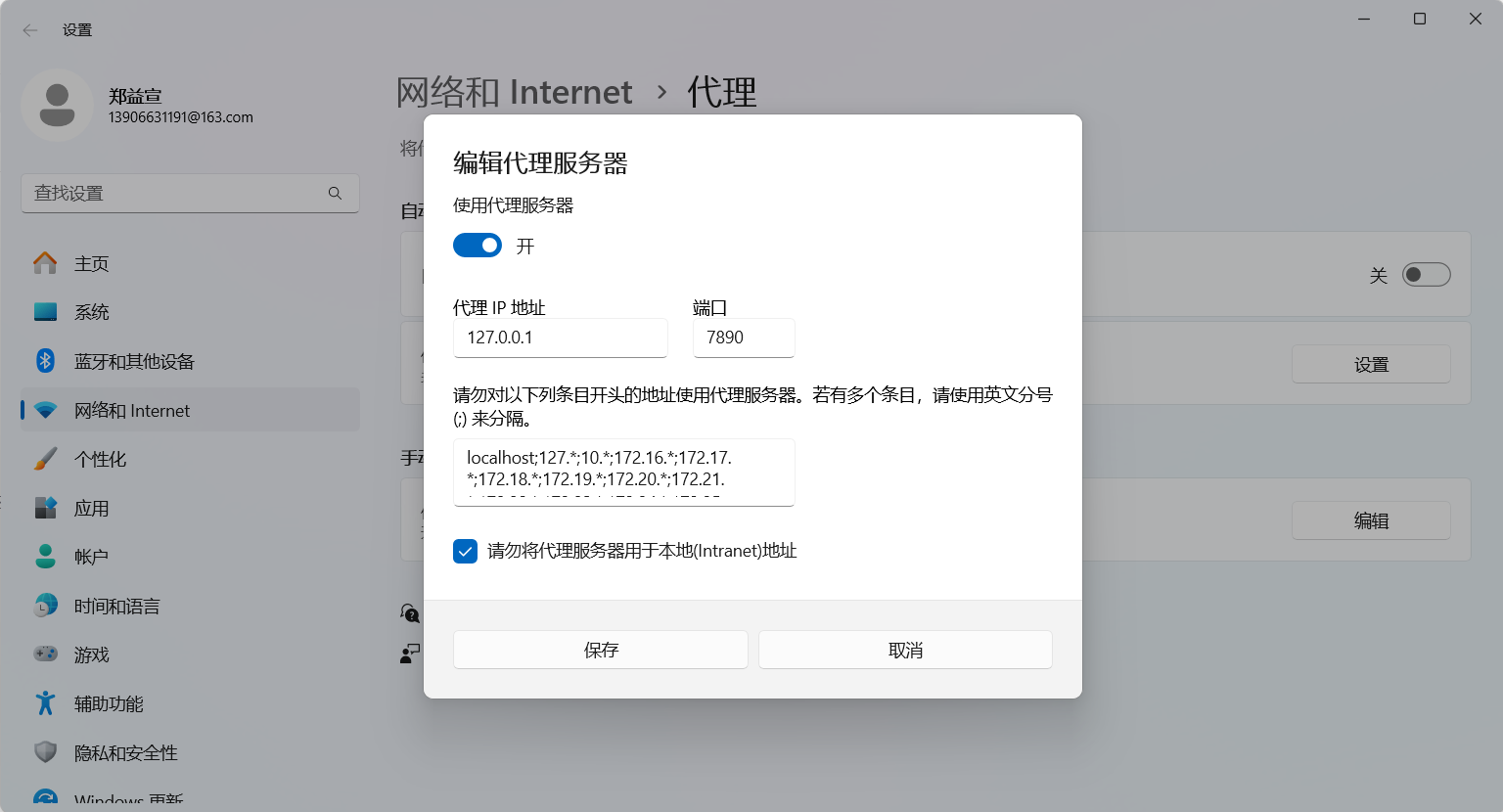
下面操作有风险,请根据有墙和没墙看一下后面的注意事项(很重要):
打开使用代理服务器,需要改端口为8080并保存

然后使用墙的小伙伴们注意了
这里改了代理,由于你们墙也是一个代理,代理监听的端口和我们这里用mitmproxy的端口不一样,爬取用完后一定要修改代理配置回来,下图是博主打开时候的样子,到时候弄完得改回去!:
然后没用墙的小伙伴们注意了,这个非常重要,是全场最重要的一点!!
你一定会遇见如下的场景:“你尚未链接,代理服务器可能有问题”。(可能是爬取时候,可能是几天之后你打开浏览器的时候)

如果你临时想退出!或者临时想访问其他网页!!或者干脆就不想干了,你需要做的仅仅只是打开刚刚开代理的页面,然后把使用代理服务器关掉,一切就正常了。
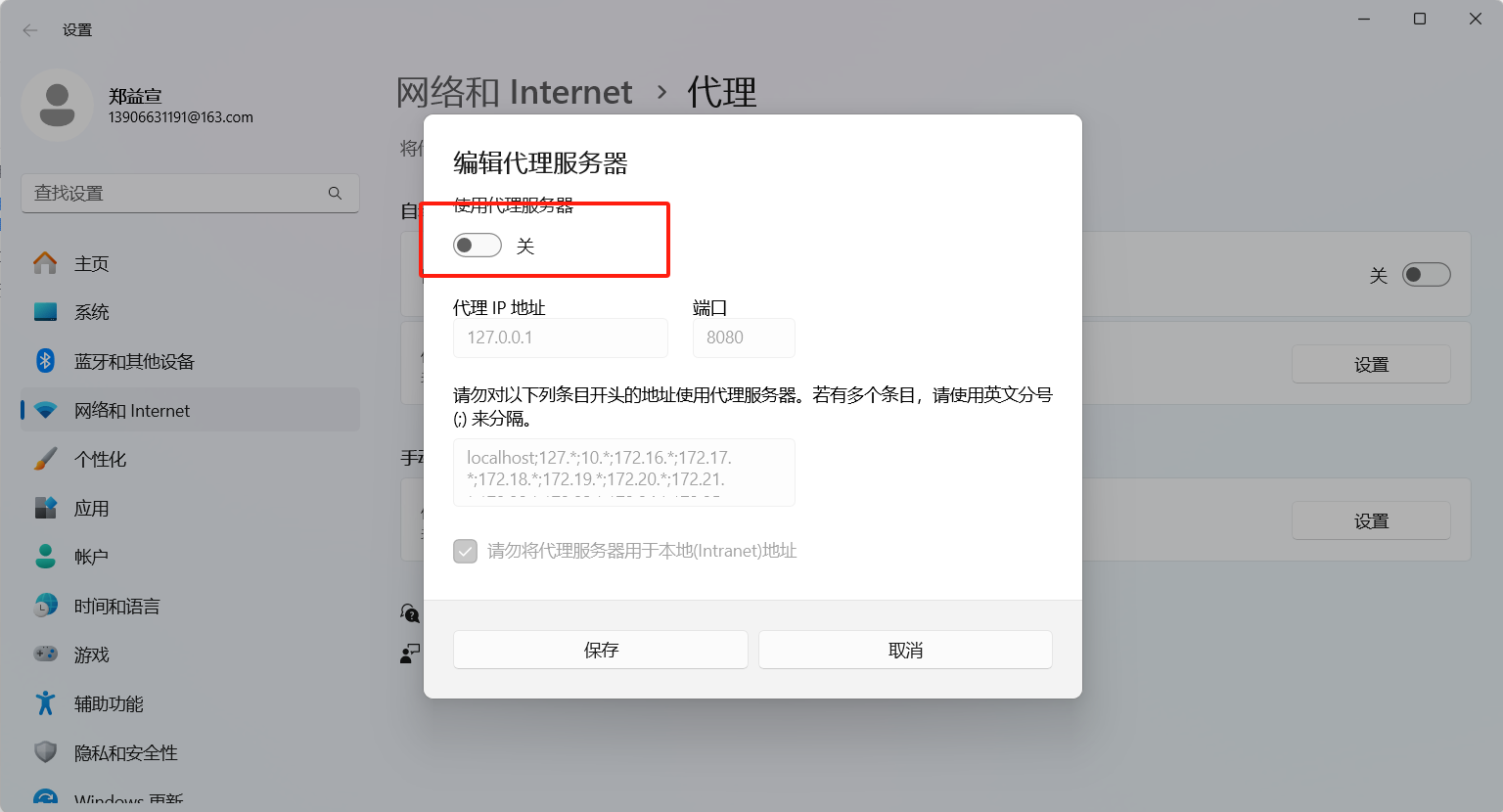
如果你想继续爬下去,你可以等爬完了,把vscode关了,再把代理服务器关掉,就正常了。
原理解释(可跳过):
开代理之前:浏览器请求评论→抖音官方返回评论→浏览器收到评论
开代理之后:浏览器请求评论→本地服务器8080抓取请求→本地服务器代发送评论请求→抖音官方返回评论→本地服务器代接受评论→本地服务器偷偷的给我们自己传一份→浏览器收到评论
我们上面那个危险操作:打开代理服务器,实际上就是让浏览器请求评论先给本地服务器发送。如果你把vscode不小心关了,就会显示:“你尚未链接,代理服务器可能有问题”。因为你服务器关了,浏览器还走的8080服务器,那不是找不到人了嘛!!所以你关闭代理服务器一切就正常了。
开始爬虫:
随便打开一个视频,然后往下滑动评论区,评论区加载多少,后台就能爬多少。
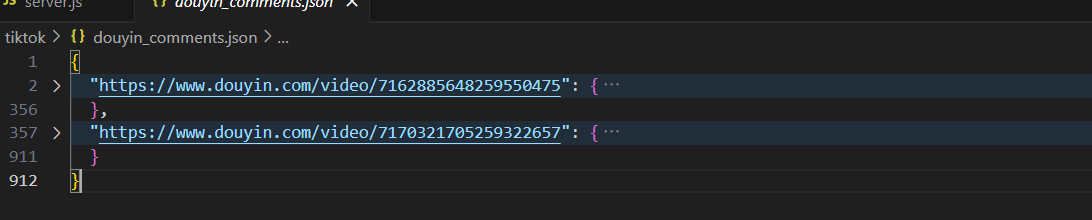
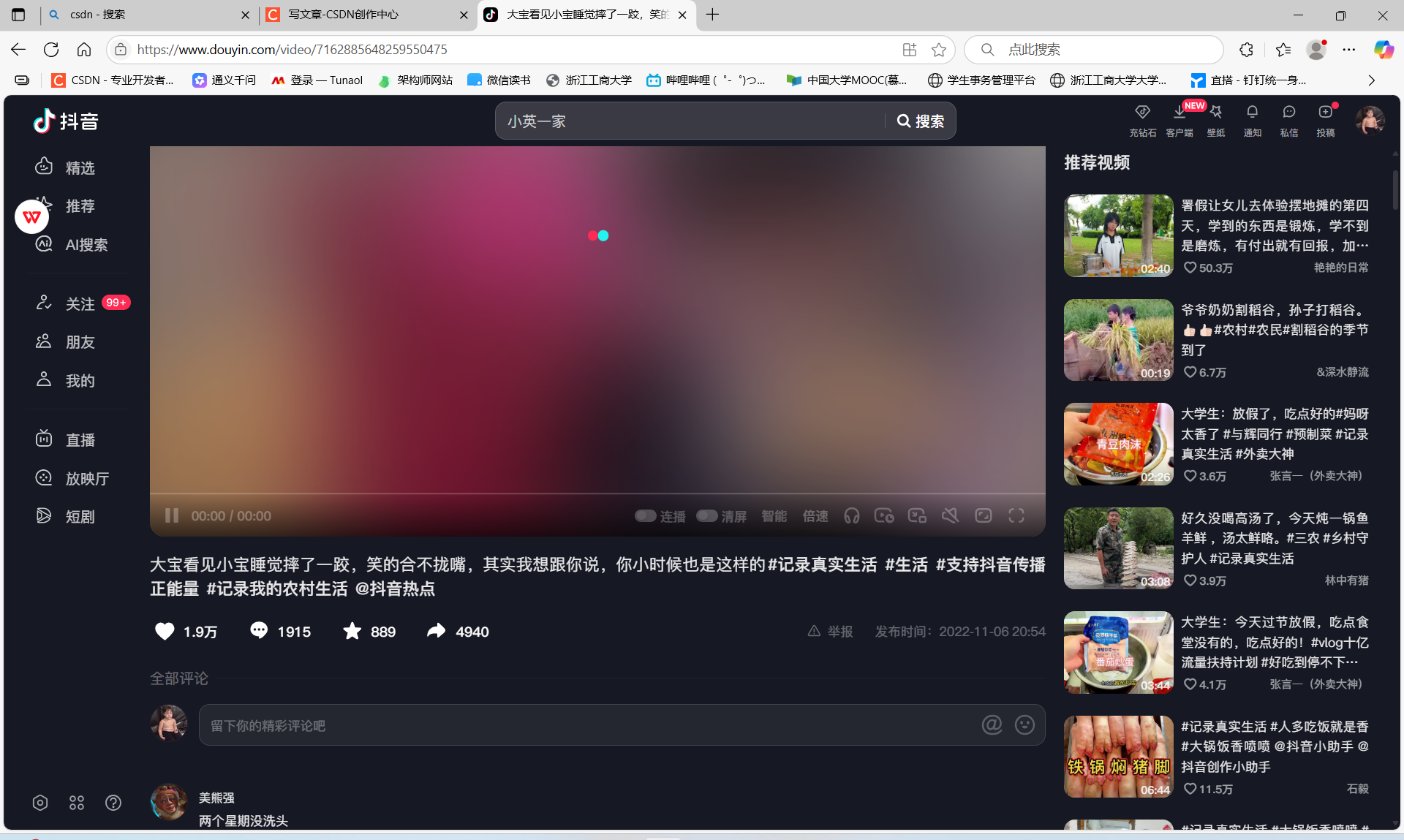 见vscode编辑器同目录下的douyin_comments.json

如果需要换下一个视频就直接打开一个新的链接就行,脚本会按网页自动分类的
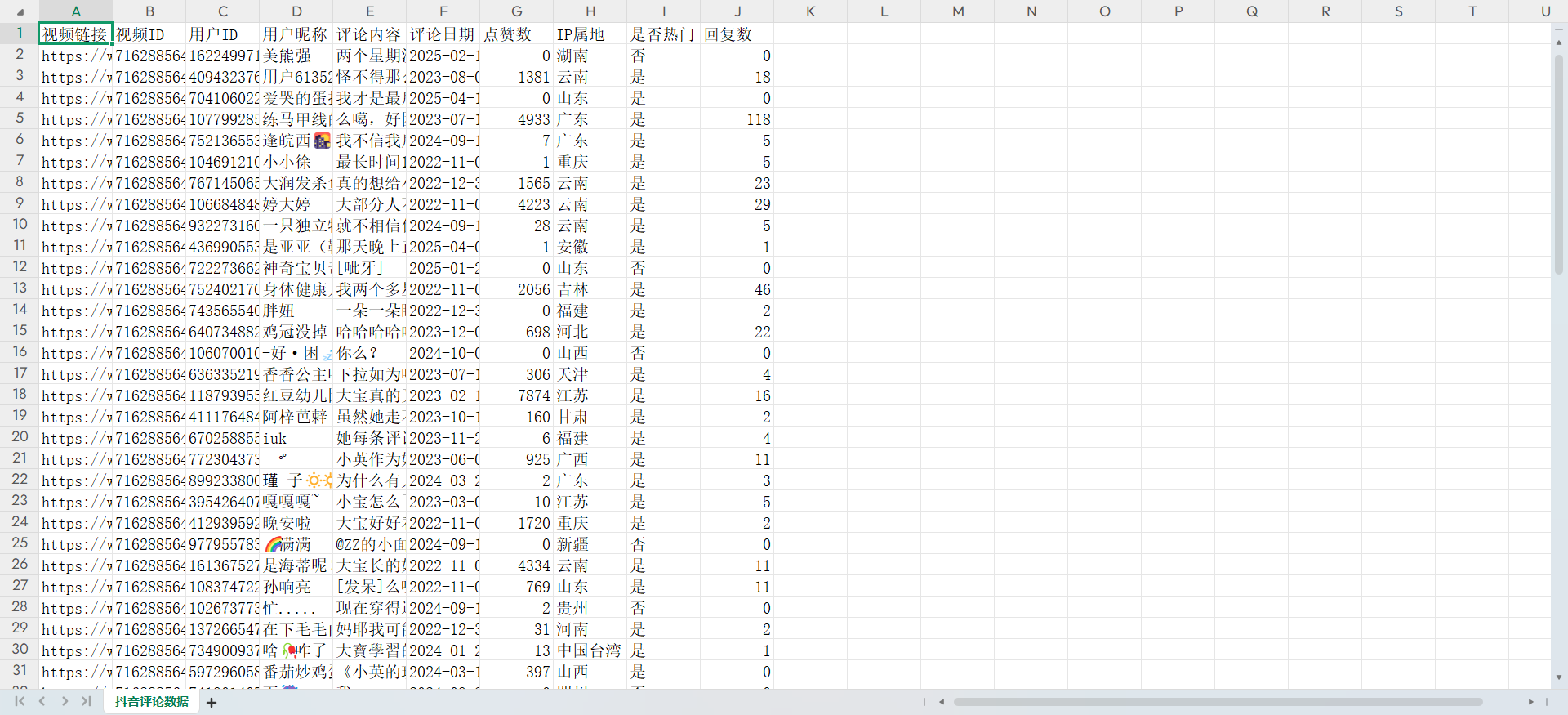
转换xlsx(此时可以ai分析,有需要可以转换):
新开一个终端,然后输入node comment.js 或者node comment50.js
node comment.js是转换全部 node comment50.js是转换前五十条

然后douyin_comments.xlsx就是了。
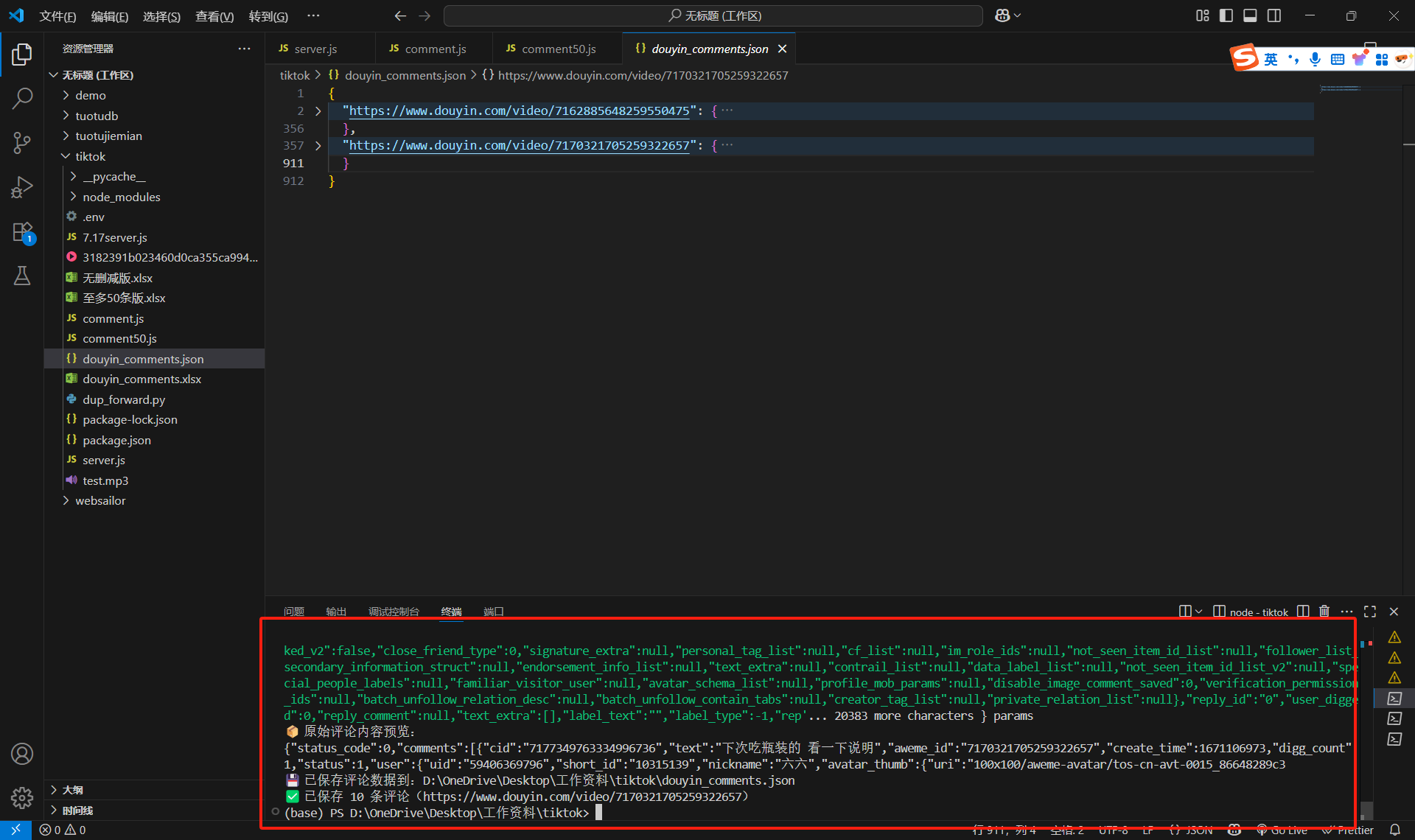
注意:大家肯定不是一次性全部爬完,vscode终端一旦关闭,所有的缓存都删除。所以每次爬完都先把数据拿出来吧!
重启服务器(重启前可以保存一下原来的东西):
切换到那个server.js的那个终端,然后ctrl+c退出了。重新执行node server.js就可以重新开启服务器。
切换到dup_forward.py的那个终端,然后ctrl+c,再下面输入一个yes
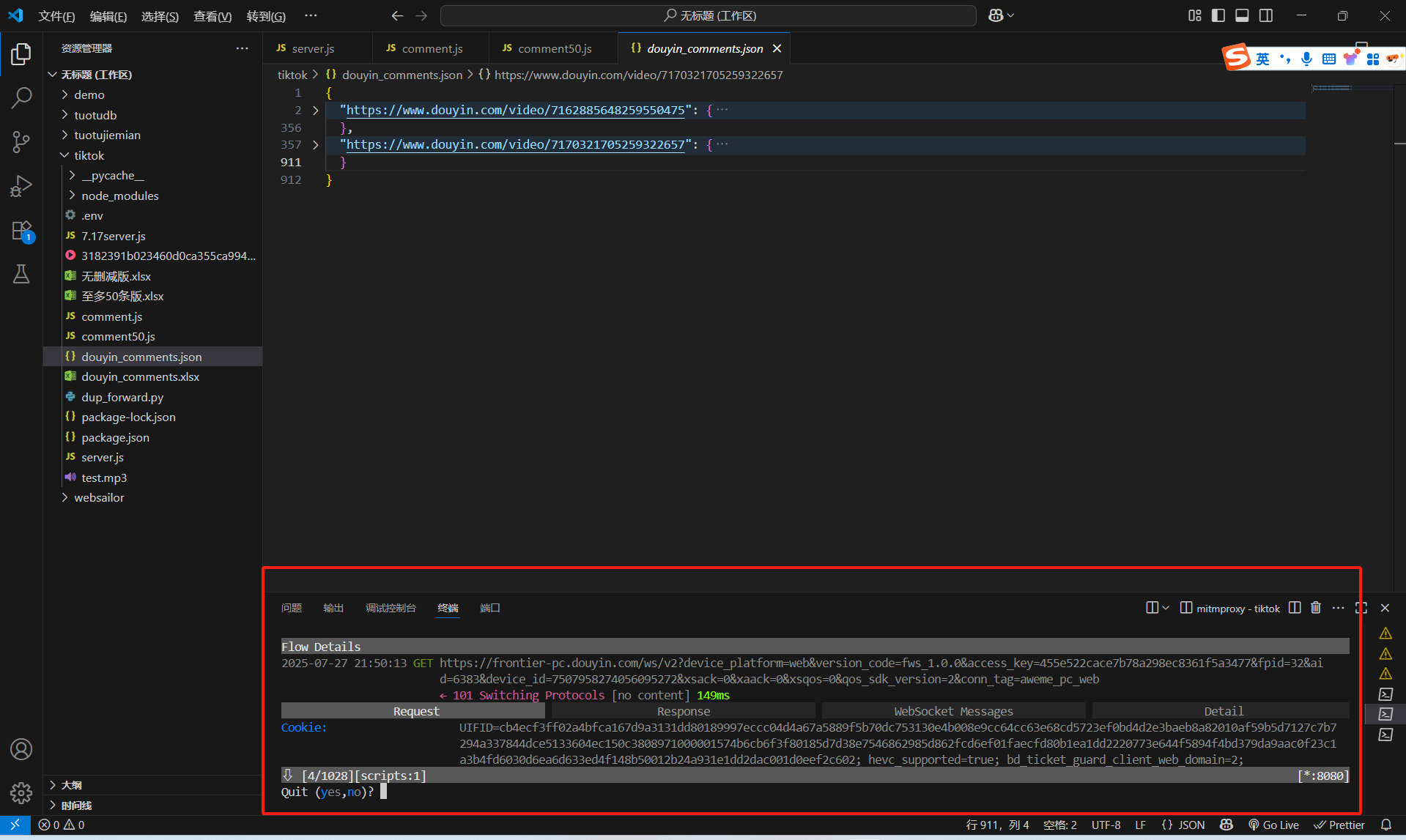
重启的时候再执行mitmproxy -s dup_forward.py就行了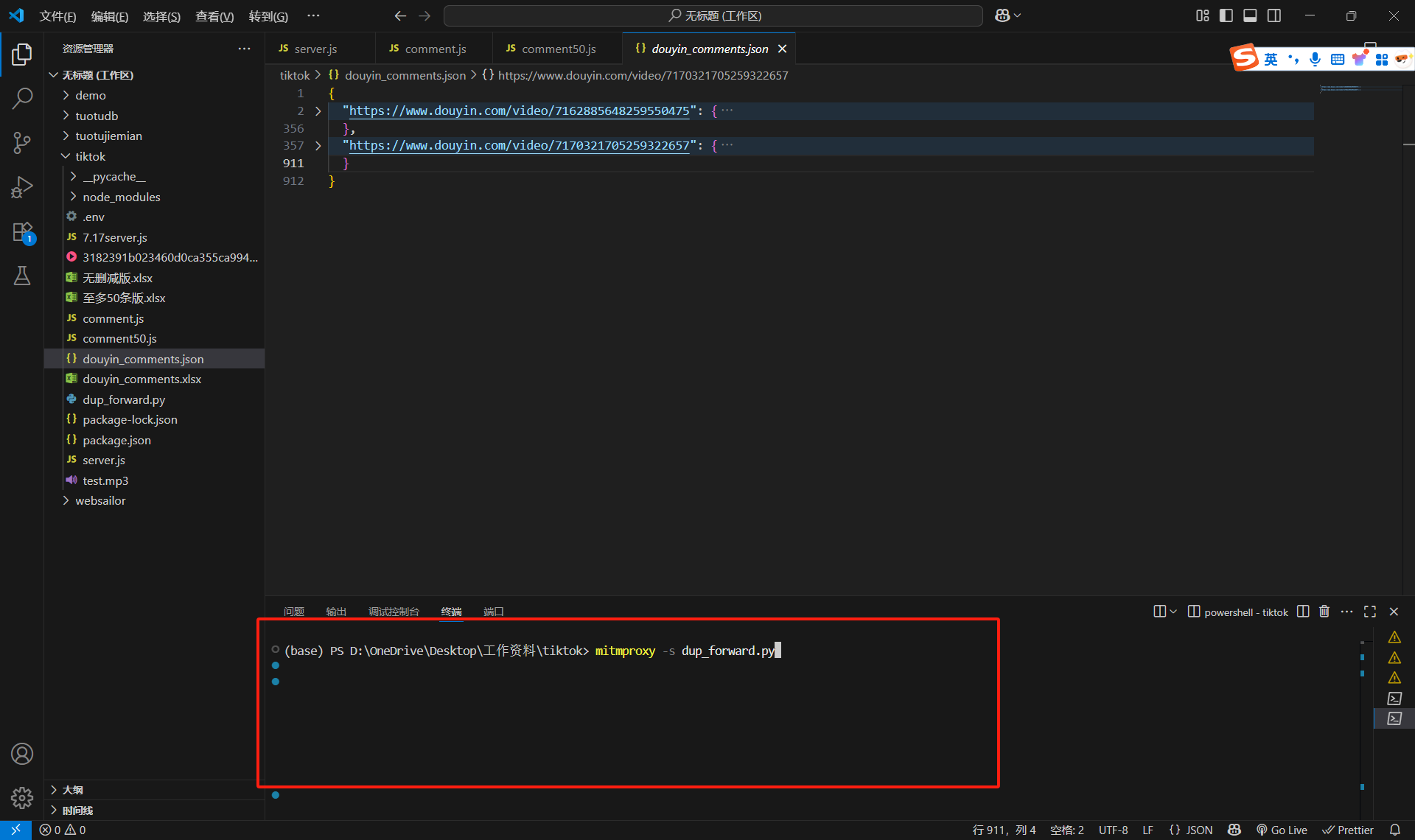

魔乐社区(Modelers.cn) 是一个中立、公益的人工智能社区,提供人工智能工具、模型、数据的托管、展示与应用协同服务,为人工智能开发及爱好者搭建开放的学习交流平台。社区通过理事会方式运作,由全产业链共同建设、共同运营、共同享有,推动国产AI生态繁荣发展。
更多推荐


 32
32 0
0- 0


 已为社区贡献1条内容

所有评论(0)