hsv 明度的范围_通过HSV转换的方式实现图片数据增强
·
在我的上一篇文章中,我记录了自己将MOT17-Det数据集转换成VOC格式:
HUST小菜鸡:将MOT17-Det数据集转成VOC格式zhuanlan.zhihu.com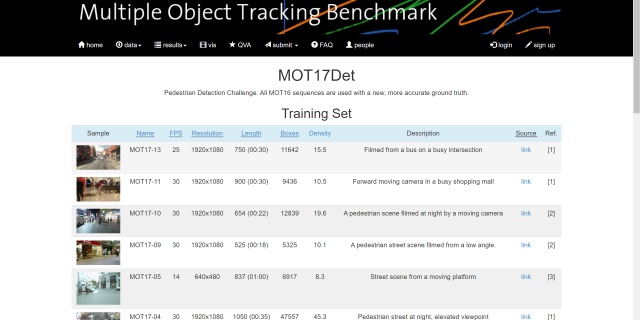
但是在后期的测试过程中,发现了一些小问题:
- 首先是train.txt里面写入的图片数和标注的数目不一致,这在训练的过程中会产生错误(训练集中存在的图片的大于有标注的图片数据)
- 数据集体量过小,一共只有5000多张有标注的数据,拆分成训练集和测试集之后数据集的体量更小,训练时容易产生过拟合
考虑到这些问题,今天对其进行一些对应的更新:
- train.txt的生成和标注生成同步完成保证数据集和标注的体量一致
- 通过HSV变换的方式实现数据增强
有关于HSV和RGB空间的转换及相关特性参照我的这篇文章:
HUST小菜鸡:HSV和RGB通道颜色的区别和转换zhuanlan.zhihu.com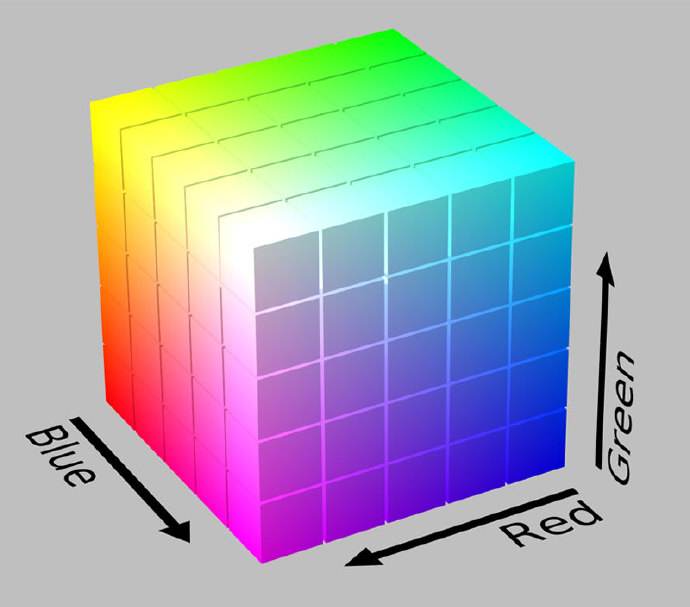
首先先明确H,S,V分别表示什么
H表示色调,取值范围为(0,180)
S表示饱和度,取值范围为(0,255)
V表示亮度,取值范围为(0,255)
def gamma_transform_s(img, gamma):
    hsv = cv2.cvtColor(img, cv2.COLOR_BGR2HSV)
    illum = hsv[..., 1] / 255.
    illum = np.power(illum, gamma)
    v = illum * 255.
    v[v > 255] = 255
    v[v < 0] = 0
    hsv[..., 1] = v.astype(np.uint8)
    img = cv2.cvtColor(hsv, cv2.COLOR_HSV2BGR)
    return img

def gamma_transform_v(img, gamma):
    hsv = cv2.cvtColor(img, cv2.COLOR_BGR2HSV)
    illum = hsv[..., 2] / 255.
    illum = np.power(illum, gamma)
    v = illum * 255.
    v[v > 255] = 255
    v[v < 0] = 0
    hsv[..., 2] = v.astype(np.uint8)
    img = cv2.cvtColor(hsv, cv2.COLOR_HSV2BGR)
    return img

def gamma_transform_sv(img, gamma1,gamma2):
    hsv = cv2.cvtColor(img, cv2.COLOR_BGR2HSV)
    illum = hsv[..., 2] / 255.
    illum = np.power(illum, gamma1)
    v = illum * 255.
    v[v > 255] = 255
    v[v < 0] = 0
    hsv[..., 2] = v.astype(np.uint8)

    illum = hsv[..., 1] / 255.
    illum = np.power(illum, gamma2)
    v = illum * 255.
    v[v > 255] = 255
    v[v < 0] = 0
    hsv[..., 1] = v.astype(np.uint8)

    img = cv2.cvtColor(hsv, cv2.COLOR_HSV2BGR)
    return img
这里定义了三个函数,一个是通过gamma变换进行饱和度变换,一个是通过gamma变换进行明度变换,一个是通过gamma变换进行饱和度和明度变换,这样就会产生原数据四倍体量的数据,并且所有的gamma都是随机生成的,使得数据集具有更多的普适性。
首先看一组测试的demo,看HSV转换后生成的数据
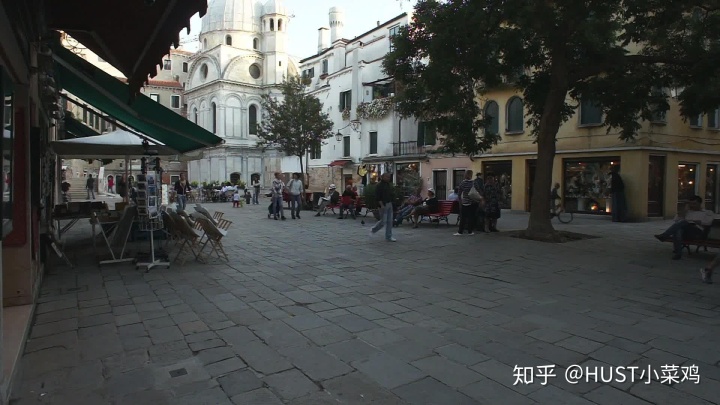
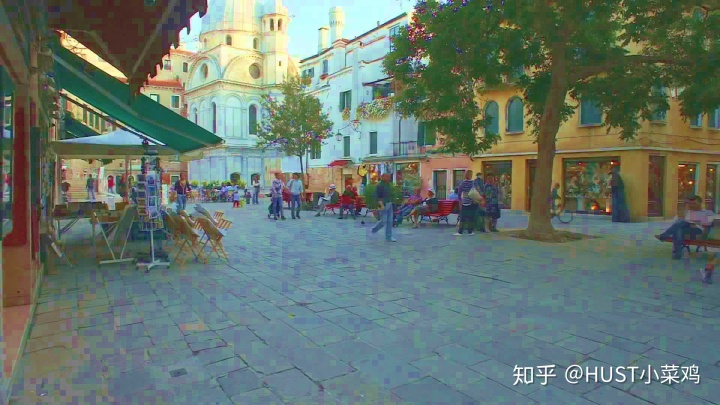
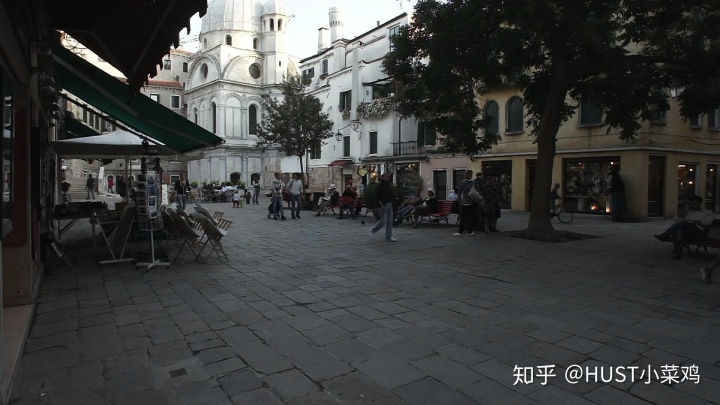
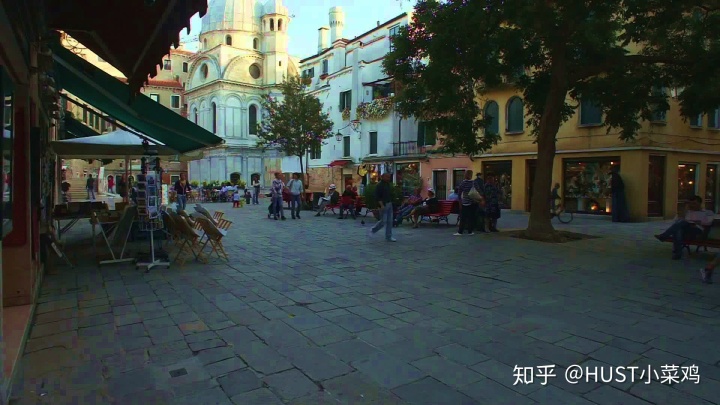
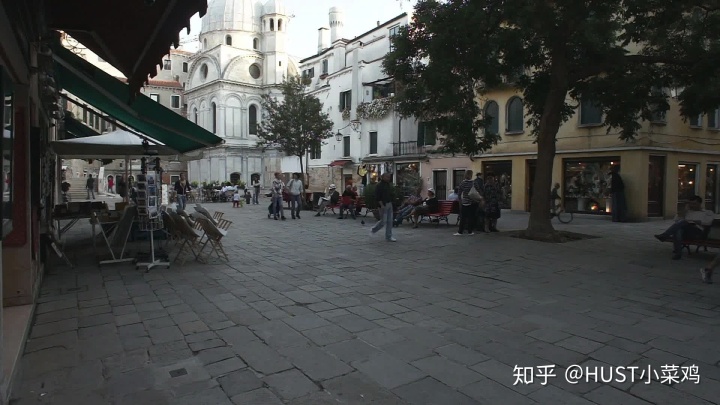
通过修改后的代码实现数据集的增强如下所示
import os
import cv2
import codecs
import time
import numpy as np

ori_gt_lists = ['D:/MOT17-Det/train/MOT17-02/gt/gt.txt',
               'D:/MOT17-Det/train/MOT17-04/gt/gt.txt',
               'D:/MOT17-Det/train/MOT17-05/gt/gt.txt',
               'D:/MOT17-Det/train/MOT17-09/gt/gt.txt',
               'D:/MOT17-Det/train/MOT17-10/gt/gt.txt',
               'D:/MOT17-Det/train/MOT17-11/gt/gt.txt',
               'D:/MOT17-Det/train/MOT17-13/gt/gt.txt']

img_dir = 'D:/MOT17-Det/voc/JPEGImages/'
annotation_dir = 'D:/MOT17-Det/voc/Annotations/'
root = 'D:/MOT17-Det/voc/ImageSets/Main/'

fp_trainlist = open(root + 'train_list.txt','w')

def replace_char(string,char,index):
    string = list(string)
    string[index] = char
    return ''.join(string)

def gamma_transform_s(img, gamma):
    hsv = cv2.cvtColor(img, cv2.COLOR_BGR2HSV)
    illum = hsv[..., 1] / 255.
    illum = np.power(illum, gamma)
    v = illum * 255.
    v[v > 255] = 255
    v[v < 0] = 0
    hsv[..., 1] = v.astype(np.uint8)
    img = cv2.cvtColor(hsv, cv2.COLOR_HSV2BGR)
    return img

def gamma_transform_v(img, gamma):
    hsv = cv2.cvtColor(img, cv2.COLOR_BGR2HSV)
    illum = hsv[..., 2] / 255.
    illum = np.power(illum, gamma)
    v = illum * 255.
    v[v > 255] = 255
    v[v < 0] = 0
    hsv[..., 2] = v.astype(np.uint8)
    img = cv2.cvtColor(hsv, cv2.COLOR_HSV2BGR)
    return img

def gamma_transform_sv(img, gamma1,gamma2):
    hsv = cv2.cvtColor(img, cv2.COLOR_BGR2HSV)
    illum = hsv[..., 2] / 255.
    illum = np.power(illum, gamma1)
    v = illum * 255.
    v[v > 255] = 255
    v[v < 0] = 0
    hsv[..., 2] = v.astype(np.uint8)

    illum = hsv[..., 1] / 255.
    illum = np.power(illum, gamma2)
    v = illum * 255.
    v[v > 255] = 255
    v[v < 0] = 0
    hsv[..., 1] = v.astype(np.uint8)

    img = cv2.cvtColor(hsv, cv2.COLOR_HSV2BGR)
    return img

for each_dir in ori_gt_lists:

    start_time = time.time()

    fp = open(each_dir, 'r')
    userlines = fp.readlines()
    fp.close()

    # 寻找gt中的对应的最大frame
    # max_indx = 0
    # for line in userlines:
    #     e_fram = int(line.split(',')[0])
    #     if e_fram > max_index:
    #         max_index = e_fram
    # print(max_index)

    fram_list = []
    for line in userlines:
        e_fram = int(line.split(',')[0])
        fram_list.append(e_fram)
    max_index = max(fram_list)
    print(each_dir + 'max_index:', max_index)

    for i in range(1, max_index):
        clear_name = each_dir[-12:-10] + format(str(i), '0>6s')
        format_name = clear_name + '.jpg'
        detail_dir = img_dir + format_name
        img = cv2.imread(detail_dir)
        shape_img = img.shape
        height = shape_img[0]
        width = shape_img[1]
        depth = shape_img[2]

        gamma1 = np.random.uniform(0.5,1.5)
        gamma2 = np.random.uniform(0.5, 1.5)
        gamma3 = np.random.uniform(0.5, 1.5)
        gamma4 = np.random.uniform(0.5, 1.5)
        img1 = gamma_transform_s(img,gamma1)
        img2 = gamma_transform_v(img, gamma2)
        img3 = gamma_transform_sv(img, gamma3,gamma4)

        format_name1 = replace_char(format_name,'1',2)
        format_name2 = replace_char(format_name, '2', 2)
        format_name3 = replace_char(format_name, '3', 2)

        cv2.imwrite(img_dir+format_name1,img1)
        cv2.imwrite(img_dir + format_name2, img2)
        cv2.imwrite(img_dir + format_name3, img3)

        txt_name = format_name[:-4]
        txt_name1 = format_name1[:-4]
        txt_name2 = format_name2[:-4]
        txt_name3 = format_name3[:-4]

        # fp.writelines(txt_name + 'n')
        # fp.writelines(txt_name1 + 'n')
        # fp.writelines(txt_name2 + 'n')
        # fp.writelines(txt_name3 + 'n')

        xml_list = [txt_name,txt_name1,txt_name2,txt_name3]

        each_index = [num for num,x in enumerate(fram_list) if x == (i)]

        for xml_name in xml_list:
            fp_trainlist.writelines(xml_name + 'n')

            with codecs.open(annotation_dir + xml_name + '.xml', 'w') as xml:
                xml.write('<?xml version="1.0" encoding="UTF-8"?>n')
                xml.write('<annotation>n')
                xml.write('t<folder>' + 'voc' + '</folder>n')
                xml.write('t<filename>' + xml_name + '.jpg' + '</filename>n')
                # xml.write('t<path>' + path + "/" + info1 + '</path>n')
                xml.write('t<source>n')
                xml.write('tt<database> The MOT17-Det </database>n')
                xml.write('t</source>n')
                xml.write('t<size>n')
                xml.write('tt<width>' + str(width) + '</width>n')
                xml.write('tt<height>' + str(height) + '</height>n')
                xml.write('tt<depth>' + str(depth) + '</depth>n')
                xml.write('t</size>n')
                xml.write('tt<segmented>0</segmented>n')
                for j in range(len(each_index)):
                    num = each_index[j]

                    x1 = int(userlines[num].split(',')[2])
                    y1 = int(userlines[num].split(',')[3])
                    x2 = int(userlines[num].split(',')[4])
                    y2 = int(userlines[num].split(',')[5])

                    xml.write('t<object>n')
                    xml.write('tt<name>person</name>n')
                    xml.write('tt<pose>Unspecified</pose>n')
                    xml.write('tt<truncated>0</truncated>n')
                    xml.write('tt<difficult>0</difficult>n')
                    xml.write('tt<bndbox>n')
                    xml.write('ttt<xmin>' + str(x1) + '</xmin>n')
                    xml.write('ttt<ymin>' + str(y1) + '</ymin>n')
                    xml.write('ttt<xmax>' + str(x1 + x2) + '</xmax>n')
                    xml.write('ttt<ymax>' + str(y1 + y2) + '</ymax>n')
                    xml.write('tt</bndbox>n')
                    xml.write('t</object>n')

                xml.write('</annotation>')


    end_time = time.time()
    print('process {} cost time:{}s'.format(each_dir,(end_time-start_time)))
fp_trainlist.close()
print('succeed in processing all gt files')
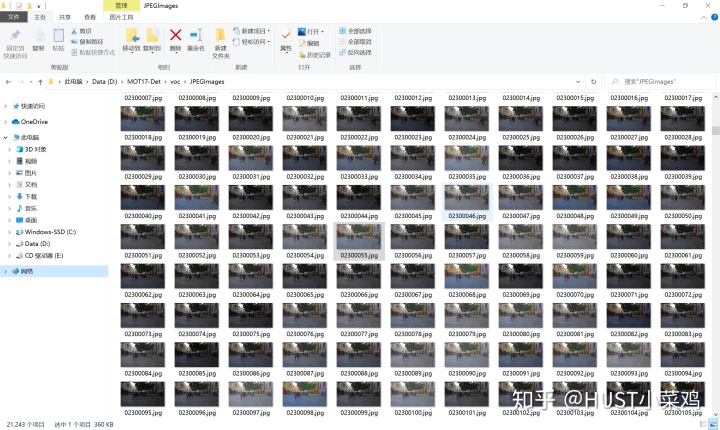
标注的数量和train.txt中的数量也一致实现了匹配,实现了数据增强的目的

魔乐社区(Modelers.cn) 是一个中立、公益的人工智能社区,提供人工智能工具、模型、数据的托管、展示与应用协同服务,为人工智能开发及爱好者搭建开放的学习交流平台。社区通过理事会方式运作,由全产业链共同建设、共同运营、共同享有,推动国产AI生态繁荣发展。
更多推荐


 0
0 0
0- 0


 已为社区贡献5条内容

所有评论(0)