【python】使用腾讯云的OCR 文字识别记录(附代码)
不过,这个对于我的需求来说才是完成了长征的第一步,后面我得解析这里的resp的具体数据,而且还得保证它的数据得是我想要的时间文本,要不数据无用。这已经是后面的需求了。还在迈出了第一步。
·
背景
一个新的业务需求,需要通过OCR文字识别获取图片中特殊的时间文本,然后计算时间差值。
其中的关键就是获取到时间文本。
一开始,本着有开源的想法使用了py 的两个库opencv 和 pytesseract,但是面对手机拍摄的图片,这个解析效果就力不从心了。
解决
最后是选择了腾讯云OCR,果然还是得加钱才能实现。
跟着它的指导文档基本上能够快速实现调用。我在编写代码的时候没有用它提供的示例代码,而是参考了一些大佬的代码并加以改进:
import json
# 将图片文件转换为base64编码
import base64
from tencentcloud.common import credential
from tencentcloud.common.profile.client_profile import ClientProfile
from tencentcloud.common.profile.http_profile import HttpProfile
from tencentcloud.ocr.v20181119 import ocr_client
from tencentcloud.ocr.v20181119.models import (
    GeneralAccurateOCRRequest,
    EnglishOCRRequest,
    GeneralBasicOCRRequest,
    GeneralEfficientOCRRequest,
    GeneralFastOCRRequest,
    GeneralHandwritingOCRRequest
)


class TencentOcr(object):
    """
    计费说明:1,000次/月免费
    https://cloud.tencent.com/document/product/866/17619
    """
    SECRET_ID = "你的ID"

    SECRET_KEY = "你的Key"

    # 地域列表
    # https://cloud.tencent.com/document/api/866/33518#.E5.9C.B0.E5.9F.9F.E5.88.97.E8.A1.A8
    # 改为广州的节点会快一点
    Region = "ap-guangzhou"

    endpoint = "ocr.tencentcloudapi.com"

    # 通用文字识别相关接口
    # https://cloud.tencent.com/document/api/866/37173
    mapping = {
        # 通用印刷体识别(高精度版) ok
        "GeneralAccurateOCR": GeneralAccurateOCRRequest,

        # 英文识别 ok
        "EnglishOCR": EnglishOCRRequest,

        # 通用印刷体识别 一般
        "GeneralBasicOCR": GeneralBasicOCRRequest,

        # 通用印刷体识别(精简版)(免费公测版)no
        "GeneralEfficientOCR": GeneralEfficientOCRRequest,

        # 通用印刷体识别(高速版)一般
        "GeneralFastOCR": GeneralFastOCRRequest,

        # 通用手写体识别 ok
        "GeneralHandwritingOCR": GeneralHandwritingOCRRequest,

    }

    def get64Base(self,path):
        with open(path, "rb") as image_file:
            encoded_string = base64.b64encode(image_file.read())
            print(encoded_string)
            with open('myfile.txt', 'w') as f:
                f.write(encoded_string.decode('utf-8'))
        return encoded_string.decode('utf-8')


    def __init__(self):
        cred = credential.Credential(self.SECRET_ID, self.SECRET_KEY)

        httpProfile = HttpProfile()
        httpProfile.endpoint = self.endpoint

        clientProfile = ClientProfile()
        clientProfile.httpProfile = httpProfile
        self.client = ocr_client.OcrClient(cred, self.Region, clientProfile)

    def get_image_text(self, path, ocr):
        req = self.mapping[ocr]()
        req.ImageBase64 = self.get64Base(path)
        resp = getattr(self.client, ocr)(req)
        return json.loads(resp.to_json_string())


def main():
    tencentOcr = TencentOcr()
    url = "/Users/你的图片绝对路径"
    print(tencentOcr.get_image_text(url, "GeneralFastOCR"))


if __name__ == '__main__':
    main()
其中我遇到一个超级恶心的坑是:图片转base64的时候直接使用了bite,结果底层老崩了,结果才发现,json 要传的是字符类型的数据。
# 重要的转码方法
  def get64Base(self,path):
        with open(path, "rb") as image_file:
            encoded_string = base64.b64encode(image_file.read())
            print(encoded_string)
            with open('myfile.txt', 'w') as f:
                f.write(encoded_string.decode('utf-8'))
		# 必须转为utf-8的字符码,要不json就不知道是个啥数据
        return encoded_string.decode('utf-8')
后面就得到了想要的数据了: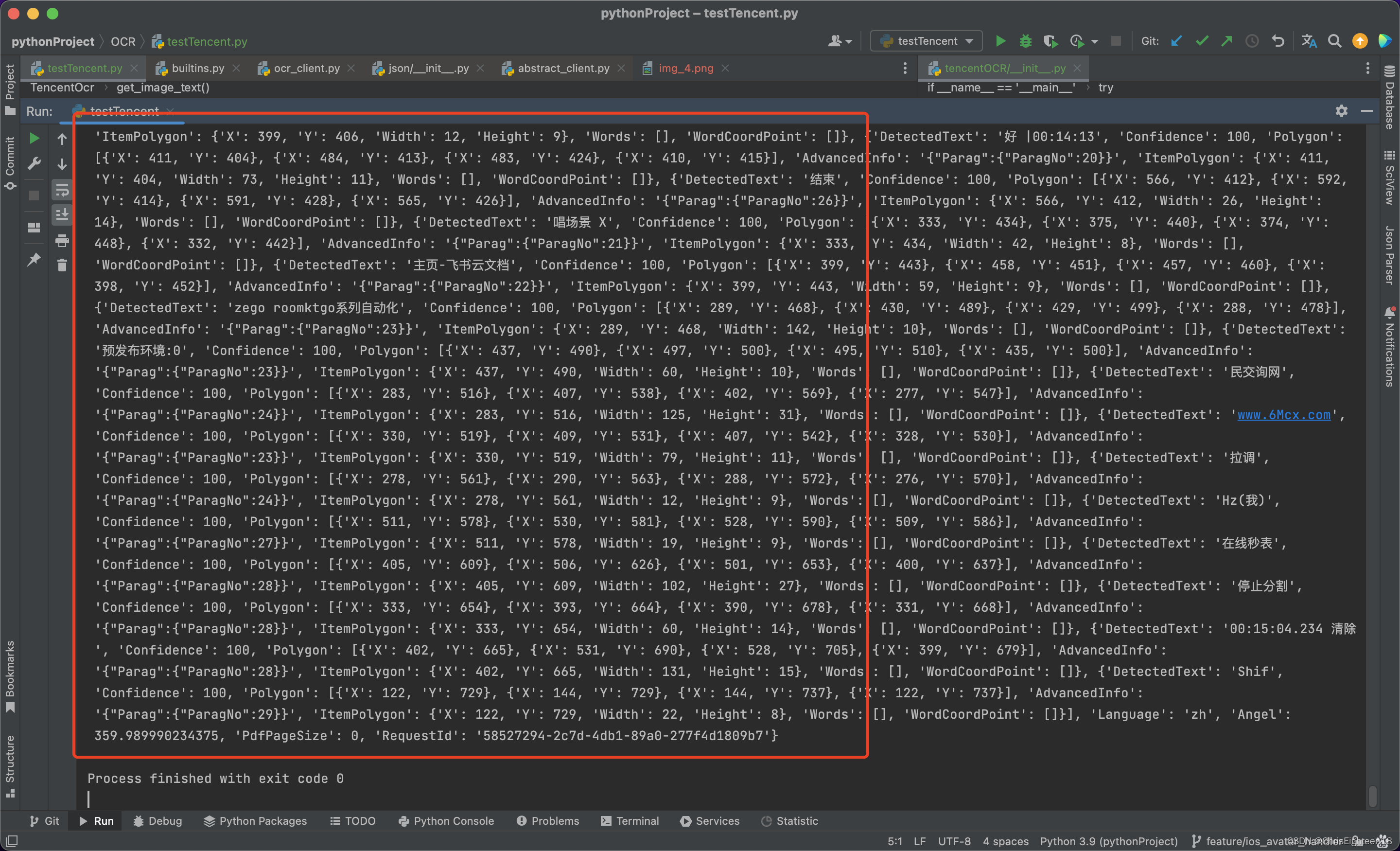
总结
不过,这个对于我的需求来说才是完成了长征的第一步,后面我得解析这里的resp的具体数据,而且还得保证它的数据得是我想要的时间文本,要不数据无用。这已经是后面的需求了。还在迈出了第一步。

魔乐社区(Modelers.cn) 是一个中立、公益的人工智能社区,提供人工智能工具、模型、数据的托管、展示与应用协同服务,为人工智能开发及爱好者搭建开放的学习交流平台。社区通过理事会方式运作,由全产业链共同建设、共同运营、共同享有,推动国产AI生态繁荣发展。
更多推荐



 1
1 0
0- 0


 已为社区贡献5条内容

所有评论(0)