基于python的验证码和文字识别
·
库的准备
1.pip install pillow和pip install pytesseract
2.tesseract 安装及使用 链接【https://blog.csdn.net/showgea/article/details/82656515】
Tips:
安装tesseract可能会提示错误信息!请参考文档:
链接【https://blog.csdn.net/weixin_44010678/article/details/107818994】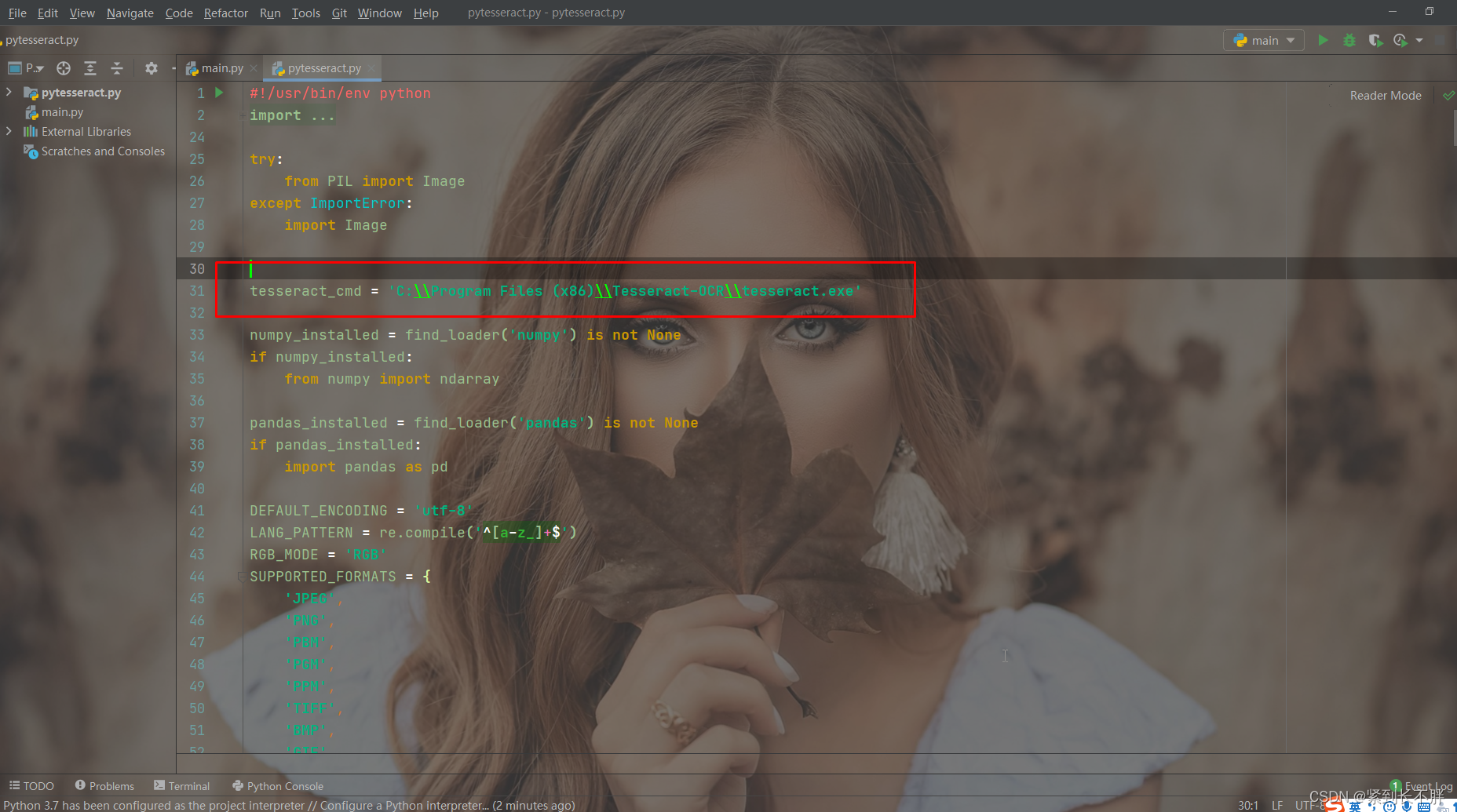
代码
from PIL import Image # 读取图片
import pytesseract

path = r'F:\桌面\验证码1.jpg'

picture = Image.open(path) # 读取验证码

recognition_result = pytesseract.image_to_string(picture)

print(recognition_result)
搞定

魔乐社区(Modelers.cn) 是一个中立、公益的人工智能社区,提供人工智能工具、模型、数据的托管、展示与应用协同服务,为人工智能开发及爱好者搭建开放的学习交流平台。社区通过理事会方式运作,由全产业链共同建设、共同运营、共同享有,推动国产AI生态繁荣发展。
更多推荐


 0
0 0
0- 0


 已为社区贡献6条内容

所有评论(0)