大模型学习与实践笔记(九)
(1)在https://github.com/Dao-AILab/flash-attention/releases/ 下载。使用 LMDeploy 以本地对话方式部署 InternLM-Chat-7B 模型,生成 300 字的小故事。在使用命令,对lmdeploy 进行源码安装是时,报错。(2)通过pip 进行安装。
·
一、LMDeply方式部署
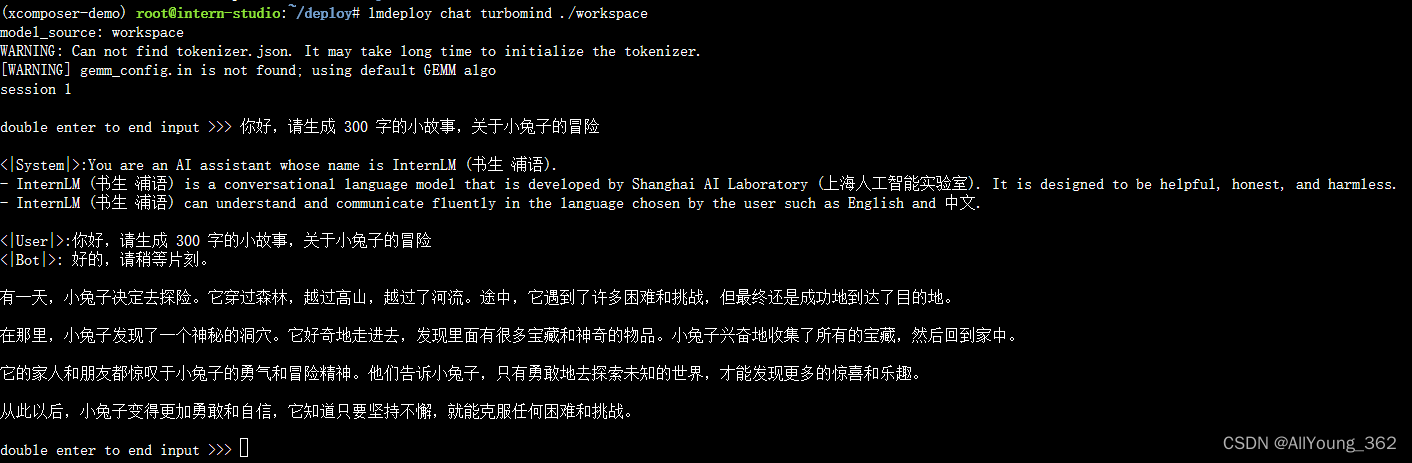
使用 LMDeploy 以本地对话方式部署 InternLM-Chat-7B 模型,生成 300 字的小故事
2.api 方式部署
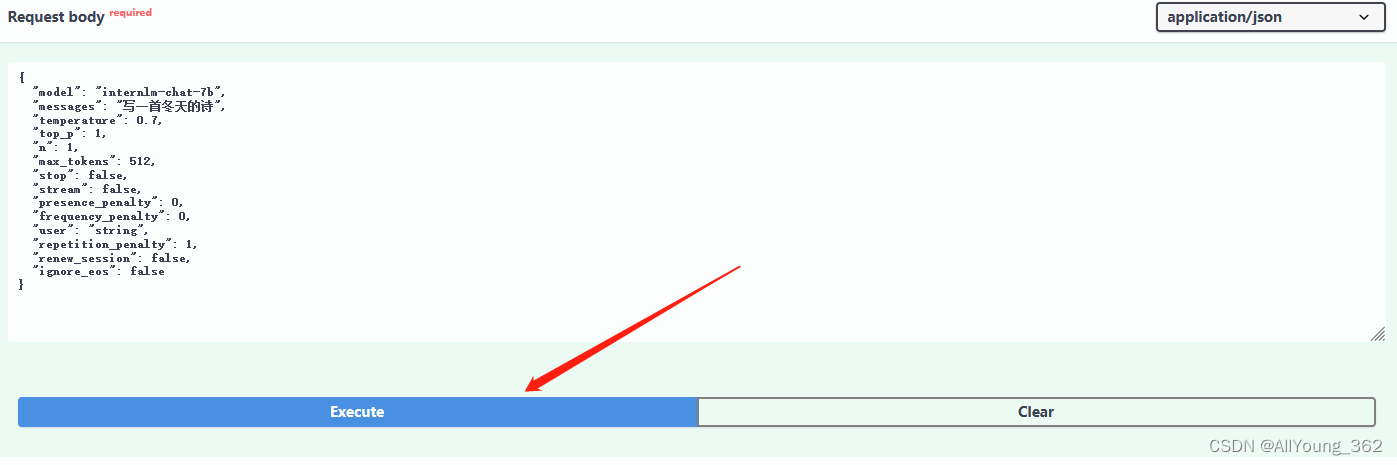
运行
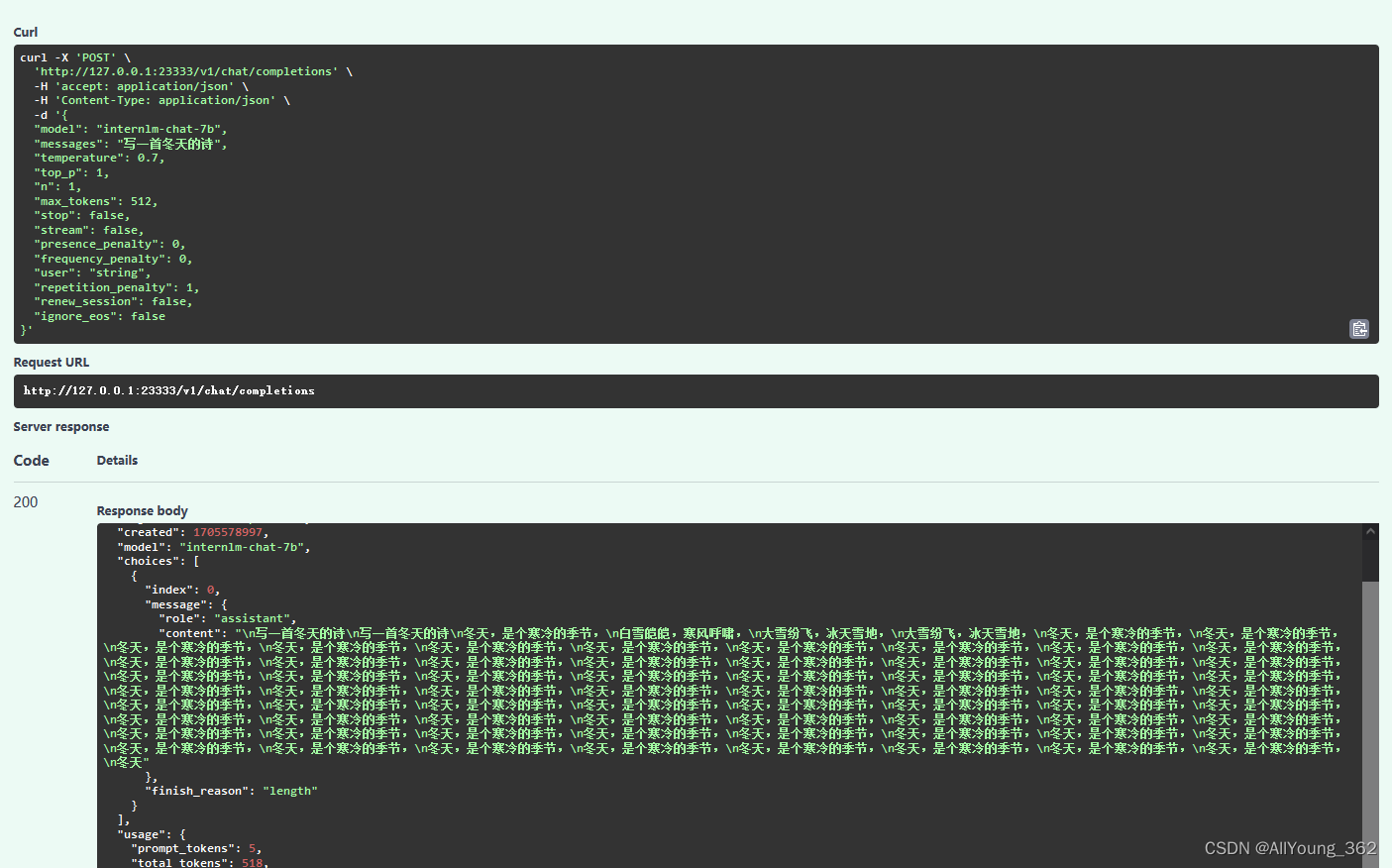
结果:
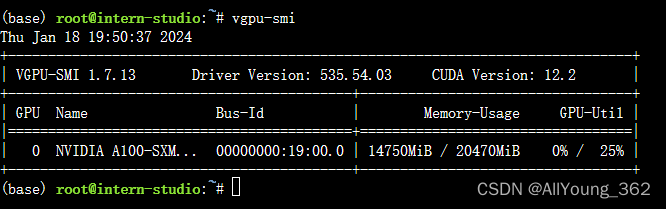
显存占用:
二、报错与解决方案
在使用命令,对lmdeploy 进行源码安装是时,报错
1.源码安装语句
pip install 'lmdeploy[all]==v0.1.0'2.报错语句:
Building wheels for collected packages: flash-attn
  Building wheel for flash-attn (setup.py) ... error
  error: subprocess-exited-with-error

  × python setup.py bdist_wheel did not run successfully.
  │ exit code: 1
  ╰─> [9 lines of output]
      fatal: not a git repository (or any of the parent directories): .git


      torch.__version__  = 2.0.1


      running bdist_wheel
      Guessing wheel URL:  https://github.com/Dao-AILab/flash-attention/releases/download/v2.4.2/flash_attn-2.4.2+cu118torch2.0cxx11abiFALSE-cp310-cp310-linux_x86_64.whl
      error: <urlopen error Tunnel connection failed: 503 Service Unavailable>
      [end of output]

  note: This error originates from a subprocess, and is likely not a problem with pip.
  ERROR: Failed building wheel for flash-attn
  Running setup.py clean for flash-attn
Failed to build flash-attn
ERROR: Could not build wheels for flash-attn, which is required to install pyproject.toml-based projects
3.解决方法
(1)在https://github.com/Dao-AILab/flash-attention/releases/ 下载对应版本的安装包
(2)通过pip 进行安装
pip install flash_attn-2.3.5+cu117torch2.0cxx11abiFALSE-cp310-cp310-linux_x86_64.whl4.参考链接

魔乐社区(Modelers.cn) 是一个中立、公益的人工智能社区,提供人工智能工具、模型、数据的托管、展示与应用协同服务,为人工智能开发及爱好者搭建开放的学习交流平台。社区通过理事会方式运作,由全产业链共同建设、共同运营、共同享有,推动国产AI生态繁荣发展。
更多推荐



 8
8 0
0- 0


 已为社区贡献9条内容

所有评论(0)