阿里云 oss存储日志下载方法
·
1.0 安装ossbrowser客户端
https://help.aliyun.com/document_detail/209974.html
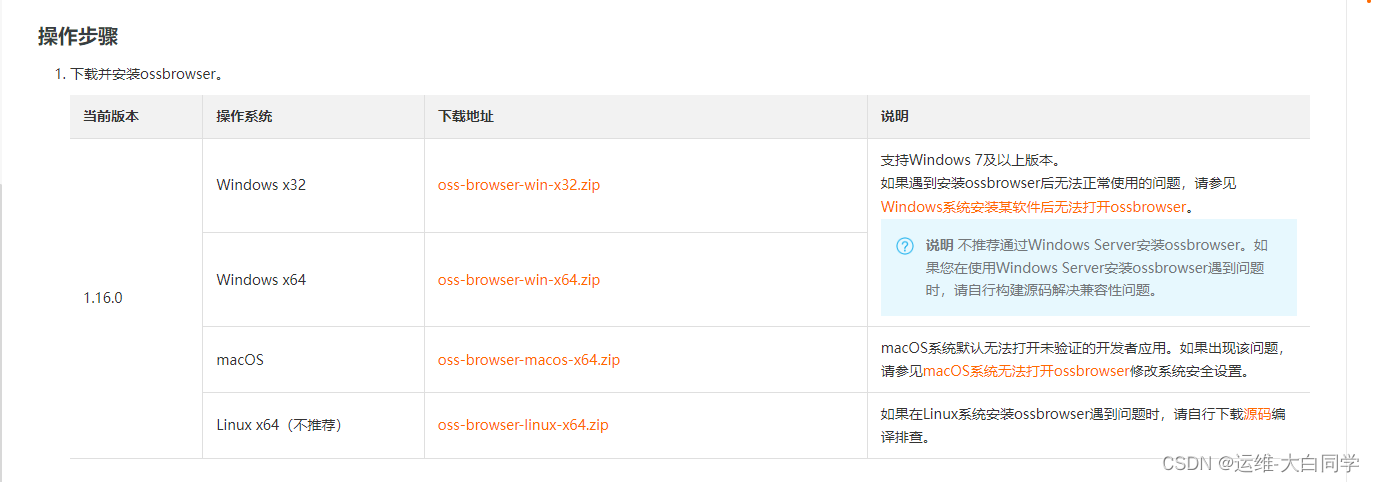
2.0 配置登录ossbrowser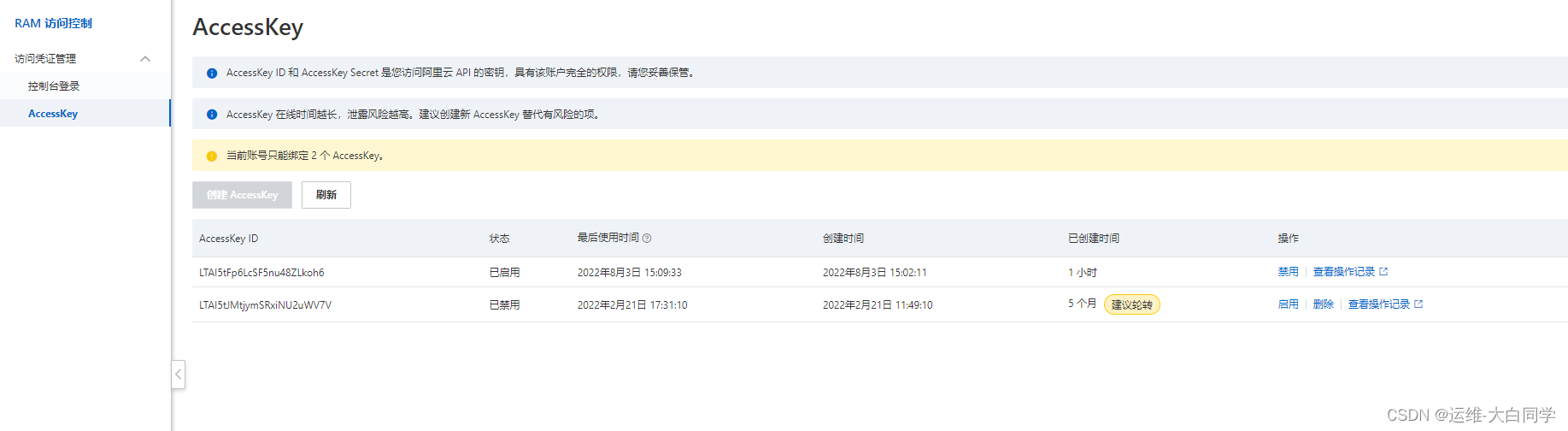
AccessKey 可以通过创建AccessKey 获得id和Secret![[图片]](https://i-blog.csdnimg.cn/blog_migrate/c1ca30c708c63b3aab8fb8bbfa44d7da.png)
3.0 到指定位置下载日志
3.1 确认日志路径![[图片]](https://i-blog.csdnimg.cn/blog_migrate/074565c0586dba2d2d64c4ab16951d2b.png)
3.2 下载7.2日13点到14的日志
oss://ydlogbak-xxx/ydservierlogbak/pingtai/pay/2022/07/02/13/![[图片]](https://i-blog.csdnimg.cn/blog_migrate/eb8138db18170f2ecd5dbb1f6fc962f1.png)
3.3解码日志
https://help.aliyun.com/document_detail/108942.html
pip3 install python-snappy  #安装解压模块
ptyhon3      oss.py  #解码编译文件
sh  oss.sh      #汇聚编译文件
import snappy
import glob
import os
def decompress_snappy(input_file, output_file):
    with open(input_file, 'rb') as f_in:
        compressed_data = f_in.read()
        decompressed_data = snappy.decompress(compressed_data)

        with open(output_file, 'wb') as f_out:
            f_out.write(decompressed_data)

# 获取所有以'.snappy'结尾的文件路径
file_paths = glob.glob('/home/zhangfan/16/*.snappy')

# 遍历文件路径并解压
with open('/home/zhangfan/test.log', 'a') as log_file:
    for file_path in file_paths:
        output_file = file_path.replace('.snappy', '')  # 输出文件与压缩文件同名,去除'.snappy'后缀
        decompress_snappy(file_path, output_file)
        log_file.write(f"解压 {file_path} -> {output_file}\n")
        os.remove(file_path)  # 删除源文件
#!/bin/bash
#
#目录
dir=16
log=oss.log
name=`find   $dir/  -type f`
for  i in $name
do
   cat $i  >> $log
done

魔乐社区(Modelers.cn) 是一个中立、公益的人工智能社区,提供人工智能工具、模型、数据的托管、展示与应用协同服务,为人工智能开发及爱好者搭建开放的学习交流平台。社区通过理事会方式运作,由全产业链共同建设、共同运营、共同享有,推动国产AI生态繁荣发展。
更多推荐


 6
6 0
0- 0


 已为社区贡献3条内容

所有评论(0)