阿里云云效mavne仓库
·
阿里云云效mavne仓库使用
开通云效mavne仓库
步骤
- 注册阿里云账号
- 在云效中创建公司
- 开通仓库
注册账号略
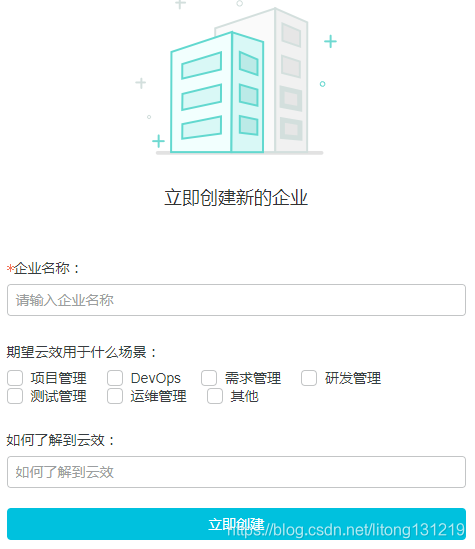
创建公司
https://rdc.aliyun.com/company/create
开通仓库
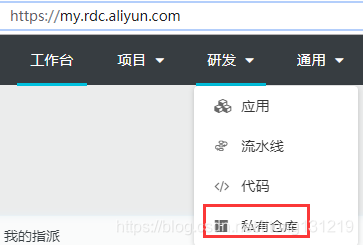
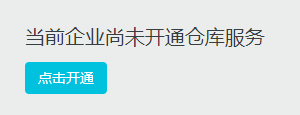
https://my.rdc.aliyun.com/-->研发-->私有仓库->开通仓库
上传文件到云效maven
maven基础配置
这是基础配置,无论是上传构件还是下载构建都需要进行下面的配置
手动配置修改settings.xml
1.在servers节点添加如下配置
<servers>
  <server>
    <id>rdc-releases</id>
    <username>We6UZc</username>
    <password>******</password>
  </server>
  <server>
    <id>rdc-snapshots</id>
    <username>We6UZc</username>
    <password>******</password>
  </server>
</servers>
2.在profiles节点添加如下配置
<profile>
  <id>rdc-private-repo</id>
  <repositories>
    <repository>
      <id>rdc-releases</id>
      <url>https://repo.rdc.aliyun.com/repository/112929-release-mmQFxN/</url>
    </repository>
    <repository>
      <id>rdc-snapshots</id>
      <url>https://repo.rdc.aliyun.com/repository/112929-snapshot-XL84Ss/</url>
    </repository>
  </repositories>
</profile>
上传构件
配置好了settings.xml后,在代码库根目录下的pom.xml加入以下配置:
配pom.xml,<distributeManagemant>和<build>同级,id 必须跟maven 的conf/setting.xml 里配的仓库id相应
<distributionManagement>
  <repository>
    <id>rdc-releases</id>
    <url>https://repo.rdc.aliyun.com/repository/112929-release-mmQFxN/</url>
  </repository>
  <snapshotRepository>
    <id>rdc-snapshots</id>
    <url>https://repo.rdc.aliyun.com/repository/112929-snapshot-XL84Ss/</url>
  </snapshotRepository>
</distributionManagement>
然后运行以下命令即可将制品推送到私有仓库中:
$ mvn clean deploy -DskipTests
上传完成后会在日志中显示上传后的url
https://repo.rdc.aliyun.com/repository/112929-release-mmQFxN/com/uairobot/bill/jdk-httpclient/1.0/jdk-httpclient-1.0.jar
缺点是上传之后不能预览,必须要输入完整的url后才可以下载
在其他计算机上使用云效maven的jar包
步骤
- 在其他计算机上进行maven基础配置
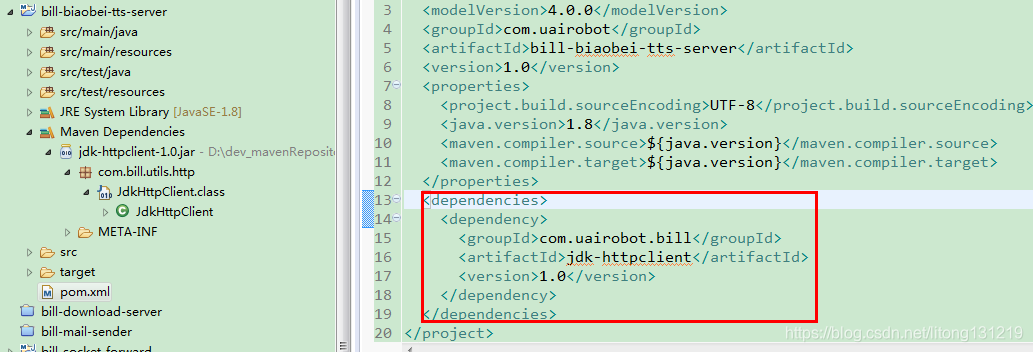
- 在pom.xml中添加构件坐标即可

魔乐社区(Modelers.cn) 是一个中立、公益的人工智能社区,提供人工智能工具、模型、数据的托管、展示与应用协同服务,为人工智能开发及爱好者搭建开放的学习交流平台。社区通过理事会方式运作,由全产业链共同建设、共同运营、共同享有,推动国产AI生态繁荣发展。
更多推荐


 0
0 0
0- 0


 已为社区贡献4条内容

所有评论(0)