vue3腾讯云直播 前端推流
·
1、在index.html文件中引入(在body体中)
<script src="https://video.sdk.qcloudecdn.com/web/TXLivePusher-2.1.1.min.js" charset="utf-8"></script>
2、vue文件中,添加video推流(我用的推流地址是webrtc)
<template>
  <div
    id="local_video"
    ref="local_video"
    style="width: 100%; height: 500px; display: flex; align-items: center; justify-content: center"
  ></div>
</template>
<script setup>
import { ref, onMounted, onUnmounted } from 'vue';
const local_video = ref();
onMounted(async () => {
  const livePusher = new TXLivePusher();
  livePusher.setRenderView('local_video');
  livePusher.videoView.muted = true;
  // // 设置视频质量
  livePusher.setVideoQuality('720p');
  // // 设置音频质量
  livePusher.setAudioQuality('standard');
  // // 自定义设置帧率
  livePusher.setProperty('setVideoFPS', 25);
  // 采集完摄像头和麦克风之后自动推流
  Promise.all([livePusher.startCamera(), livePusher.startMicrophone()]).then(function () {
    livePusher.startPush('webrtc://232666.push.tlivecloud.com/live/live?txSecret=872632423847ksjdfkjdshh89327489327171&txTime=827436728');
  });
});
</script>
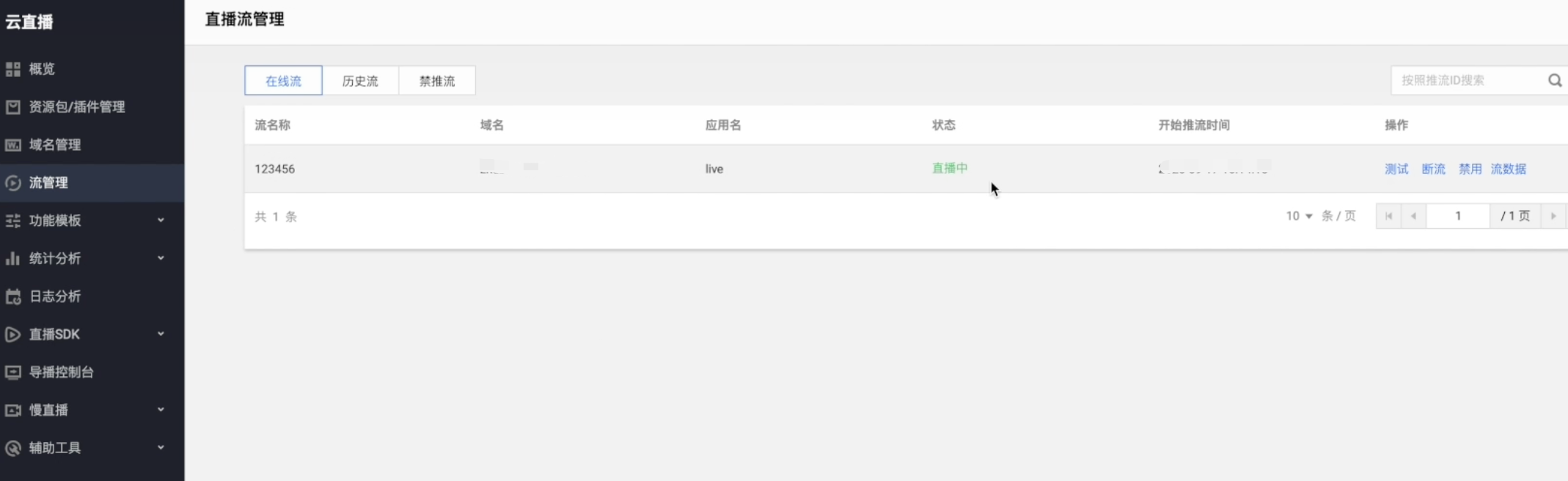
3、推流成功后,会在腾讯云控制台的流管理中看到

魔乐社区(Modelers.cn) 是一个中立、公益的人工智能社区,提供人工智能工具、模型、数据的托管、展示与应用协同服务,为人工智能开发及爱好者搭建开放的学习交流平台。社区通过理事会方式运作,由全产业链共同建设、共同运营、共同享有,推动国产AI生态繁荣发展。
更多推荐


 9
9 0
0- 0


 已为社区贡献1条内容

所有评论(0)