python语义分割数据标签,将数字标签转彩色标签
# 数字标签转彩色标签import imageioimport glob# 数字标签路径path = r'C:\Users\67231\Desktop\output/*.png'# 设置标签颜色(这里是7种)colors = [[0,0,0],[255,255,0],[255,0,0],[0,255,0],[0,0,255],[255,255,255],[0,255,255]]for file i
·
# 数字标签转彩色标签
import numpy as np
import imageio
import glob
# 数字标签路径
path = r'C:\Users\67231\Desktop\output/*.png'
# 设置标签颜色(这里是7种)
colors = [[0,0,0],[255,255,0],[255,0,0],[0,255,0],[0,0,255],[255,255,255],[0,255,255]]

for file in glob.glob(path):
    # print(file)

    label = imageio.imread(file)
    h,w = label.shape
    label_rgb = np.zeros((h,w,3))

    for i,rgb in zip(range(7),colors):
        # print(i,rgb) # 数字对应颜色
        label_rgb[label==i] = rgb
    # 保存图片
    imageio.imsave(r'C:\Users\67231\Desktop\output1/'+file.split('\\')[-1], label_rgb)
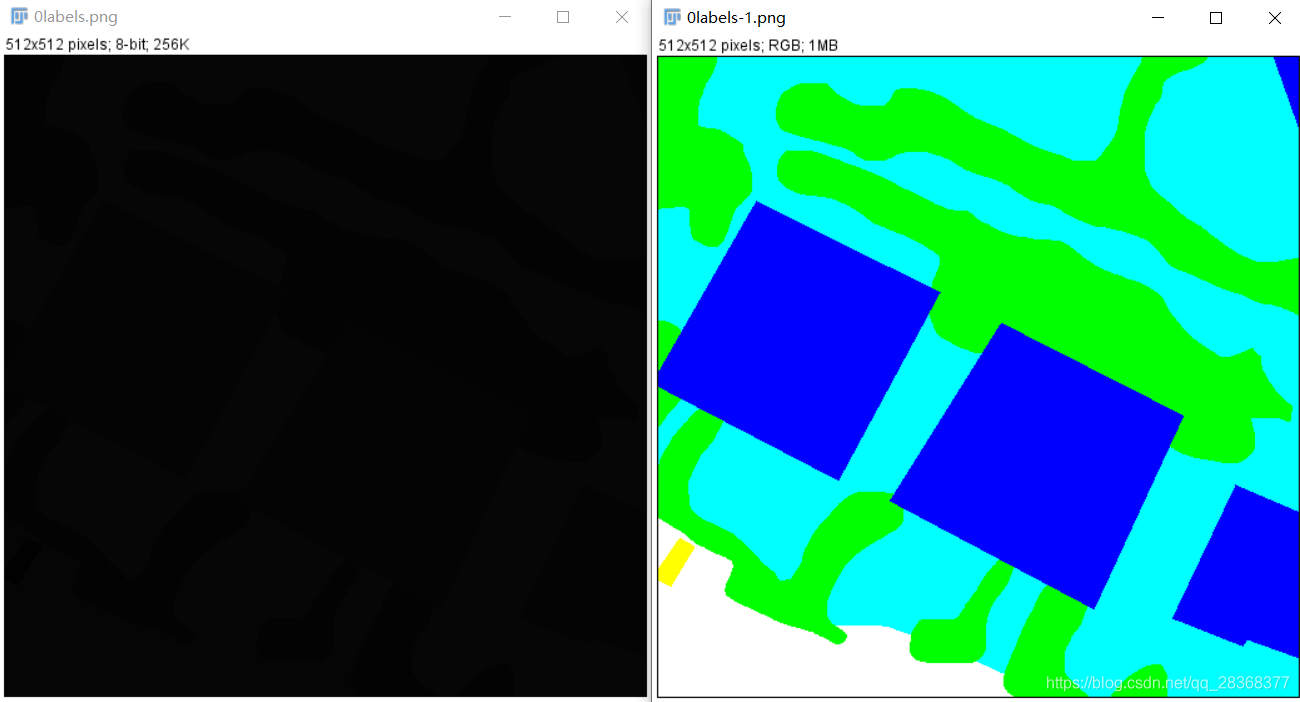
补充方法:
语义分割的标注图像其灰度值表示其分类类别,因此存储下来以后不能直观查看(灰度值都很小,如1, 2,3,…)。为了直观地查看标注图像,可生成一张对应的彩色图像,函数如下:
def create_visual_anno(anno):
    """"""
    assert np.max(anno) <= 7, "only 7 classes are supported, add new color in label2color_dict"
    label2color_dict = {
        0: [0, 0, 0],
        1: [255, 248, 220],  # cornsilk
        2: [100, 149, 237],  # cornflowerblue
        3: [102, 205, 170],  # mediumAquamarine
        4: [205, 133, 63],  # peru
        5: [160, 32, 240],  # purple
        6: [255, 64, 64],  # brown1
        7: [139, 69, 19],  # Chocolate4
    }
    # visualize
    visual_anno = np.zeros((anno.shape[0], anno.shape[1], 3), dtype=np.uint8)
    for i in range(visual_anno.shape[0]):  # i for h
        for j in range(visual_anno.shape[1]):
            color = label2color_dict[anno[i, j]]
            visual_anno[i, j, 0] = color[0]
            visual_anno[i, j, 1] = color[1]
            visual_anno[i, j, 2] = color[2]

    return visual_anno

魔乐社区(Modelers.cn) 是一个中立、公益的人工智能社区,提供人工智能工具、模型、数据的托管、展示与应用协同服务,为人工智能开发及爱好者搭建开放的学习交流平台。社区通过理事会方式运作,由全产业链共同建设、共同运营、共同享有,推动国产AI生态繁荣发展。
更多推荐


 14
14 0
0- 0


 已为社区贡献6条内容

所有评论(0)