Prometheus监控mysql,node
1、CentOS搭建普罗米斯修 prometheus参考 链接:https://blog.csdn.net/p1i2n3g4/article/details/114748063
2、mysqld_exporter-0.12.1.linux-amd64.tar及node_exporter-1.1.2.linux-amd64.tar文件下载方式详见 目录1中的链接;
3、解压文件mysqld_exporter-0.12.1.linux-amd64.tar及node_exporter-1.1.2.linux-amd64.tar;
进入目录/usr/local/prometheus;
执行命令 [root@localhost prometheus]# tar -zxvf node_exporter-1.1.2.linux-amd64.tar.gz
[root@localhost prometheus]# tar -zxvf mysqld_exporter-0.12.1.linux-amd64.tar.gz
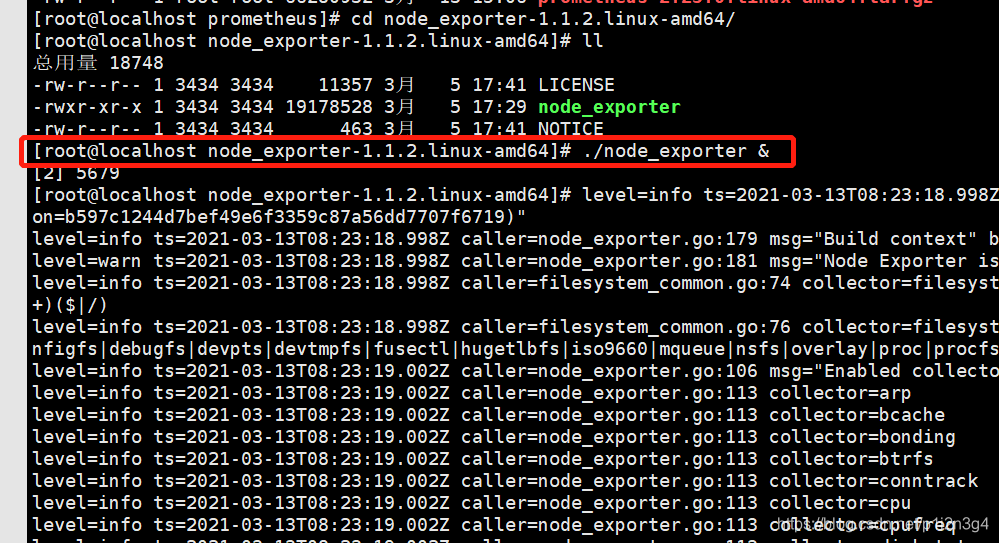
4、进入node..目录,执行命令:[root@localhost node_exporter-1.1.2.linux-amd64]# ./node_exporter &
& 为后台启动node_exporter;
5、下面配置mysql监控:
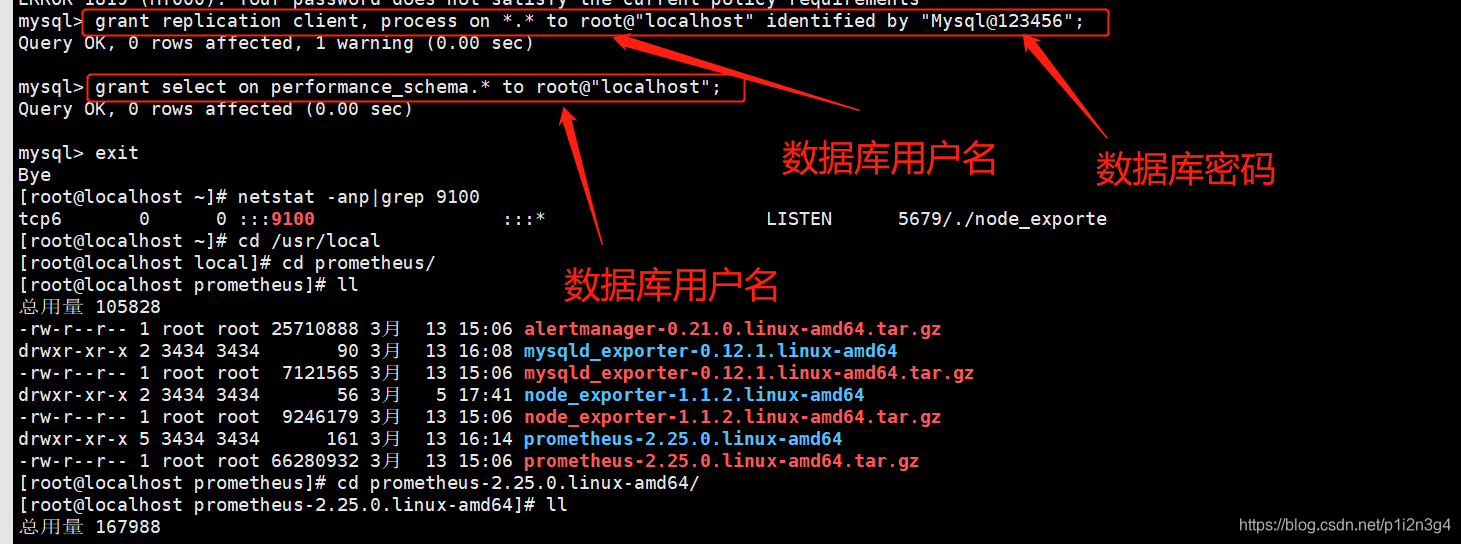
5.1运行mysqld_exporter需要连接到MySQL,需要授权,在本案例中,被授权的数据库连接账号为root,密码为Mysql@123456;
#先用root 账号登录mysql
mysql -u root -p
#输入密码登录成功执行授权sql语句
mysql> grant replication client, process on *.* to root@"localhost" identified by "Mysql@123456";
mysql> grant select on performance_schema.* to root@"localhost";
5.2 进入mysqld_exporter安装目录创建.my.cnf配置文件,.my.cnf文件中写入以下内容(即数据库登陆账户名及密码);
[client]
user=root
password=Mysql@123456
5.3保存后,运行 mysqld_exporter;
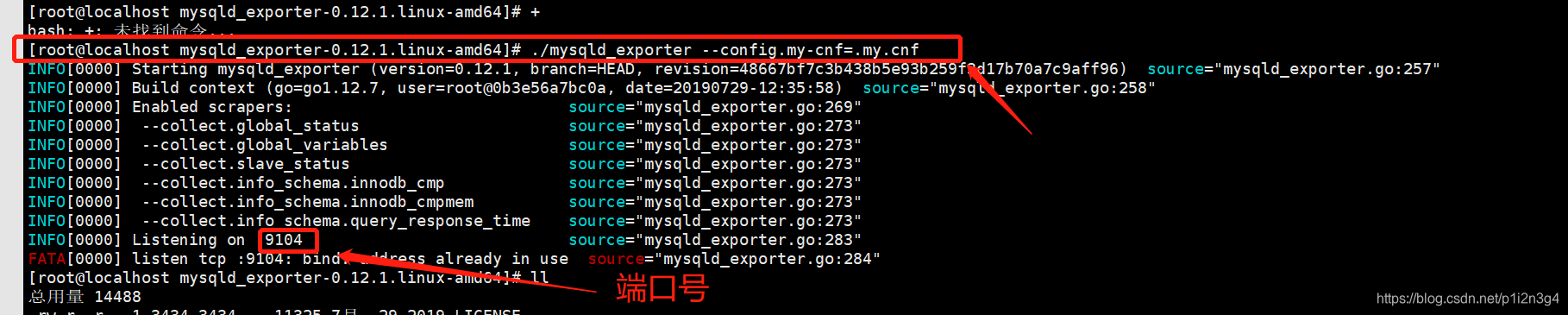
进入相应目录,执行命令:./mysqld_exporter --config.my-cnf=.my.cnf &
&代表后台运行;
6、 配置prometheus 并运行
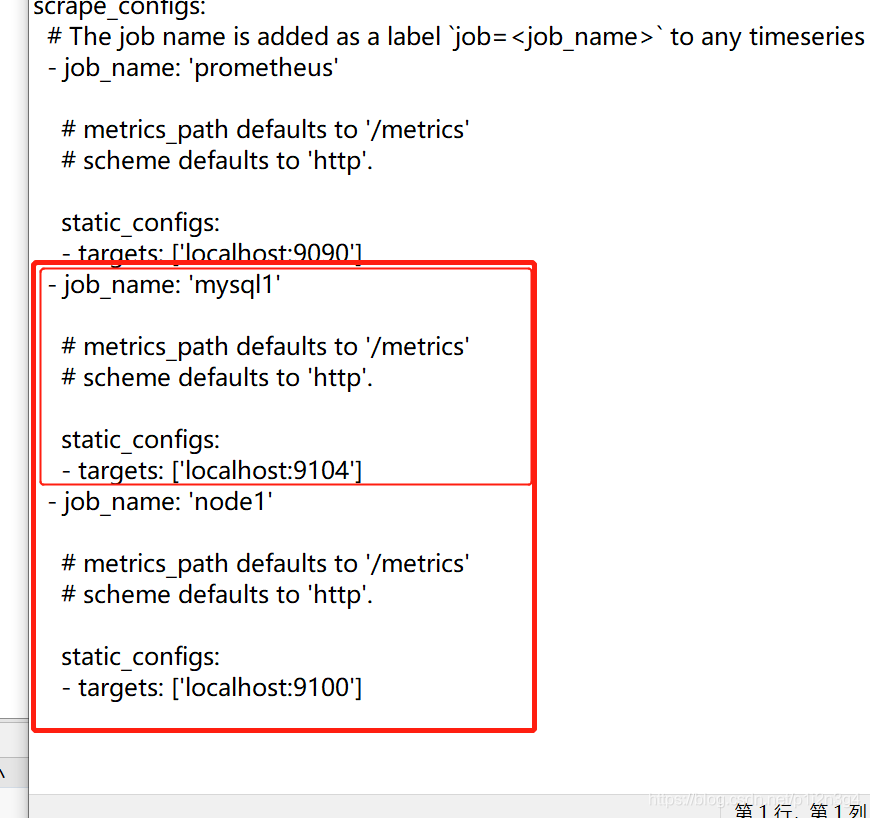
进入prometheus安装路径并修改配置文件 prometheus.yml;
本文是直接通过xftp对文件进行编辑;注意:这个配置文件要特别注意格式缩进,严格按照他原来的格式来修改,不然会导致prometheus运行不了。
7、配置完成后,重启prometheus服务;
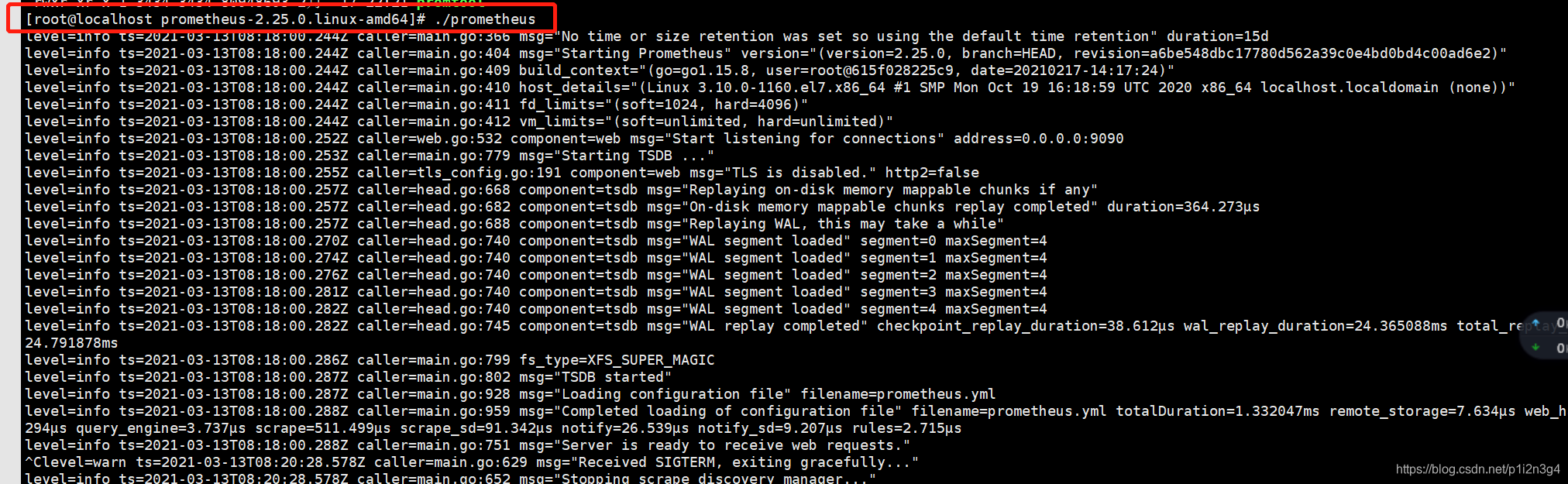
8、浏览器访问 服务器的9090端口可以访问prometheus的页面,然后我们进入status 目录下的Targets页面;
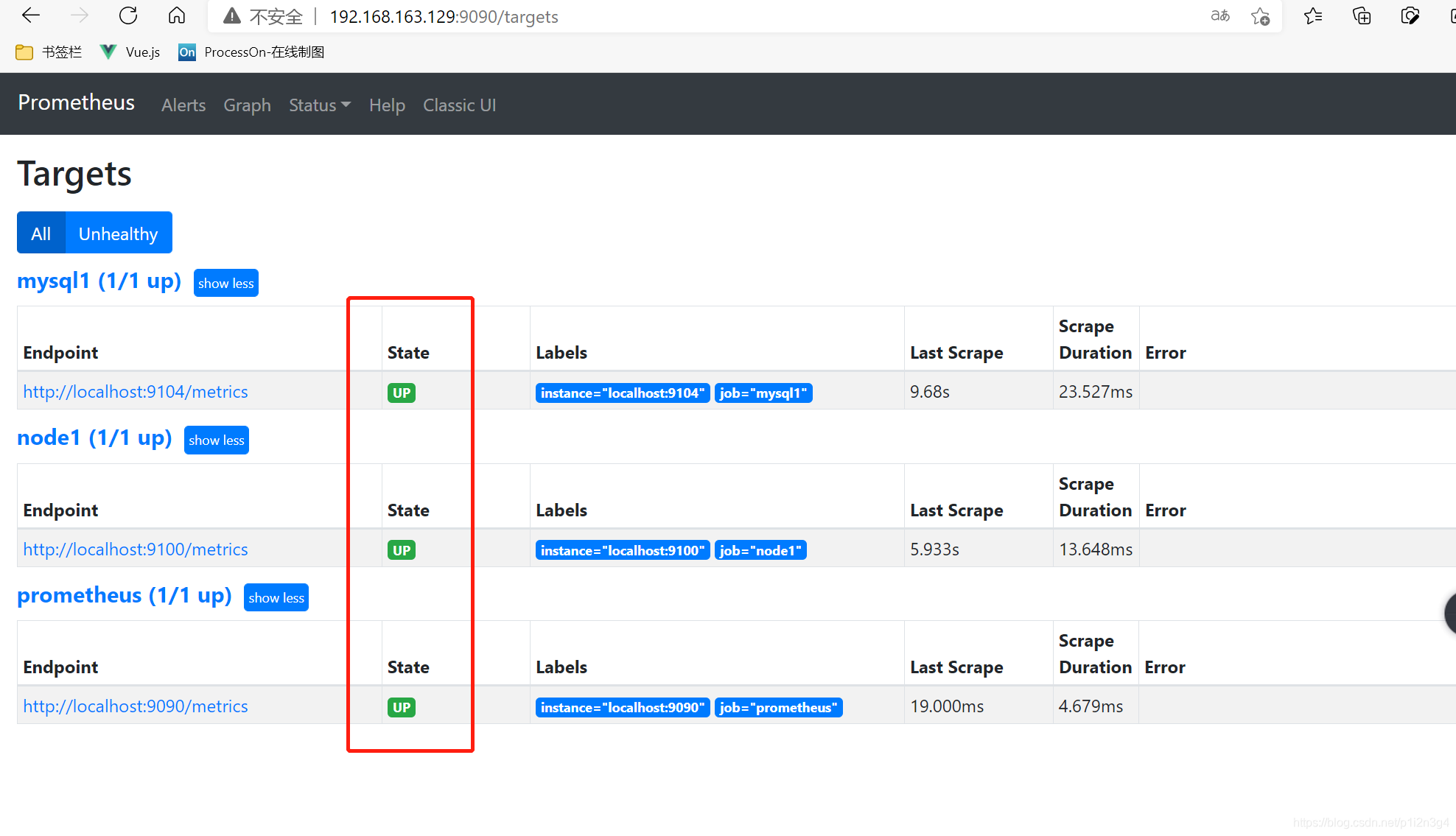
如果状态不是up,则证明该job的配置有问题或着监控的应用没有运行起来,可以返回去检查一下。
参考1:https://blog.csdn.net/enen1230/article/details/88341939?ops_request_misc=%257B%2522request%255Fid%2522%253A%2522161561568516780274129762%2522%252C%2522scm%2522%253A%252220140713.130102334.pc%255Fall.%2522%257D&request_id=161561568516780274129762&biz_id=0&utm_medium=distribute.pc_search_result.none-task-blog-2~all~first_rank_v2~rank_v29-3-88341939.pc_search_result_cache&utm_term=centos%E6%90%AD%E5%BB%BApromethues
参考2:https://blog.csdn.net/Fickle_actor/article/details/89217513?ops_request_misc=%257B%2522request%255Fid%2522%253A%2522161561568516780274129762%2522%252C%2522scm%2522%253A%252220140713.130102334.pc%255Fall.%2522%257D&request_id=161561568516780274129762&biz_id=0&utm_medium=distribute.pc_search_result.none-task-blog-2~all~first_rank_v2~rank_v29-1-89217513.pc_search_result_cache&utm_term=centos%E6%90%AD%E5%BB%BApromethues

魔乐社区(Modelers.cn) 是一个中立、公益的人工智能社区,提供人工智能工具、模型、数据的托管、展示与应用协同服务,为人工智能开发及爱好者搭建开放的学习交流平台。社区通过理事会方式运作,由全产业链共同建设、共同运营、共同享有,推动国产AI生态繁荣发展。
更多推荐


 0
0 0
0- 0


 已为社区贡献1条内容

所有评论(0)