vmware6.5.2序列号_红巨星粒子套装AE插件 Red Giant Trapcode Suite 14.1.4(含序列号+安装教程)...
关注「图层实验室」要么有趣,要么有用1插 件 介 绍红巨星Red Giant一共有5个套装,分别为Color Suite,Shooter Suite,Trapcode Suite,Keying Suite,Effects Suite。Trapcode Suite 14粒子套装包含以下插件,支持到AE/Premiere CC2014/CC2015/CC 2017/CC 2018/CC201...
关注「图层实验室」
要么有趣,要么有用
1
插 件 介 绍
红巨星Red Giant一共有5个套装,分别为Color Suite,Shooter Suite,Trapcode Suite,Keying Suite,Effects Suite。
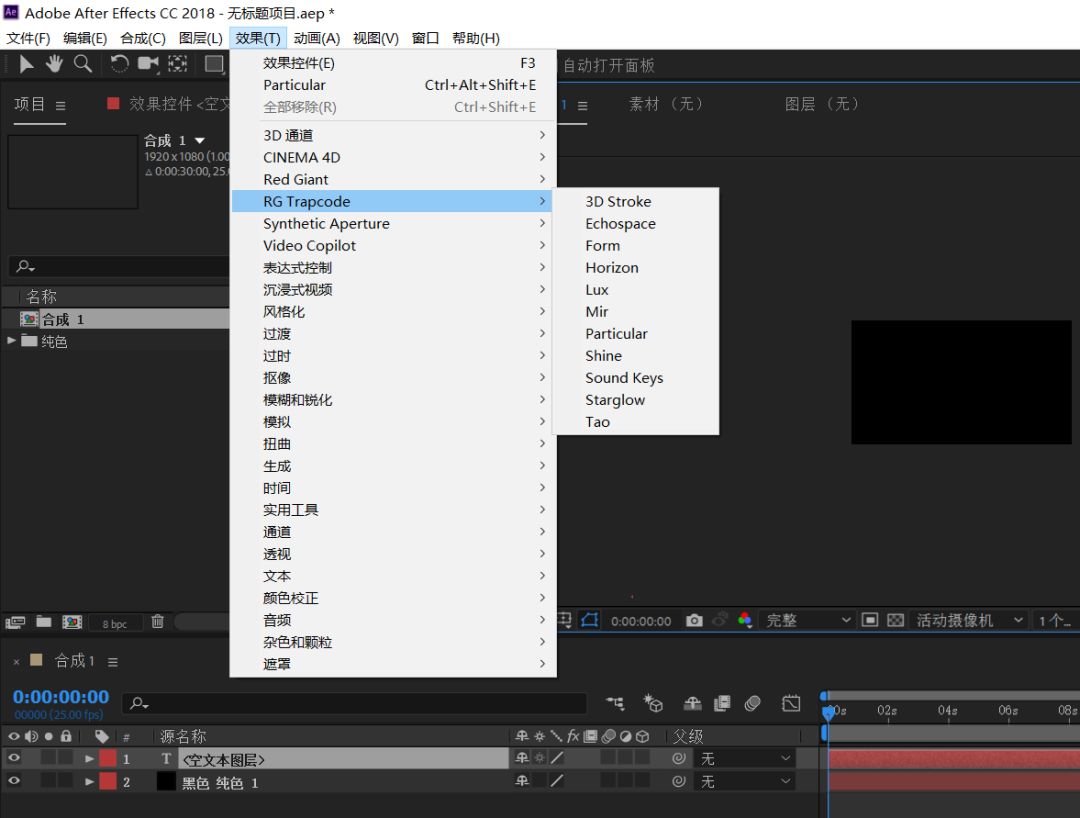
Trapcode Suite 14粒子套装包含以下插件,支持到AE/Premiere CC2014/CC2015/CC 2017/CC 2018/CC2019:
Trapcode Particular 3 AE粒子插件
Trapcode Tao 1.2 路径三维物体动画
Trapcode 3D Stroke 2.6.11 3D描边插件
Trapcode Echospace 1.1.4 三维立体拖尾延迟插件
Trapcode Form 3 三维空间粒子插件
Trapcode Horizon 1.15 无限场景(天空)插件
Trapcode Lux 1.4 聚光灯插件
Trapcode Mir 2.1.1 三维图形插件
Trapcode Shine 2.0.4 放射光插件
Trapcode Sound Keys 1.4 音频关键帧插件
Trapcode Starglow 1.7 星光插件
2
安 装 教 程
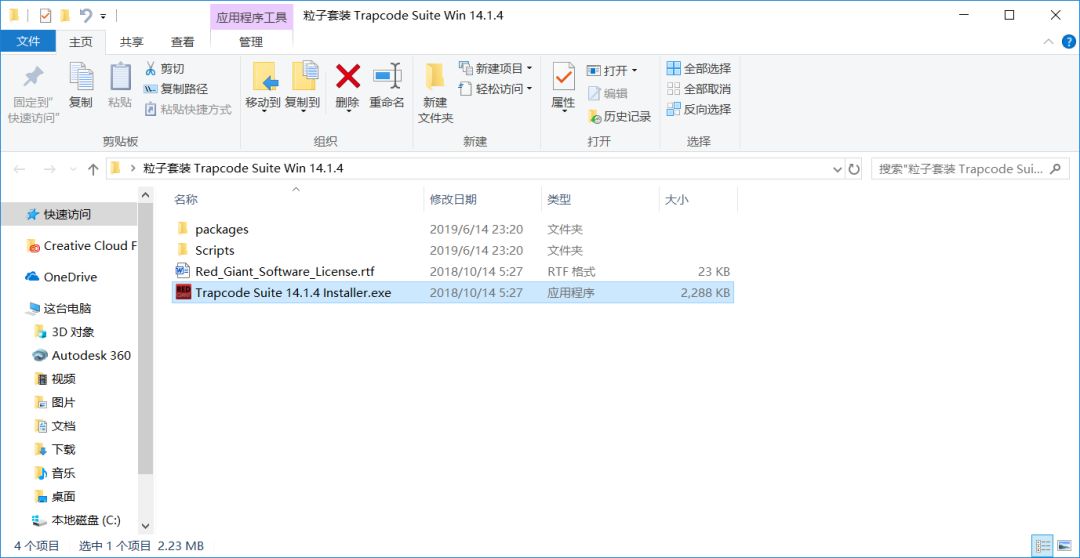
1、下载文件点击“Trapcode Suite 14.1.4 Installer.exe”进行安装,安装前退出360杀毒。我的AE版本是AECC2018.
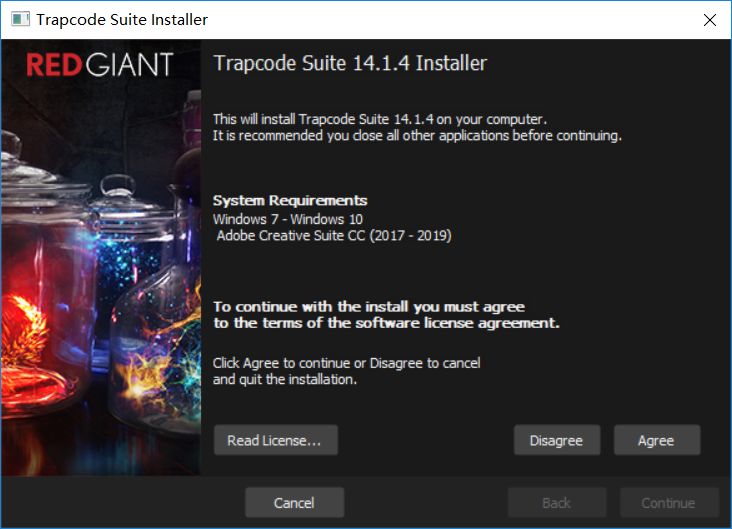
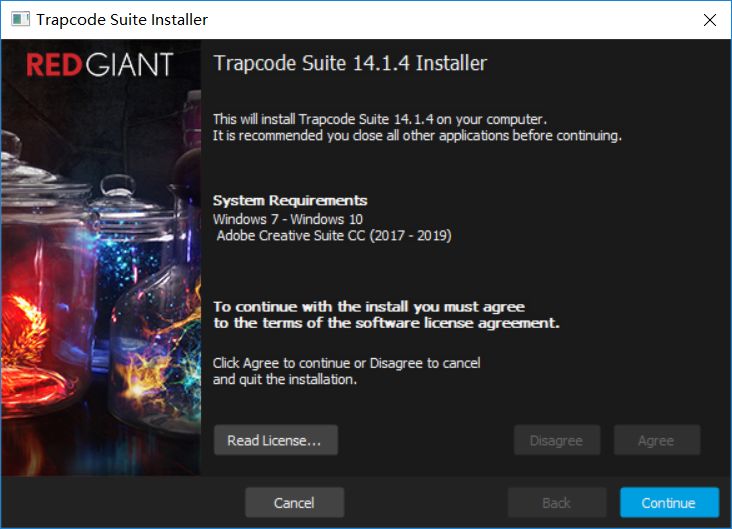
2、点击agree,然后continue继续
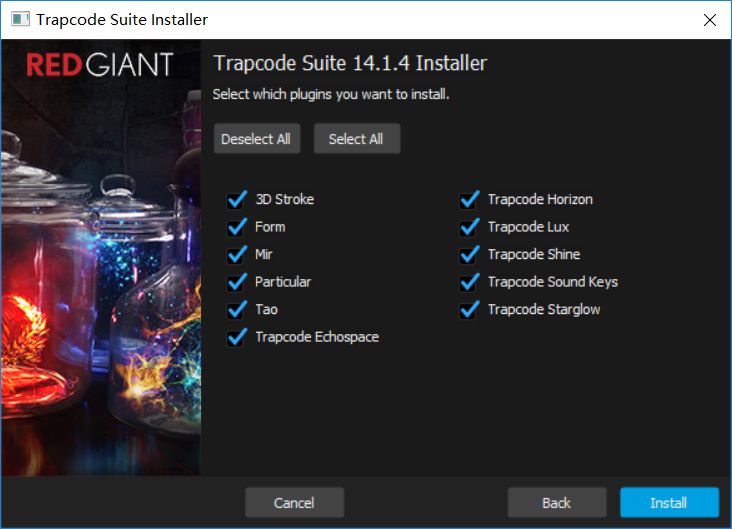
3、选择安装模块(建议全部安装)
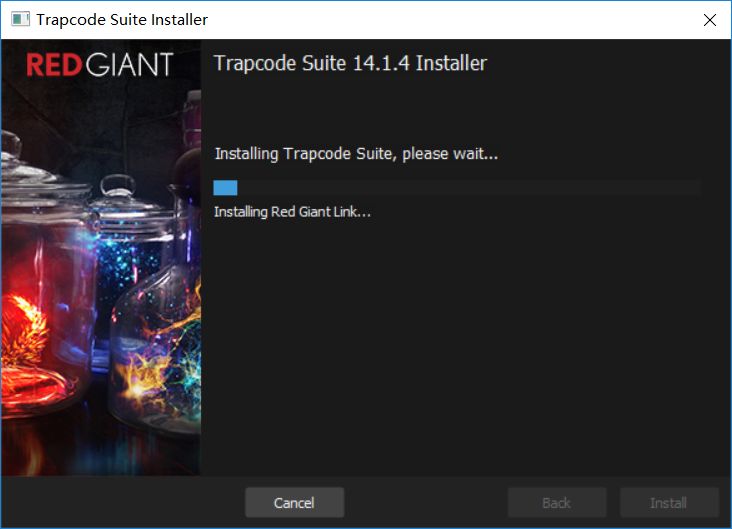
4、安装完成后,直接在弹出来的窗口进行第"5"步,或者关闭后打开AE
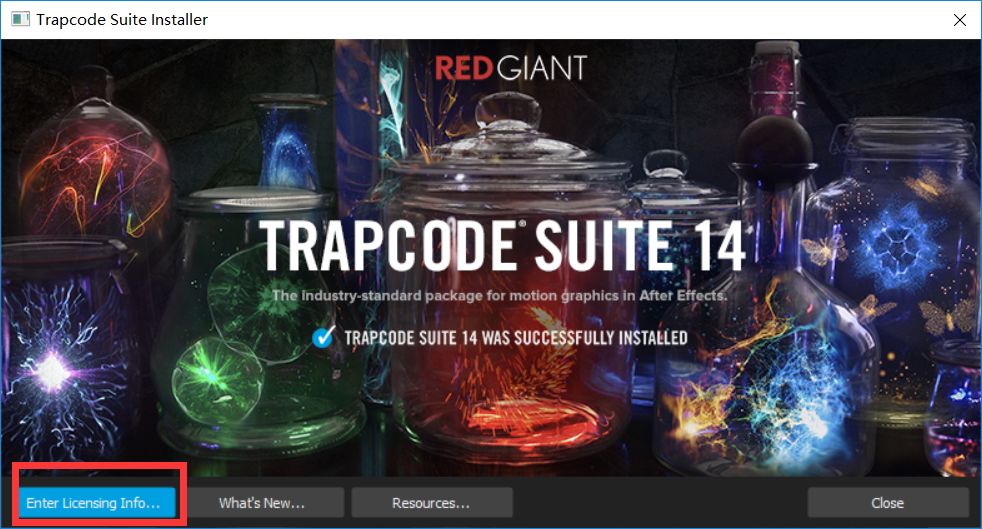
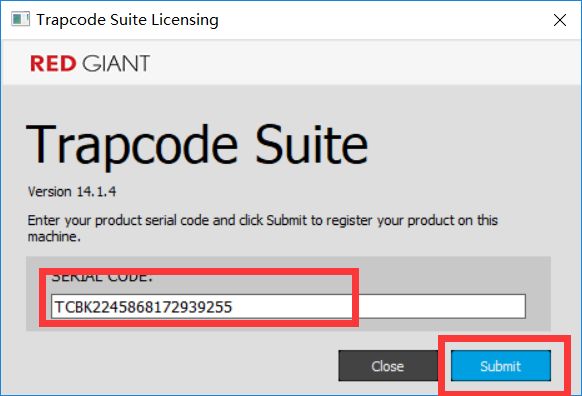
5、输入Trapcode Suite 14序列号:TCBK2245868172939255,一个序列号即可注册所有插件
安装出错解决方法:
1.注册提示registration failed The red giant service does not appear to be running;could not complete serial code registration.
关闭不用管,打开AE,在效果-RG Trapcode – Particular,用下插件,在效果面板里点击Licensing输入序列号注册
2.安装时一直卡在installing red giant link…不动
先退出,删除packages里面的com.redgiant.link.zip,然后重新安装
3.安装提示An error prevented the install from completing.The installation log has been written to the Red Giant logs directory in ProgramData
删除以下文件夹,然后重装
C:\Program Files (x86)\Red Giant Link
C:\ProgramData\Red Giant
C:\ProgramData\RedGiant
C:\Users\Administrator\AppData\Local\Red Giant
C:\Users\Administrator\AppData\Red Giant
打开文末“阅读原文”网站
即可转存插件

魔乐社区(Modelers.cn) 是一个中立、公益的人工智能社区,提供人工智能工具、模型、数据的托管、展示与应用协同服务,为人工智能开发及爱好者搭建开放的学习交流平台。社区通过理事会方式运作,由全产业链共同建设、共同运营、共同享有,推动国产AI生态繁荣发展。
更多推荐



 0
0 0
0- 0


 已为社区贡献8条内容

所有评论(0)