在ubuntu下从0开始配置3dgs(1)
1.安装ubuntu
参考【【WSL2】在电脑上安装Ubuntu、图形化界面+远程连接图形化界面-哔哩哔哩】 https://b23.tv/f4utqa6
问题
(1)输入wsl --install -d错误
无法从“https://raw.githubusercontent.com/microsoft/WSL/master/distributions/DistributionInfo.json”中提取列表分发。操作超时
错误代码: Wsl/InstallDistro/0x80072ee2
解决方法:解决windows 安装wsl的部分问题_无法从“distributioninfo.json”中提取列表分发。操作超时-CSDN博客
IP换成
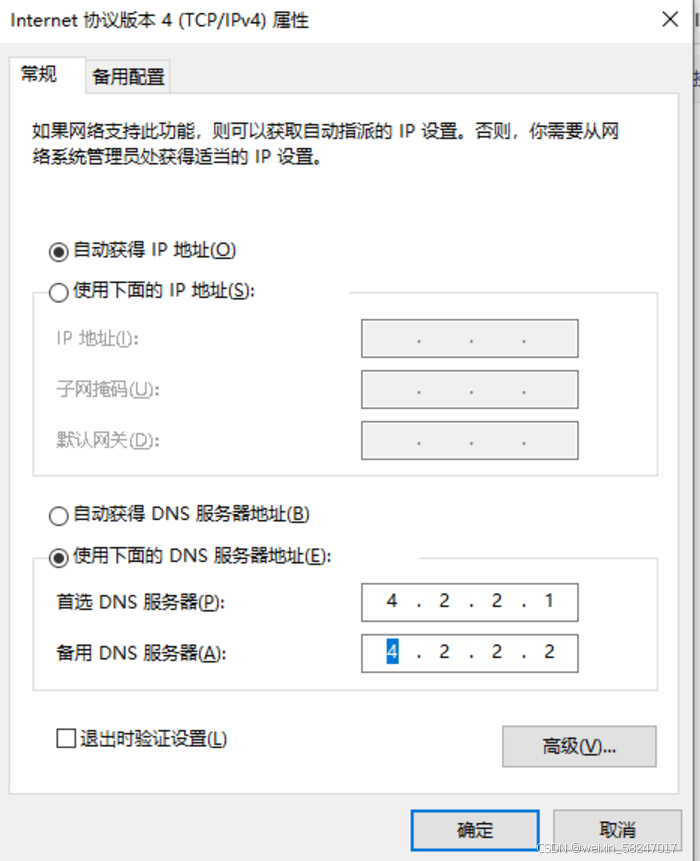
重启终端即可安装
2.配置3dgs
.下载coda
【3DGS】Ubuntu20.04系统搭建3D Gaussian Splatting及可视化环境_3d gaussian splatting 环境搭建-CSDN博客
注意:安装的时候记得驱动和Kernel Objects 和 nvidia-fs不选
路径按照上面csdn中的就好,以下是帮助我自己理解的

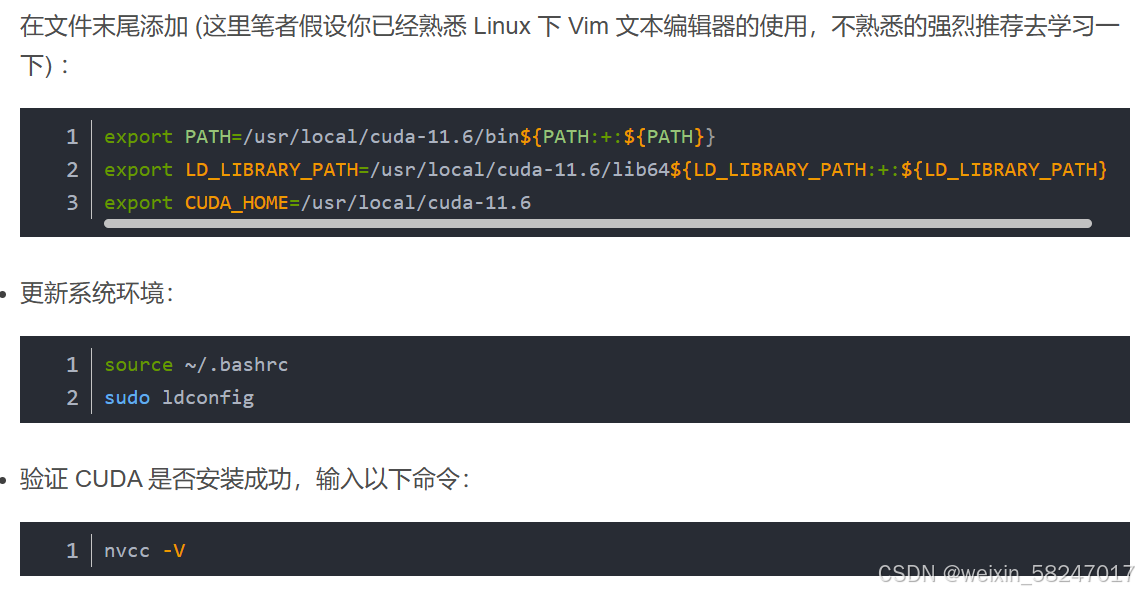
(1)ubuntu22.10安装cuda出错Failed to verify gcc version. See log at /var/log/cuda-installer.log for details.
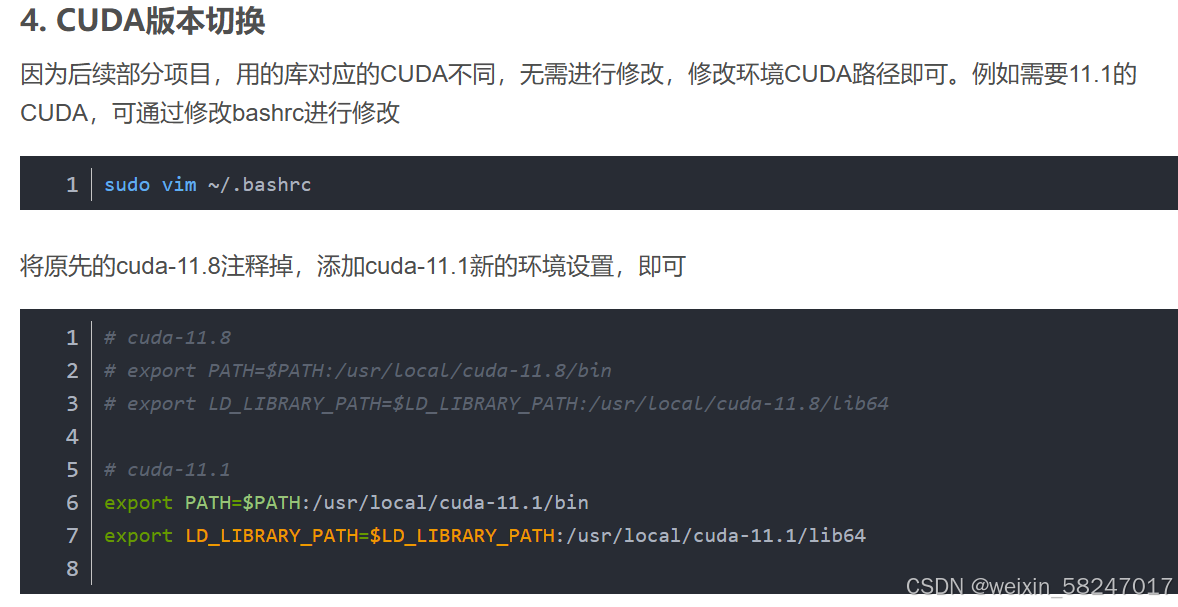
.cuda版本切换
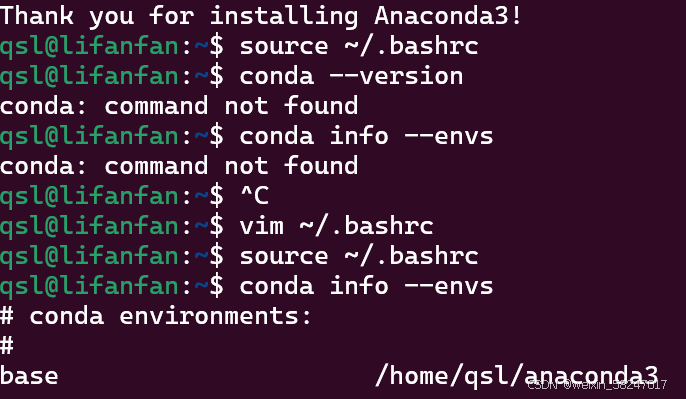
.提示conda不能用
Ubuntu 24.04 上安装 Conda_ubuntu24.04安装conda-CSDN博客
其中
wget https://repo.anaconda.com/archive/Anaconda3-2023.07-1-Linux-x86_64.sh
日期修改成最新版本,在Index of /anaconda/archive/ | 清华大学开源软件镜像站 | Tsinghua Open Source Mirror
中找最新版本替换
安装完成后报错,【Linux】conda: command not found解决办法-CSDN博客
或者试一下
source ~/anaconda3/bin/activatevim后
按下i键进入insert模式,进行编写程序,回车到新的一行,按下esc,依次按下:wq回车,保存完成。
.下载源码
新建3dgs-code文件夹,下载源码到gaussian-splating
出现错误fatal: unable to access 'https://github.com/graphdeco-inria/gaussian-splatting/': Failed to connect to github.com port 443 after 123958 ms: Couldn't connect to server
后来尝试改代理的方法,出现了新错误
Cloning into 'gaussian-splatting'...
fatal: unable to access 'https://github.com/graphdeco-inria/gaussian-splatting/': Failed to connect to 127.0.0.1 port 7890 after 0 ms: Couldn't connect to server
最后重启终端,又
git config --global --unset http.proxy
git config --global --unset https.proxy
删除代理。解决了,不知道怎么回事
或许可尝试提高ubuntu下访问github的速度_ubuntu git ip加速-CSDN博客
提高ubuntu下访问github的速度_ubuntu git ip加速-CSDN博客
下载数据集,在gaussian-splating文件夹新建data文件夹,将在浏览器上下载的数据集复制粘贴到data里
.训练
出现错误
Traceback (most recent call last):
File "/home/qsl/3dgs-code/gaussian-splatting/train.py", line 13, in <module>
import torch
ModuleNotFoundError: No module named 'torch'
conda list pytorch
没有找到pytorch,安装
conda install pytorch torchvision torchaudio cudatoolkit=11.8 -c pytorch版本要对应,安装后出现新错误
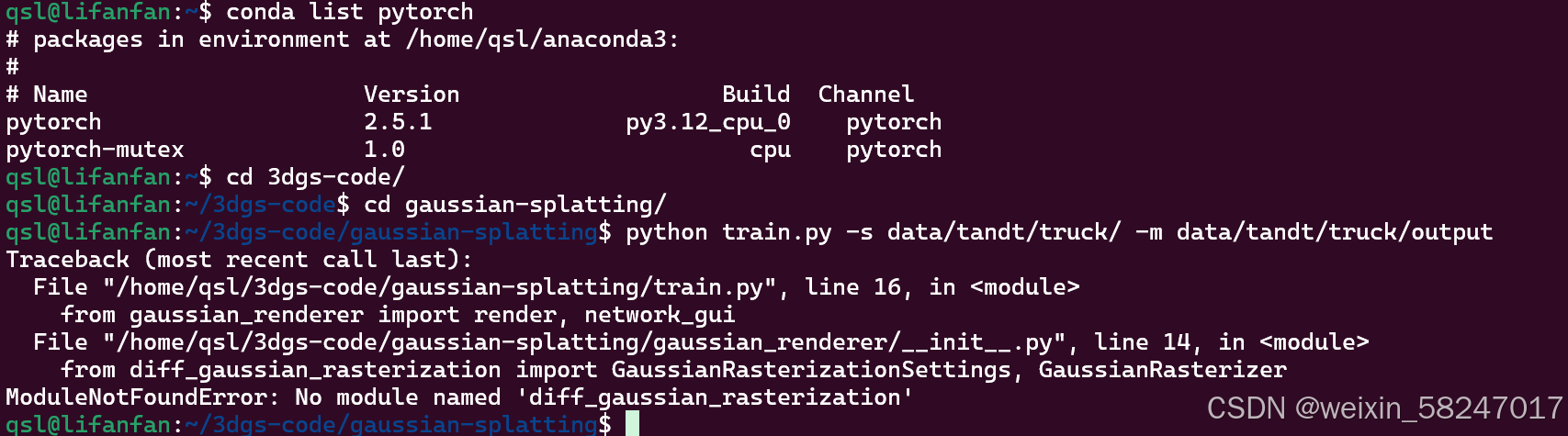
输入
conda install -c conda-forge diff_gaussian_rasterization.出现错误,决定重装
参考
【手把手教你在Windows上安装wsl2 Ubuntu-哔哩哔哩】 https://b23.tv/8YtXUT3
up主 七十七的德
看他的合集 “”wsl2和深度学习“”
.卸载cuda
参考【抄作业】ubuntu完全卸载CUDA,彻底卸载cuda,卸载不同版本的cuda,cuda不同版本的卸载方法_深度学习_鳗小鱼-GitCode 开源社区
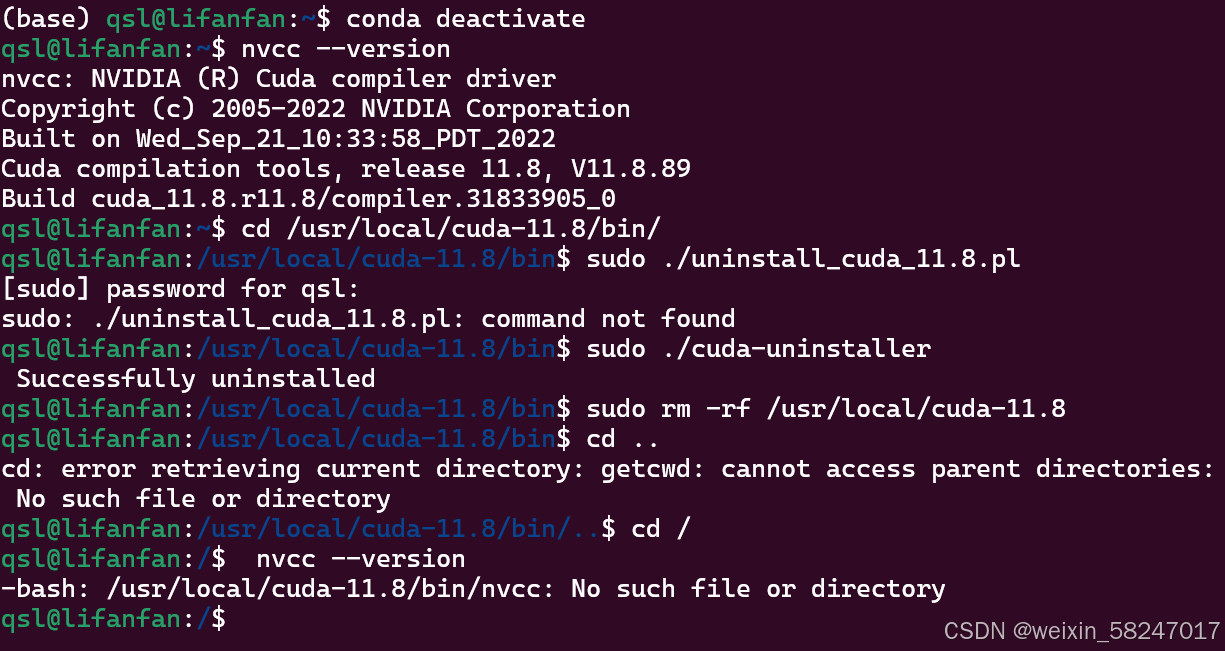
.安装cuda
(1)出现错误
qsl@lifanfan:~$ sudo apt-get -y install cuda
Reading package lists... Done
Building dependency tree... Done
Reading state information... Done
Some packages could not be installed. This may mean that you have
requested an impossible situation or if you are using the unstable
distribution that some required packages have not yet been created
or been moved out of Incoming.
The following information may help to resolve the situation:
The following packages have unmet dependencies:
nsight-systems-2022.4.2 : Depends: libtinfo5 but it is not installable
E: Unable to correct problems, you have held broken packages.
解决
nvidia - 在 Ubuntu 23.10 上安装 CUDA - libt5info 无法安装 - Ask Ubuntu
打开用于存储源列表的新文件

sudo nano /etc/apt/sources.list.d/ubuntu.sources
在文件末尾粘贴以下内容:

Types: deb
URIs: http://archive.ubuntu.com/ubuntu/
Suites: lunar
Components: universe
Signed-By: /usr/share/keyrings/ubuntu-archive-keyring.gpg
保存文件并运行 - 现在 CUDA 的安装命令应该可以工作了。sudo apt update-
进行必要的修改:在 nano 编辑器中,使用箭头键移动光标到需要修改的地方,然后进行编辑。您可以使用退格键(Backspace)来删除字符,或者输入新字符。
-
保存更改:完成修改后,按下
Ctrl + O来保存文件。nano 会提示您确认文件名,直接按回车键(Enter)即可。 -
退出 nano:保存文件后,按下
Ctrl + X来退出 nano 编辑器
.安装cudnn
(1)出现错误
(base) qsl@lifanfan:~$ sudo tar -xvf cudnn**
[sudo] password for qsl:
tar: cudnn-linux-x86_64-8.9.7.29_cuda11-archive.tar.xz\:Zone.Identifier: Not found in archive
tar: Exiting with failure status due to previous errors
视频里有讲解决方法,删掉解压过程中出现的一个文件
.安装anaconda
已经安装过了
.conda创建虚拟环境
接下一网页

魔乐社区(Modelers.cn) 是一个中立、公益的人工智能社区,提供人工智能工具、模型、数据的托管、展示与应用协同服务,为人工智能开发及爱好者搭建开放的学习交流平台。社区通过理事会方式运作,由全产业链共同建设、共同运营、共同享有,推动国产AI生态繁荣发展。
更多推荐


 18
18 0
0- 0


 已为社区贡献2条内容

所有评论(0)