2023最新使用python爬虫爬取全网.pdf网址并下载需要的pdf文件资源(可设置搜索keyword)!!!
先来看看爬取pdf网址的结果,如图:爬取pdf的代码如下:通过使用verify=False避免被https证书阻止,并使用content-disposition获取原始pdf名称,下载代码如下:最终效果如图:感谢朋友们阅读,下期再见!!!
·
先来看看爬取pdf网址的结果,如图:
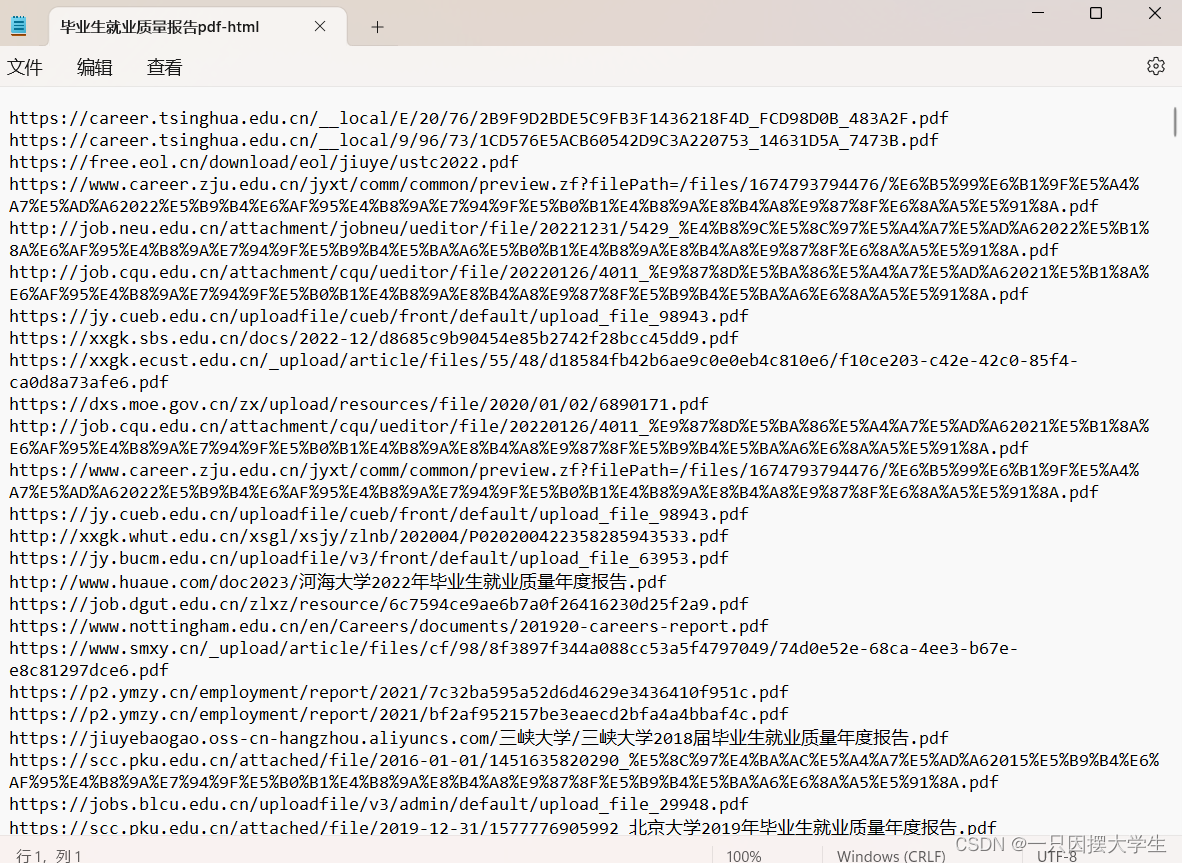
爬取pdf的代码如下:
import urllib.parse  #pip install urllib3==1.26.2
from selenium import webdriver  #pip install selenium==3.141.0
from selenium.webdriver.common.keys import Keys
from bs4 import BeautifulSoup
import time

def scrape_pages(keyword, save_path, total_pages):
    num = 0
    driver = webdriver.Chrome()

    for i in range(total_pages):
        page = 10 * i + 1
        url = f'https://www.bing.com/search?q={urllib.parse.quote(keyword)}&first={page}'
        driver.get(url)

        elem = driver.find_element_by_tag_name("body")
        no_of_pagedowns = 15
        while no_of_pagedowns:
            elem.send_keys(Keys.PAGE_DOWN)
            time.sleep(0.2)
            no_of_pagedowns -= 1

        html = driver.page_source
        soup = BeautifulSoup(html, 'html.parser')

        # 获取所有 h2 元素
        h2_elements = soup.find_all('h2')

        with open(save_path, 'a', encoding='utf-8') as f:
            for h2 in h2_elements:
                a_tag = h2.find('a')  # 找到 h2 下的 a 标签
                if a_tag and 'href' in a_tag.attrs:  # 确保 a 标签存在并包含 href 属性
                    href = a_tag['href']  # 获取 href 属性的值
                    f.write(href + '\n')
                    num += 1

        print(f"已保存{i+1}页,共保存了{num}个网址")

    driver.quit()
    print(f"爬取完成,共保存了{num}个网址")

# 爬取200页
keyword = "毕业生就业质量报告 filetype:pdf"
save_path = "C:/Users/c/Desktop/毕业生就业质量报告pdf-html.txt"
total_pages = 200
scrape_pages(keyword, save_path, total_pages)
通过使用verify=False避免被https证书阻止,并使用content-disposition获取原始pdf名称,下载代码如下:
import os
import requests
from urllib.parse import urlparse
from retry import retry
import urllib3
import re

urllib3.disable_warnings()

@retry(tries=3, delay=1, backoff=2)
def download_file(pdf_url, output_path):
    response = requests.get(pdf_url, verify=False, stream=True)
    content_disposition = response.headers.get('content-disposition')
    if content_disposition:
        filename = re.findall("filename=(.+)", content_disposition)
        if filename:
            output_path = os.path.join(output_path, filename[0])
    with open(output_path, 'wb') as file:
        for chunk in response.iter_content(chunk_size=1024):
            if chunk:
                file.write(chunk)

def download_pdfs_from_file(input_file, output_dir, error_file, start_from=1):
    # 创建输出目录
    os.makedirs(output_dir, exist_ok=True)

    # 创建一个集合用于存放唯一的链接,去重
    unique_urls = set()

    # 读取文本文件中的所有行,并记录原始索引位置
    with open(input_file, 'r', encoding='utf-8') as file:
        lines = file.readlines()
        for line in lines:
            if '.pdf' in line:
                unique_urls.add(line.strip())

    # 获取PDF文件数量
    total_pdfs = len(unique_urls)
    unique_urls = list(unique_urls)

    # 从指定位置开始下载PDF文件
    for idx in range(start_from - 1, total_pdfs):
        pdf_url = unique_urls[idx]
        try:
            # 下载PDF文件并保存至输出目录
            print(f'Downloading file {idx + 1}/{total_pdfs}: {pdf_url}')
            parsed_url = urlparse(pdf_url)
            filename = os.path.basename(parsed_url.path)
            output_path = os.path.join(output_dir, filename)
            download_file(pdf_url, output_path)
            print(f'\nDownloaded {pdf_url}')
        except Exception as e:
            # 输出错误信息至指定文件
            print(f'\nFailed to download {pdf_url}: {str(e)}')
            with open(error_file, 'a', encoding='utf-8') as err_file:
                err_file.write(f'{pdf_url}\n')
        finally:
            pass

# 设定输入文件路径、输出目录路径和错误输出文件路径,并指定开始下载的位置
input_file_path = "C:\\Users\\c\\Desktop\\毕业生就业质量报告pdf-html.txt"
output_directory = "C:\\Users\\c\\Desktop\\pdf"  #桌面创建pdf文件夹
error_output_file = "C:\\Users\\c\\Desktop\\false-url.txt"  #下载失败的url,可手动下载补充
start_download_from = 1  #从第几个url开始

# 调用函数下载PDF文件,传入开始下载的位置参数和错误输出文件路径
download_pdfs_from_file(input_file_path, output_directory, error_output_file, start_from=start_download_from)
最终效果如图:
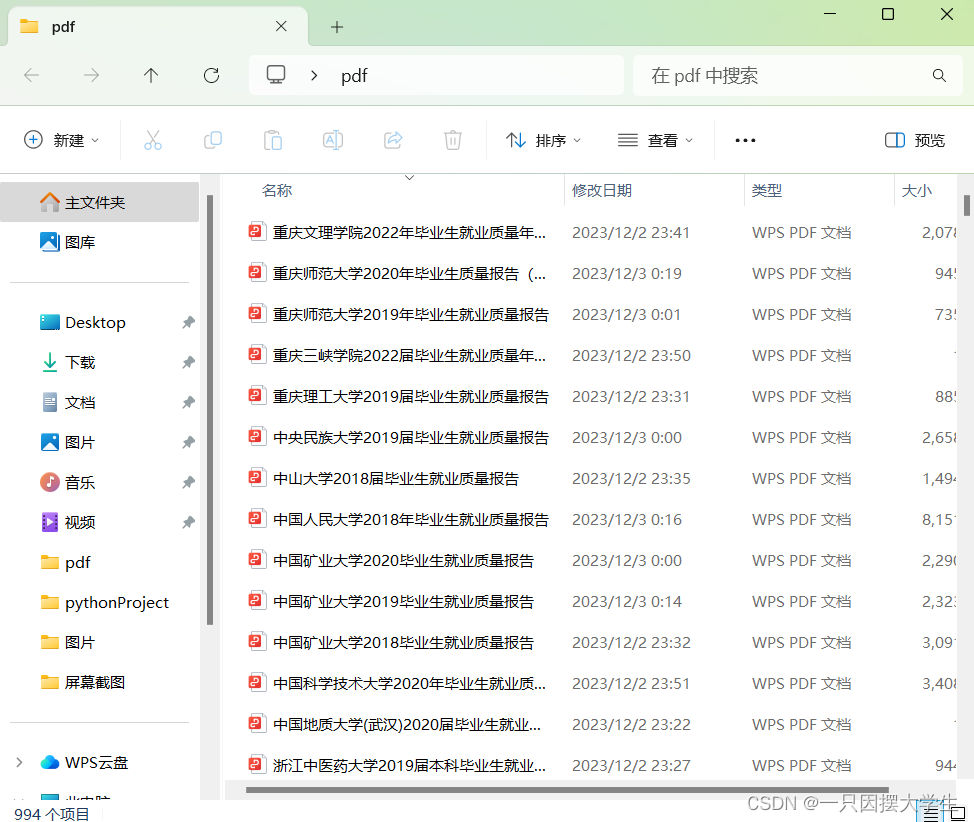
感谢朋友们阅读,下期再见!!!

魔乐社区(Modelers.cn) 是一个中立、公益的人工智能社区,提供人工智能工具、模型、数据的托管、展示与应用协同服务,为人工智能开发及爱好者搭建开放的学习交流平台。社区通过理事会方式运作,由全产业链共同建设、共同运营、共同享有,推动国产AI生态繁荣发展。
更多推荐


 19
19 0
0- 0


 已为社区贡献3条内容

所有评论(0)