springboot 集成 swagger 2.x 和 3.0 以及 Failed to start bean ‘documentationPluginsBootstrapper‘问题的解决
·
springboot 集成 swagger 2.x 和 3.0
一、集成 swagger 2.9.2
(一)导入依赖坐标
<!--swagger集成-->
<dependency>
  <groupId>io.springfox</groupId>
  <artifactId>springfox-swagger2</artifactId>
  <version>2.9.2</version>
</dependency>
<dependency>
  <groupId>io.springfox</groupId>
  <artifactId>springfox-swagger-ui</artifactId>
  <version>2.9.2</version>
</dependency>
(二)配置docket
import org.springframework.context.annotation.Bean;
import org.springframework.context.annotation.Configuration;
import springfox.documentation.builders.ApiInfoBuilder;
import springfox.documentation.builders.PathSelectors;
import springfox.documentation.builders.RequestHandlerSelectors;
import springfox.documentation.service.ApiInfo;
import springfox.documentation.service.Contact;
import springfox.documentation.spi.DocumentationType;
import springfox.documentation.spring.web.plugins.Docket;
import springfox.documentation.swagger2.annotations.EnableSwagger2;

@Configuration
@EnableSwagger2  // 开启swagger
public class SwaggerConfig {

    /*
    * 配置docket
    *       1.通过apis() 指明要扫描的controller的地址,通过paths方法配置路径
    *       2.在apiInfo 中构建文档的基本信息,描述,联系人信息,版本和标题等
    */
    @Bean
    Docket docket(){
        return new Docket(DocumentationType.SWAGGER_2)
            .select()
            .apis(RequestHandlerSelectors.basePackage("com.robin.springboot.controller"))
            .paths(PathSelectors.any())
            .build().apiInfo(new ApiInfoBuilder()
                         .description("知更鸟前后端分离接口测试文档")
                         .contact(new Contact("robinDebug",
                                              "https://blog.csdn.net/m0_63622279?type=blog",
                                              "robinDebug@163.com"))
                         .version("v1.0")
                         .title("API测试文档")
                         .license("Apache2.0")
                         .licenseUrl("http://www.apache.org/licenses/LICENSE-2.0")
                         .build());
    }
}
(三)yml 配置 防止Failed to start bean ‘documentationPluginsBootstrapper‘; nested exception is java.lang.NullPointerEx 的问题
spring:
  mvc:
    pathmatch:
      matching-strategy: ANT_PATH_MATCHER
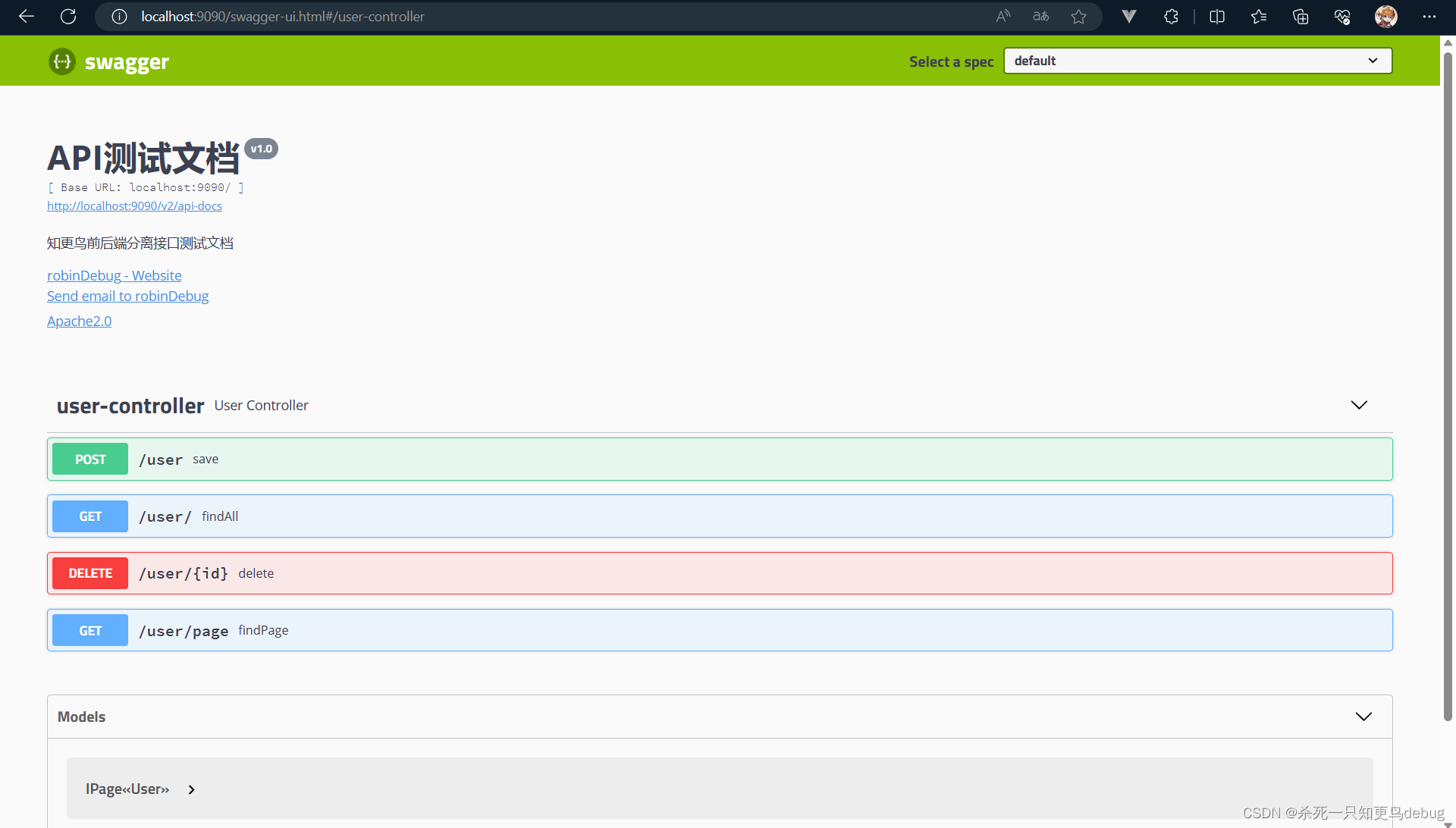
(四)访问地址
访问地址 http://localhost:9090/swagger-ui.html,自己指定的端口号不同,改成自己的端口号即可。
二、集成 swagger 3.0
(一)导入依赖坐标
<dependency>
    <groupId>io.springfox</groupId>
    <artifactId>springfox-boot-starter</artifactId>
    <version>3.0.0</version>
</dependency>
(二)配置docket
import org.springframework.context.annotation.Bean;
import org.springframework.context.annotation.Configuration;
import springfox.documentation.builders.ApiInfoBuilder;
import springfox.documentation.builders.PathSelectors;
import springfox.documentation.builders.RequestHandlerSelectors;
import springfox.documentation.oas.annotations.EnableOpenApi;
import springfox.documentation.service.Contact;
import springfox.documentation.spi.DocumentationType;
import springfox.documentation.spring.web.plugins.Docket;

@Configuration
@EnableOpenApi  // 开启swagger
public class SwaggerConfig {

    /*
    * 配置docket
    *       1.通过apis() 指明要扫描的controller的地址,通过paths方法配置路径
    *       2.在apiInfo 中构建文档的基本信息,描述,联系人信息,版本和标题等
    */
    @Bean
    Docket docket(){
        return new Docket(DocumentationType.OAS_30)
                .select()
                .apis(RequestHandlerSelectors.basePackage("com.robin.springboot.controller"))
                .paths(PathSelectors.any())
                .build().apiInfo(new ApiInfoBuilder()
                        .description("知更鸟前后端分离接口测试文档")
                        .contact(new Contact("robinDebug",
                                "https://blog.csdn.net/m0_63622279?type=blog",
                                "robinDebug@163.com"))
                        .version("v1.0")
                        .title("API测试文档")
                        .license("Apache2.0") // 许可证
                        .licenseUrl("http://www.apache.org/licenses/LICENSE-2.0") //许可证链接
                        .build());
    }
}
(三)yml 配置 防止Failed to start bean ‘documentationPluginsBootstrapper‘; nested exception is java.lang.NullPointerEx 的问题
spring:
  mvc:
    pathmatch:
      matching-strategy: ANT_PATH_MATCHER
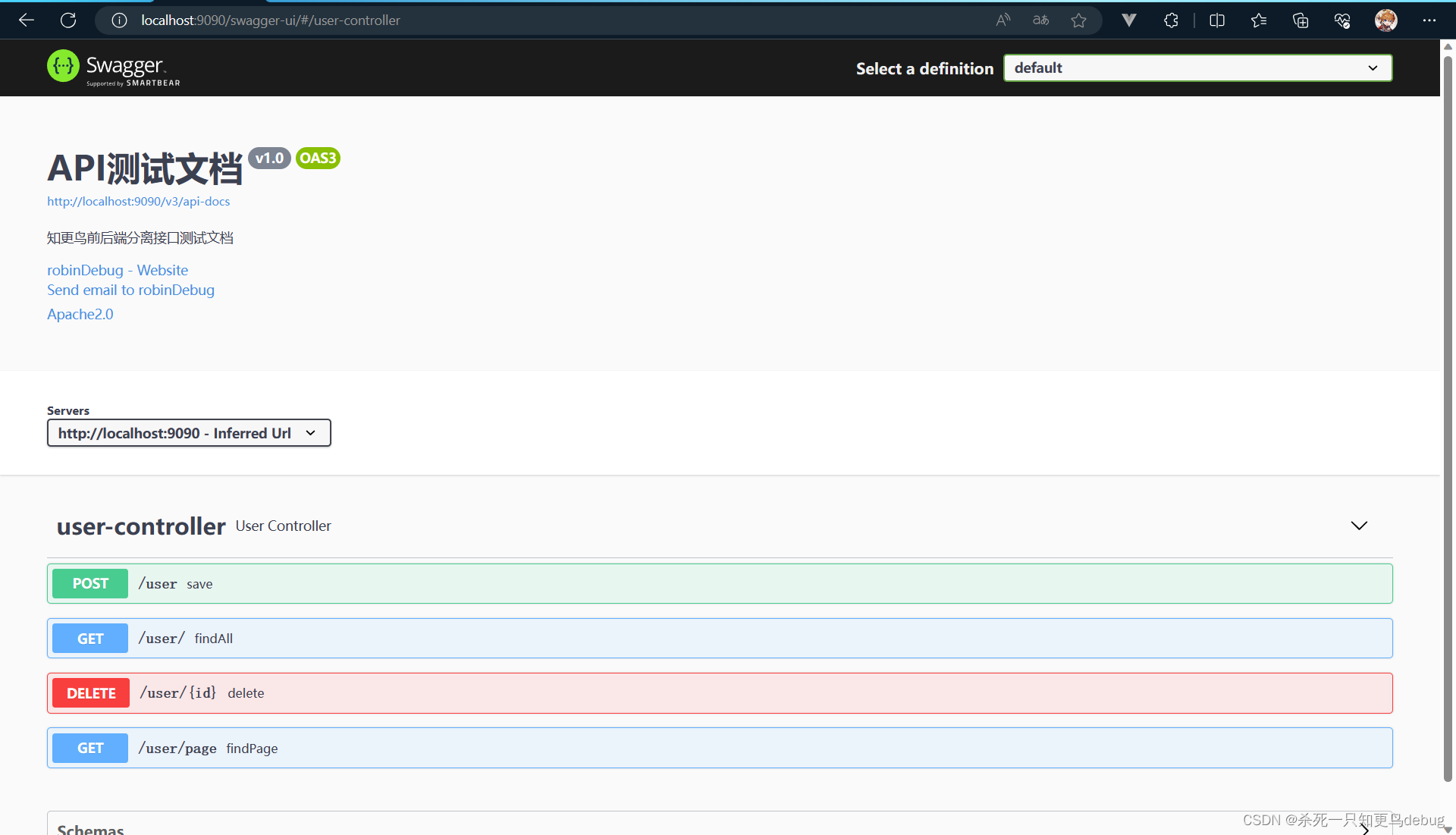
(四)访问地址
访问地址 : http://localhost:9090/swagger-ui/
三、Failed to start bean ‘documentationPluginsBootstrapper‘; nested exception is java.lang.NullPointerEx的解决
(一)配置yml
因为Springfox使用的路径匹配是基于AntPathMatcher的,而Spring Boot 2.6.X使用的是PathPatternMatcher。该注解可以更改匹配规则。你也可以直接修改配置spring.mvc.pathmatch.matching-strategy=ANT_PATH_MATCHER来更改规则。
spring:
  mvc:
    pathmatch:
      matching-strategy: ANT_PATH_MATCHER
(二)springboot 版本降级
降低你的spring版本到2.5及以下,就不再会出现上述的问题。

魔乐社区(Modelers.cn) 是一个中立、公益的人工智能社区,提供人工智能工具、模型、数据的托管、展示与应用协同服务,为人工智能开发及爱好者搭建开放的学习交流平台。社区通过理事会方式运作,由全产业链共同建设、共同运营、共同享有,推动国产AI生态繁荣发展。
更多推荐


 1
1 0
0- 0


 已为社区贡献6条内容

所有评论(0)