小程序跳一跳游戏辅助(python版)
·
使用:
1.连接安卓手机。
adb devicescheck是否连接ok
2.执行下面脚本,会弹出手机当前跳一跳界面,点击图片中起点和终点,程序自动执行跳跃,跳跃完成后刷新图片,继续点击继续跳跃…
import os
import PIL
import numpy
import matplotlib

matplotlib.use('TKAgg')
import matplotlib.pyplot as plt
import time

from matplotlib.animation import FuncAnimation

# 是否需要进行图片更新
need_update = True

def get_screen_image():
    # 截取手机当前图片
    os.system('adb shell screencap -p /sdcard/screen.png')
    # 拉取到PC端
    os.system('adb pull /sdcard/screen.png')
    # 将图像转成数组返回
    return numpy.array(PIL.Image.open('screen.png'))


def jump_to_next(point1, point2):
    x1, y1 = point1;
    x2, y2 = point2
    distance = ((x2 - x1) ** 2 + (y2 - y1) ** 2) ** 0.5
    # 计算按压指令和按压时长
    os.system("adb shell input touchscreen swipe 320 410 320 410 %d" % (distance * 1.35))


def on_clack(event, coor=[]):
    global need_update
    coor.append((event.xdata, event.ydata))
    if len(coor) == 2:
        # 执行跳步指令
        jump_to_next(coor.pop(), coor.pop())
    # 进行图片刷新
    need_update = True


def update_screen(frame):
    global need_update
    if need_update:
        time.sleep(2)
        axes_image.set_array(get_screen_image())
        # 已刷新,设置为false
        need_update = False
    return axes_image,


figure = plt.figure()
axes_image = plt.imshow(get_screen_image(), animated=True)
figure.canvas.mpl_connect('button_press_event', on_clack)
# 定时更新
ani = FuncAnimation(figure, update_screen, interval=50, blit=True)
plt.show()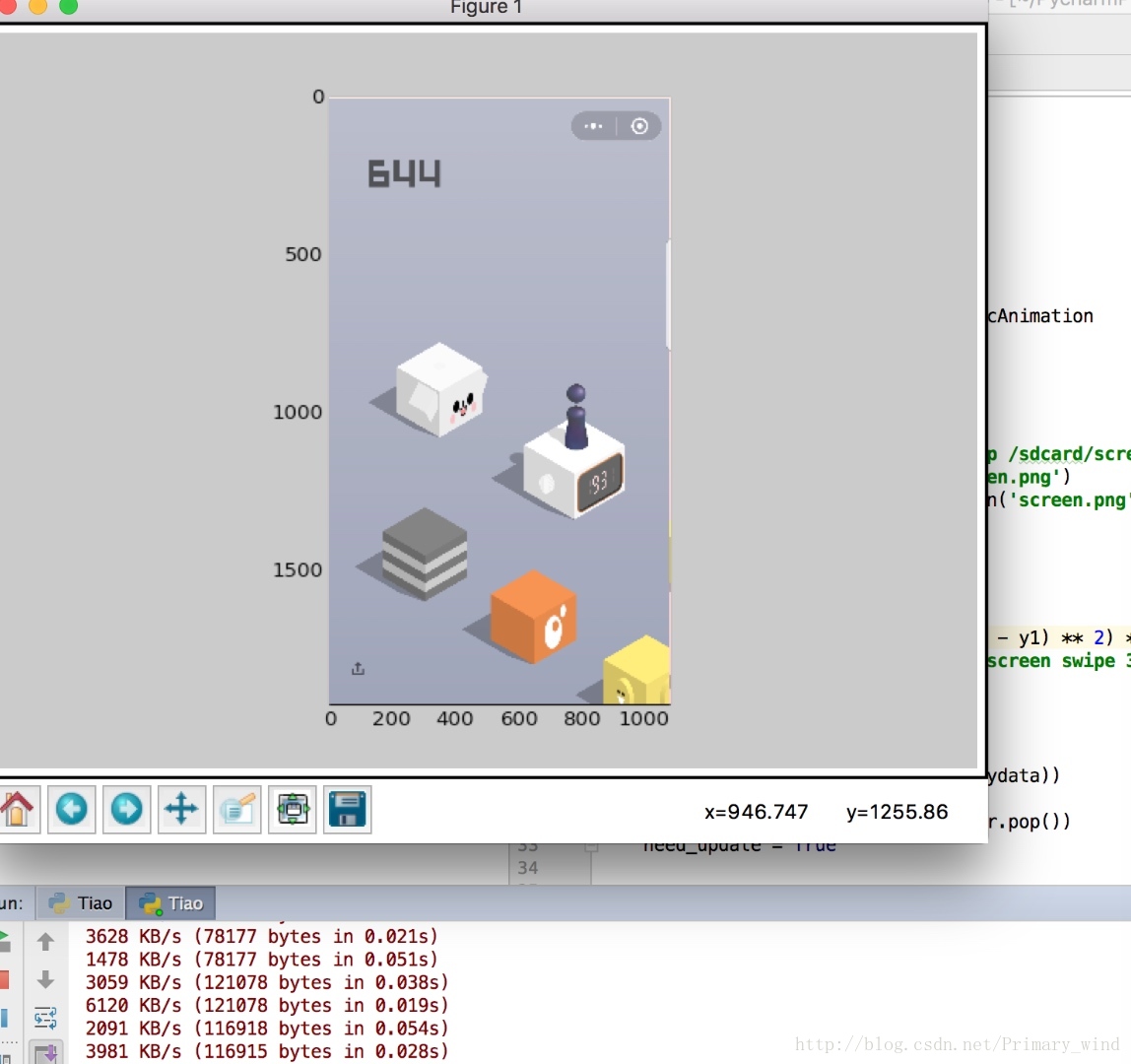

魔乐社区(Modelers.cn) 是一个中立、公益的人工智能社区,提供人工智能工具、模型、数据的托管、展示与应用协同服务,为人工智能开发及爱好者搭建开放的学习交流平台。社区通过理事会方式运作,由全产业链共同建设、共同运营、共同享有,推动国产AI生态繁荣发展。
更多推荐


 0
0 0
0- 0


 已为社区贡献4条内容

所有评论(0)