mysql创建时间字段6_mysql 时间字段介绍
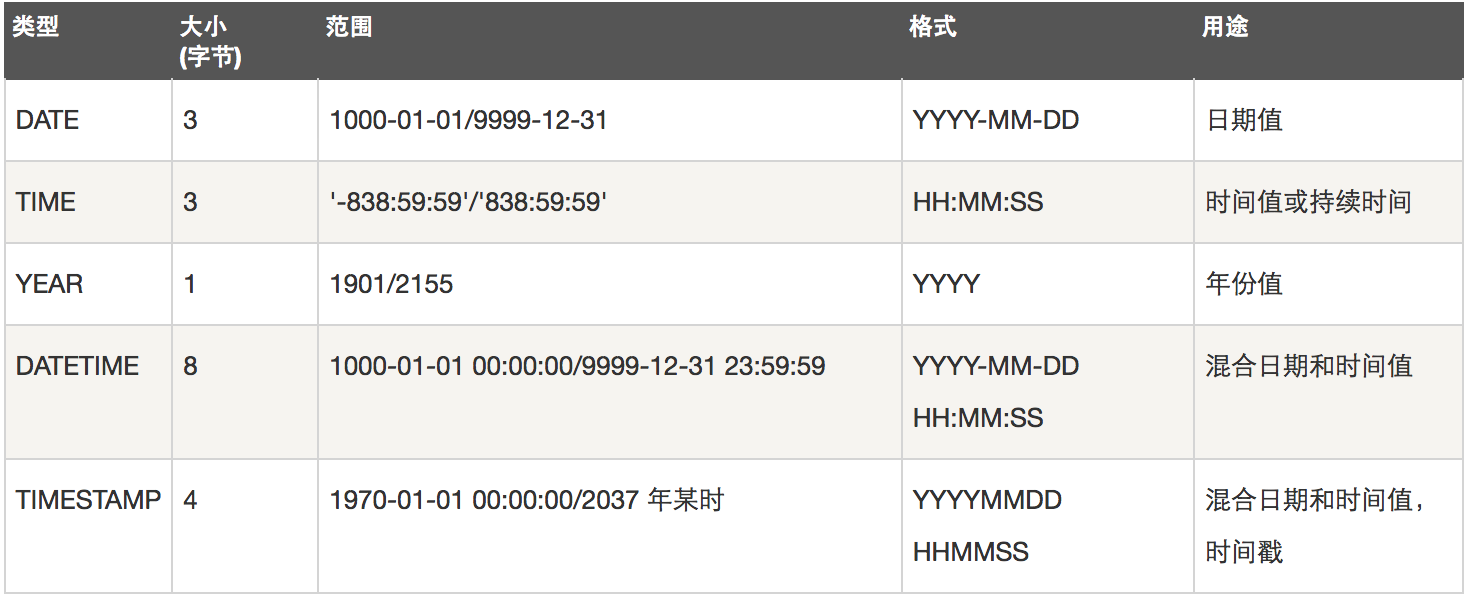
mysql时间类型大概有5种,如下图
1、创建数据库
create table t1 (
id int(11) NOT NULL AUTO_INCREMENT PRIMARY KEY,
d1_data date,
d2_time time,
d3_datatime datetime,
d4_year year,
d5_timestamp TIMESTAMP
);
字符串方式插入
INSERT INTO t1 (d1_data,d2_time,d3_datatime,d4_year,d5_timestamp) VALUES(NOW(),NOW(),NOW(),NOW(),NOW());
mysql> select * from t1 where id=1\G
*************************** 1. row ***************************
id: 1
d1_data: 2018-06-15
d2_time: 13:50:25
d3_datatime: 2018-06-15 13:50:25
d4_year: 2018
d5_timestamp: 2018-06-15 13:50:25
1 row in set (0.00 sec)
INSERT INTO t1 (d1_data,d2_time,d3_datatime,d4_year,d5_timestamp) VALUES(‘2018-06-15‘,‘13:50:25‘,‘2018-06-15 13:50:25‘,‘2018‘,‘2018-06-15 13:50:25‘);
mysql> select * from t1 where id=2\G
*************************** 1. row ***************************
id: 2
d1_data: 2018-06-15
d2_time: 13:50:25
d3_datatime: 2018-06-15 13:50:25
d4_year: 2018
d5_timestamp: 2018-06-15 13:50:25
1 row in set (0.00 sec)
1.1、date (数字插入)
mysql> help DATE
A date. The supported range is ‘1000-01-01‘ to ‘9999-12-31‘. MySQL
displays DATE values in ‘YYYY-MM-DD‘ format, but permits assignment of
values to DATE columns using either strings or numbers.
插入时候可以是字符串或者数字
20180615
‘2018-06-15‘
1.2、time (数字插入)
mysql> help TIME
A time. The range is ‘-838:59:59.000000‘ to ‘838:59:59.000000‘. MySQL
displays TIME values in ‘HH:MM:SS[.fraction]‘ format, but permits
assignment of values to TIME columns using either strings or numbers.
An optional fsp value in the range from 0 to 6 may be given to specify
fractional seconds precision. A value of 0 signifies that there is no
fractional part. If omitted, the default precision is 0.
mysql> INSERT INTO t1 (d1_data,d2_time,d3_datatime,d4_year,d5_timestamp) VALUES(20180515,135025,‘2018-06-15 13:50:25‘,‘2018‘,‘2018-06-15 13:50:25‘);
Query OK, 1 row affected (0.00 sec)
mysql> select * from t1 where id=4\G
*************************** 1. row ***************************
id: 4
d1_data: 2018-05-15
d2_time: 13:50:25
d3_datatime: 2018-06-15 13:50:25
d4_year: 2018
d5_timestamp: 2018-06-15 13:50:25
1 row in set (0.00 sec)
1.3、 DATETIME (数字插入)
mysql> help DATETIME
A date and time combination. The supported range is ‘1000-01-01
00:00:00.000000‘ to ‘9999-12-31 23:59:59.999999‘. MySQL displays
DATETIME values in ‘YYYY-MM-DD HH:MM:SS[.fraction]‘ format, but permits
assignment of values to DATETIME columns using either strings or
numbers.
An optional fsp value in the range from 0 to 6 may be given to specify
fractional seconds precision. A value of 0 signifies that there is no
fractional part. If omitted, the default precision is 0.
Automatic initialization and updating to the current date and time for
DATETIME columns can be specified using DEFAULT and ON UPDATE column
definition clauses, as described in
http://dev.mysql.com/doc/refman/5.7/en/timestamp-initialization.html.
20180615135025
‘2018-06-15 13:50:25‘
存储的是字符串
mysql> INSERT INTO t1 (d1_data,d2_time,d3_datatime,d4_year,d5_timestamp) VALUES(20180515,135025,20180615135025,‘2018‘,‘2018-06-15 13:50:25‘);
Query OK, 1 row affected (0.01 sec)
mysql> select * from t1 where id=5\G
*************************** 1. row ***************************
id: 5
d1_data: 2018-05-15
d2_time: 13:50:25
d3_datatime: 2018-06-15 13:50:25
d4_year: 2018
d5_timestamp: 2018-06-15 13:50:25
1 row in set (0.00 sec)
1.4、 year
mysql> help year
Returns the year for date, in the range 1000 to 9999, or 0 for the
"zero" date.
1.5、 timestamp (数字插入)
mysql> help timestamp
A timestamp. The range is ‘1970-01-01 00:00:01.000000‘ UTC to
‘2038-01-19 03:14:07.999999‘ UTC. TIMESTAMP values are stored as the
number of seconds since the epoch (‘1970-01-01 00:00:00‘ UTC). A
TIMESTAMP cannot represent the value ‘1970-01-01 00:00:00‘ because that
is equivalent to 0 seconds from the epoch and the value 0 is reserved
for representing ‘0000-00-00 00:00:00‘, the "zero" TIMESTAMP value.
存储的是时间戳
mysql> INSERT INTO t1 (d1_data,d2_time,d3_datatime,d4_year,d5_timestamp) VALUES(20180515,135025,20180615135025,‘2018‘,20180615135025);
Query OK, 1 row affected (0.01 sec)
总结
以上说明 在插入或者更新时候,值可以是 ‘2018-06-06‘ 时间类型字符串 也可以是 20180606 数字,都会经过mysql函数处理存入
100w条数据 比较datatime跟timestamp效率
2、 准备100w条数据
drop PROCEDURE autoinsert;
DELIMITER $$
create PROCEDURE autoinsert()
BEGIN
DECLARE i int DEFAULT 1;
DECLARE mytime varchar(19) ;
WHILE (i<1000000) DO
set mytime=date_add(now(),interval i second);
INSERT into t1 (d1_data,d2_time,d3_datatime,d4_year,d5_timestamp) VALUES (mytime,mytime,mytime,date_add(now(),interval i second),mytime);
set i=i+1;
END WHILE ;
END $$
DELIMITER ;
CALL autoinsert();
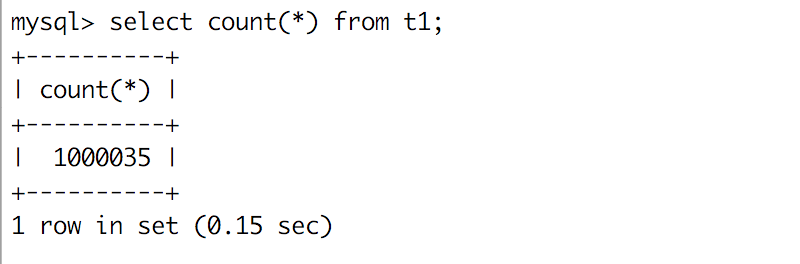
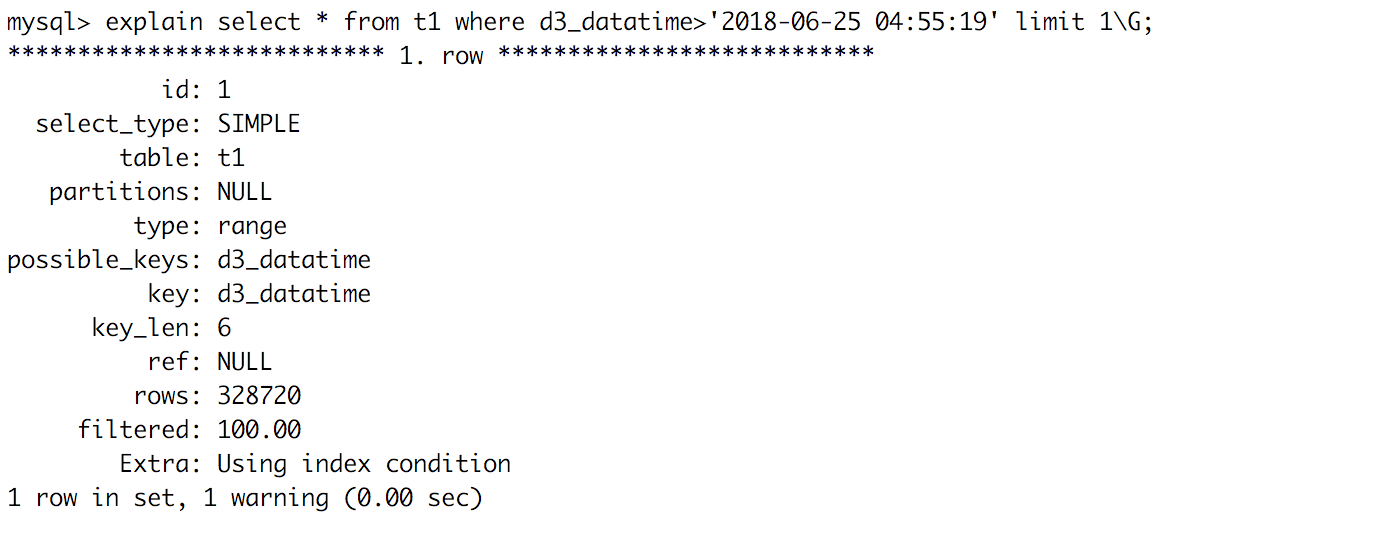
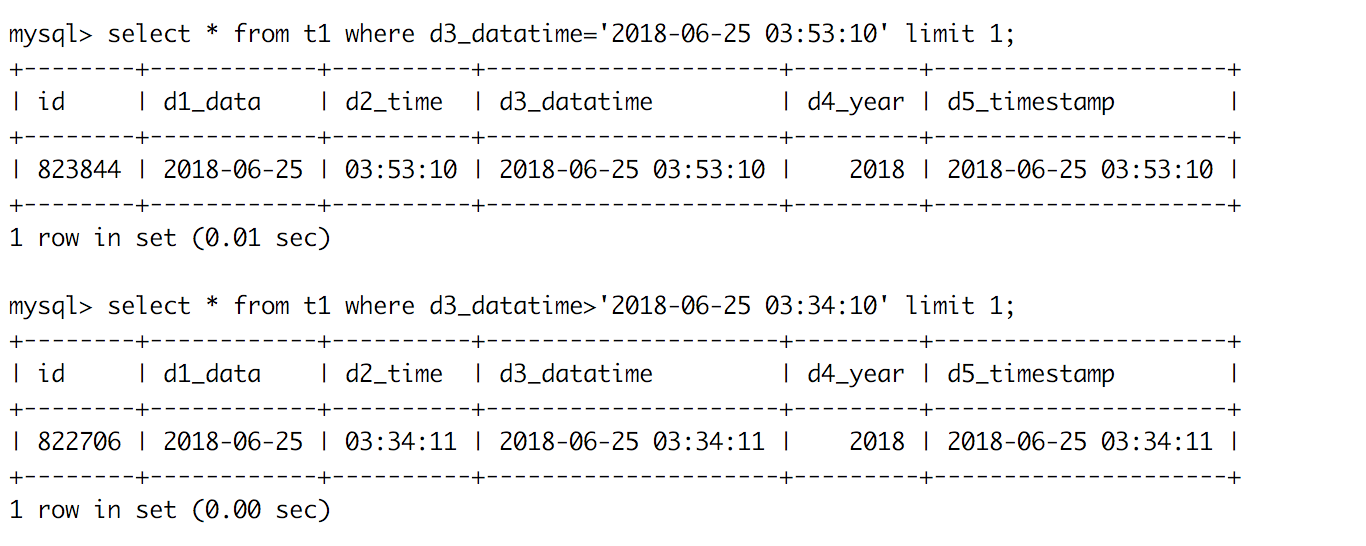
2.1、datetime 分析:
没有索引情况下:
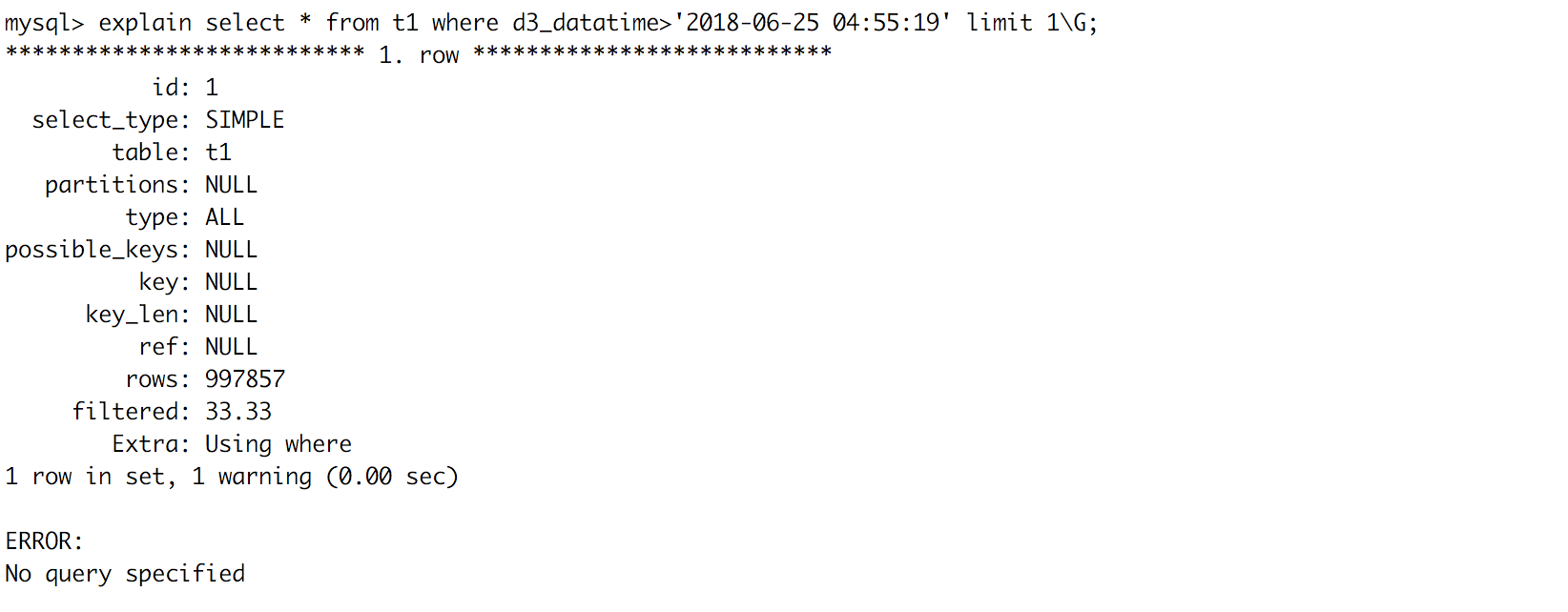
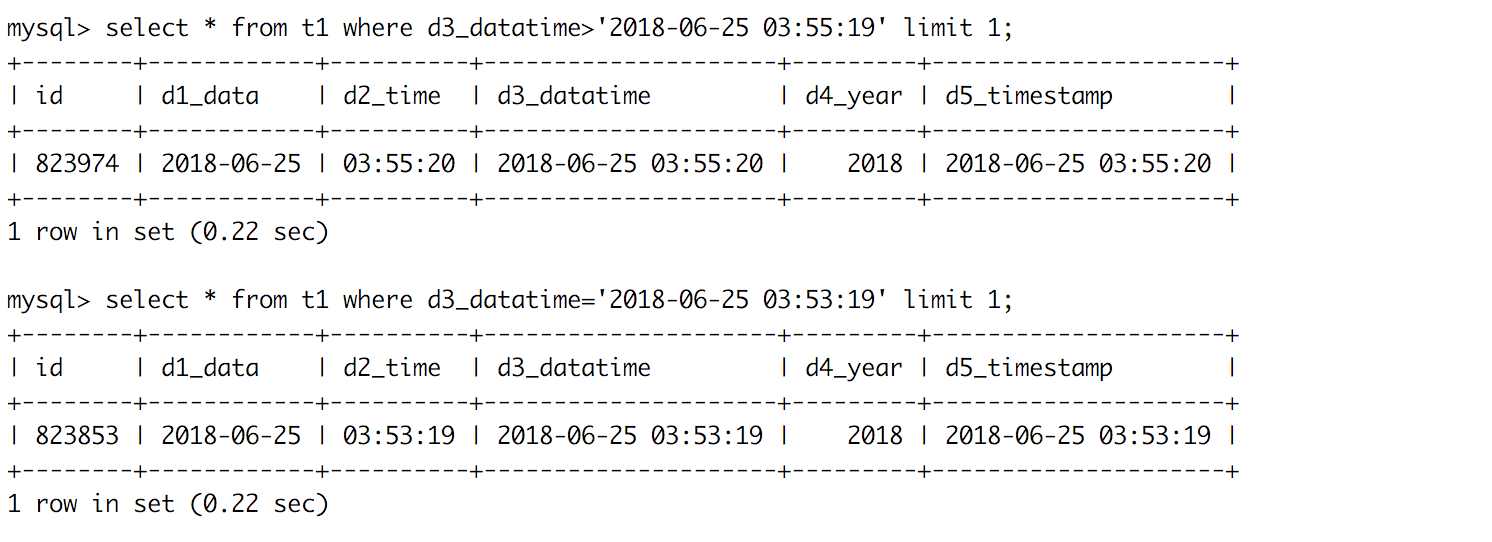
大概需要0.22s
添加索引
mysql> alter table t1 add key (d3_datatime);
2.2、timestamp分析
没有索引情况下:
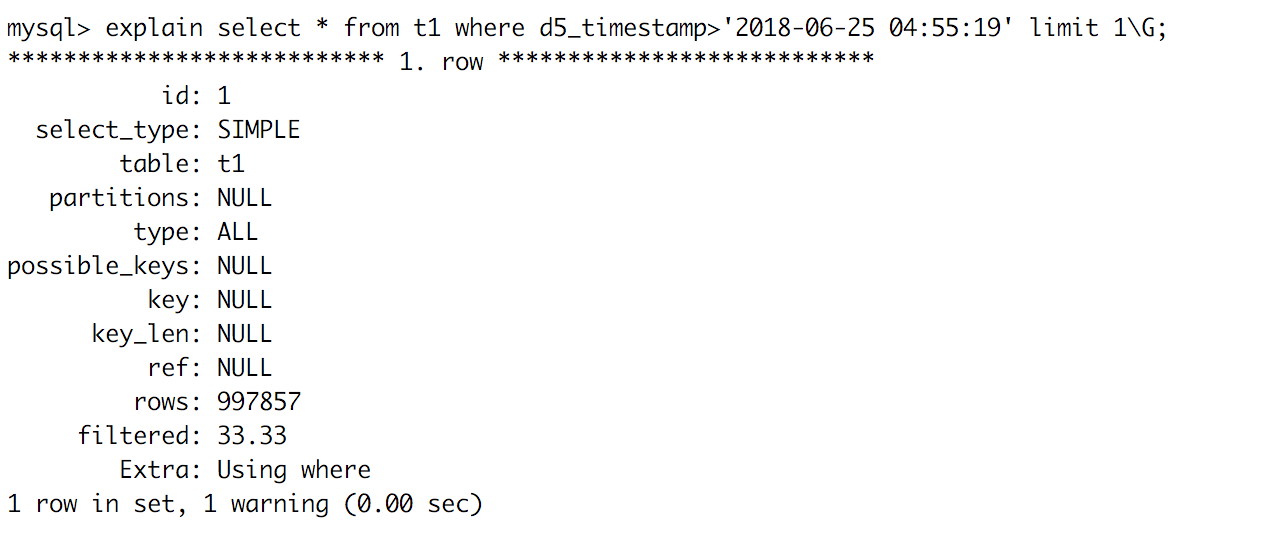
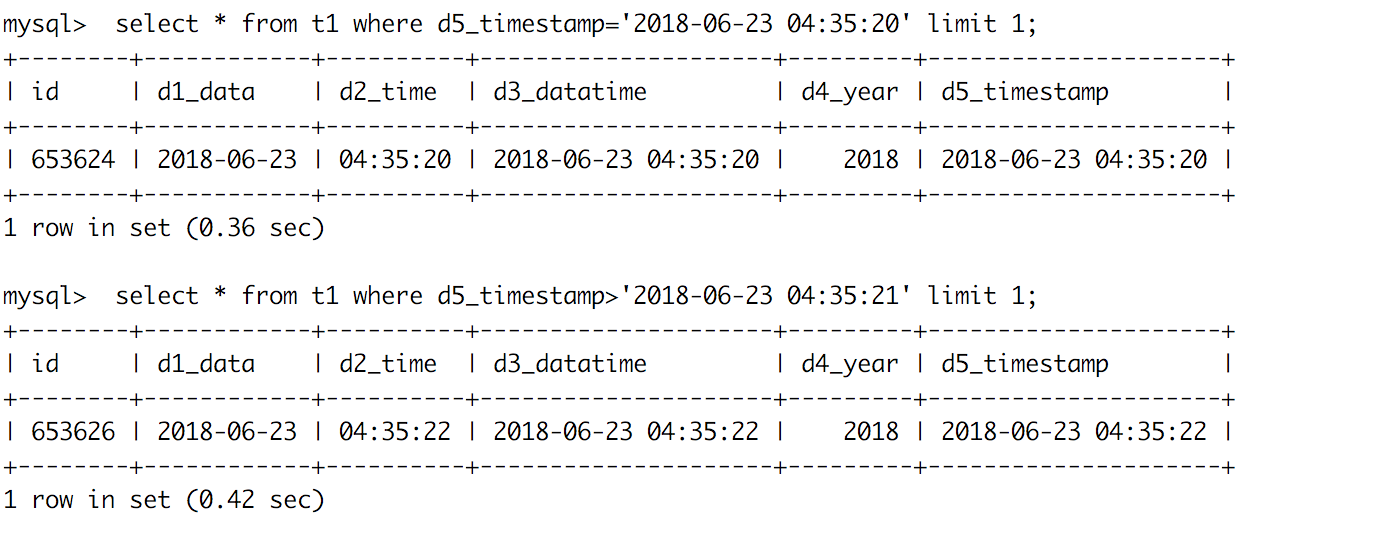
需要0.4s左右
添加索引情况后:
ALTER TABLE `t1` add key (d5_timestamp);
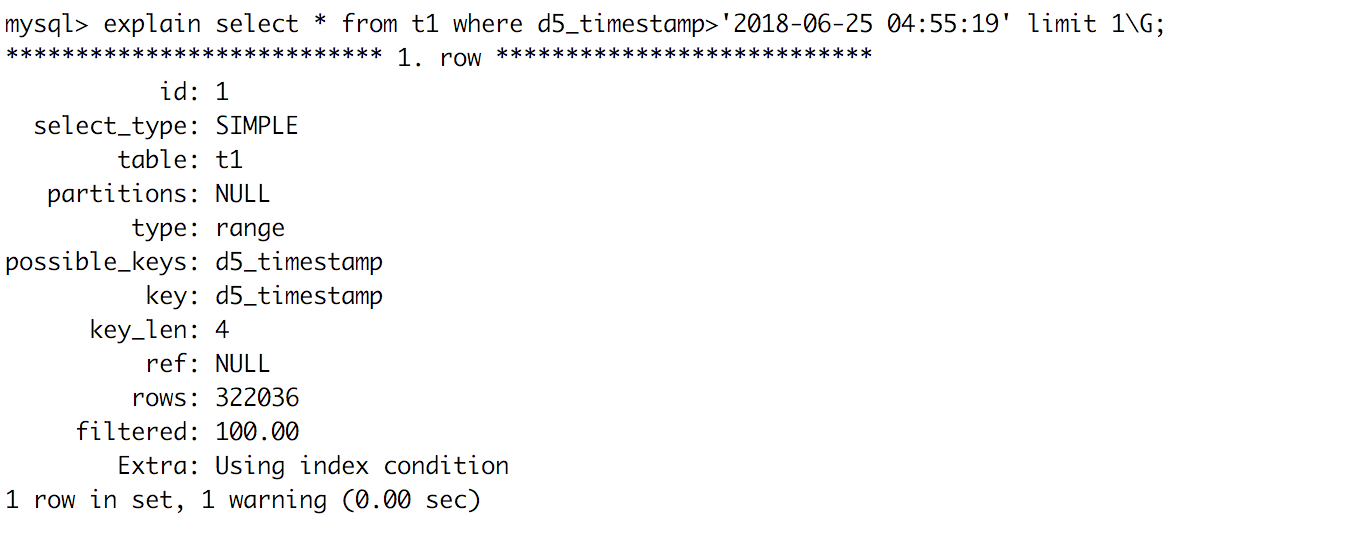
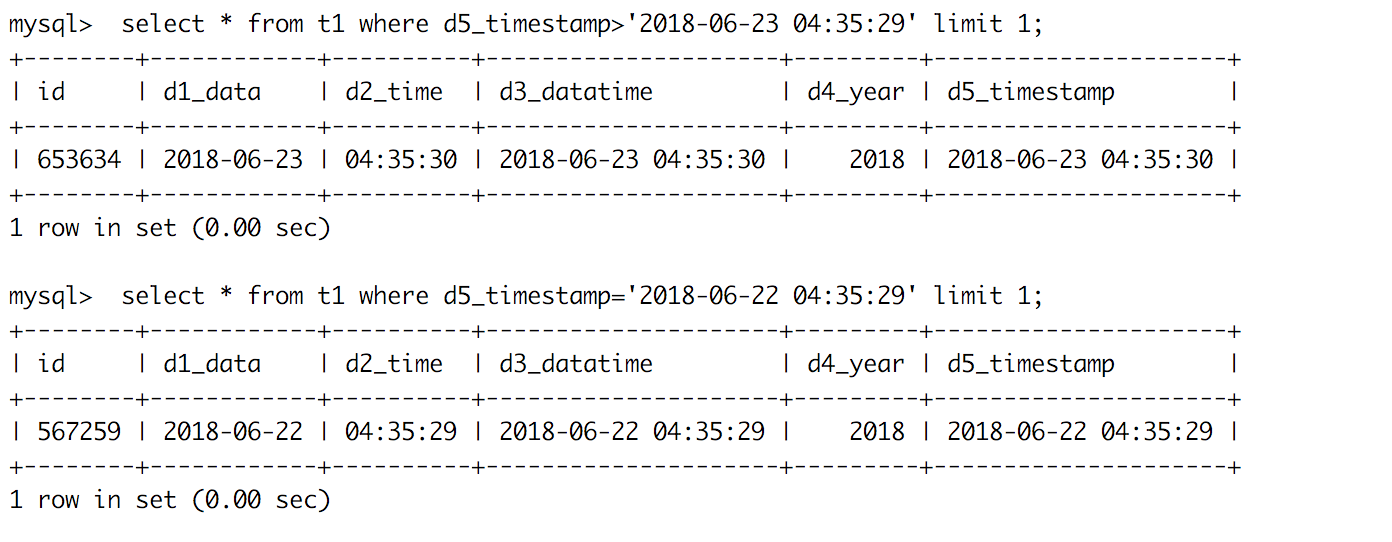
100w条数据的理论,datetime比timestamp更快点,底层比较应该都是数字,timestamp可能在时间转换上消耗更好点吧,在加上索引情况下是没有区别的,从空间上考虑datetime需要8个字节,而timestamp只要4个字节。

魔乐社区(Modelers.cn) 是一个中立、公益的人工智能社区,提供人工智能工具、模型、数据的托管、展示与应用协同服务,为人工智能开发及爱好者搭建开放的学习交流平台。社区通过理事会方式运作,由全产业链共同建设、共同运营、共同享有,推动国产AI生态繁荣发展。
更多推荐


 1
1 0
0- 0


 已为社区贡献9条内容

所有评论(0)