linux下lvgl开发——按键功能实现
前文讲述了,lvgl环境搭建
linux下移植LVGL v9.1.0实现屏幕UI显示-CSDN博客
本文开始实际应用开发,先做一个简单的按键功能实现
ui的开发需要特定的软件,我用的是GUI-Guider
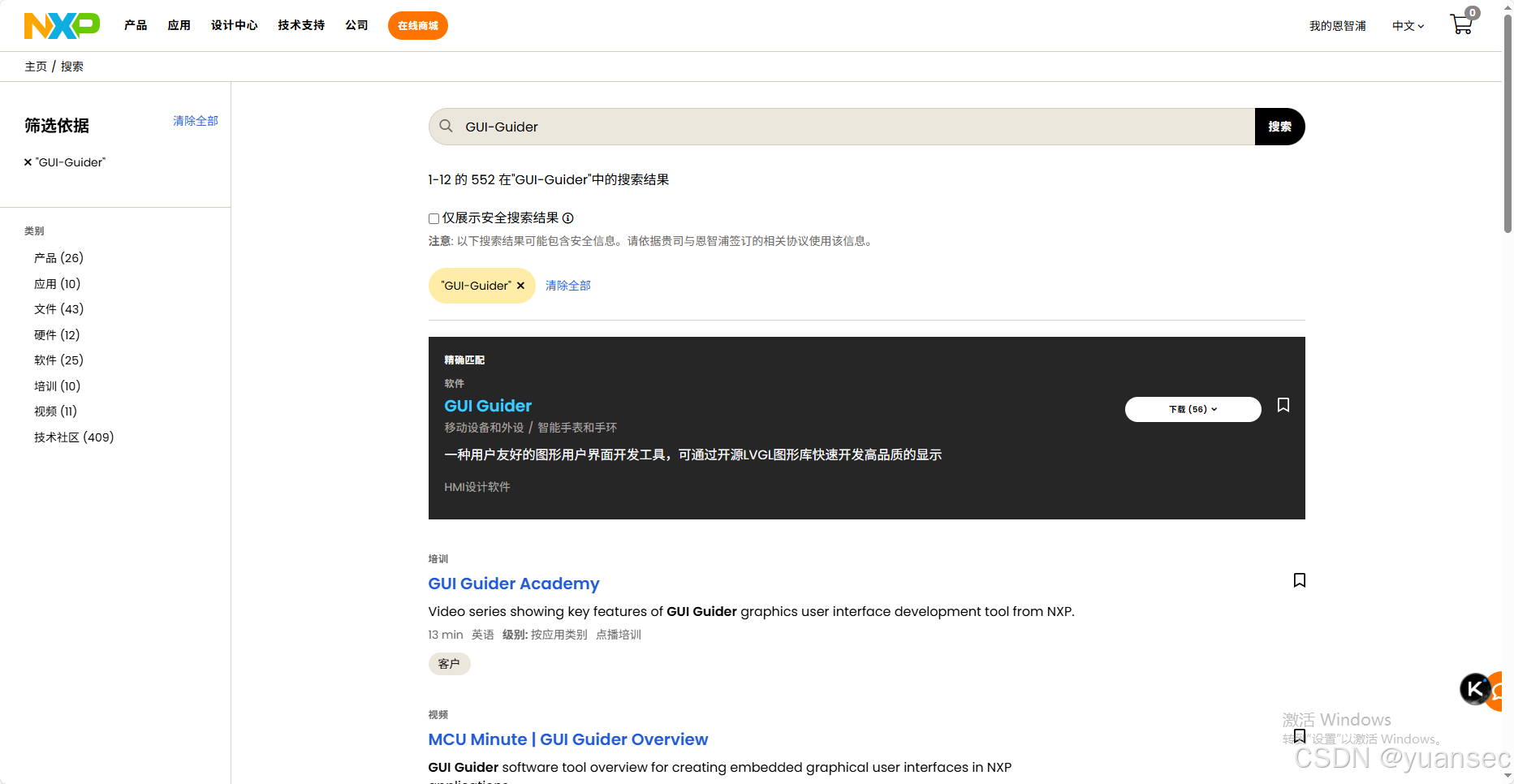
软件是免费的,官网下载地址:恩智浦半导体官方网站 | NXP 半导体
官网直接搜索GUI-Guider,就能看到软件
软件使用
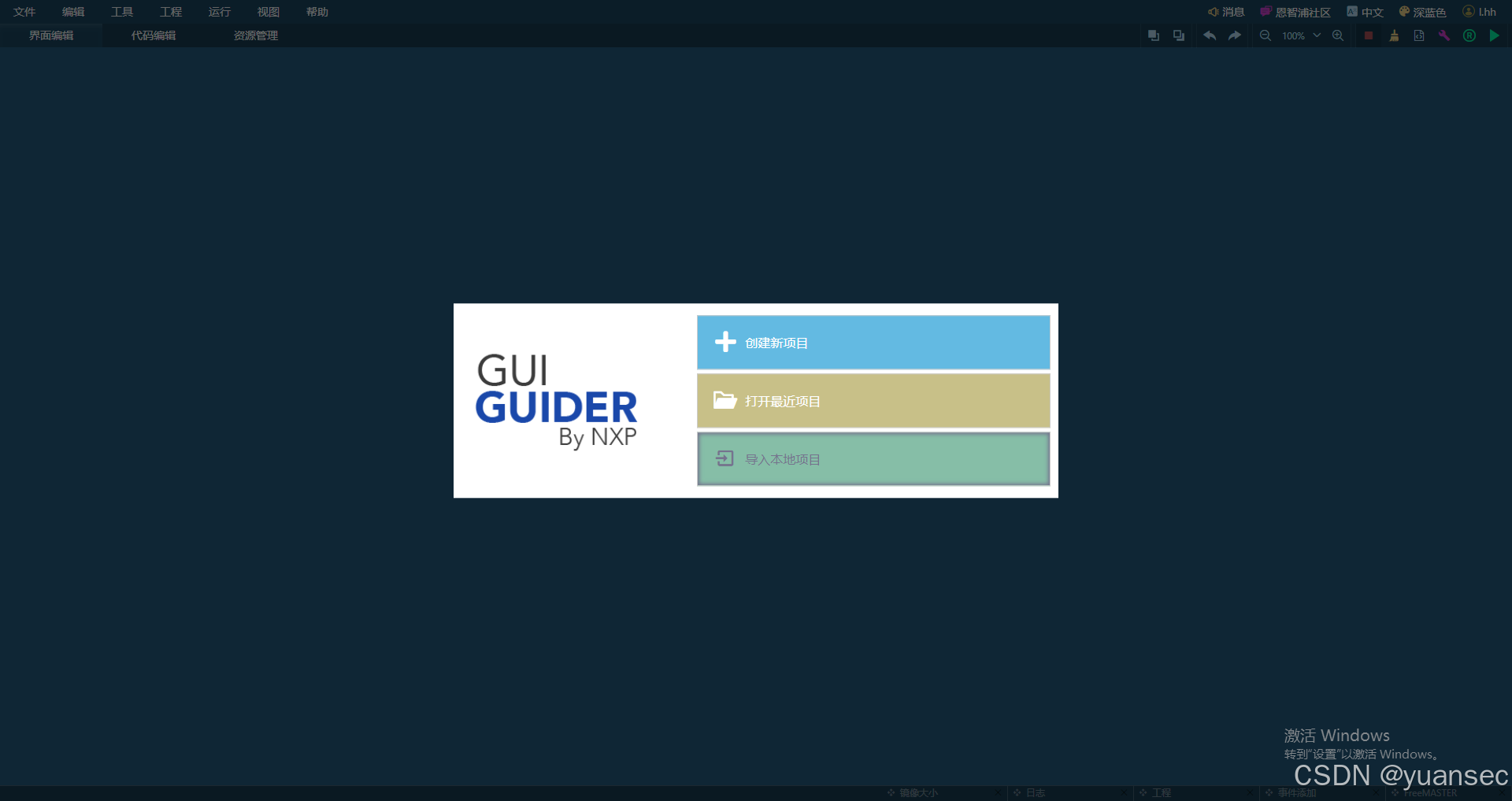
打开软件后,选择新建项目
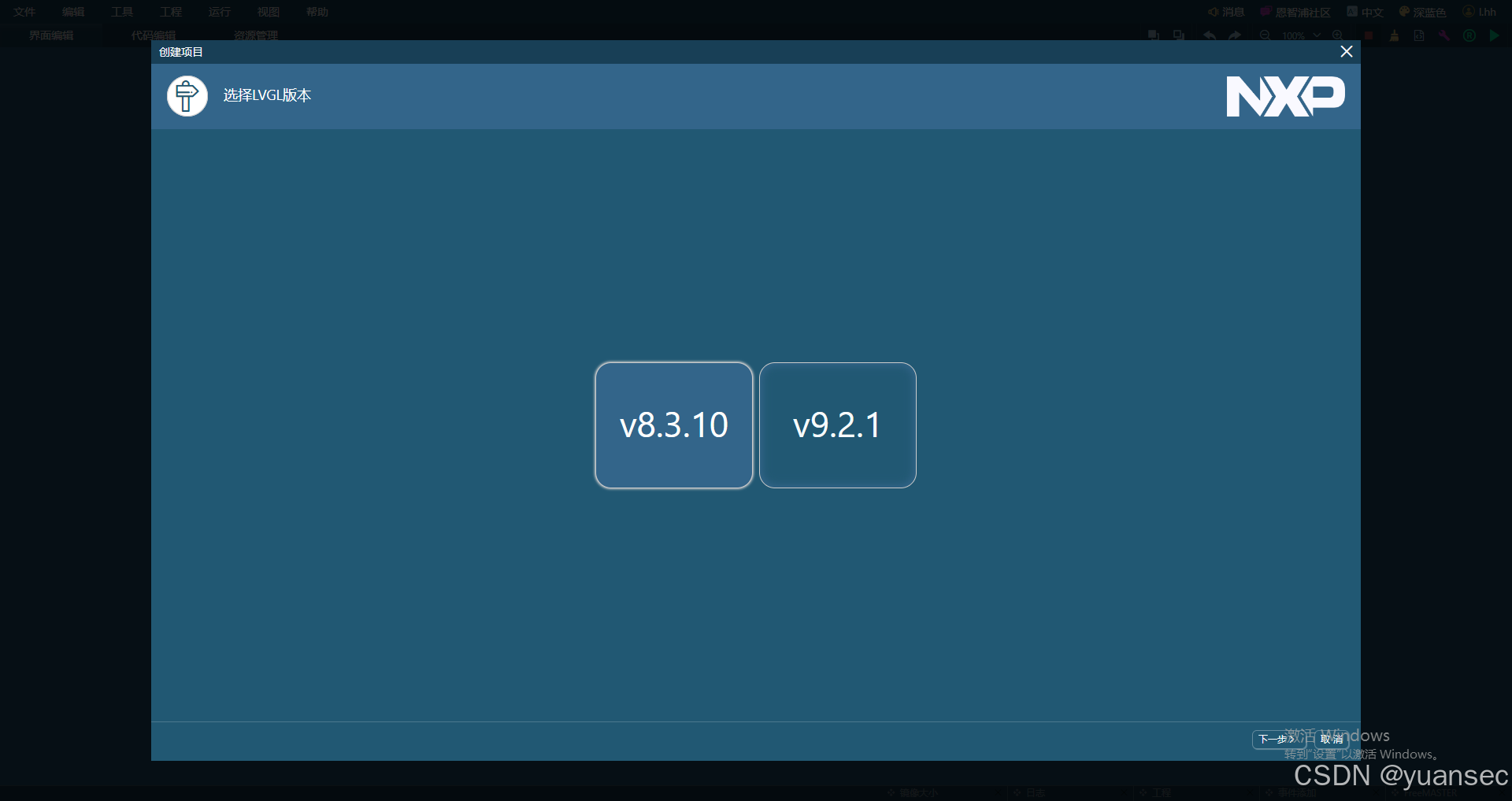
我选择的是v8.3.10
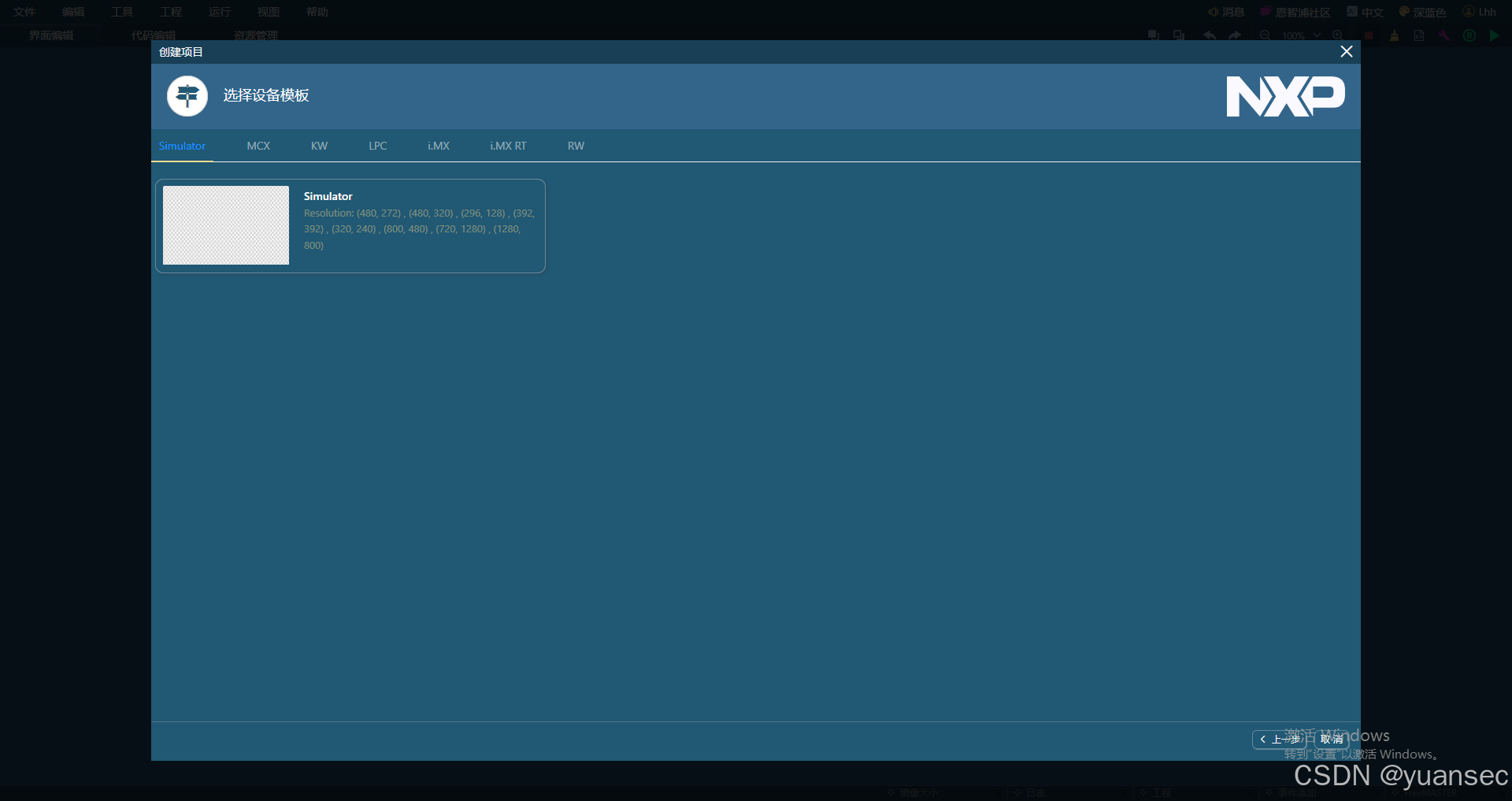
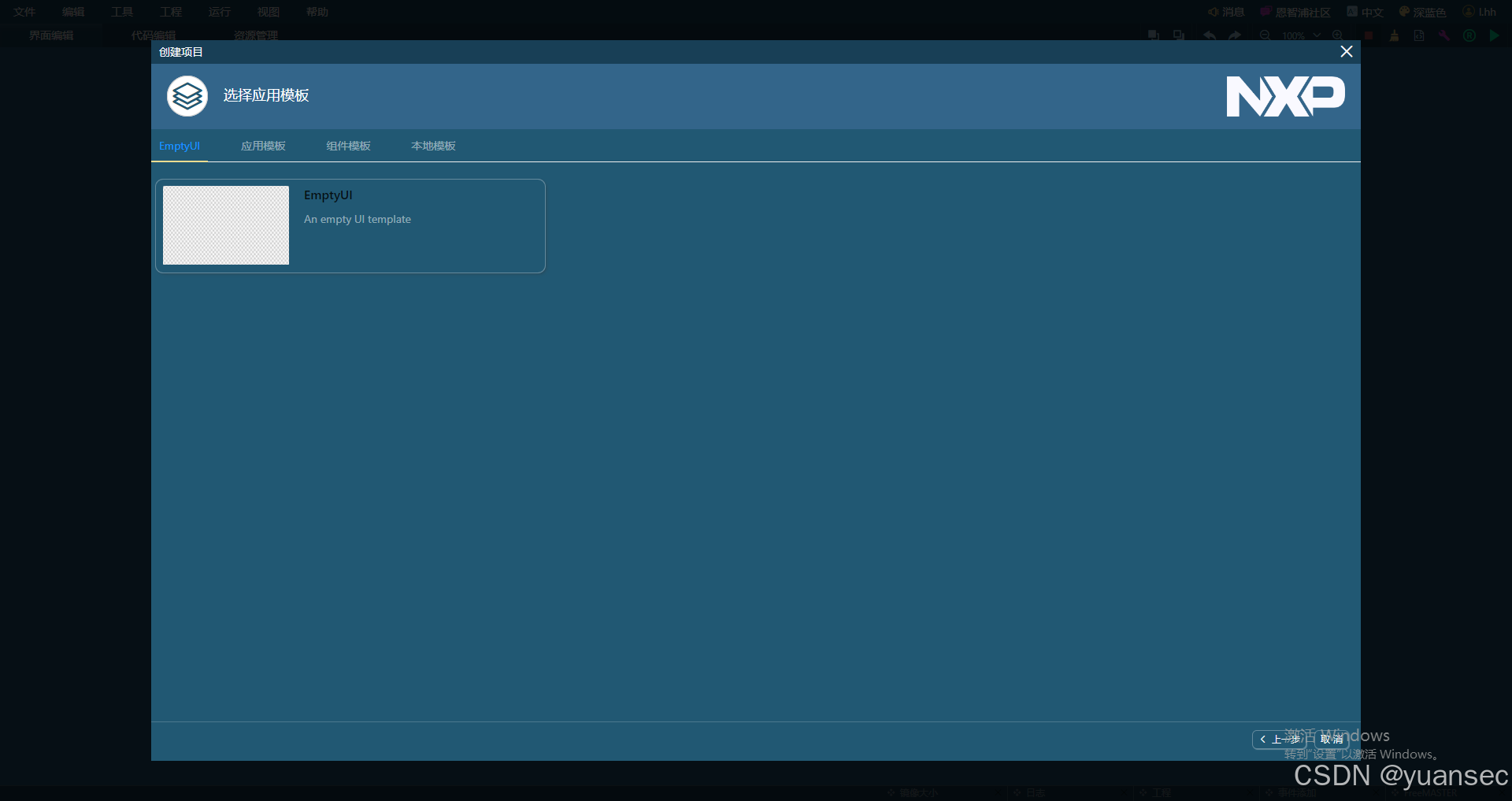
默认就选择这个空白的
接下来的ui,同样选择空白的
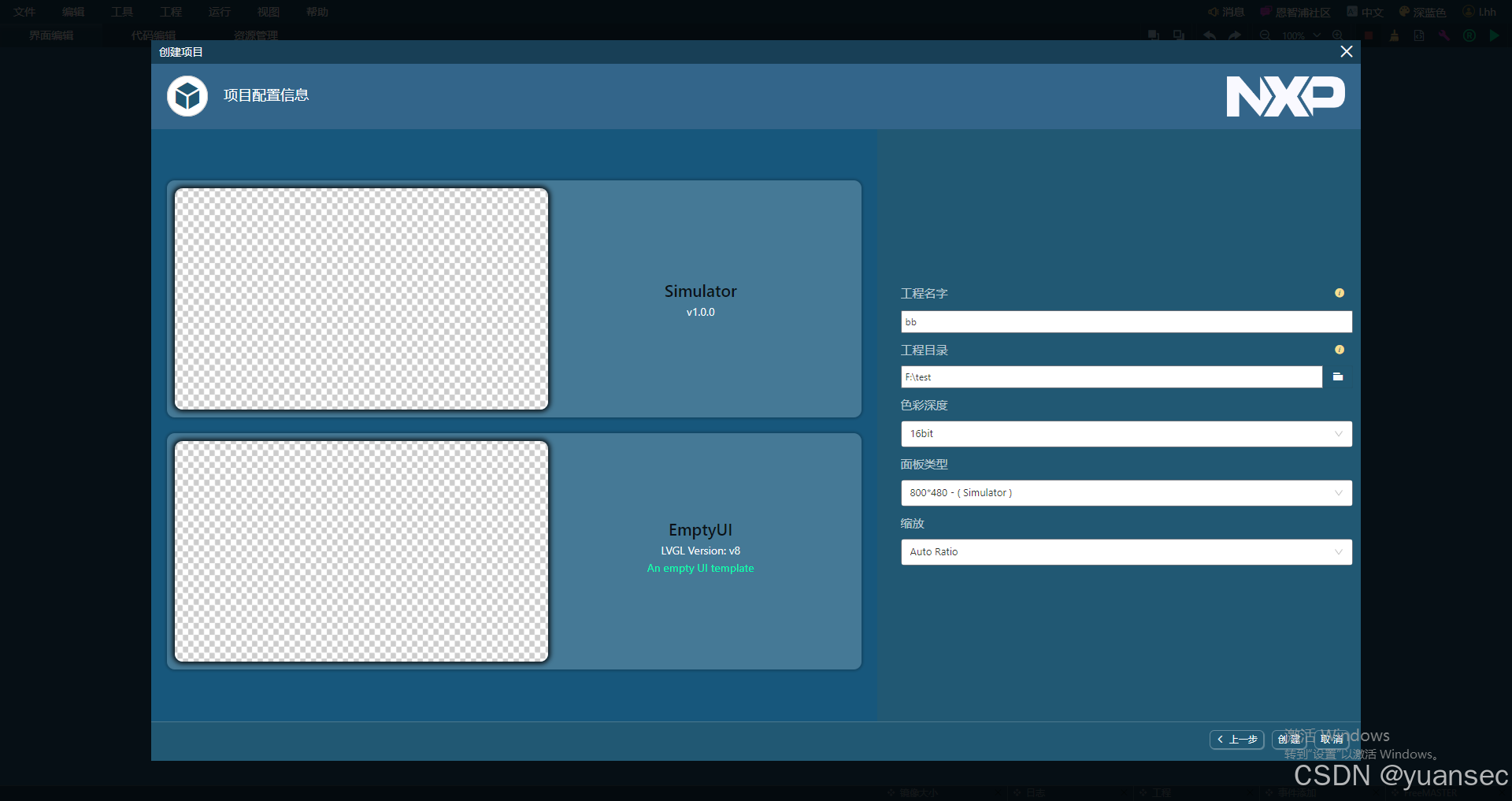
这里要注意的是,选择适合你的屏幕分辨率
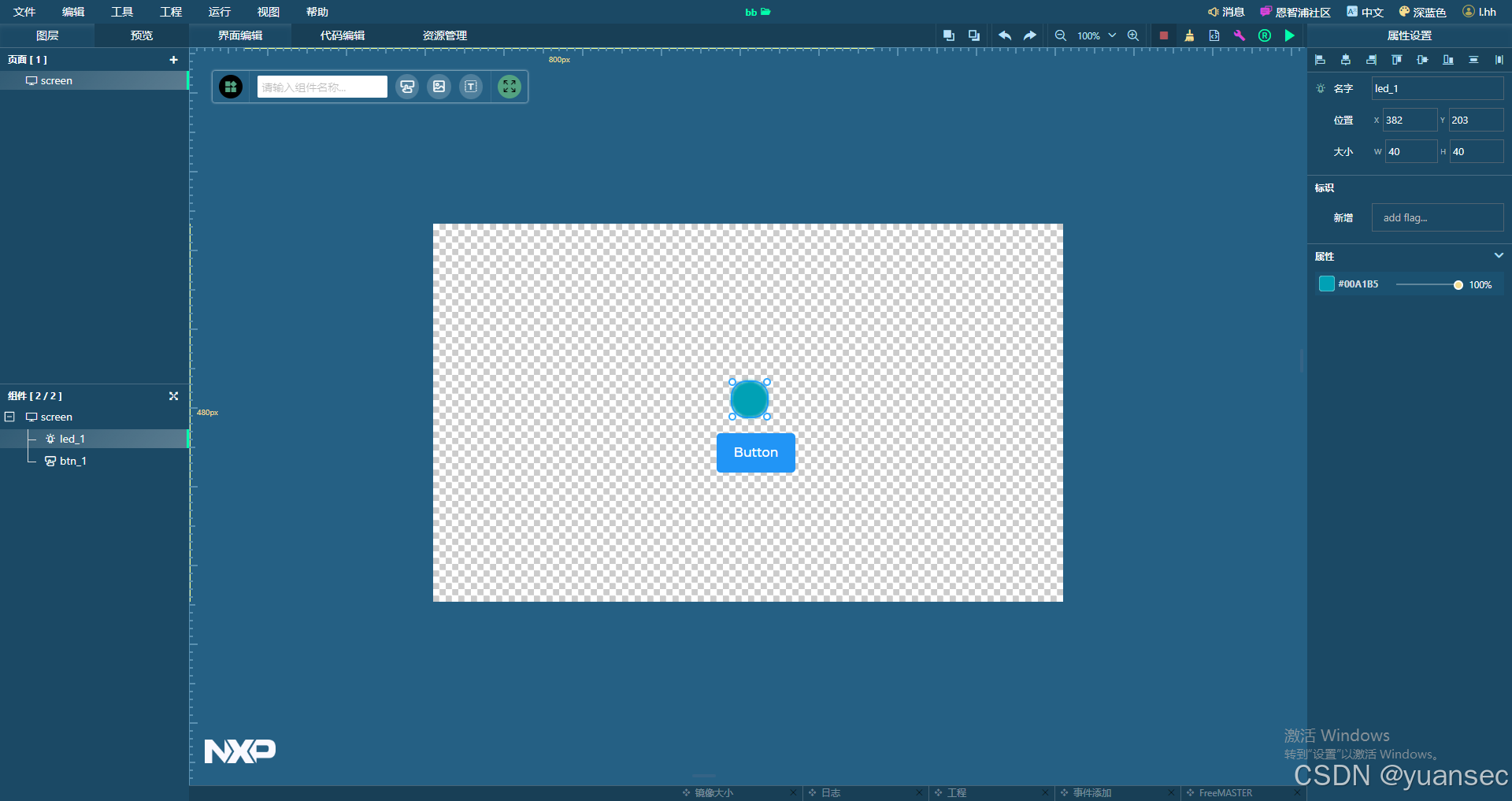
按键功能实现
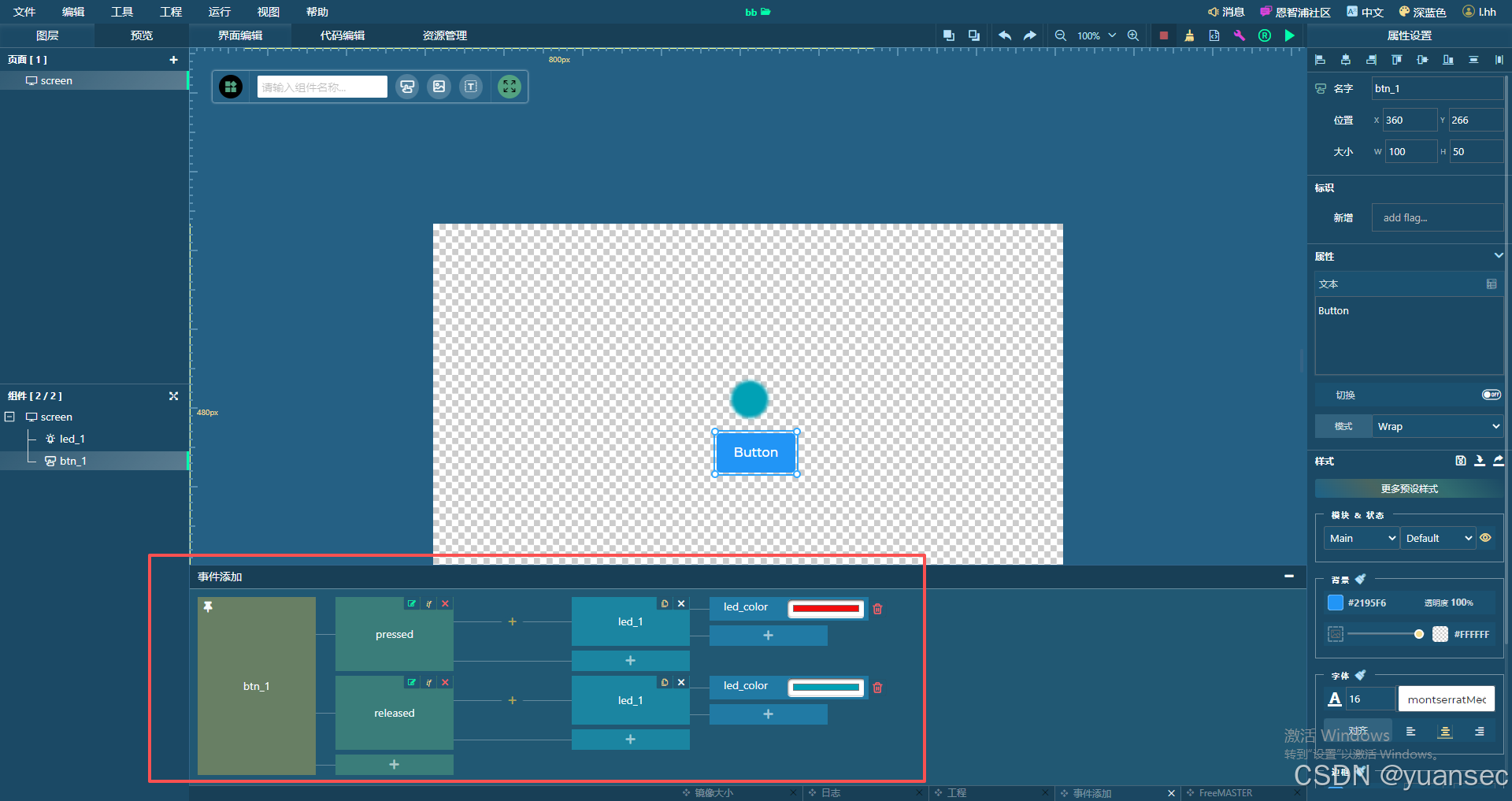
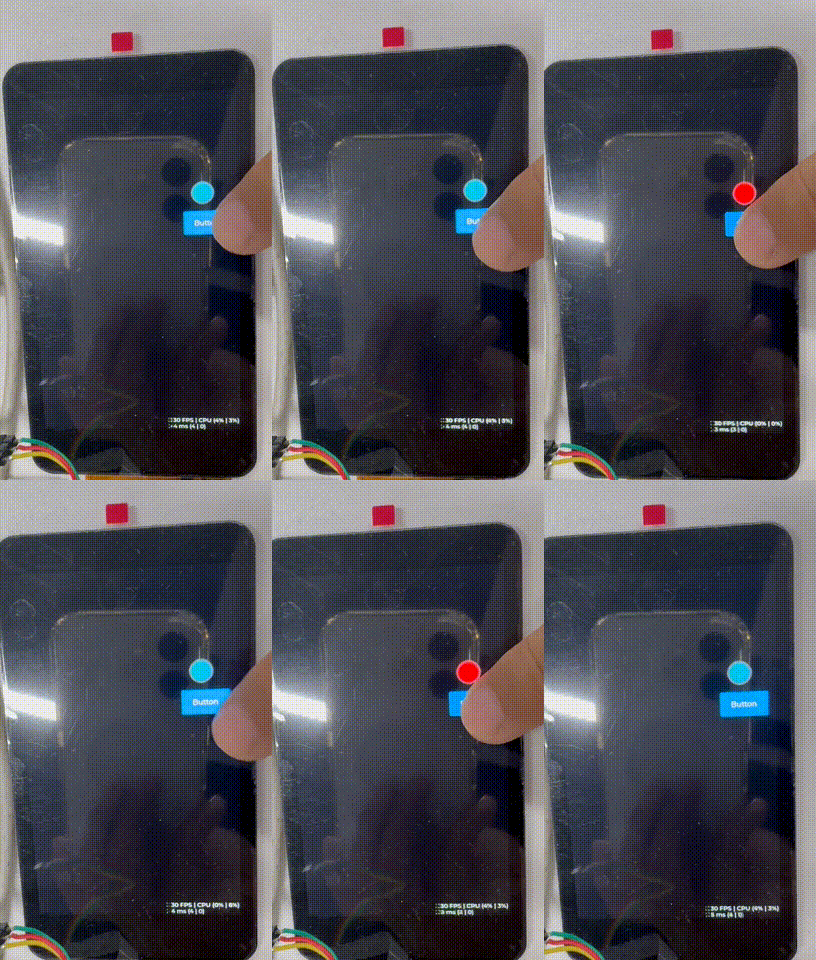
我们要实现的功能是,放置一个按键,一个led控件,然后按下按键,led颜色变化,松开恢复原来的颜色
给按键添加事件来完成功能
接着点右上角的生成C代码,随后可以点运行来看看实际效果
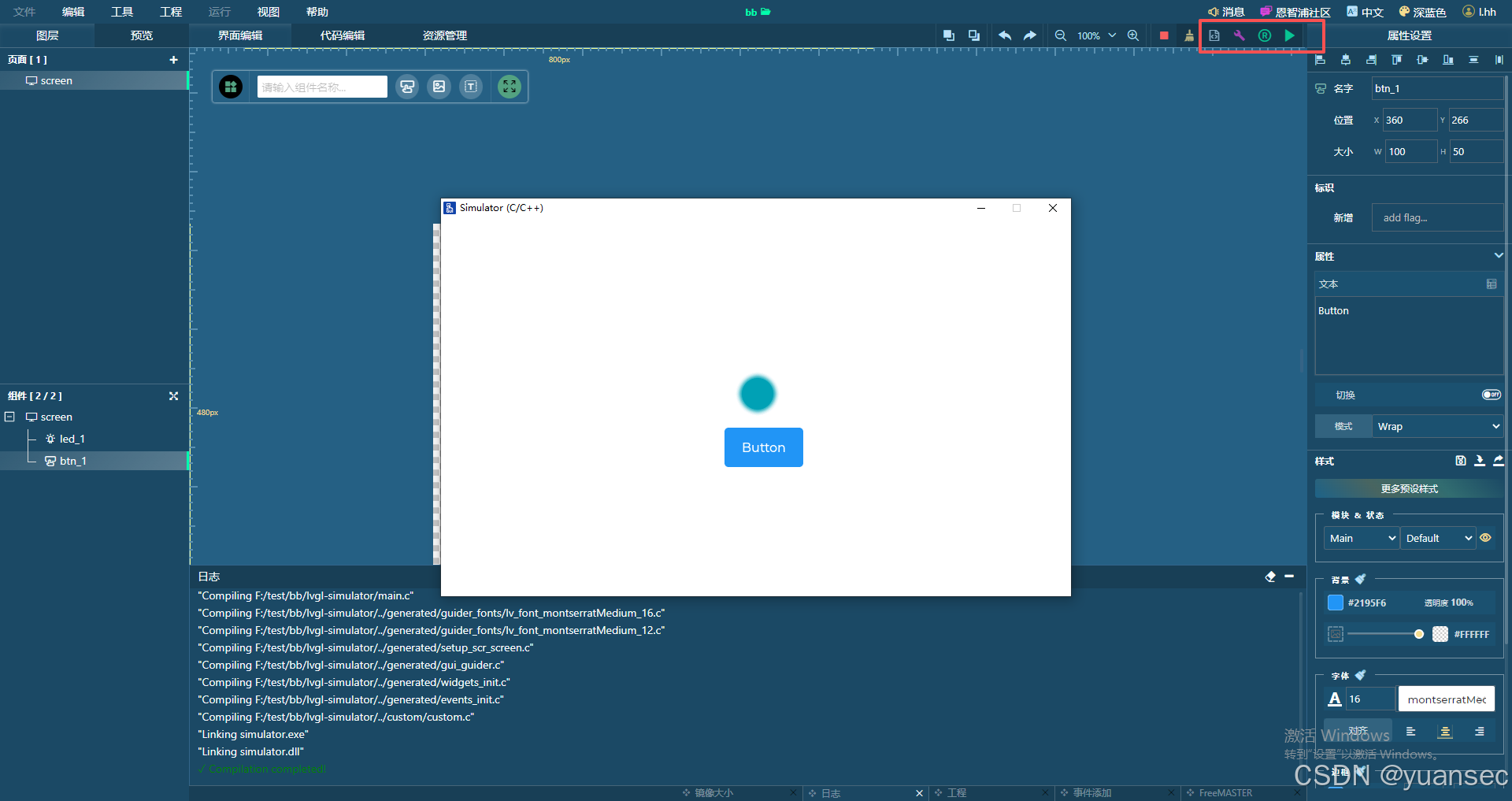
确认没问题之后就可以把代码导出
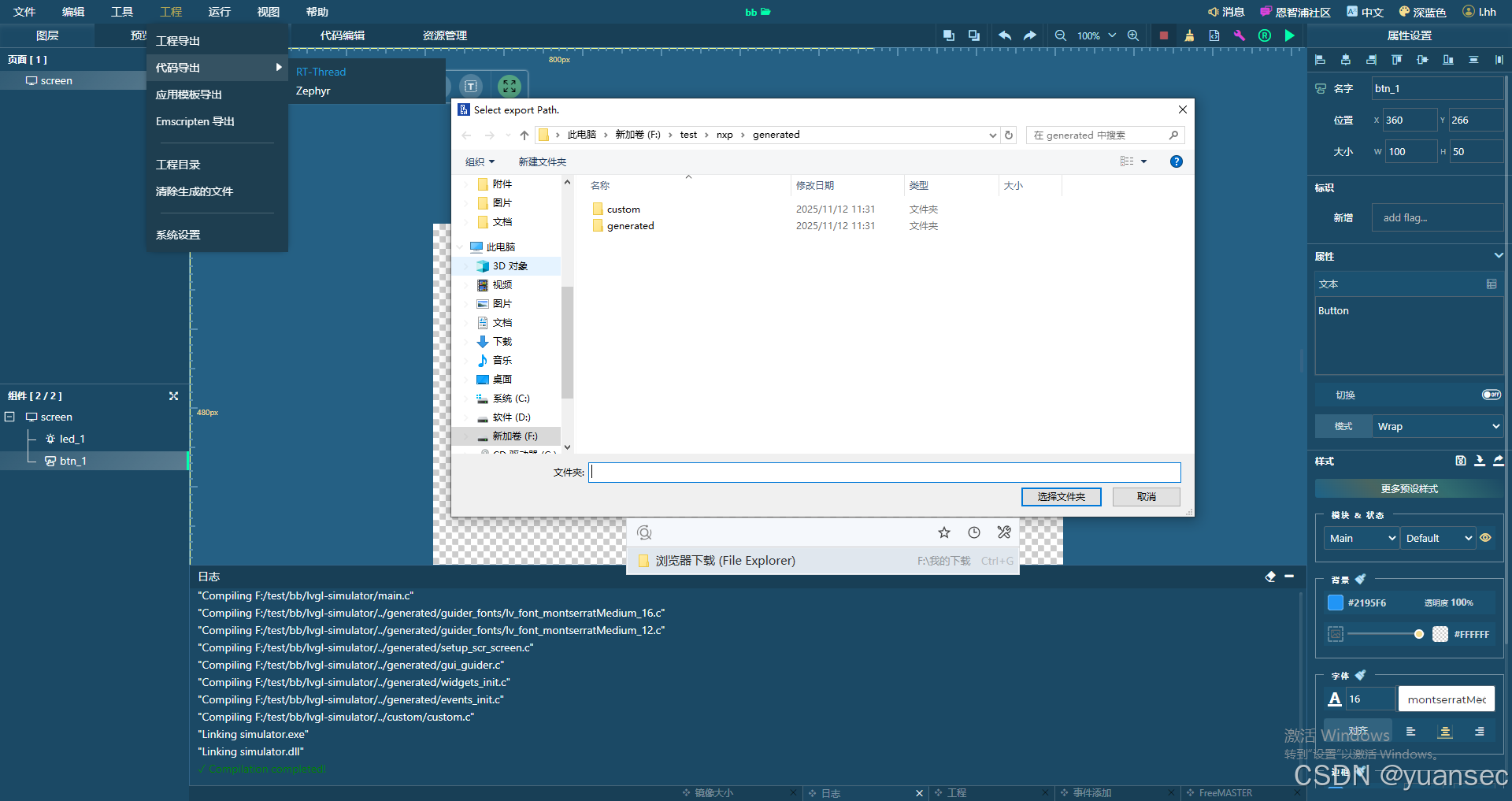
交叉编译
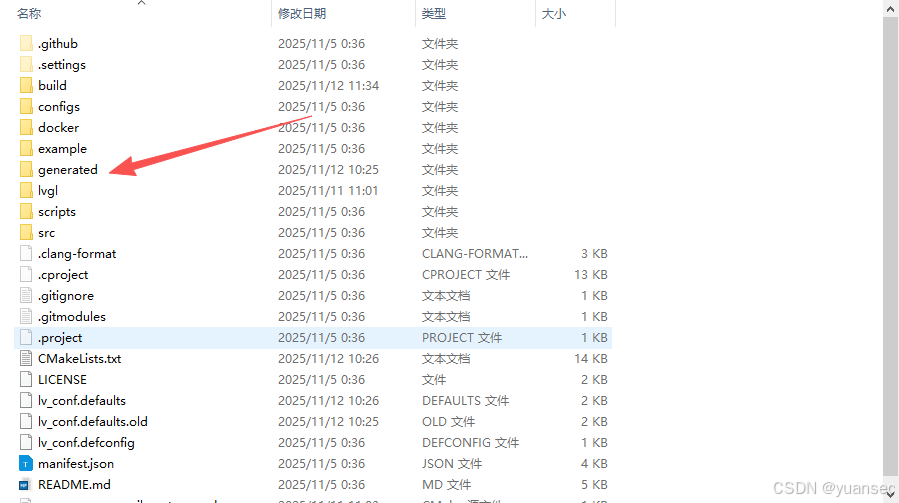
代码生成完后,在前面教程里生成的lvgl的目录下,将代码复制过来
然后,修改CMakeLists.txt,将新增的代码加入编译
## 添加.c文件
file(GLOB_RECURSE LV_GENERATED_SRC ${CMAKE_SOURCE_DIR}/generated/*.c)
add_library(lvgl_linux STATIC ${LV_LINUX_SRC} ${LV_LINUX_BACKEND_SRC} ${LV_GENERATED_SRC})

## 添加头文件路径
target_include_directories(lvgl_linux PUBLIC
    ${LV_LINUX_INC} ${CMAKE_CURRENT_SOURCE_DIR}
    ${PROJECT_SOURCE_DIR}/src/lib ${LVGL_CONF_INC_DIR}
	${CMAKE_SOURCE_DIR}/generated/custom
	${CMAKE_SOURCE_DIR}/generated/generated
	${CMAKE_SOURCE_DIR}/lvgl)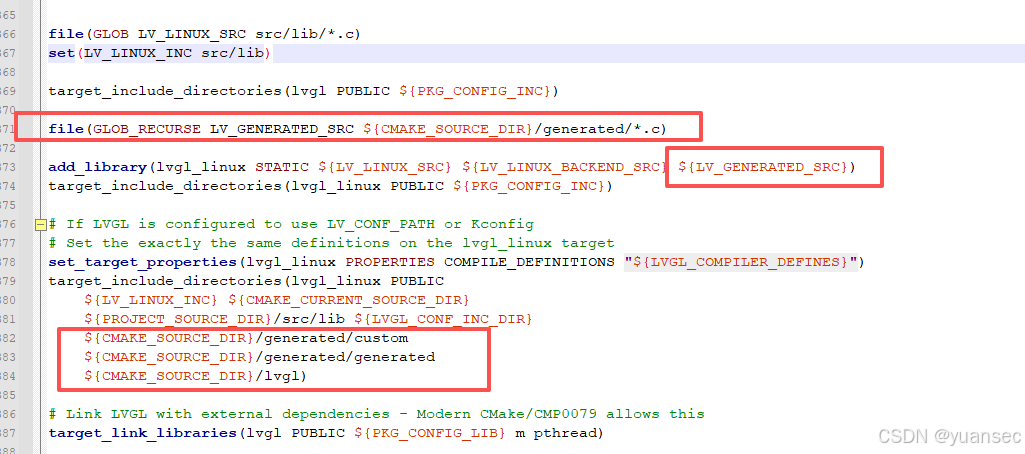
然后就是修改代码,调用GUI Guider生成的代码的接口
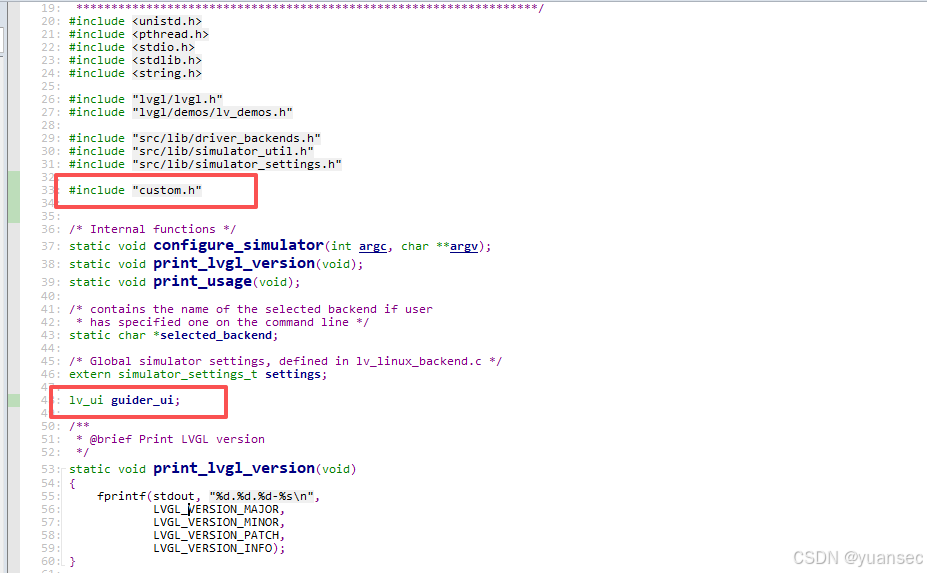
首先就是main.c文件里面,加入头文件#include"custom.h",然后定义lv_ui guider_ui;这个结构体,注意,名字必须是guider_ui,因为,GUI Guider生成的代码定义的就是这个名字
然后在main函数里,注释掉原来的demo调用,调用生成的ui程序
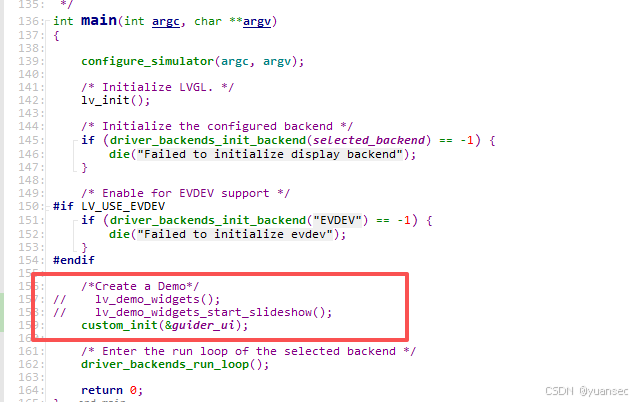
main.c完整代码
/*******************************************************************
 *
 * main.c - LVGL simulator for GNU/Linux
 *
 * Based on the original file from the repository
 *
 * @note eventually this file won't contain a main function and will
 * become a library supporting all major operating systems
 *
 * To see how each driver is initialized check the
 * 'src/lib/display_backends' directory
 *
 * - Clean up
 * - Support for multiple backends at once
 *   2025 EDGEMTech Ltd.
 *
 * Author: EDGEMTech Ltd, Erik Tagirov (erik.tagirov@edgemtech.ch)
 *
 ******************************************************************/
#include <unistd.h>
#include <pthread.h>
#include <stdio.h>
#include <stdlib.h>
#include <string.h>

#include "lvgl/lvgl.h"
#include "lvgl/demos/lv_demos.h"

#include "src/lib/driver_backends.h"
#include "src/lib/simulator_util.h"
#include "src/lib/simulator_settings.h"

#include "custom.h"


/* Internal functions */
static void configure_simulator(int argc, char **argv);
static void print_lvgl_version(void);
static void print_usage(void);

/* contains the name of the selected backend if user
 * has specified one on the command line */
static char *selected_backend;

/* Global simulator settings, defined in lv_linux_backend.c */
extern simulator_settings_t settings;

lv_ui guider_ui;

/**
 * @brief Print LVGL version
 */
static void print_lvgl_version(void)
{
    fprintf(stdout, "%d.%d.%d-%s\n",
            LVGL_VERSION_MAJOR,
            LVGL_VERSION_MINOR,
            LVGL_VERSION_PATCH,
            LVGL_VERSION_INFO);
}

/**
 * @brief Print usage information
 */
static void print_usage(void)
{
    fprintf(stdout, "\nlvglsim [-V] [-B] [-b backend_name] [-W window_width] [-H window_height]\n\n");
    fprintf(stdout, "-V print LVGL version\n");
    fprintf(stdout, "-B list supported backends\n");
}

/**
 * @brief Configure simulator
 * @description process arguments recieved by the program to select
 * appropriate options
 * @param argc the count of arguments in argv
 * @param argv The arguments
 */
static void configure_simulator(int argc, char **argv)
{
    int opt = 0;

    selected_backend = NULL;
    driver_backends_register();

    const char *env_w = getenv("LV_SIM_WINDOW_WIDTH");
    const char *env_h = getenv("LV_SIM_WINDOW_HEIGHT");
    /* Default values */
    settings.window_width = atoi(env_w ? env_w : "800");
    settings.window_height = atoi(env_h ? env_h : "480");

    /* Parse the command-line options. */
    while ((opt = getopt (argc, argv, "b:fmW:H:BVh")) != -1) {
        switch (opt) {
        case 'h':
            print_usage();
            exit(EXIT_SUCCESS);
            break;
        case 'V':
            print_lvgl_version();
            exit(EXIT_SUCCESS);
            break;
        case 'B':
            driver_backends_print_supported();
            exit(EXIT_SUCCESS);
            break;
        case 'b':
            if (driver_backends_is_supported(optarg) == 0) {
                die("error no such backend: %s\n", optarg);
            }
            selected_backend = strdup(optarg);
            break;
        case 'W':
            settings.window_width = atoi(optarg);
            break;
        case 'H':
            settings.window_height = atoi(optarg);
            break;
        case ':':
            print_usage();
            die("Option -%c requires an argument.\n", optopt);
            break;
        case '?':
            print_usage();
            die("Unknown option -%c.\n", optopt);
        }
    }
}

/**
 * @brief entry point
 * @description start a demo
 * @param argc the count of arguments in argv
 * @param argv The arguments
 */
int main(int argc, char **argv)
{

    configure_simulator(argc, argv);

    /* Initialize LVGL. */
    lv_init();

    /* Initialize the configured backend */
    if (driver_backends_init_backend(selected_backend) == -1) {
        die("Failed to initialize display backend");
    }

    /* Enable for EVDEV support */
#if LV_USE_EVDEV
    if (driver_backends_init_backend("EVDEV") == -1) {
        die("Failed to initialize evdev");
    }
#endif

    /*Create a Demo*/
//    lv_demo_widgets();
//    lv_demo_widgets_start_slideshow();
	custom_init(&guider_ui);

    /* Enter the run loop of the selected backend */
    driver_backends_run_loop();

    return 0;
}
实际上,生成代码的void custom_init(lv_ui *ui)函数,是一个空的,需要我们自己去添加代码,所以还需要将ui显示和ui事件代码做一个调用,修改custom.c代码
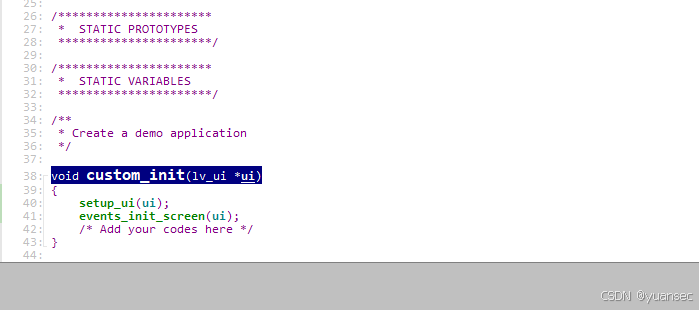 custom.c完整代码
/*
* Copyright 2023 NXP
* NXP Proprietary. This software is owned or controlled by NXP and may only be used strictly in
* accordance with the applicable license terms. By expressly accepting such terms or by downloading, installing,
* activating and/or otherwise using the software, you are agreeing that you have read, and that you agree to
* comply with and are bound by, such license terms.  If you do not agree to be bound by the applicable license
* terms, then you may not retain, install, activate or otherwise use the software.
*/


/*********************
 *      INCLUDES
 *********************/
#include <stdio.h>
#include "lvgl.h"
#include "custom.h"

/*********************
 *      DEFINES
 *********************/

/**********************
 *      TYPEDEFS
 **********************/

/**********************
 *  STATIC PROTOTYPES
 **********************/

/**********************
 *  STATIC VARIABLES
 **********************/

/**
 * Create a demo application
 */

void custom_init(lv_ui *ui)
{
	setup_ui(ui);
	events_init_screen(ui);
    /* Add your codes here */
}
这样就OK了,直接编译,然后运行生成的程序
运行效果
后续如果修改了ui,只需替换generated文件夹下的generated目录即可,custom的内容基本不会变化,是用户自己去修改的。

魔乐社区(Modelers.cn) 是一个中立、公益的人工智能社区,提供人工智能工具、模型、数据的托管、展示与应用协同服务,为人工智能开发及爱好者搭建开放的学习交流平台。社区通过理事会方式运作,由全产业链共同建设、共同运营、共同享有,推动国产AI生态繁荣发展。
更多推荐


 17
17 0
0- 0


 已为社区贡献4条内容

所有评论(0)