springboot集成swagger
·
概述
swagger是当下下比较流行的实时接口文文档生成工具。接口文档是当前前后端分离项目中必不可少的工具,在前后端开发之前,后端要先出接口文档,前端根据接口文档来进行项目的开发,双方开发结束后在进行联调测试。
导入依赖
        <dependency>
            <groupId>io.springfox</groupId>
            <artifactId>springfox-swagger2</artifactId>
            <version>2.9.2</version>
        </dependency>
        <dependency>
            <groupId>io.springfox</groupId>
            <artifactId>springfox-swagger-ui</artifactId>
            <version>2.9.2</version>
        </dependency>
简单写个controller
@RestController
public class TestSwagger {
    @RequestMapping(value = "/hello")
    public String hello(){
        return "请求成功!";
    }
}
测试:

集成swagger
将依赖放入pom.xml的dependencies中
//Configuration  表明是个配置类
//EnableSwagger2 开启Swagger2
@Configuration
@EnableSwagger2
public class SwaggerConfig {

}测试地址:http://localhost:8080/swagger-ui.html
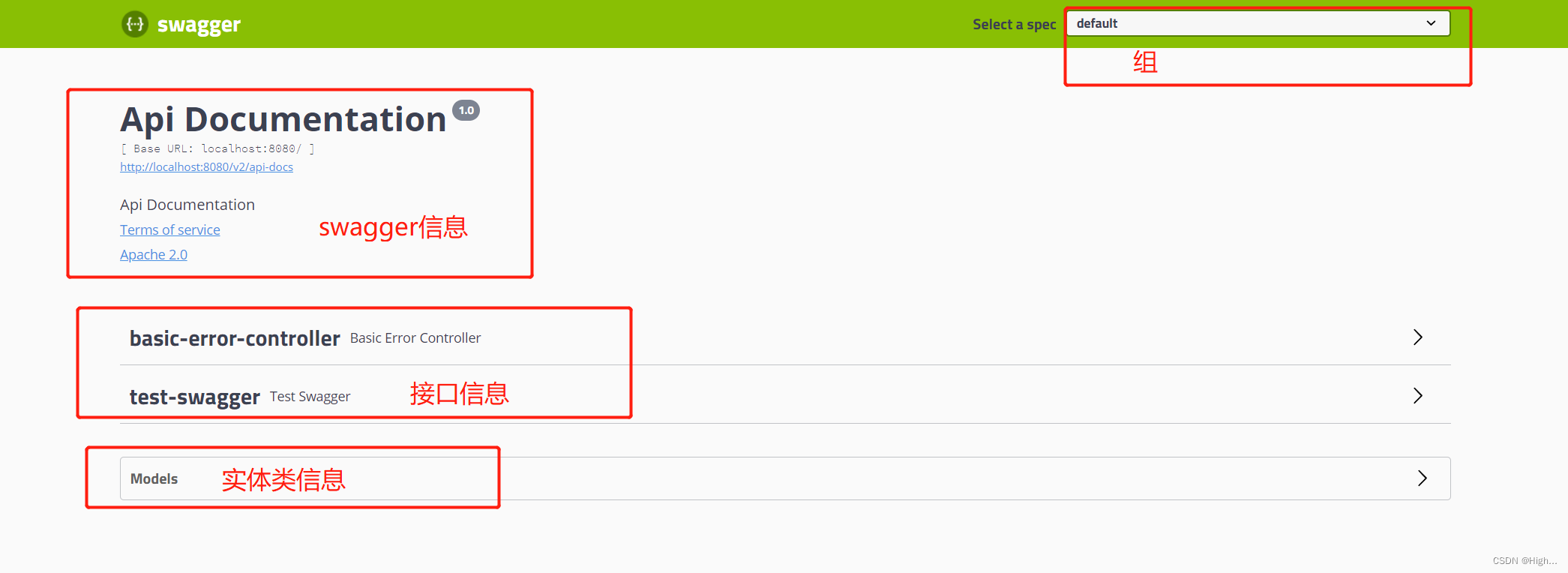
配置swagger
Swagger的bean实例 Docket
//Configuration  表明是个配置类
//EnableSwagger2 开启Swagger2
@Configuration
@EnableSwagger2
public class SwaggerConfig {
    //配置了swagger Docket的Bean实例
    @Bean
    public Docket docket() {
        return new Docket(DocumentationType.SWAGGER_2)
                .apiInfo(apiInfo());
    }
    //配置swagger apiInfo类
    public ApiInfo apiInfo(){
        //作者信息
        Contact contact = new Contact("gj", "http://baidu.com", "20221219");
        return new ApiInfo(
                "gj-swagger",
                "swagger-hello",
                "1.0",
                "https://blog.csdn.net/weixin_43522117?type=blog",
                contact,
                "Apache 2.0",
                "http://www.apache.org/licenses/LICENSE-2.0",
                new ArrayList());

    }
}
测试:
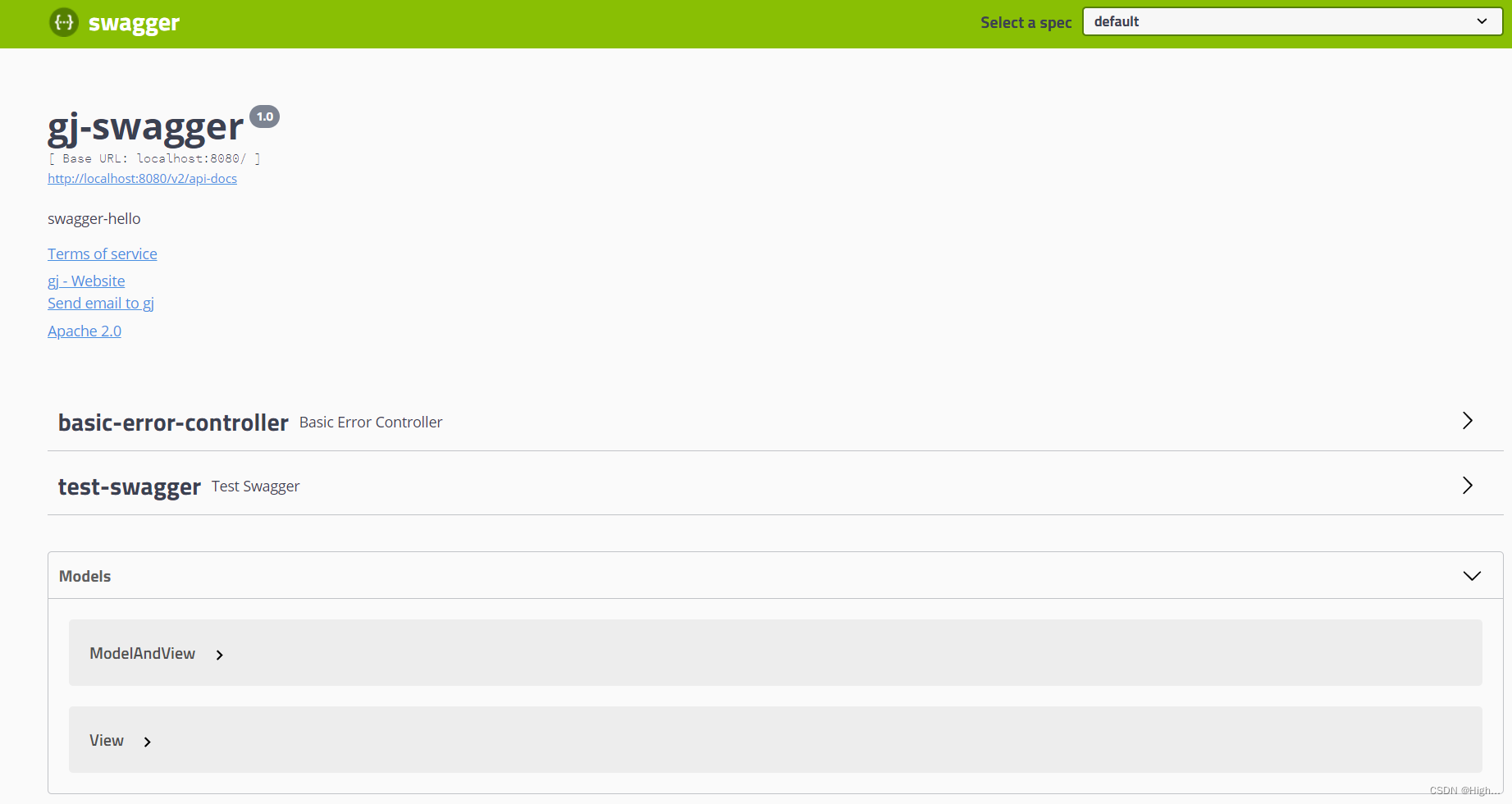
配置扫描接口及开关
@Bean
public Docket docket() {
    return new Docket(DocumentationType.SWAGGER_2)
            .apiInfo(apiInfo())
            .enable(false) //是否开启与关闭swagger
            //RequestHandlerSelectors 配置要扫描接口的方式
            //basePackage: 指定要的包//any(): 扫全部
            // none():不扫趟
            //withclassAnnotation: 扫播类上的注解
            .select().apis(RequestHandlerSelectors.basePackage("com.working.study.controller"))
            // PathSelectors 过滤路径
            .paths(PathSelectors.ant("/study/**"))
            .build();
}

魔乐社区(Modelers.cn) 是一个中立、公益的人工智能社区,提供人工智能工具、模型、数据的托管、展示与应用协同服务,为人工智能开发及爱好者搭建开放的学习交流平台。社区通过理事会方式运作,由全产业链共同建设、共同运营、共同享有,推动国产AI生态繁荣发展。
更多推荐


 0
0 0
0- 0


 已为社区贡献4条内容

所有评论(0)