Hugging Face 下载和加载预训练BERT模型的步骤
·
下载Hugging Face预训练BERT模型
1、打开Hugging Face官网https://huggingface.co/docs/transformers/installation#offline-mode:
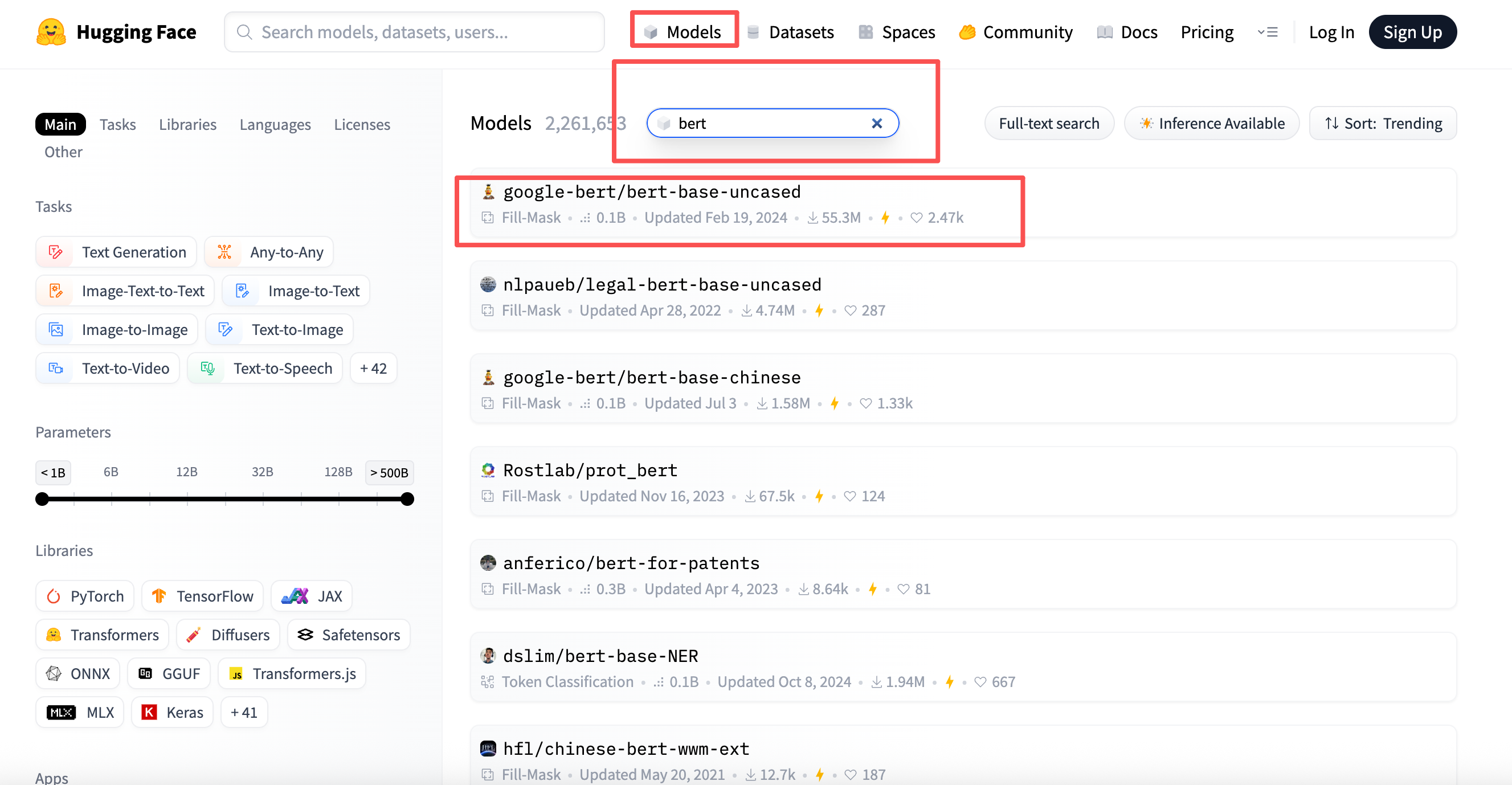
2、访问Hugging Face模型库,搜索所需BERT模型变体如bert-base-uncased。
3、根据你的框架选择合适的文件,(pytorch:pytorch_model.bin ;TensorFlow:tf_model.h5),把所有文件下载到本地:
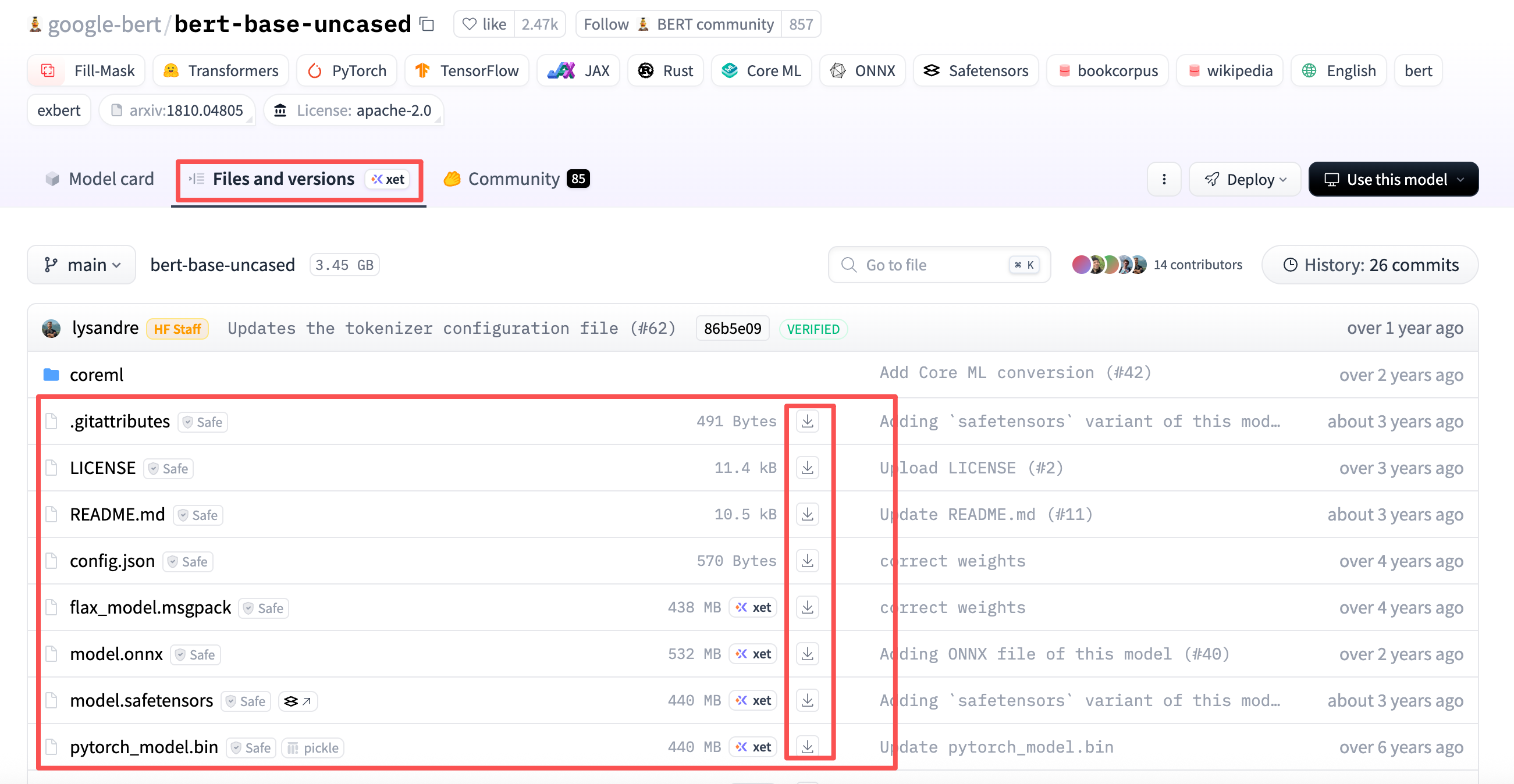
4、将下载的文件存到本地bert-base-uncased文件夹下,文件夹在python路径下。
安装transformers库确保环境兼容性:
pip install transformers
使用from_pretrained()方法加载BERT模型和分词器:
from transformers import AutoTokenizer, AutoModel
# 加载预训练BERT模型和分词器
tokenizer = AutoTokenizer.from_pretrained("bert-base-uncased")
model = AutoModel.from_pretrained("bert-base-uncased")或者:使用from_pretrained()方法直接下载模型和分词器:
from transformers import BertModel, BertTokenizer
model = BertModel.from_pretrained('bert-base-uncased')
tokenizer = BertTokenizer.from_pretrained('bert-base-uncased')
本地加载已下载的模型
将模型保存到本地目录后,通过指定本地路径加载:
model.save_pretrained('./bert_local')
tokenizer.save_pretrained('./bert_local')

# 从本地重新加载
local_model = BertModel.from_pretrained('./bert_local')
local_tokenizer = BertTokenizer.from_pretrained('./bert_local')
使用自定义配置加载模型
修改模型参数时创建自定义配置对象:
from transformers import BertConfig
config = BertConfig(
    hidden_size=768,
    num_attention_heads=12,
    num_hidden_layers=12
)
custom_model = BertModel(config)
处理输入数据与模型推理
使用分词器预处理文本并生成模型输入:
inputs = tokenizer("Hello world!", return_tensors="pt")
outputs = model(**inputs)
last_hidden_states = outputs.last_hidden_state
模型微调与保存
添加任务特定层进行微调后保存完整模型:
import torch.nn as nn
class FineTunedBert(nn.Module):
    def __init__(self):
        super().__init__()
        self.bert = model
        self.classifier = nn.Linear(768, 2)

    def forward(self, **inputs):
        outputs = self.bert(**inputs)
        return self.classifier(outputs.last_hidden_state[:,0,:])

finetuned_model = FineTunedBert()
finetuned_model.save_pretrained('./finetuned_bert')

魔乐社区(Modelers.cn) 是一个中立、公益的人工智能社区,提供人工智能工具、模型、数据的托管、展示与应用协同服务,为人工智能开发及爱好者搭建开放的学习交流平台。社区通过理事会方式运作,由全产业链共同建设、共同运营、共同享有,推动国产AI生态繁荣发展。
更多推荐


 8
8 0
0- 0


 已为社区贡献1条内容

所有评论(0)