【Python数据采集】python爬取小红书指定笔记下面的所有评论以及子评论,情感分析、绘制词云图、词频分析、数据分析
·
python爬取小红书指定笔记下面的所有评论以及子评论,情感分析、绘制词云图、词频分析、数据分析
使用 Python 编写一个爬虫程序用于从小红书抓取特定文章的评论数据,并对这些数据进行基本的数据分析,包括情感分析、可视化展示、词云图和柱状图的绘制。
配套视频请看:配套视频教程
完整程序源码地址:完整程序源码地址
本教程分为两大部分:爬虫部分 和 数据分析部分。
- 爬虫部分:从指定的小红书文章中抓取所有评论及其子评论信息,并保存到本地的 CSV 文件中。
- 数据分析部分:加载从小红书获取的评论数据、清洗与预处理文本、执行情感分析以及生成词云图和词频图。
必要的第三方库
- Python
- Requests:发送 HTTP 请求
- execjs:执行 JavaScript 代码(用于 js 逆向)
- json & csv:处理 JSON 数据和 CSV 文件写入
- pandas: 数据处理
- jieba: 中文分词
- snownlp: 情感分析
- matplotlib, wordcloud: 数据可视化
文件结构
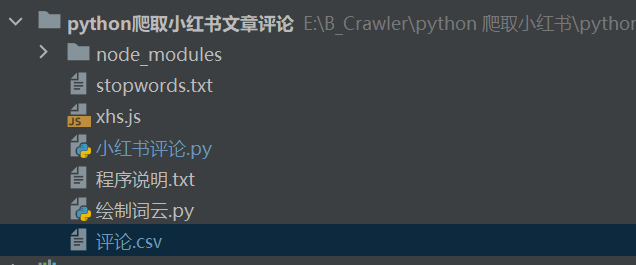
爬虫逻辑详解
小红书对请求有反爬机制,需要通过 Cookie 和 签名来模拟合法请求。
获取 Cookie 设置请求头
- 打开 小红书官网 并登录。
- 在浏览器开发者工具中找到并复制请求头中的 cookie 字段。
- 将获取到的 cookie 替换到代码中的相应位置。
- 根据需要修改 base_headers 中的 cookie 值。
base_headers = {
    "accept": "application/json, text/plain, */*",
    "cookie": "your_cookie_here", # 替换为你自己的cookie
    ...
}
使用 JavaScript 生成请求签名
使用 execjs 调用本地的 xhs.js 文件完成签名生成
xhs_sign_obj = execjs.compile(open('xhs.js', encoding='utf-8').read())
sign_header = xhs_sign_obj.call('sign', uri, data, base_headers.get('cookie', ''))
根据文章 ID (note_id) 和 xsec_token 抓取该文章的所有评论
def get_comments(note_id, xsec_token):
    cursor = ''
    page = 0
    while True:
        uri = f"/api/sns/web/v2/comment/page?note_id={note_id}&cursor={cursor}&top_comment_id=&image_scenes=jpg,webp,avif&xsec_token={xsec_token}"
        url = f'https://edith.xiaohongshu.com/api/sns/web/v2/comment/page?note_id={note_id}&cursor={cursor}&top_comment_id=&image_scenes=jpg,webp,avif&xsec_token={xsec_token}'

        time.sleep(1)
        json_data = get_request(url, uri=uri).json()

        if len(json_data['data']) == 0:
            continue

        for comment in json_data['data']['comments']:
            sava_data(comment)

            if len(comment['sub_comments']) > 0 and is_sub_comments:  # 判断是否需要爬取子评论
                sava_data(comment['sub_comments'][0])
                get_sub_comments(note_id, comment['id'], comment['sub_comment_cursor'], xsec_token)

        if not json_data['data']['has_more']:
            break

        cursor = json_data['data']['cursor']
        page += 1
        print('================爬取Page{}完毕================'.format(page))
递归地获取子评论
def get_sub_comments(note_id, root_comment_id, sub_comment_cursor, xsec_token):
    while True:
        uri = f"/api/sns/web/v2/comment/sub/page?note_id={note_id}&root_comment_id={root_comment_id}&cursor={sub_comment_cursor}&num=10&top_comment_id=&image_scenes=jpg,webp,avif&xsec_token={xsec_token}"
        url = f"https://edith.xiaohongshu.com/api/sns/web/v2/comment/sub/page?note_id={note_id}&root_comment_id={root_comment_id}&cursor={sub_comment_cursor}&num=10&top_comment_id=&image_scenes=jpg,webp,avif&xsec_token={xsec_token}"

        time.sleep(1)
        sub_comment_data = get_request(url, uri=uri).json()

        if len(sub_comment_data['data']) == 0:
            continue

        for sub_comment in sub_comment_data['data']['comments']:
            sava_data(sub_comment)

        if not sub_comment_data['data']['has_more']:
            break

        sub_comment_cursor = sub_comment_data['data']['cursor']
复制文章的 id 和 xsec_token


替换要爬取的文章的 id 和 xsec_token,运行以下代码开始爬取数据
if __name__ == '__main__':
    comment_count = 0
    note_id_list = ['684015a50000000023002a55']
    xsec_token_list = ['ABdcXnSPa4X7orYyQcUKt5doWQa2VpVXfgEHGB3BthyKE=']

    for note_id, xsec_token in zip(note_id_list, xsec_token_list):
        get_comments(note_id, xsec_token)
        print(f'\n================{note_id}的文章评论爬取完毕================\n')

    print('\n================爬取完毕================\n')
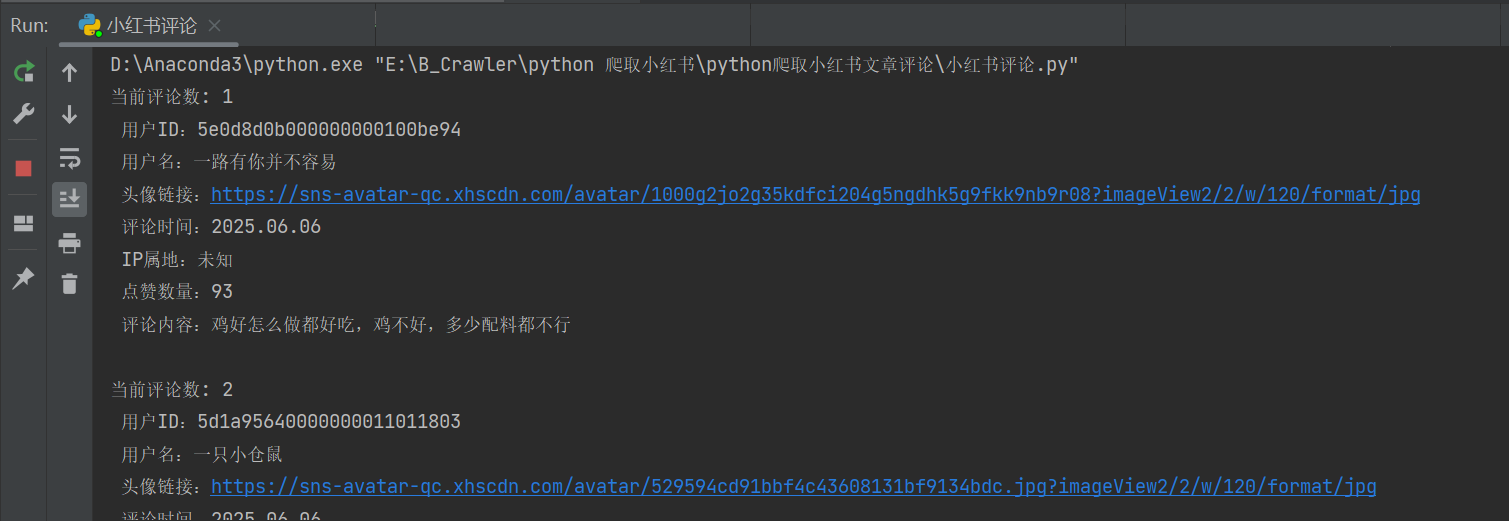
数据分析逻辑详解
加载数据由爬虫程序生成的 CSV 文件。
import pandas as pd

data = pd.read_csv('评论.csv', encoding="utf-8-sig")
对爬取到的数据进行去重、文本清洗、去除停用词和中文分词。
# 去除重复的评论
comments = comments.drop_duplicates()
# 对评论进行分词,去除一些停用词
segmented_comments = [seg_text(comment) for comment in comments if seg_text(comment).strip()]
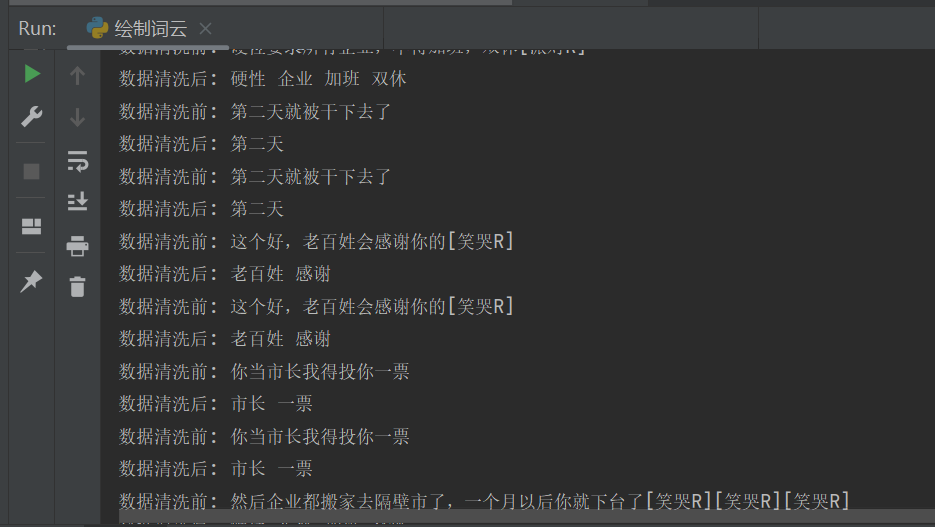
利用SnowNLP库进行情感分析,返回每条评论的情感倾向得分(0到1之间)
def analyze_sentiment(text):
    s = SnowNLP(text)
    return s.sentiments

# 分析每条评论的情感倾向得分
sentiment_scores = [analyze_sentiment(comment) for comment in segmented_comments]
绘制情感分数直方图、积极评论和消极评论的词云图、绘制词频图
 # 绘制积极评论词云图
 positive_text = ' '.join(positive_comments)
 generate_wordcloud(positive_text)

 # 绘制消极评论词云图
 negative_text = ' '.join(negative_comments)
 generate_wordcloud(negative_text)

 # 绘制词频图
 comment_list = []
 for comment in segmented_comments:
     comment_list.extend(comment.split())
 plot_word_frequency(comment_list)
绘图结果如下:
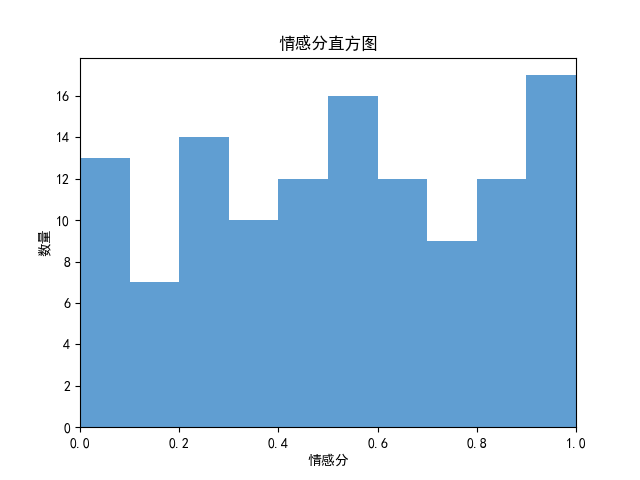
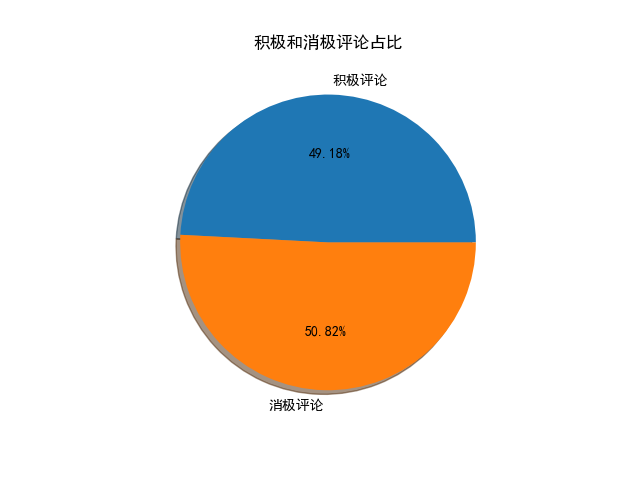


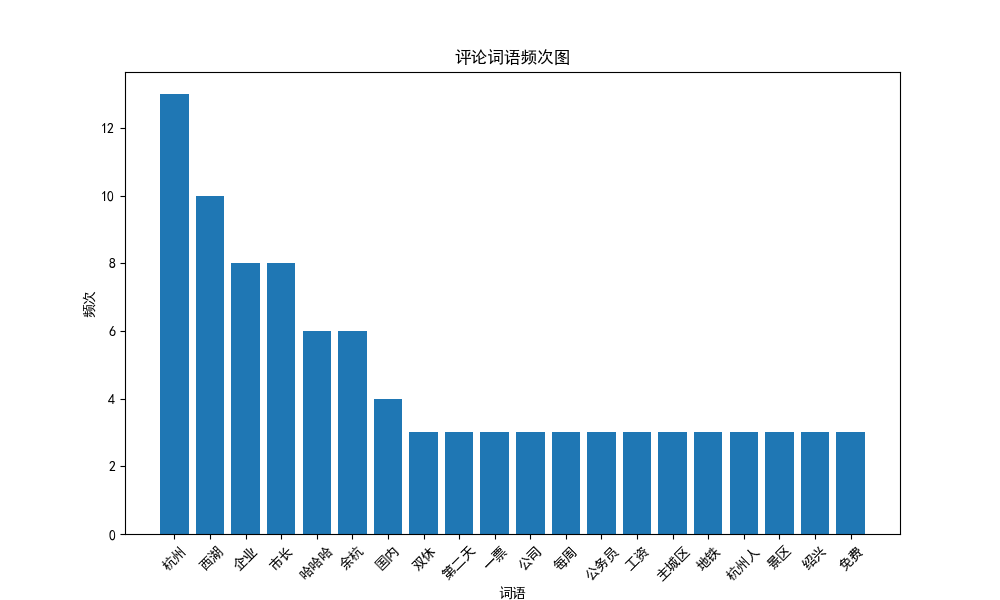
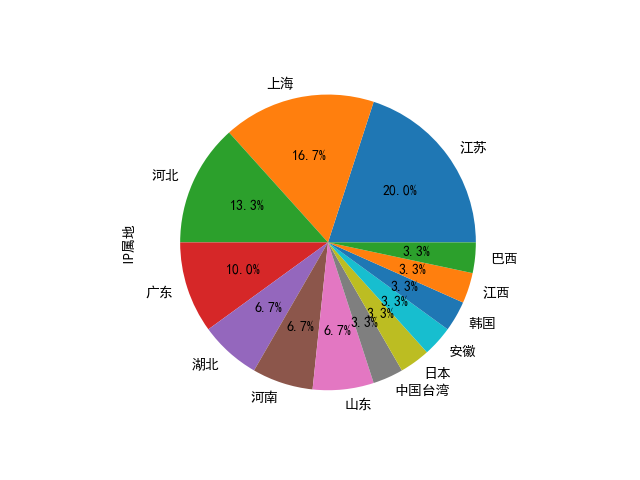
其他绘图:

魔乐社区(Modelers.cn) 是一个中立、公益的人工智能社区,提供人工智能工具、模型、数据的托管、展示与应用协同服务,为人工智能开发及爱好者搭建开放的学习交流平台。社区通过理事会方式运作,由全产业链共同建设、共同运营、共同享有,推动国产AI生态繁荣发展。
更多推荐


 19
19 0
0- 0


 已为社区贡献3条内容

所有评论(0)