linux内核5.10.200从源码下载到编译--全程问AI
问题一:Windows 的ubuntu子系统更滑阿里源 ,子系统版本为Ubuntu 24.04.2 LTS 修改/etc/apt/sources.list问题二:Linux 5.10 LTS 下载 从阿里源下载。
源码下载
问题一:Windows 的ubuntu子系统更滑阿里源 ,子系统版本为Ubuntu 24.04.2 LTS 修改/etc/apt/sources.list
lsb_release -a  # 确认输出为24.04 LTS (noble)
sudo cp /etc/apt/sources.list /etc/apt/sources.list.bak
sudo vi /etc/apt/sources.list
deb https://mirrors.aliyun.com/ubuntu/ noble main restricted universe multiverse
deb https://mirrors.aliyun.com/ubuntu/ noble-security main restricted universe multiverse
deb https://mirrors.aliyun.com/ubuntu/ noble-updates main restricted universe multiverse
deb https://mirrors.aliyun.com/ubuntu/ noble-backports main restricted universe multiverse
# 预发布源(不建议启用)
# deb https://mirrors.aliyun.com/ubuntu/ noble-proposed main restricted universe multiverse
sudo apt clean
sudo rm -rf /var/lib/apt/lists/*
sudo apt update && sudo apt upgrade -y
问题二:Linux 5.10 LTS 下载 从阿里源下载
# 下载5.10系列最新稳定版(示例)
wget https://mirrors.aliyun.com/linux-kernel/v5.x/linux-5.10.200.tar.xz

tar -xvf linux-5.10.xxx.tar.xz
cd linux-5.10.xxx
源码编译
参考
https://www.bilibili.com/video/BV1Vo4y117Xx?spm_id_from=333.788.videopod.sections&vd_source=e7d1377d5eddff26fcdd9b67e7da8f8a
https://www.bilibili.com/opus/524289977842234888?from=search&spm_id_from=333.337.0.0
编译过程中遇到的问题
一、make x86_64_defconfig失败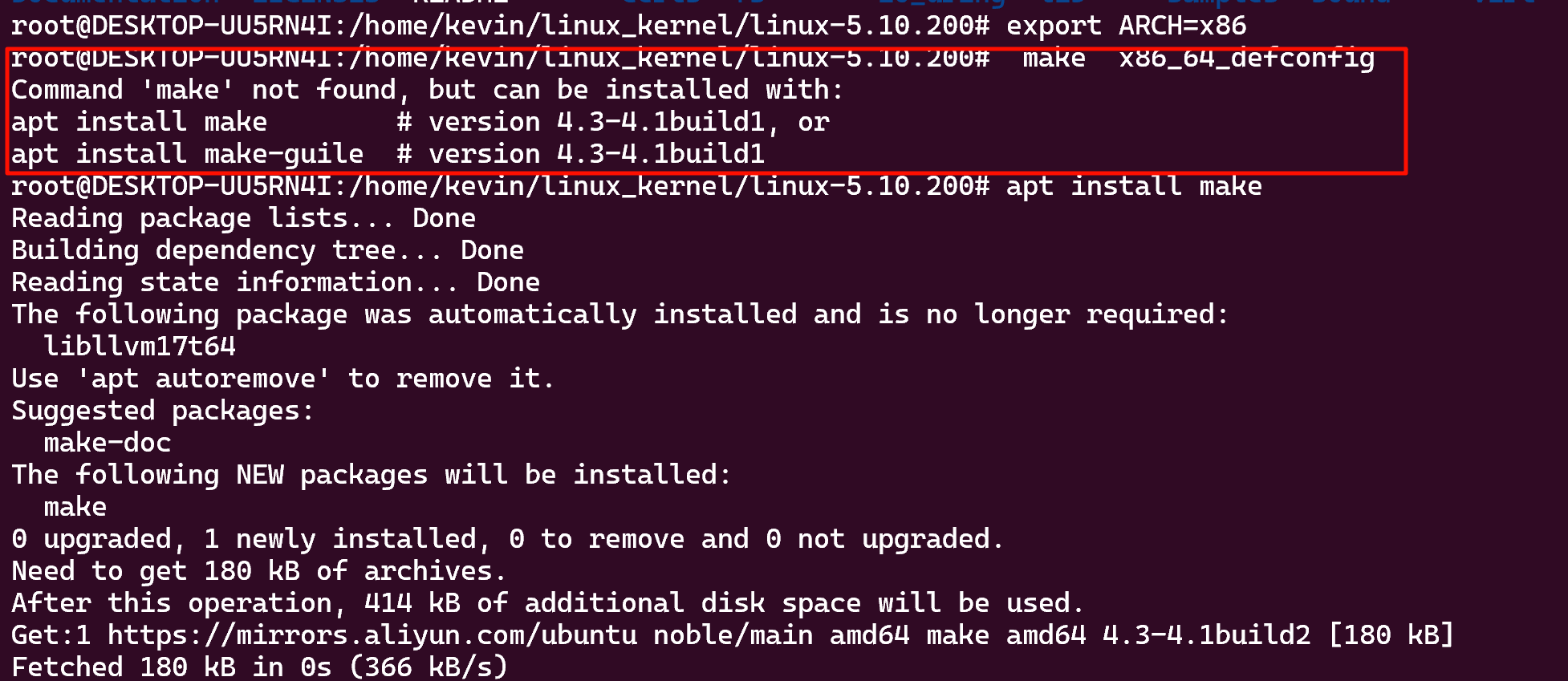
解决办法:
apt install make
apt install make-guile
二、再次make仍然失败
oot@DESKTOP-UU5RN4I:/home/kevin/linux_kernel/linux-5.10.200#  make  x86_64_defconfig
  HOSTCC  scripts/basic/fixdep
  HOSTCC  scripts/kconfig/conf.o
  HOSTCC  scripts/kconfig/confdata.o
  HOSTCC  scripts/kconfig/expr.o
  LEX     scripts/kconfig/lexer.lex.c
/bin/sh: 1: flex: not found
make[1]: *** [scripts/Makefile.host:9: scripts/kconfig/lexer.lex.c] Error 127
make: *** [Makefile:615: x86_64_defconfig] Error 2
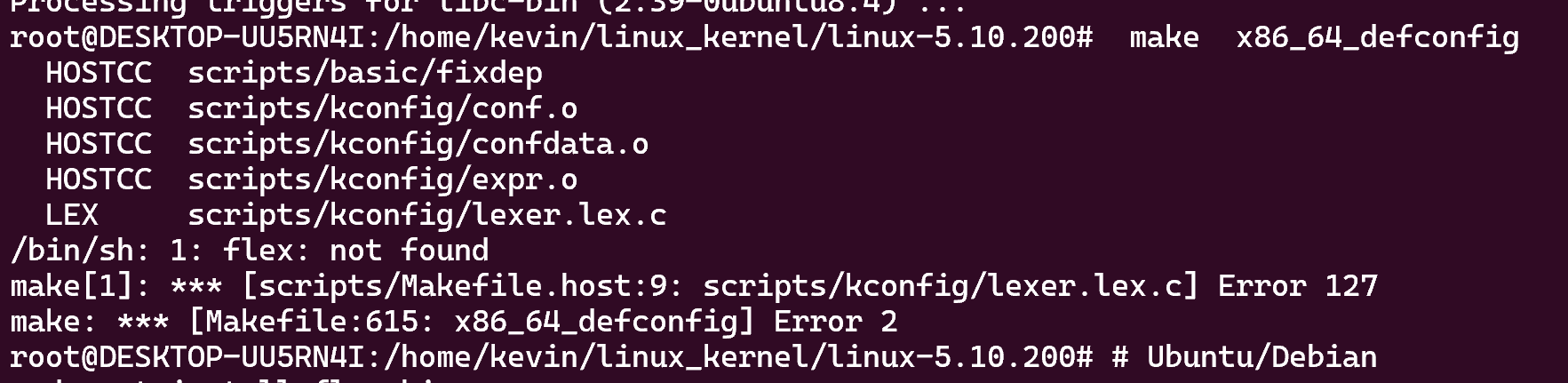
解决办法:
sudo apt install flex bison
sudo apt install build-essential libncurses-dev libssl-dev dwarves
上述两个问题解决后make config成功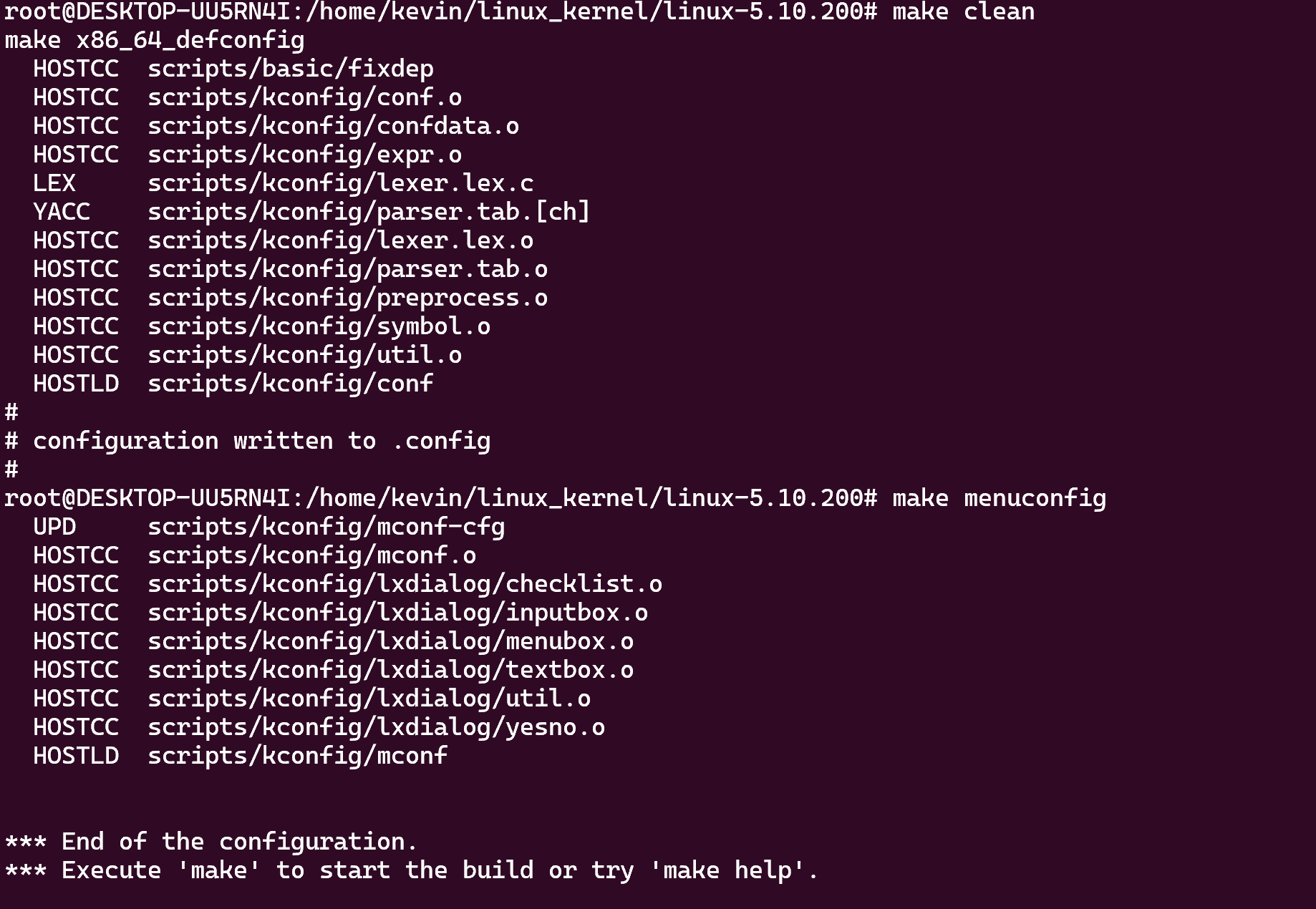
三、编译是报错
error: Cannot generate ORC metadata for CONFIG_UNWINDER_ORC=y, please install libelf-dev, libelf-devel or elfutils-libelf-devel
make: *** [Makefile:1264: prepare-objtool] Error 1

解决办法:
sudo apt install libelf-dev libssl-dev
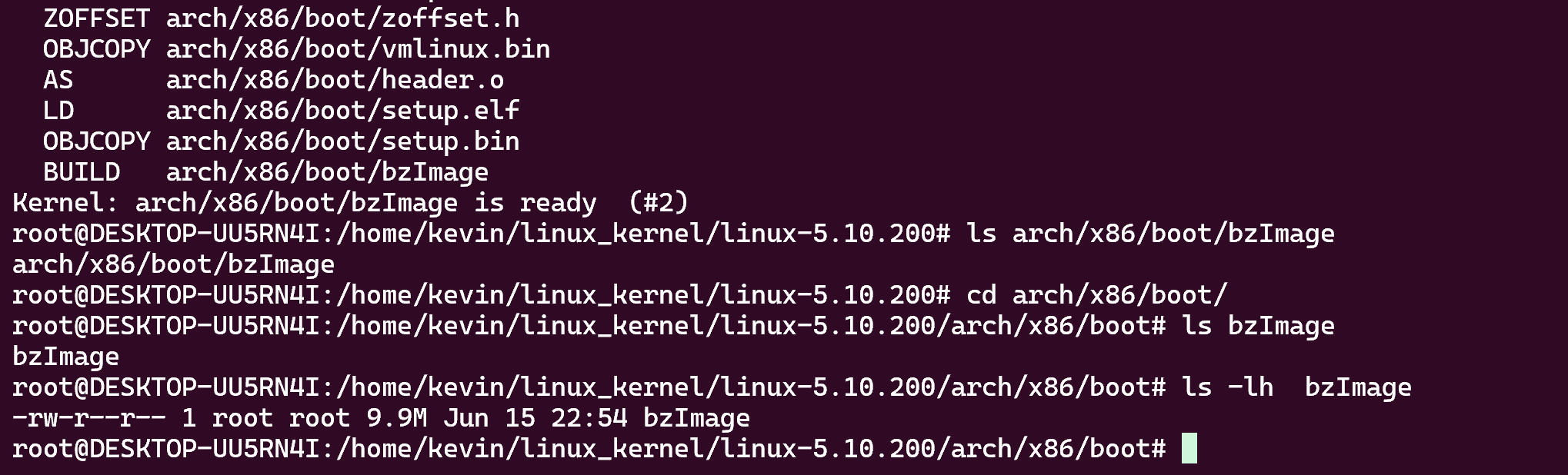
最后清理后重新编译成功
make clean
make x86_64_defconfig
make -j$(nproc)
参考资料:
https://www.bilibili.com/video/BV1Vo4y117Xx?spm_id_from=333.788.videopod.sections&vd_source=e7d1377d5eddff26fcdd9b67e7da8f8a
https://www.bilibili.com/opus/524289977842234888?from=search&spm_id_from=333.337.0.0

魔乐社区(Modelers.cn) 是一个中立、公益的人工智能社区,提供人工智能工具、模型、数据的托管、展示与应用协同服务,为人工智能开发及爱好者搭建开放的学习交流平台。社区通过理事会方式运作,由全产业链共同建设、共同运营、共同享有,推动国产AI生态繁荣发展。
更多推荐


 5
5 0
0- 0


 已为社区贡献2条内容

所有评论(0)