计算机视觉:python交通标志识别系统 YOLOv8模型 TT100K数据集 pytorch深度学习 目标检测识别 (源码+文档)✅
计算机视觉:python交通标志识别系统 YOLOv8模型 TT100K数据集 pytorch深度学习 目标检测识别 (源码+文档)✅
·
博主介绍:✌全网粉丝10W+,前互联网大厂软件研发、集结硕博英豪成立软件开发工作室,专注于计算机相关专业项目实战6年之久,累计开发项目作品上万套。凭借丰富的经验与专业实力,已帮助成千上万的学生顺利毕业,选择我们,就是选择放心、选择安心毕业✌
> 🍅想要获取完整文章或者源码,或者代做,拉到文章底部即可与我联系了。🍅🍅感兴趣的可以先收藏起来,点赞、关注不迷路,大家在毕设选题,项目以及论文编写等相关问题都可以给我留言咨询,希望帮助同学们顺利毕业 。🍅
1、毕业设计:2026年计算机专业毕业设计选题汇总(建议收藏)✅
1、项目介绍
技术栈:
Python语言、pytorch深度学习、YOLOv8技术、TT100K数据集、PySide6界面
在无人驾驶中,交通标志识别是一项重要的任务。YOLOv8是前沿的目标检测技术,它基于先前 YOLO 版本在目标检测任务上的成功,进一步提升性能和灵活性。
使用YOLOv8训练TT100K中国交通标志数据集,完成一个多目标检测实战项目。可实时检测图像、视频、摄像头中的交通标志,并提供PySide6开发的可视化演示界面 。
TT100K(Tsinghua-Tencent 100K)是一个专门用于交通标志检测的大规模数据集。该数据集由清华大学与腾讯公司联合开发。TT100K数据集包含了超过10万张图片。图片中包含了不同类型的交通标志,总计约有200,000个标签。
2、项目界面
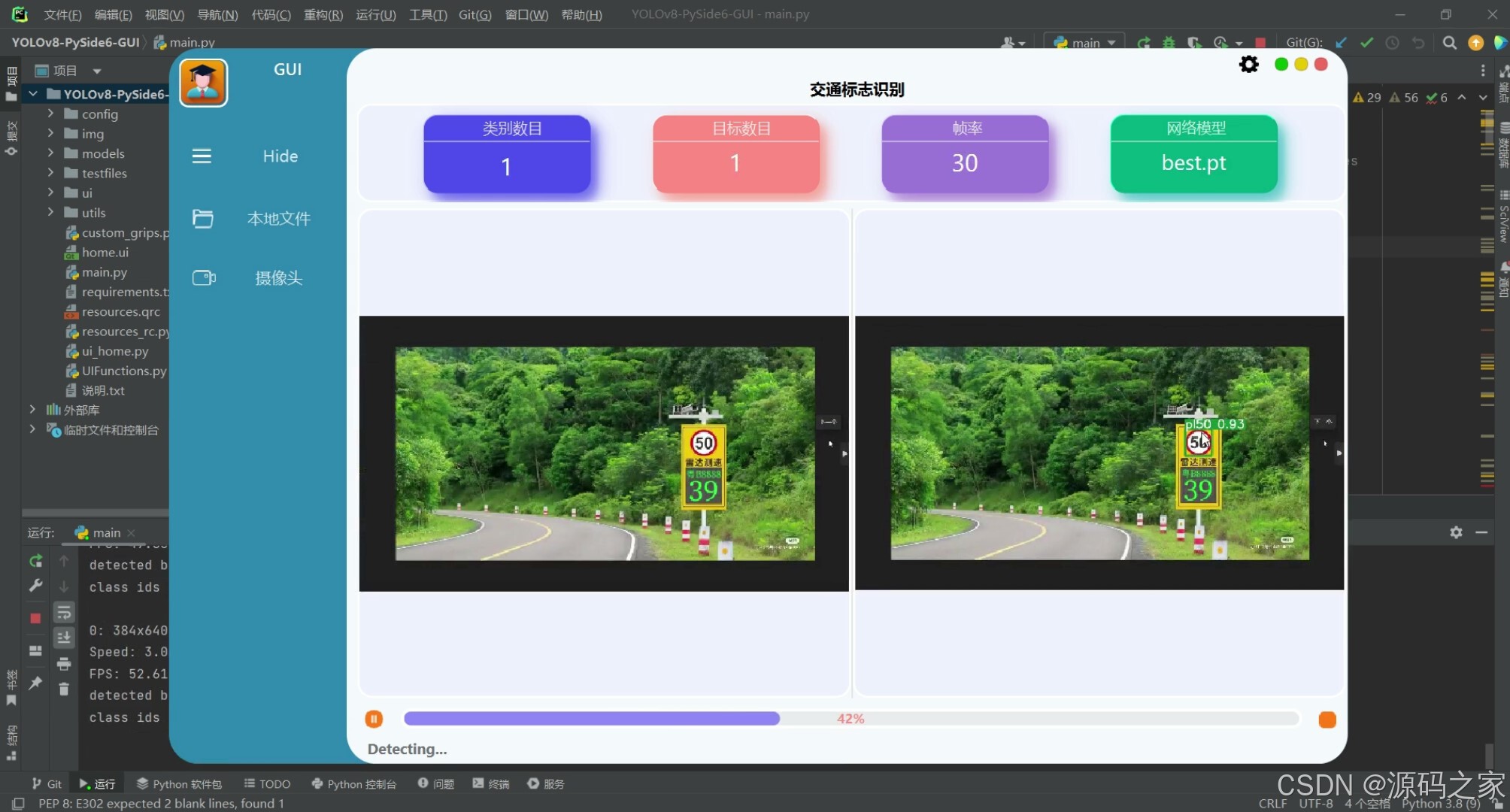
(1)交通标志检测识别—限速50
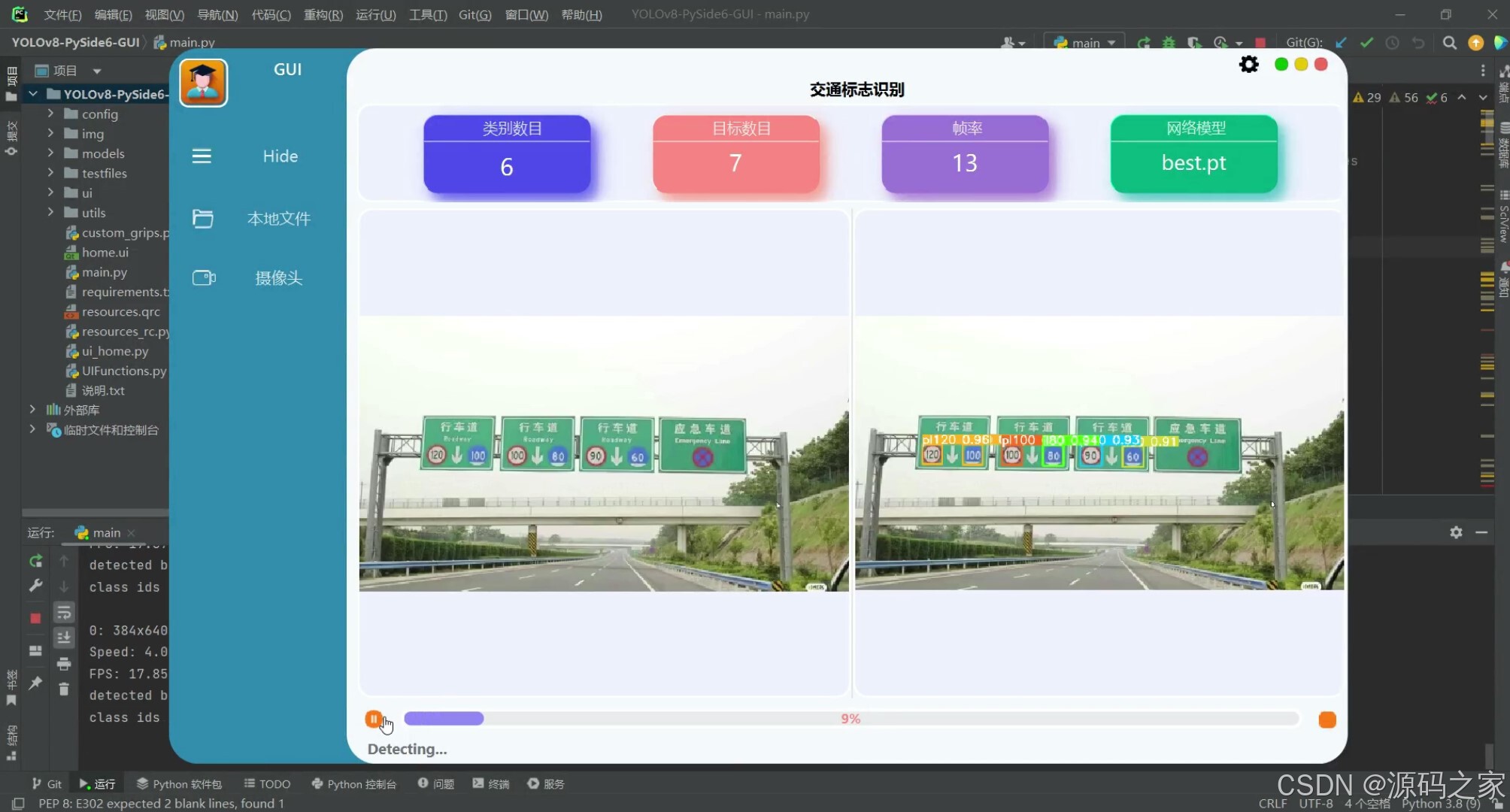
(2)交通标志检测识别—多个目标识别
(3)交通标志检测识别—多个目标检测识别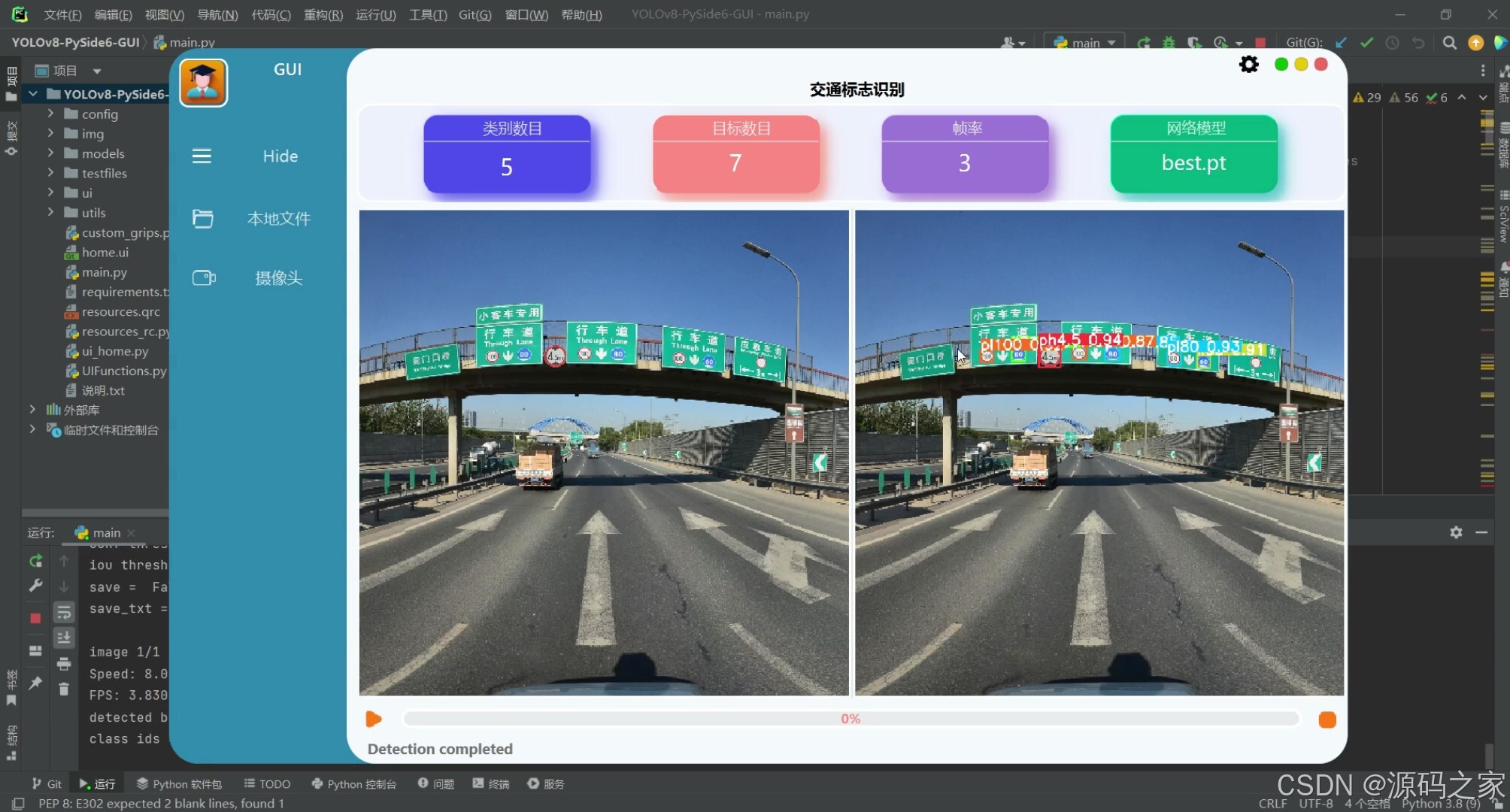
(4)交通标志检测识别—多个目标检测识别
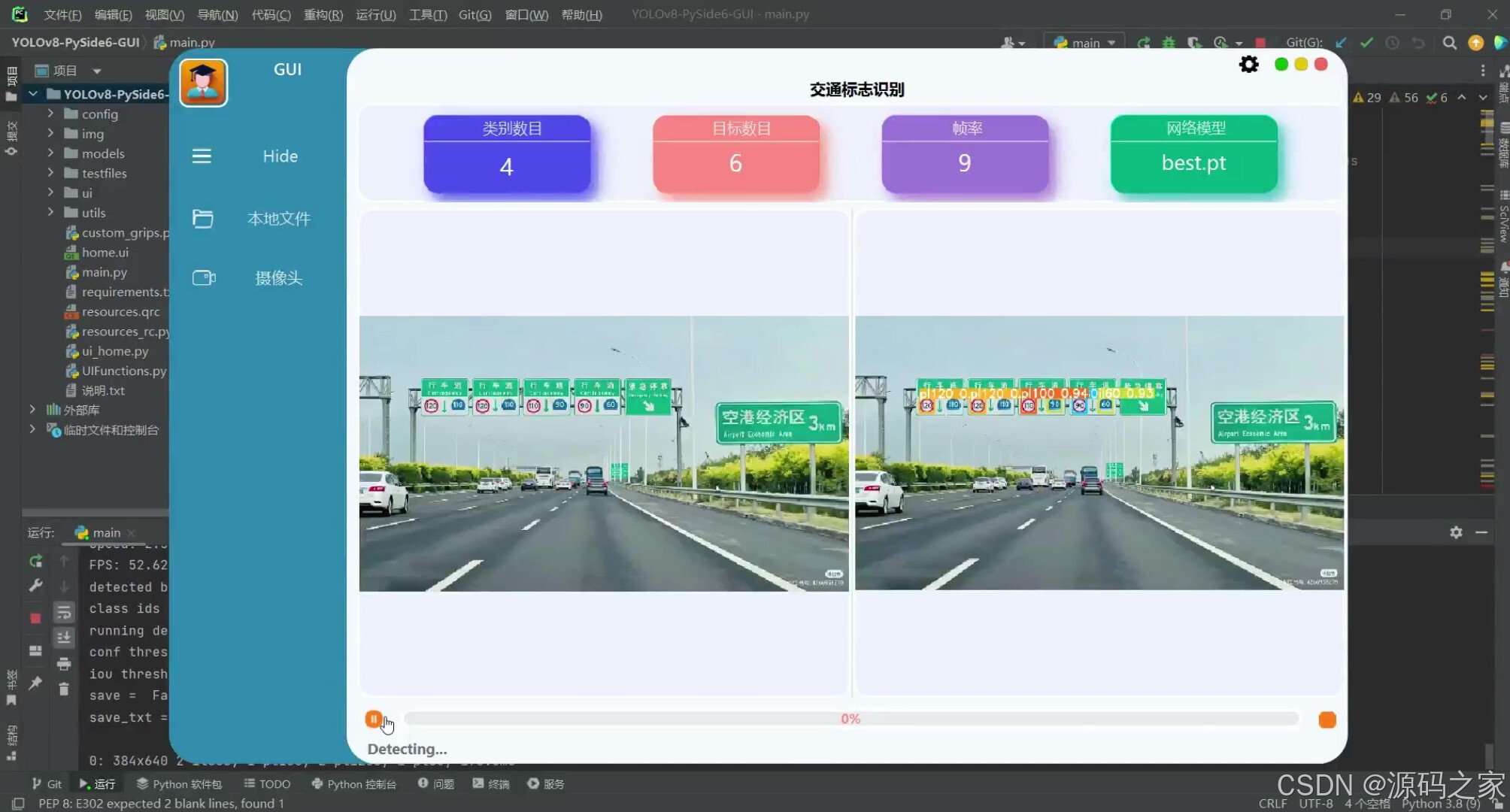
(4)交通标志检测识别—摄像头检测识别
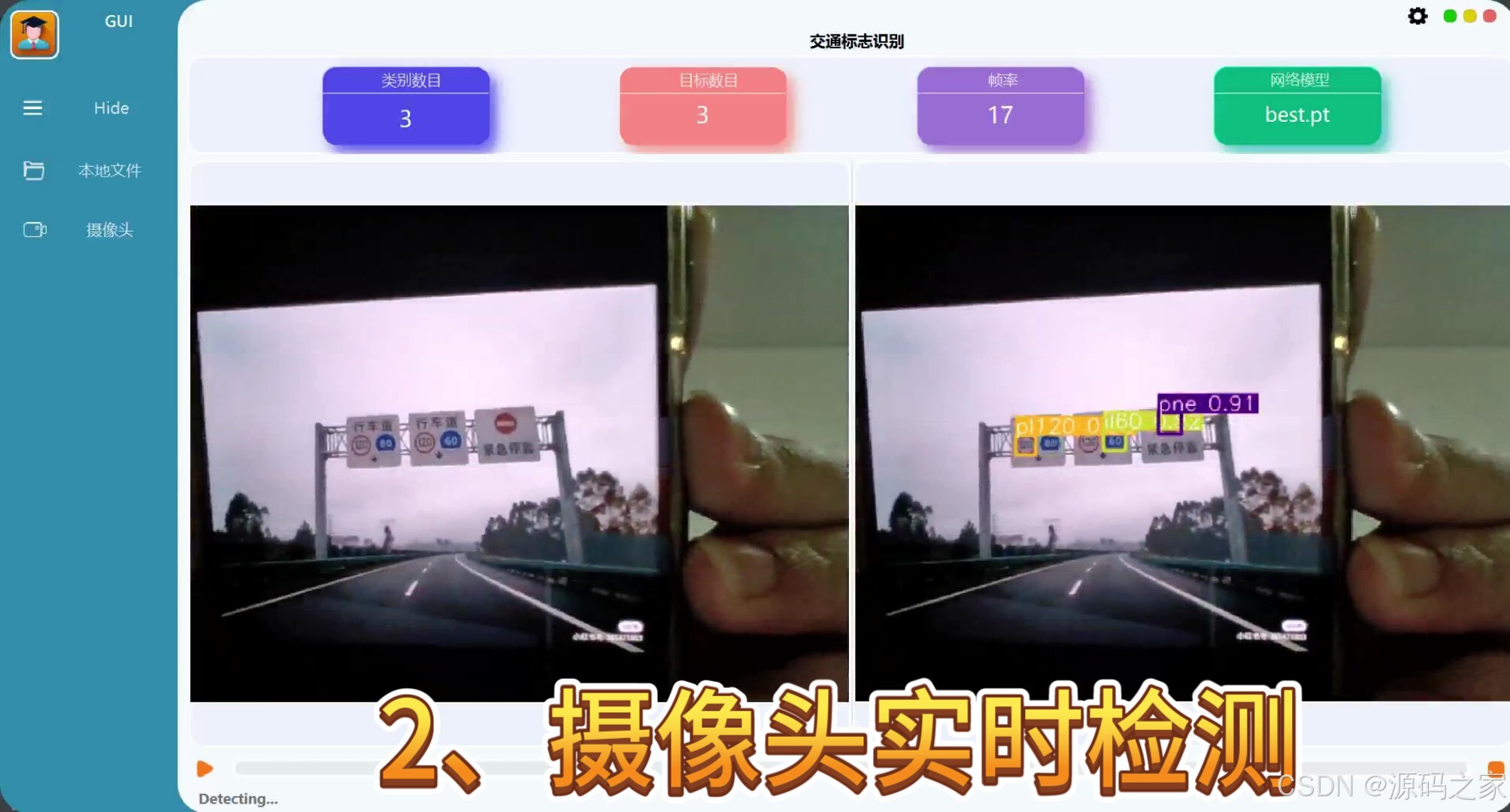
(5)交通标志检测识别—摄像头检测识别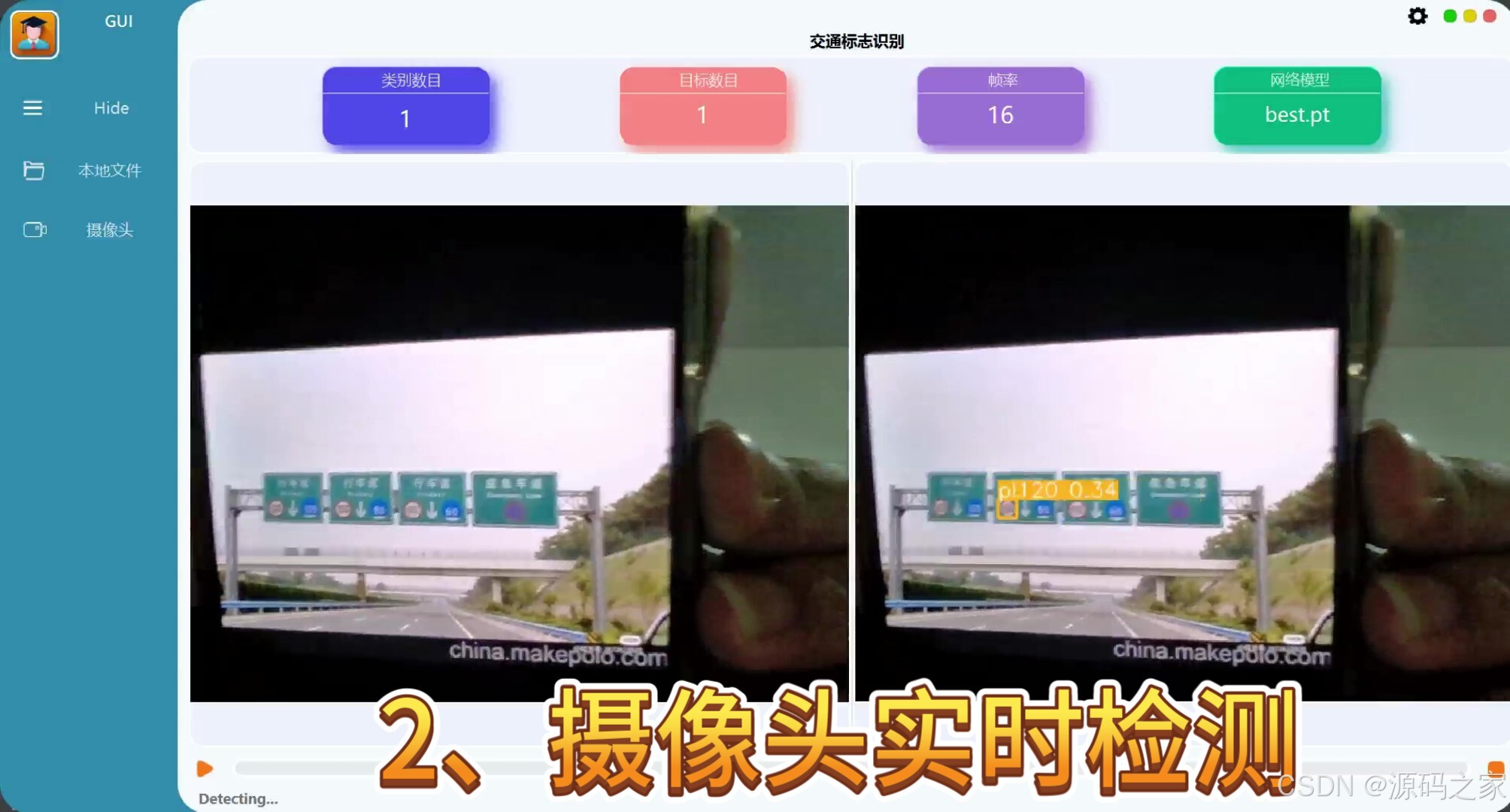
(6)交通标志检测识别—视频实时检测识别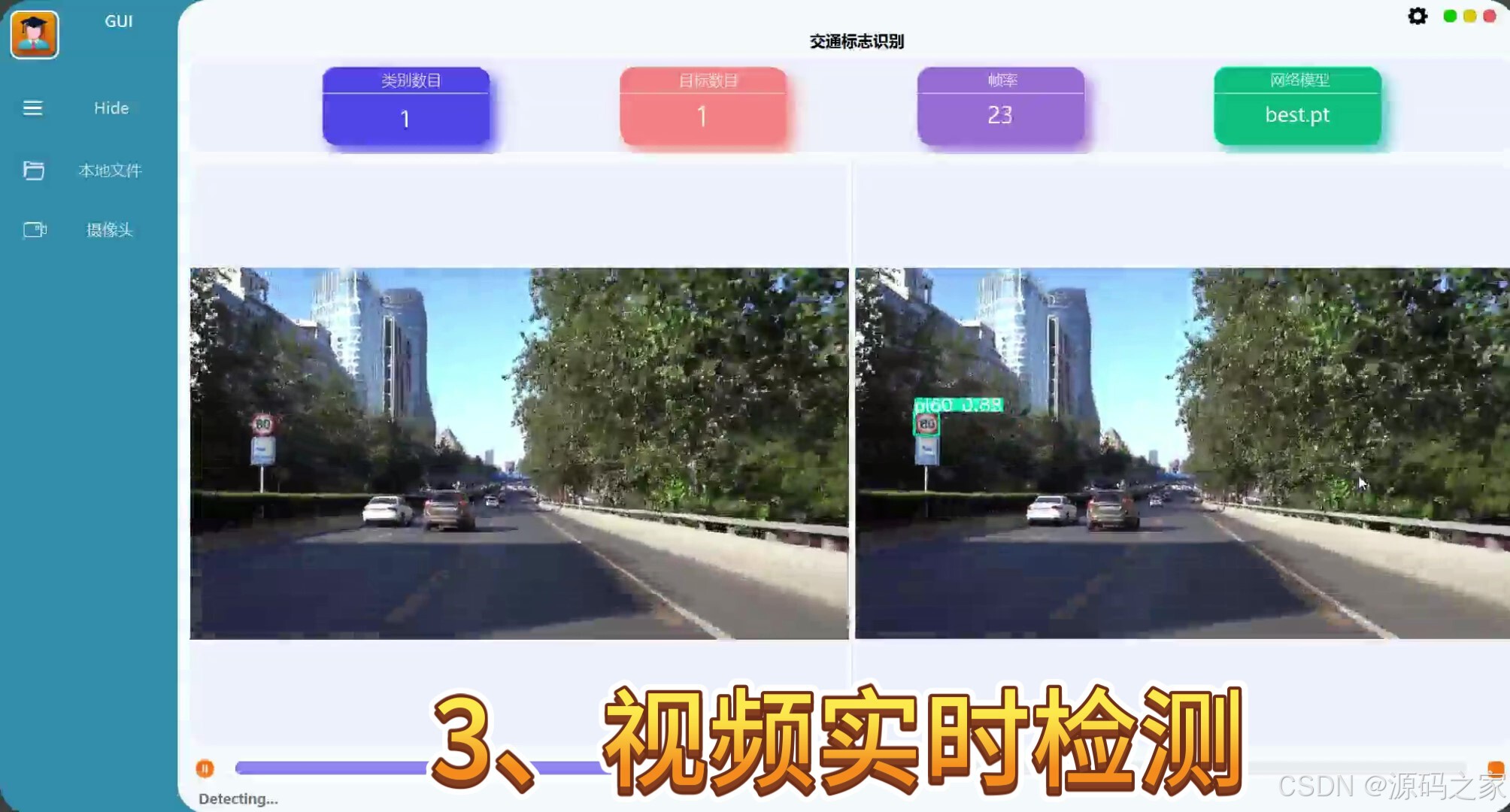
(7)交通标志检测识别—视频实时检测识别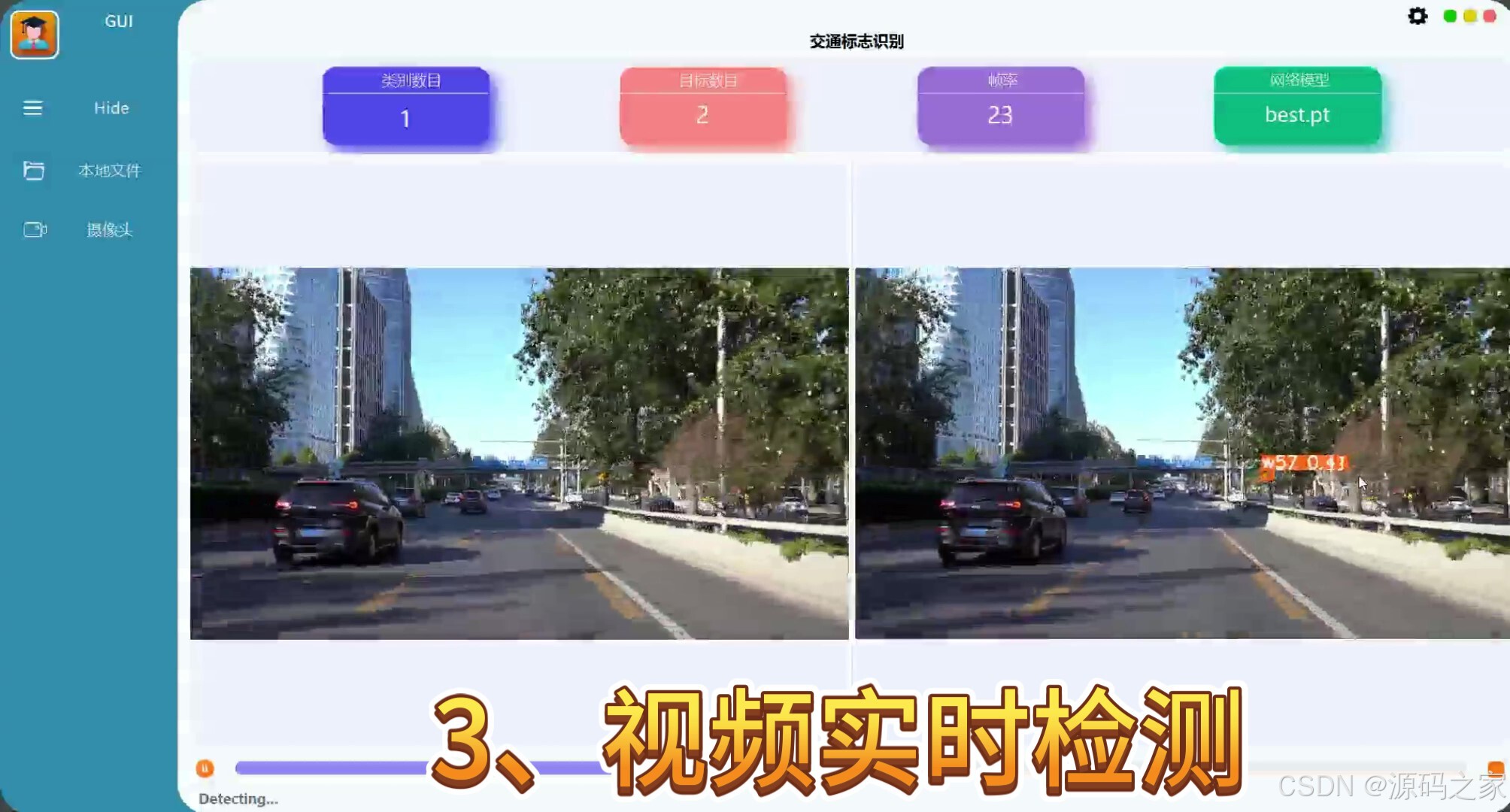
3、项目说明
技术栈:
Python语言、pytorch深度学习、YOLOv8技术、TT100K数据集、PySide6界面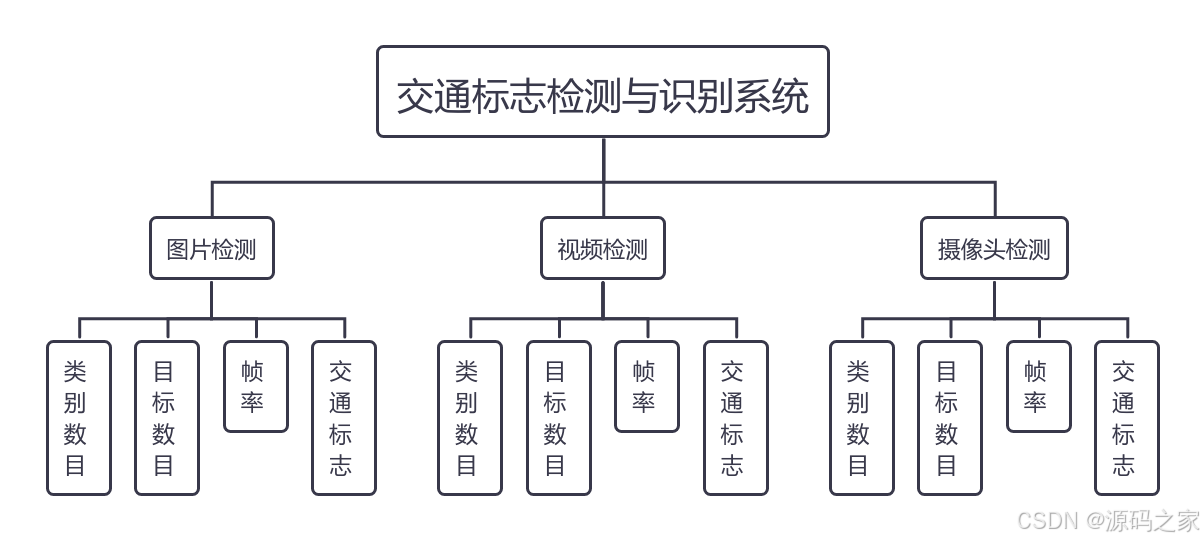
摘要
在科技飞速发展的今天,随着车辆的愈发增多,所造成交通拥堵、交通事故等问题也已然屡见不鲜。在当今环境下,一个可以准确且实时对道路交通标志进行检测识别的交通标志识别系统的研发可以有效缓解当今的交通问题。交通标志识别系统可以很好的辅助驾驶人员对与道路交通信息以及前方交通标志的含义进行及时的把控从而可以及时的做出相应的驾驶决策。通过对交通标志识别技术的深入研究分析,本文使用YOLOv8训练TT100K中国交通标志数据集,在PyTorch和pycharm环境下进行实验,完成交通标志检测识别系统。本系统可实时检测图像、视频、摄像头中的交通标志,并提供PySide6开发的可视化演示界面 。交通标志检测识别系统的意义可以提高交通安全和减少交通事故发生的可能性、提高交通安全、减少交通事故、预防交通违法行为,提供驾驶辅助功能,并为交通管理提供数据支持。
关键词:交通标志;YOLOv8模型;深度学习;TT100K
在科技飞速发展的今天,随着车辆的愈发增多,所造成交通拥堵、交通事故等问题也已然屡见不鲜。在当今环境下,一个可以准确且实时对道路交通标志进行检测识别的交通标志识别系统的研发可以有效缓解当今的交通问题。交通标志识别系统可以很好的辅助驾驶人员对与道路交通信息以及前方交通标志的含义进行及时的把控从而可以及时的做出相应的驾驶决策。通过对交通标志识别技术的深入研究分析,本文使用YOLOv8训练TT100K中国交通标志数据集,在PyTorch和pycharm环境下进行实验,完成交通标志检测识别系统。本系统可实时检测图像、视频、摄像头中的交通标志,并提供PySide6开发的可视化演示界面 。交通标志检测识别系统的意义可以提高交通安全和减少交通事故发生的可能性、提高交通安全、减少交通事故、预防交通违法行为,提供驾驶辅助功能,并为交通管理提供数据支持。
4、核心代码
from ultralytics import YOLO
from PySide6.QtWidgets import QApplication, QMainWindow, QFileDialog, QMenu
from PySide6.QtGui import QImage, QPixmap, QColor
from PySide6.QtCore import QTimer, QThread, Signal, QObject, QPoint, Qt

from UIFunctions import *
from ui.home import Ui_MainWindow

#from utils.capnums import Camera
from utils.rtsp_win import Window
from collections import deque
import numpy as np
import time
import json
import sys
import cv2
import os

IMG_FORMATS = ('bmp', 'dng', 'jpeg', 'jpg', 'mpo', 'png', 'tif', 'tiff', 'webp', 'pfm')  # image suffixes
VID_FORMATS = ('asf', 'avi', 'gif', 'm4v', 'mkv', 'mov', 'mp4', 'mpeg', 'mpg', 'ts', 'wmv', 'webm')  # video suffixes

def is_video_file(path):
    suffix = path.split('.')[-1].lower()

    if suffix in IMG_FORMATS:
        return False
    elif suffix in VID_FORMATS:
        return True
    else:
        print(f"Suffix '{suffix}' is invalid!")
        raise ValueError("Invalid file suffix")

    def run_camera(self, frame):
        print("running camera detection ......")
        # set model
        self.loadmodel()
        self.yolo2main_status_msg.emit('Detecting...')
        print('conf threshold = ', self.YoloConfig['conf'])
        print('iou threshold = ', self.YoloConfig['iou'])
        print('save = ', self.YoloConfig['save_res'])
        print('save_txt = ', self.YoloConfig['save_txt'])

        res = self.model.predict(frame, save=self.YoloConfig['save_res'],
                                 save_txt=self.YoloConfig['save_txt'], imgsz=640, conf=self.YoloConfig['conf'],
                                 iou=self.YoloConfig['iou'], device=0)

        preprocess_speed = res[0].speed['preprocess']
        inference_speed = res[0].speed['inference']
        postprocess_speed = res[0].speed['postprocess']
        total_infer_speed = preprocess_speed + inference_speed + postprocess_speed
        fps = 1000 / total_infer_speed
        #print("FPS:", fps)

        # 每读取一帧增加计数器
        self.fps_counter += 1

        # 如果达到 10 帧,则计算 FPS
        if self.fps_counter == 10:
            elapsed_time = self.fps_frames[-1] - self.fps_frames[0]  # 计算最近 10 帧的时间差
            average_fps = 10 / elapsed_time
            self.fps = int(average_fps)
            print("Average FPS:", self.fps)

            self.fps_counter = 0  # 重置计数器
            self.fps_frames.clear()  # 清空时间队列

        # 记录当前时间
        self.fps_frames.append(time.time())

        detected_boxes = res[0].boxes
        # print(res[0])


    # Cycle monitoring model file changes
    def ModelBoxRefre(self):
        pt_list = os.listdir('./models')
        pt_list = [file for file in pt_list if file.endswith('.pt')]
        pt_list.sort(key=lambda x: os.path.getsize('./models/' + x))
        # It must be sorted before comparing, otherwise the list will be refreshed all the time
        if pt_list != self.pt_list:
            self.pt_list = pt_list
            self.model_box.clear()
            self.model_box.addItems(self.pt_list)

    # Get the mouse position (used to hold down the title bar and drag the window)
    def mousePressEvent(self, event):
        p = event.globalPosition()
        globalPos = p.toPoint()
        self.dragPos = globalPos

    # Optimize the adjustment when dragging the bottom and right edges of the window size
    def resizeEvent(self, event):
        # Update Size Grips
        UIFuncitons.resize_grips(self)

    # Exit Exit thread, save settings
    def closeEvent(self, event):
        config_file = 'config/setting.json'
        config = dict()
        config['iou'] = self.iou_spinbox.value()
        config['conf'] = self.conf_spinbox.value()
        config['rate'] = self.speed_spinbox.value()
        config['save_res'] = (0 if self.save_res_button.checkState()==Qt.Unchecked else 2)
        config['save_txt'] = (0 if self.save_txt_button.checkState()==Qt.Unchecked else 2)
        config_json = json.dumps(config, ensure_ascii=False, indent=2)
        with open(config_file, 'w', encoding='utf-8') as f:
            f.write(config_json)
        # Exit the process before closing
        if self.yolo_thread.isRunning():
            self.yolo_predict.stop_dtc = True
            self.yolo_thread.quit()
            MessageBox(
                self.close_button, title='Note', text='Exiting, please wait...', time=3000, auto=True).exec()
            sys.exit(0)
        else:
            sys.exit(0)


if __name__ == "__main__":
    app = QApplication(sys.argv)
    Home = MainWindow()
    Home.show()
    sys.exit(app.exec())
🍅✌感兴趣的可以先收藏起来,点赞关注不迷路,想学习更多项目可以查看主页,大家在毕设选题,项目编程以及论文编写等相关问题都可以给我留言咨询,希望可以帮助同学们顺利毕业!🍅✌
5、源码获取方式
🍅由于篇幅限制,获取完整文章或源码、代做项目的,拉到文章底部即可看到个人联系方式。🍅
点赞、收藏、关注,不迷路,下方查看👇🏻获取联系方式👇🏻

魔乐社区(Modelers.cn) 是一个中立、公益的人工智能社区,提供人工智能工具、模型、数据的托管、展示与应用协同服务,为人工智能开发及爱好者搭建开放的学习交流平台。社区通过理事会方式运作,由全产业链共同建设、共同运营、共同享有,推动国产AI生态繁荣发展。
更多推荐


 41
41 0
0- 0


 已为社区贡献24条内容

所有评论(0)