传入一张图,生成它的油画版!(python实现)
·
一、函数
1、主函数
import cv2
import numpy


def oilPainting(img, templateSize, bucketSize, step):  # templateSize模板大小,bucketSize桶阵列,step模板滑动步长

    gray = cv2.cvtColor(img, cv2.COLOR_RGB2GRAY)
    gray = ((gray / 256) * bucketSize).astype(int)  # 灰度图在桶中的所属分区
    h, w = img.shape[:2]

    oilImg = numpy.zeros(img.shape, numpy.uint8)  # 用来存放过滤图像

    for i in range(0, h, step):

        top = i - templateSize
        bottom = i + templateSize + 1
        if top < 0:
            top = 0
        if bottom >= h:
            bottom = h - 1

        for j in range(0, w, step):

            left = j - templateSize
            right = j + templateSize + 1
            if left < 0:
                left = 0
            if right >= w:
                right = w - 1

            # 灰度等级统计
            buckets = numpy.zeros(bucketSize, numpy.uint8)  # 桶阵列,统计在各个桶中的灰度个数
            bucketsMean = [0, 0, 0]  # 对像素最多的桶,求其桶中所有像素的三通道颜色均值
            # 对模板进行遍历
            for c in range(top, bottom):
                for r in range(left, right):
                    buckets[gray[c, r]] += 1  # 模板内的像素依次投入到相应的桶中,有点像灰度直方图

            maxBucket = numpy.max(buckets)  # 找出像素最多的桶以及它的索引
            maxBucketIndex = numpy.argmax(buckets)

            for c in range(top, bottom):
                for r in range(left, right):
                    if gray[c, r] == maxBucketIndex:
                        bucketsMean += img[c, r]
            bucketsMean = (bucketsMean / maxBucket).astype(int)  # 三通道颜色均值

            # 油画图
            for m in range(step):
                for n in range(step):
                    oilImg[m + i, n + j] = (bucketsMean[0], bucketsMean[1], bucketsMean[2])
    return oilImg


img = cv2.imread(r'my.jpg', cv2.IMREAD_ANYCOLOR)
oil = oilPainting(img, 4, 8, 2)
cv2.imshow('youhua', oil)
cv2.imwrite(r'myyouhua.jpg', oil)
2、使用方法
- 安装python相关环境,更改其图片路径和图片名即可,计算时间较长,耐心等待。
二、效果展示
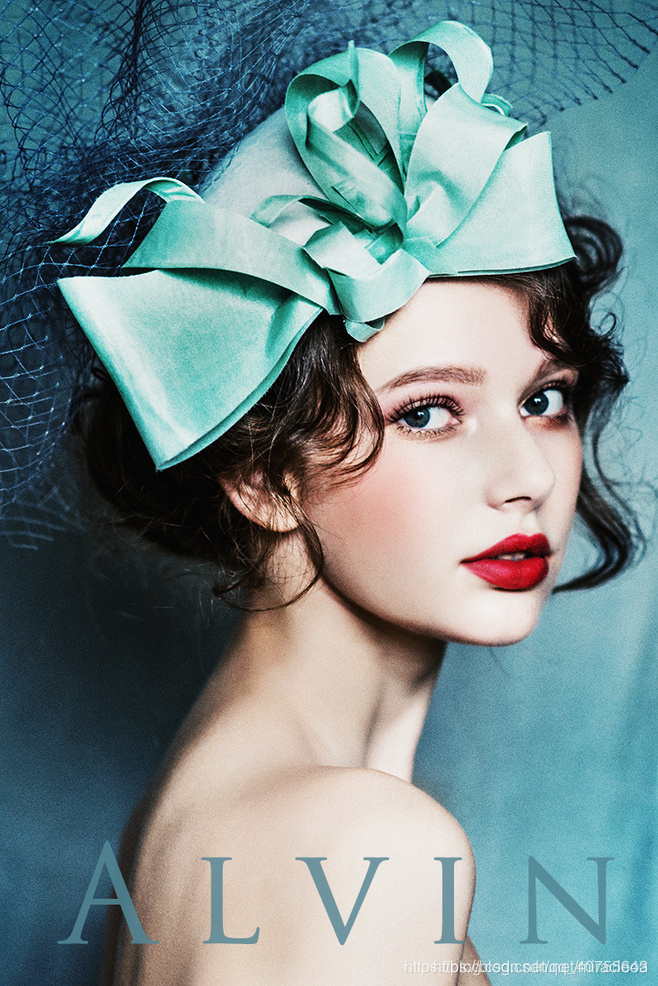
1、原图像
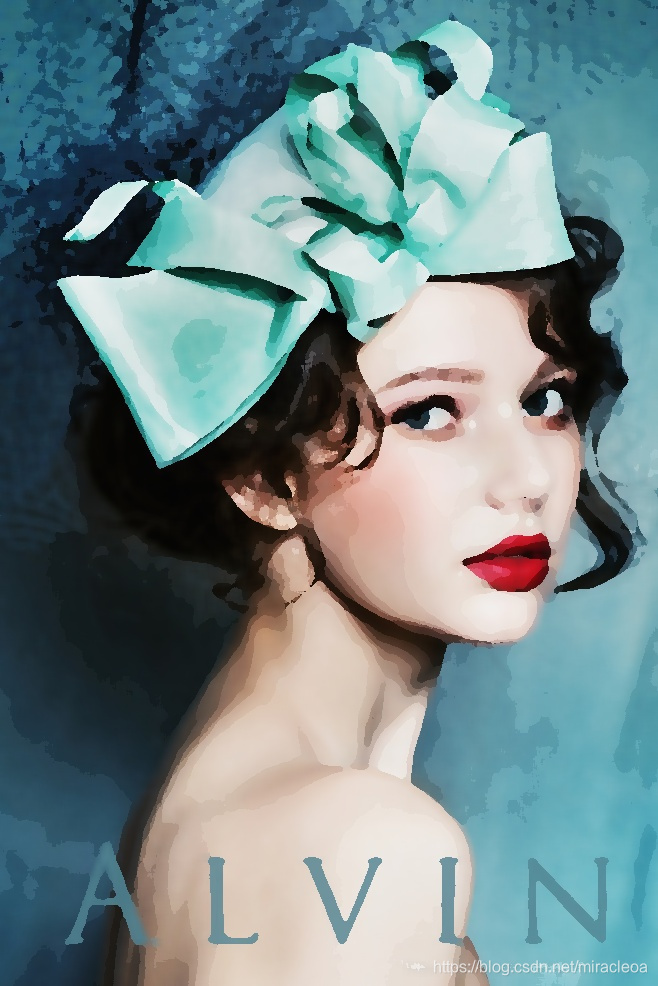
2、油画版效果

魔乐社区(Modelers.cn) 是一个中立、公益的人工智能社区,提供人工智能工具、模型、数据的托管、展示与应用协同服务,为人工智能开发及爱好者搭建开放的学习交流平台。社区通过理事会方式运作,由全产业链共同建设、共同运营、共同享有,推动国产AI生态繁荣发展。
更多推荐


 6
6 0
0- 0


 已为社区贡献4条内容

所有评论(0)