springboot基于JavaWeb的图书馆管理系统设计实现
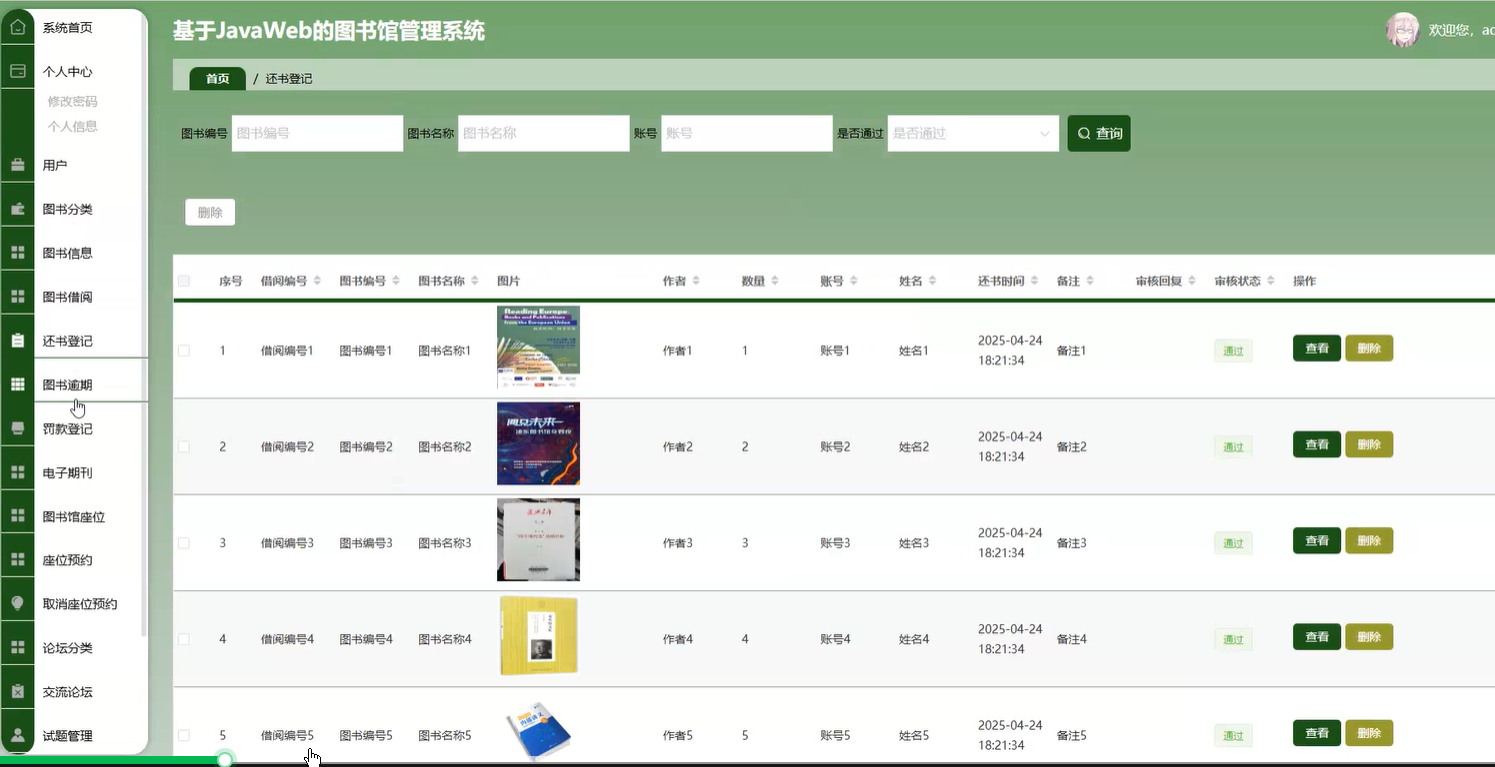
SpringBoot基于JavaWeb的图书馆管理系统通常采用分层架构设计,结合前后端技术实现功能模块。
背景与意义
图书馆管理系统的需求背景
传统图书馆管理依赖手工操作,存在效率低、易出错、数据难以统计等问题。随着信息化发展,数字化管理成为必然趋势。基于SpringBoot的图书馆管理系统能够整合图书资源、读者信息、借阅记录等,实现自动化管理。
技术选型的合理性
SpringBoot作为JavaWeb开发的现代化框架,具有快速搭建、内嵌服务器、自动化配置等优势。结合MySQL数据库和Thymeleaf/Vue等前端技术,可构建高内聚、低耦合的系统,满足图书馆日常业务需求。
实际应用价值
提升管理效率
系统可自动化处理借阅、归还、续借等流程,减少人工干预。通过条形码或RFID技术快速识别图书和读者信息,缩短操作时间。
数据可视化与分析
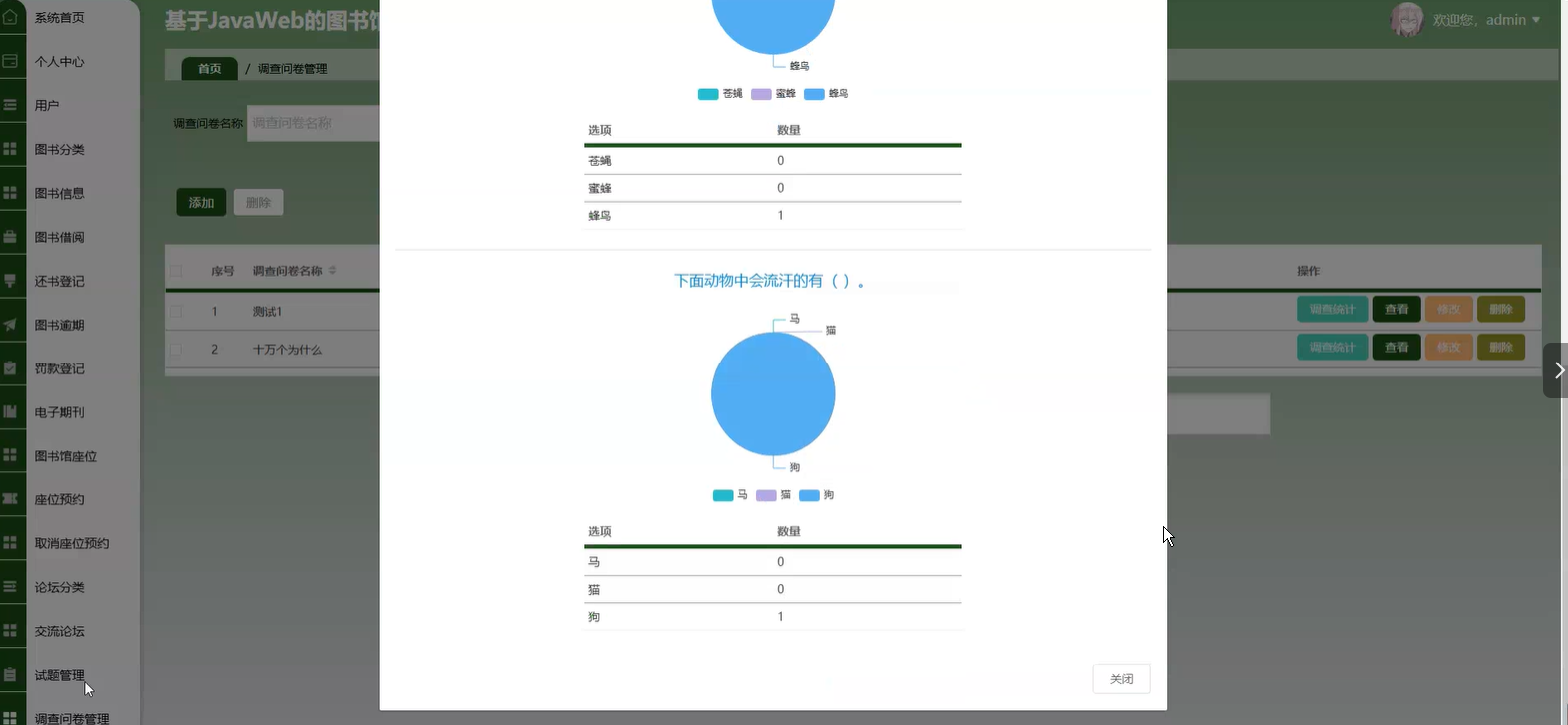
借阅记录、图书流通率等数据可通过图表展示,辅助采购决策。逾期未归还图书的自动提醒功能降低管理成本。
多角色协同
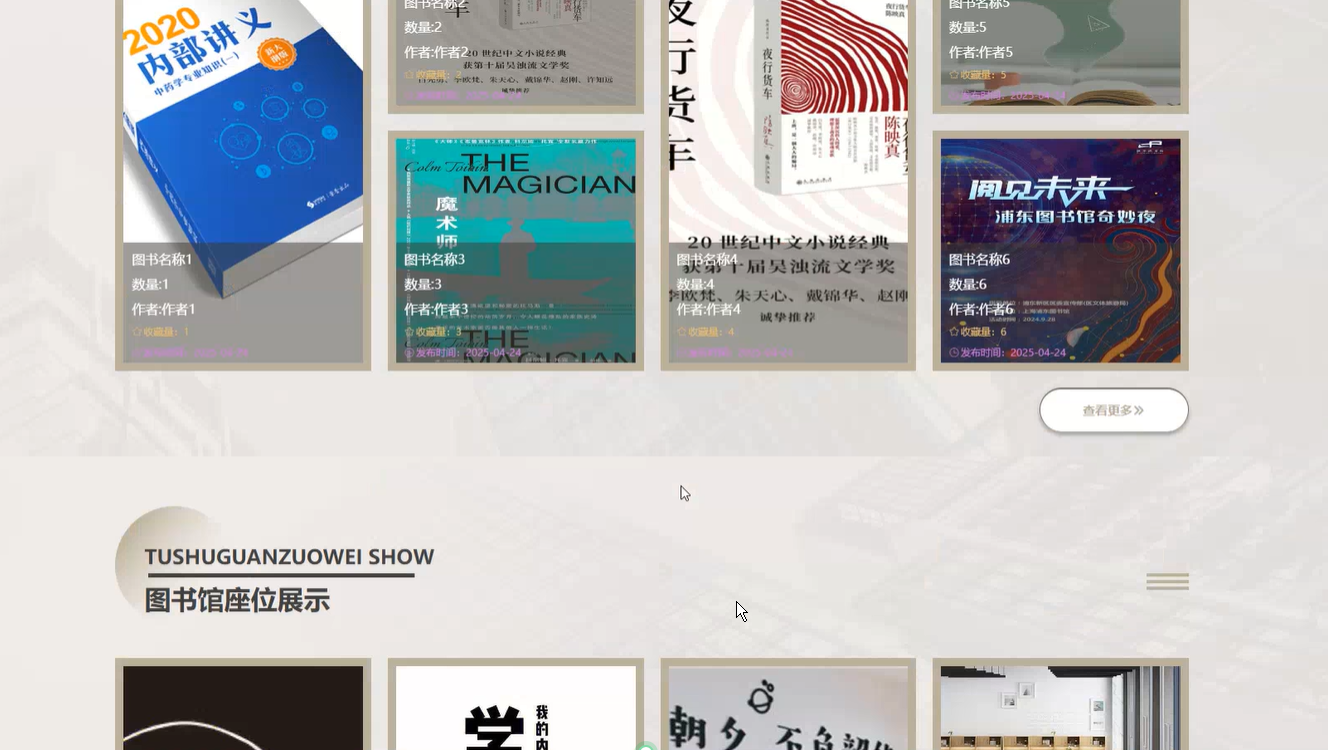
支持管理员、读者不同权限划分:管理员负责图书入库/下架,读者在线查询预约。移动端适配扩展了服务场景。
技术实践意义
微服务架构示范
SpringBoot便于模块化开发,例如将借阅逻辑、用户管理拆分为独立服务。集成Spring Security实现权限控制,为复杂系统提供参考。
标准化开发流程
采用RESTful API设计规范,前后端分离模式提升可维护性。MyBatis-Plus或JPA简化数据库操作,体现ORM框架的最佳实践。
扩展性与兼容性
系统预留接口可对接校园一卡通或第三方支付平台。分布式部署方案支持未来业务增长,符合长期信息化建设需求。
技术栈概述
SpringBoot基于JavaWeb的图书馆管理系统通常采用分层架构设计,结合前后端技术实现功能模块。以下是典型的技术栈组成:
后端技术
- 核心框架:SpringBoot 2.x/3.x,提供快速启动、自动配置和依赖管理。
- 持久层:
- JPA(Hibernate)或MyBatis/MyBatis-Plus,用于数据库操作。
- 数据库连接池(如HikariCP)。
- 数据库:MySQL/PostgreSQL,或嵌入式数据库(H2)用于开发测试。
- 安全框架:Spring Security,实现用户认证(如JWT或Session)、权限控制。
- 模板引擎(可选):Thymeleaf,用于服务端渲染简单页面。
- API开发:Spring MVC,支持RESTful接口设计。
- 工具库:Lombok(简化代码)、Jackson(JSON处理)。
前端技术
- 基础技术:HTML5、CSS3、JavaScript(ES6+)。
- 前端框架(可选):
- Vue.js/React/Angular(前后端分离架构)。
- Bootstrap或Element UI,提供响应式布局和组件。
- 构建工具:Webpack/Vite(若采用前后端分离)。
辅助技术
- 开发工具:IDEA/Eclipse、Maven/Gradle。
- 版本控制:Git(GitHub/GitLab)。
- 测试:JUnit 5、Mockito(单元测试)、Postman(API测试)。
- 部署:Docker(容器化)、Nginx(静态资源代理)。
典型功能模块
- 用户管理(读者/管理员角色)。
- 图书管理(CRUD、分类、检索)。
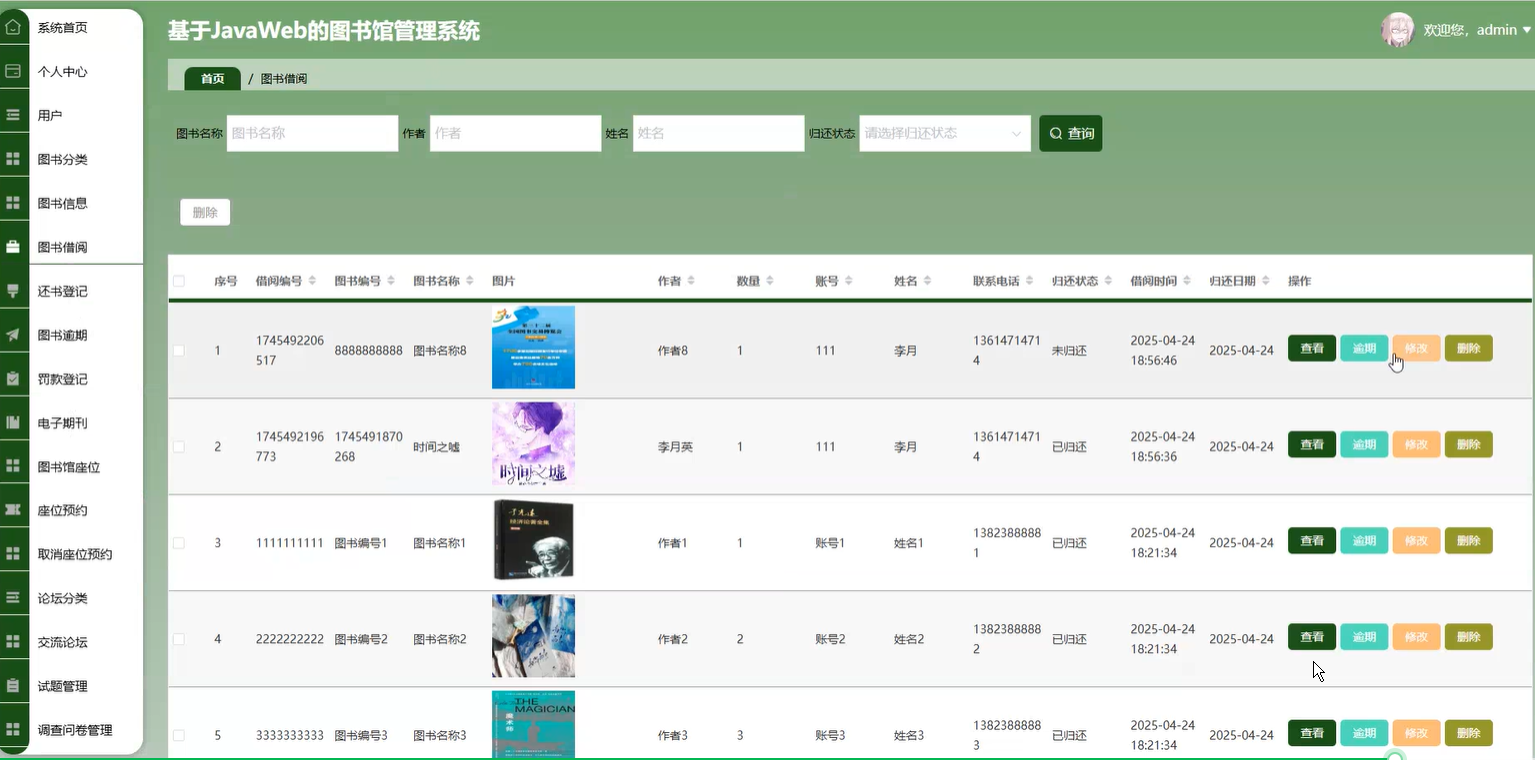
- 借阅/归还流程(业务逻辑与状态管理)。
- 数据统计(借阅记录、逾期分析)。
扩展选项
- 消息队列:RabbitMQ/Kafka,处理异步任务(如逾期提醒)。
- 缓存:Redis,提升高频查询性能。
- 搜索引擎:Elasticsearch,支持复杂图书检索。
以上技术栈可根据项目规模灵活调整,小型项目可简化前端(如纯Thymeleaf),大型项目建议采用前后端分离架构。
以下是基于Spring Boot的图书馆管理系统的核心代码示例,涵盖关键功能模块的实现逻辑:
实体类设计(核心领域模型)
// Book.java
@Entity
@Data
public class Book {
    @Id
    @GeneratedValue(strategy = GenerationType.IDENTITY)
    private Long id;
    private String isbn;
    private String title;
    private String author;
    private String publisher;
    private Integer stock;
    @OneToMany(mappedBy = "book")
    private List<BorrowRecord> borrowRecords;
}

// User.java
@Entity
@Data
public class User {
    @Id
    @GeneratedValue(strategy = GenerationType.IDENTITY)
    private Long id;
    private String username;
    private String password;
    @Enumerated(EnumType.STRING)
    private UserRole role;
    @OneToMany(mappedBy = "user")
    private List<BorrowRecord> borrowRecords;
}

// BorrowRecord.java
@Entity
@Data
public class BorrowRecord {
    @Id
    @GeneratedValue(strategy = GenerationType.IDENTITY)
    private Long id;
    @ManyToOne
    private User user;
    @ManyToOne
    private Book book;
    private LocalDate borrowDate;
    private LocalDate returnDate;
    private Boolean returned;
}
数据访问层(Repository)
public interface BookRepository extends JpaRepository<Book, Long> {
    List<Book> findByTitleContaining(String keyword);
    List<Book> findByAuthorContaining(String keyword);
    Book findByIsbn(String isbn);
}

public interface BorrowRecordRepository extends JpaRepository<BorrowRecord, Long> {
    List<BorrowRecord> findByUserIdAndReturned(Long userId, Boolean returned);
    Long countByBookIdAndReturned(Long bookId, Boolean returned);
}
服务层核心逻辑
@Service
@RequiredArgsConstructor
public class BookService {
    private final BookRepository bookRepository;

    public Page<Book> searchBooks(String keyword, Pageable pageable) {
        return bookRepository.findByTitleContainingOrAuthorContaining(
            keyword, keyword, pageable);
    }

    public Book addBook(Book book) {
        if (bookRepository.existsByIsbn(book.getIsbn())) {
            throw new BusinessException("ISBN已存在");
        }
        return bookRepository.save(book);
    }
}

@Service
@RequiredArgsConstructor
public class BorrowService {
    private final BorrowRecordRepository borrowRecordRepository;
    private final BookRepository bookRepository;

    @Transactional
    public BorrowRecord borrowBook(Long userId, Long bookId) {
        Book book = bookRepository.findById(bookId)
            .orElseThrow(() -> new NotFoundException("图书不存在"));

        if (borrowRecordRepository.countByBookIdAndReturned(bookId, false) >= book.getStock()) {
            throw new BusinessException("库存不足");
        }

        BorrowRecord record = new BorrowRecord();
        record.setUser(new User(userId));
        record.setBook(book);
        record.setBorrowDate(LocalDate.now());
        record.setReturned(false);
        return borrowRecordRepository.save(record);
    }
}
控制器层示例
@RestController
@RequestMapping("/api/books")
@RequiredArgsConstructor
public class BookController {
    private final BookService bookService;

    @GetMapping
    public ResponseEntity<Page<Book>> listBooks(
            @RequestParam(required = false) String keyword,
            Pageable pageable) {
        return ResponseEntity.ok(bookService.searchBooks(keyword, pageable));
    }

    @PostMapping
    public ResponseEntity<Book> addBook(@Valid @RequestBody Book book) {
        return ResponseEntity.status(HttpStatus.CREATED)
            .body(bookService.addBook(book));
    }
}
安全配置(Spring Security)
@Configuration
@EnableWebSecurity
@RequiredArgsConstructor
public class SecurityConfig {
    private final UserDetailsService userDetailsService;

    @Bean
    public SecurityFilterChain securityFilterChain(HttpSecurity http) throws Exception {
        http
            .csrf().disable()
            .authorizeRequests()
                .antMatchers("/api/auth/**").permitAll()
                .antMatchers("/api/admin/**").hasRole("ADMIN")
                .anyRequest().authenticated()
            .and()
            .sessionManagement()
                .sessionCreationPolicy(SessionCreationPolicy.STATELESS)
            .and()
            .addFilterBefore(jwtAuthenticationFilter(), UsernamePasswordAuthenticationFilter.class);
        return http.build();
    }

    @Bean
    public JwtAuthenticationFilter jwtAuthenticationFilter() {
        return new JwtAuthenticationFilter();
    }
}
异常处理
@ControllerAdvice
public class GlobalExceptionHandler {

    @ExceptionHandler(BusinessException.class)
    public ResponseEntity<ErrorResponse> handleBusinessException(BusinessException ex) {
        return ResponseEntity.badRequest()
            .body(new ErrorResponse(ex.getMessage()));
    }

    @ExceptionHandler(NotFoundException.class)
    public ResponseEntity<ErrorResponse> handleNotFoundException(NotFoundException ex) {
        return ResponseEntity.status(HttpStatus.NOT_FOUND)
            .body(new ErrorResponse(ex.getMessage()));
    }
}
关键配置
# application.properties
spring.datasource.url=jdbc:mysql://localhost:3306/library
spring.datasource.username=root
spring.datasource.password=password
spring.jpa.hibernate.ddl-auto=update
spring.jpa.show-sql=true

library.max-borrow-days=30
library.max-books-per-user=5
核心功能模块应包含:
- 图书CRUD管理
- 用户认证与授权
- 借阅/归还流程
- 库存管理
- 检索功能
- 逾期计算逻辑
系统可根据实际需求扩展预约功能、罚款计算、数据统计报表等功能模块。
数据库设计
SpringBoot图书馆管理系统的数据库设计需要涵盖图书、用户、借阅记录等核心功能模块。以下是关键表结构设计:
图书表(book)
- id: 主键,自增
- isbn: 图书ISBN号,唯一索引
- title: 书名
- author: 作者
- publisher: 出版社
- publish_date: 出版日期
- category: 分类号
- total_copies: 总库存
- available_copies: 可借数量
- location: 馆藏位置
- create_time: 入库时间
用户表(user)
- id: 主键,自增
- username: 用户名,唯一索引
- password: 密码(加密存储)
- real_name: 真实姓名
- phone: 联系电话
- email: 邮箱
- role: 角色(admin/librarian/reader)
- status: 账户状态(0禁用/1正常)
- create_time: 注册时间
借阅记录表(borrow)
- id: 主键,自增
- user_id: 外键关联用户表
- book_id: 外键关联图书表
- borrow_time: 借出时间
- due_time: 应还时间
- return_time: 实际归还时间
- status: 状态(0借出中/1已归还/2逾期)
- renew_count: 续借次数
系统测试方案
单元测试 使用JUnit5和Mockito对Service层进行测试:
@ExtendWith(MockitoExtension.class)
class BookServiceTest {
    @Mock
    private BookRepository bookRepository;

    @InjectMocks
    private BookServiceImpl bookService;

    @Test
    void whenSearchByTitle_thenReturnBookList() {
        // 模拟数据
        Book book = new Book();
        book.setTitle("Spring实战");
        when(bookRepository.findByTitleContaining("Spring")).thenReturn(Arrays.asList(book));

        // 测试方法
        List<Book> result = bookService.searchByTitle("Spring");

        // 验证
        assertEquals(1, result.size());
        verify(bookRepository).findByTitleContaining("Spring");
    }
}
集成测试 测试Controller与数据库的完整链路:
@SpringBootTest
@AutoConfigureMockMvc
class BookControllerIT {
    @Autowired
    private MockMvc mockMvc;

    @Autowired
    private BookRepository bookRepository;

    @Test
    void getBookListAPI() throws Exception {
        // 准备测试数据
        Book book = new Book();
        book.setIsbn("9787121361972");
        bookRepository.save(book);

        // 发起请求并验证
        mockMvc.perform(get("/api/books"))
               .andExpect(status().isOk())
               .andExpect(jsonPath("$[0].isbn").value("9787121361972"));
    }
}
性能测试 使用JMeter模拟并发场景:
- 配置线程组:100并发用户
- 添加HTTP请求:查询图书列表接口
- 添加聚合报告监听器
- 验证平均响应时间<500ms
- 验证错误率<0.1%
安全测试
- 使用OWASP ZAP进行漏洞扫描
- 测试SQL注入防护:
GET /api/books?title=test' OR '1'='1
- 验证XSS防护:
POST /api/books
Content-Type: application/json
{
    "title": "<script>alert(1)</script>"
}
UI自动化测试 使用Selenium进行端到端测试:
public class BorrowBookTest {
    private WebDriver driver;

    @BeforeEach
    void setup() {
        driver = new ChromeDriver();
    }

    @Test
    void testBorrowFlow() {
        // 登录
        driver.get("http://localhost:8080/login");
        driver.findElement(By.id("username")).sendKeys("testuser");
        driver.findElement(By.id("password")).sendKeys("123456");
        driver.findElement(By.tagName("button")).click();

        // 借书操作
        driver.findElement(By.cssSelector(".book-item:first-child .borrow-btn")).click();
        WebElement result = wait.until(ExpectedConditions.visibilityOfElementLocated(By.className("alert")));
        assertTrue(result.getText().contains("借阅成功"));
    }
}


魔乐社区(Modelers.cn) 是一个中立、公益的人工智能社区,提供人工智能工具、模型、数据的托管、展示与应用协同服务,为人工智能开发及爱好者搭建开放的学习交流平台。社区通过理事会方式运作,由全产业链共同建设、共同运营、共同享有,推动国产AI生态繁荣发展。
更多推荐


 28
28 0
0- 0


 已为社区贡献19条内容

所有评论(0)