springboot整合redis、redisson
springboot整合redis、redisson
springboot整合redis
依赖
<dependency>
	<groupId>org.springframework.boot</groupId>
	<artifactId>spring-boot-starter-data-redis</artifactId>
</dependency>
<dependency>
	<groupId>redis.clients</groupId>
	<artifactId>jedis</artifactId>
</dependency>
<!-- json -->
<dependency>
	<groupId>com.alibaba</groupId>
	<artifactId>fastjson</artifactId>
	<version>1.2.66</version>
</dependency>
配置文件
redis.properties
#Redis服务器地址
spring.redis.host=192.168.3.106
#集群连接
#spring.redis.cluster.nodes=192.168.3.106:6379,192.168.3.107:6379,192.168.3.108:6379,192.168.3.109:6379,192.168.3.110:6379,192.168.3.111:6379
#Redis服务器连接端口
spring.redis.port=6379
#Redis数据库索引(默认为0)
spring.redis.database= 0
#用户名
spring.redis.username=
#密码
spring.redis.password=
#连接超时时间(毫秒)
spring.redis.timeout=1800000
#连接池最大连接数(使用负值表示没有限制)
spring.redis.lettuce.pool.max-active=20
#最大阻塞等待时间(负数表示没限制)
spring.redis.lettuce.pool.max-wait=-1
#连接池中的最大空闲连接
spring.redis.lettuce.pool.max-idle=10
#连接池中的最小空闲连接
spring.redis.lettuce.pool.min-idle=0
配置类
/** redis配置类
 * @author Admin
 *
 */
@Configuration
@PropertySource(value = {"classpath:redis.properties"},encoding = "utf-8")
public class RedisConfig {

	@Bean
	public RedisTemplate<String, Object> redisTemplate(RedisConnectionFactory factory){
		RedisTemplate<String, Object> redisTemplate = new RedisTemplate<>();
		redisTemplate.setConnectionFactory(factory);
		redisTemplate.setKeySerializer(new StringRedisSerializer());
		redisTemplate.setValueSerializer(new GenericJackson2JsonRedisSerializer());
		redisTemplate.setHashKeySerializer(new StringRedisSerializer());
		redisTemplate.setHashValueSerializer(new GenericJackson2JsonRedisSerializer());
		return redisTemplate;
	}

	@Bean
	public StringRedisTemplate stringRedisTemplate(RedisConnectionFactory factory) {
		StringRedisTemplate template = new StringRedisTemplate();
		template.setConnectionFactory(factory);
		template.setKeySerializer(new StringRedisSerializer());
		template.setValueSerializer(new GenericJackson2JsonRedisSerializer());
		template.setHashKeySerializer(new StringRedisSerializer());
		template.setHashValueSerializer(new GenericJackson2JsonRedisSerializer());
		return template;
	}
}
配置解析
根据springboot自动配置原理,查看spring-boot-autoconfigure-2.4.3下的spring.factories文件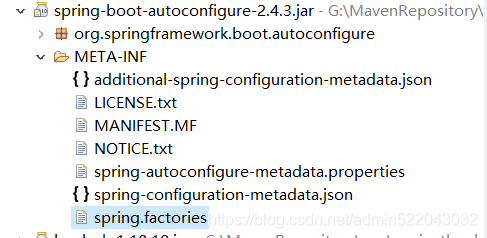
搜索redis相关配置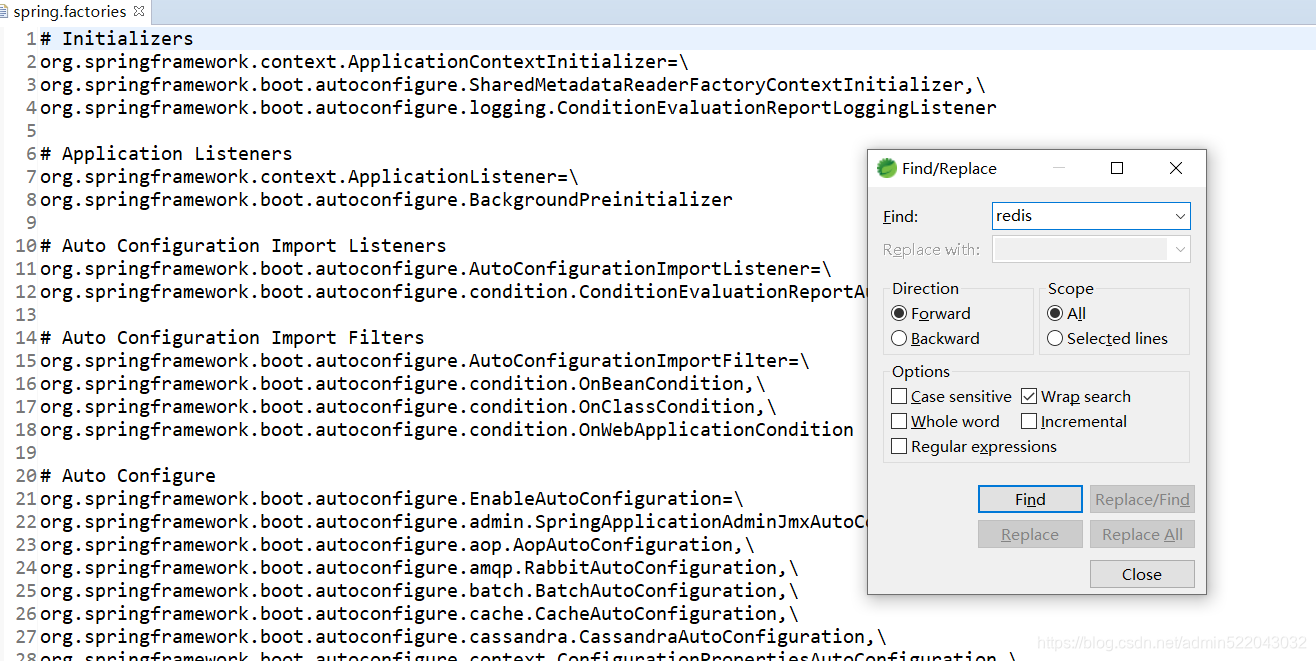
找到redisAutoconfiguration
查看该类的源码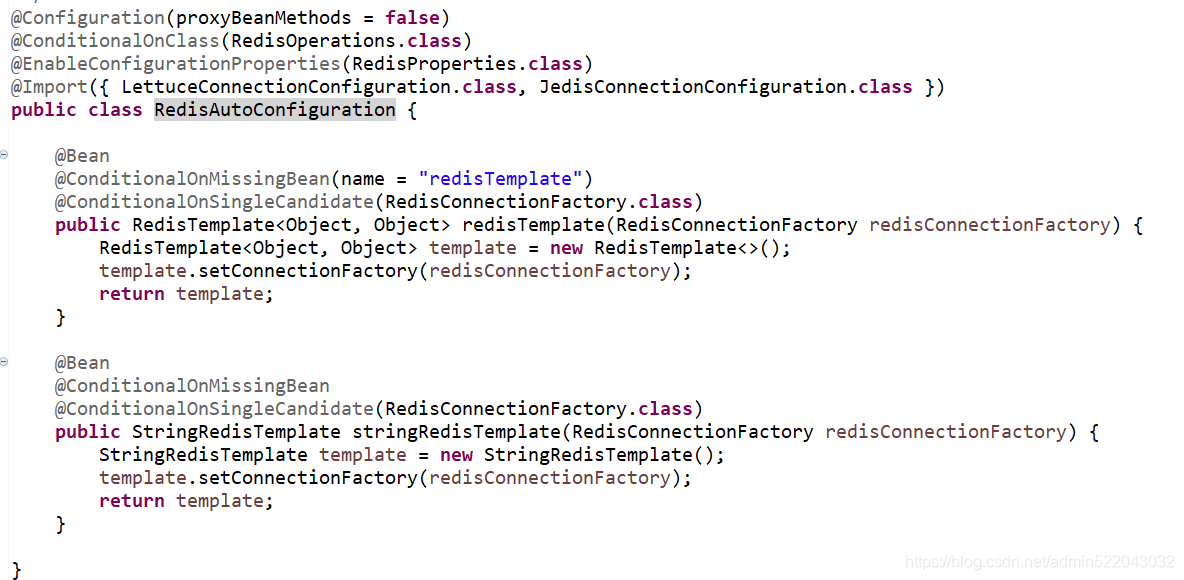
发现redisAutoconfiguration 帮我们配置了RedisTemplate<Object, Object> 和 StringRedisTemplate 所以正常情况下我们不需要重新配置这两个类,通过查看RedisTemplate 源码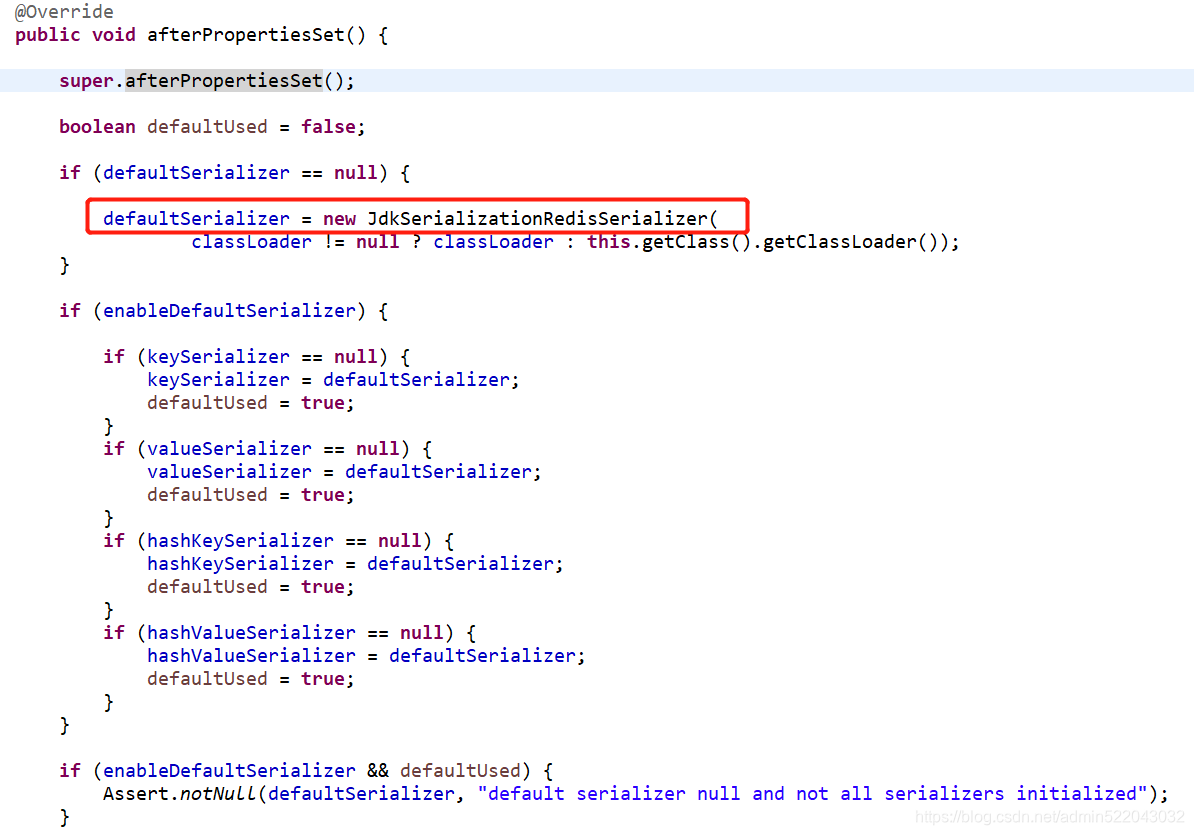
看到默认采用jdk的序列化方式
打上断点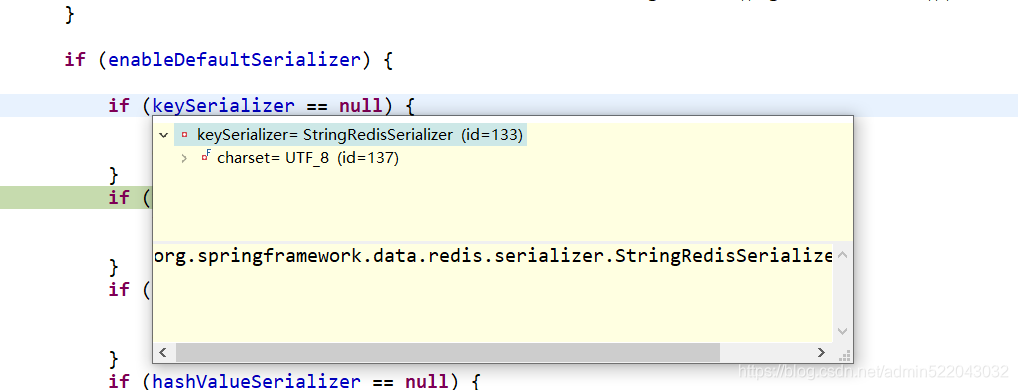
发现实际上采用的是StringRedisSerializer ,在插入数据时会出现乱码情况
因此如果我们需要看到明文,需要重新设置序列化,RedisTemplate 源码中有这个属性
它的实现类如下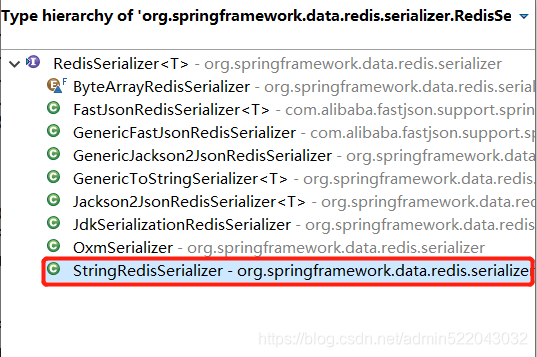
我们采用GenericJackson2JsonRedisSerializer这个序列化方式。具体配置在上面的配置类上。
在redisAutoconfiguration源码中有着 @EnableConfigurationProperties(RedisProperties.class)
查看RedisProperties.class 源码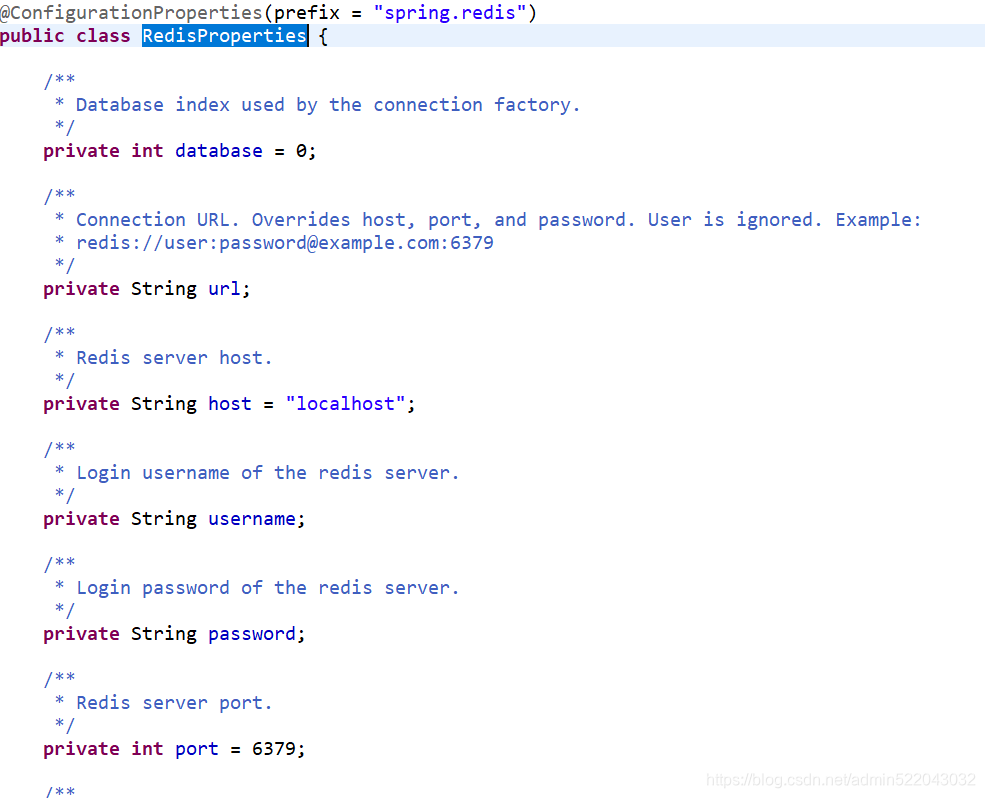
因此需要定义一个redis的配置文件,把属性定义为spring.redis开头即可,然后通过@PropertySource注解导入该配置,这样可以解决application.yml过于臃肿的问题,当然也可以直接在application.yml上直接配置。
使用
在需要使用的redis的地方引入redisTemplate 调用相关api即可
@Resource
private RedisTemplate<String, Object> redisTemplate;
使用redisson实现分布式锁
Redis其他知识内容

魔乐社区(Modelers.cn) 是一个中立、公益的人工智能社区,提供人工智能工具、模型、数据的托管、展示与应用协同服务,为人工智能开发及爱好者搭建开放的学习交流平台。社区通过理事会方式运作,由全产业链共同建设、共同运营、共同享有,推动国产AI生态繁荣发展。
更多推荐


 0
0 0
0- 0


 已为社区贡献1条内容

所有评论(0)