linux下clion程序性能,[C/C++开发] Clion利用Docker开发和调试Linux C/C++程序
本文章以C++为例讲解Clion利用Docker开发和调试Linux C/C++程序。使用的Clion版本为2020.1参考文章跨平台IDE集成开发环境Clion教程:将Docker与CLion结合使用构建docker镜像dockerfile# @description php image base on the alpine edge#some in...
本文章以C++为例讲解Clion利用Docker开发和调试Linux C/C++程序。使用的Clion版本为2020.1
参考文章
跨平台IDE集成开发环境Clion教程:将Docker与CLion结合使用
构建docker镜像
dockerfile
# @description php image base on the alpine edge
# some information
# ------------------------------------------------------------------------------------
# @link https://hub.docker.com/_/alpine/ alpine image
# @link https://hub.docker.com/_/php/ php image
# @link https://github.com/docker-library/php php dockerfiles
# ------------------------------------------------------------------------------------
# @build-example docker build . -f Dockerfile -t mydev/ubuntu:1.0.0
#
FROM ubuntu:latest
RUN export DEBIAN_FRONTEND=noninteractive
&& apt-get update
&& apt-get install -y tzdata
&& ln -fs /usr/share/zoneinfo/Asia/Shanghai /etc/localtime
&& dpkg-reconfigure --frontend noninteractive tzdata
RUN apt-get update && apt-get install -y
ssh
build-essential
gcc
g++
gdb
clang
cmake
rsync
tar
python
vim
automake
openssh-client
openssh-server
pkg-config
libxml2-dev
libsqlite3-dev
&& apt-get clean
RUN apt-get install sudo
RUN echo "#!/bin/bash
adduser deploy << EOF
password
password
deploy
Y
EOF" >> create_deploy.sh
&& chmod 755 create_deploy.sh
&& ./create_deploy.sh
&& gpasswd -a deploy sudo
&& rm create_deploy.sh
&& chmod 644 /etc/sudoers
&& echo "deploy ALL=(ALL) NOPASSWD: ALL" >> /etc/sudoers
&& passwd deploy
以上镜像,做了几个事情要提一下
1. 安装了ssh客户端
2. 建立了linux用户,账号: deploy,密码: deploy
构建
docker build . -f Dockerfile -t mydev/ubuntu:1.0.0
运行容器
docker-compose.yml
version: '3.4'
services:
mydevubuntu:
image: mydev/ubuntu:1.0.0
container_name: mydevubuntu
ports:
- "2222:22"
- "2223:2223"
networks:
# create the docker network first: docker network create local_default_network
- local_default_network
# create the docker network first: docker network create pp_service_network
- pp_service_network
volumes:
- /System/Volumes/Data/Software/Project/pipi:/System/Volumes/Data/Software/Project/pipi
stdin_open: true
tty: true
privileged: true
security_opt:
- seccomp:unconfined
command:
bash -c "/etc/init.d/ssh restart && tail -f /dev/null"
networks:
local_default_network:
external: true
pp_service_network:
external: true
运行容器
项目相关
创建项目
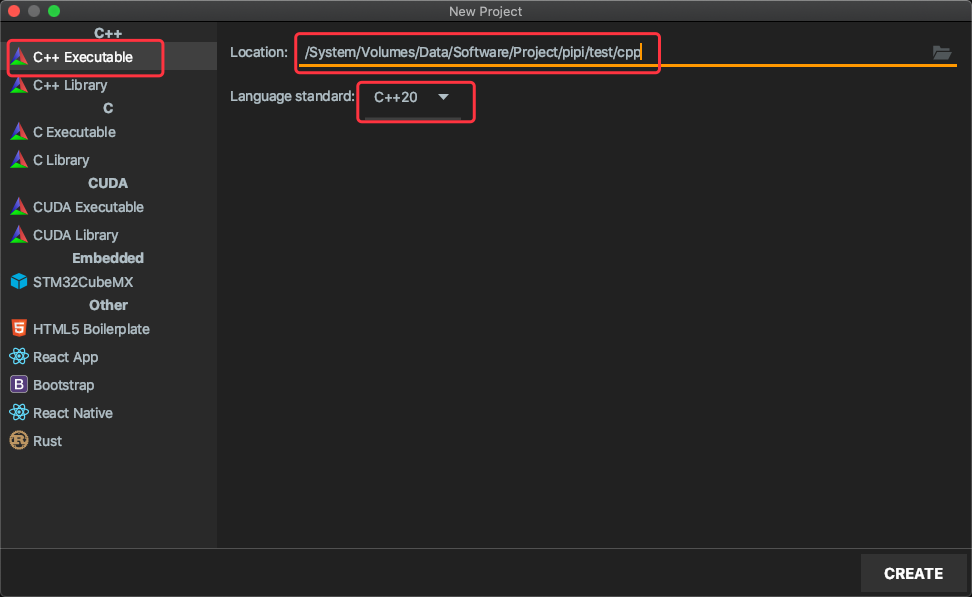
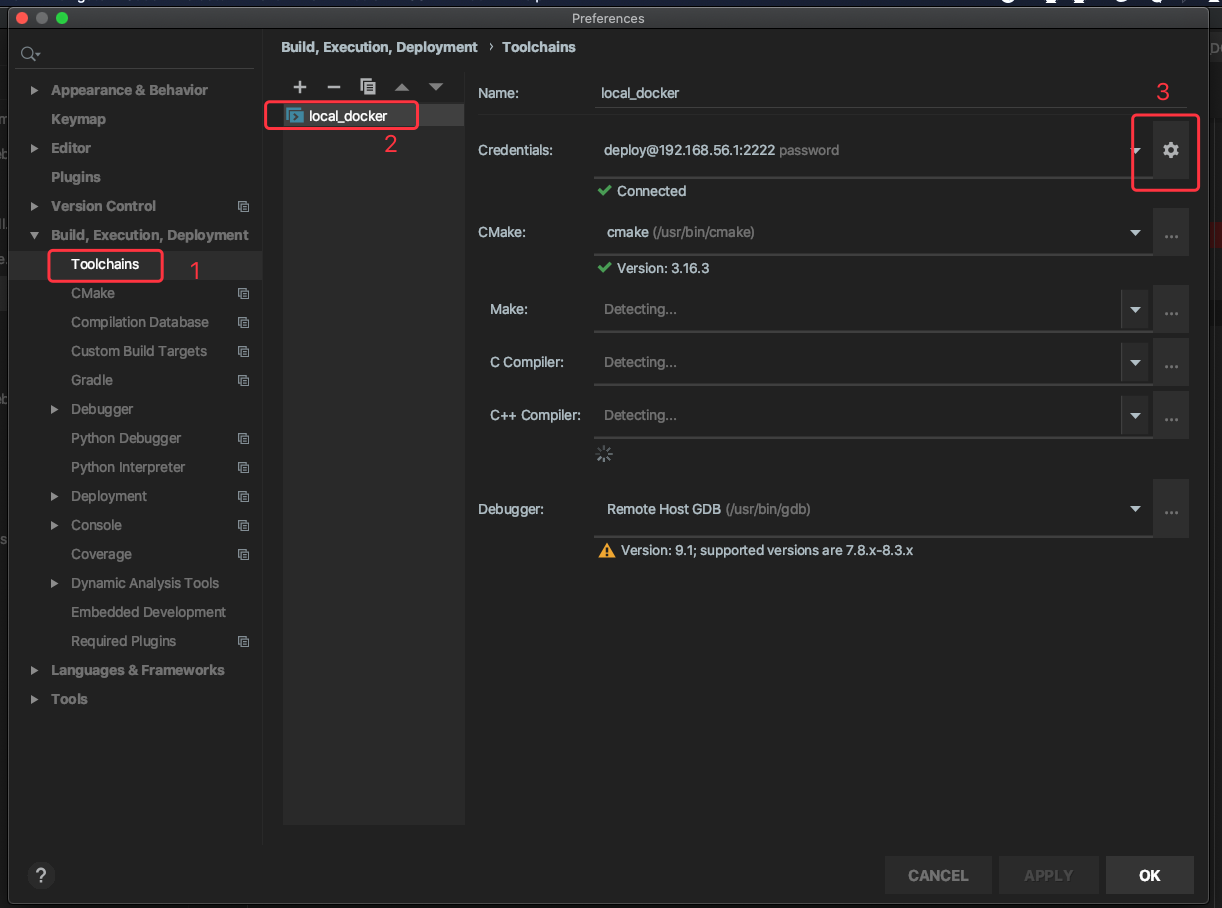
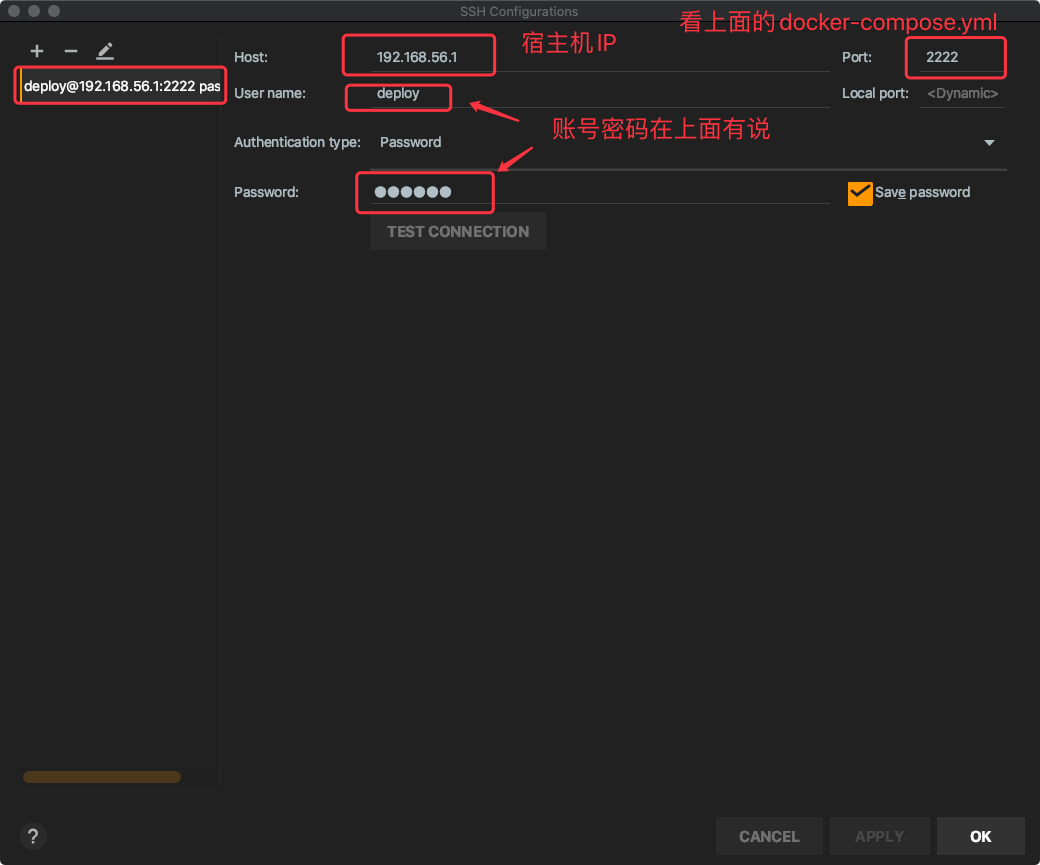
Toolchains 设置
Settings-Build, Execution, Deployment-Toolchains
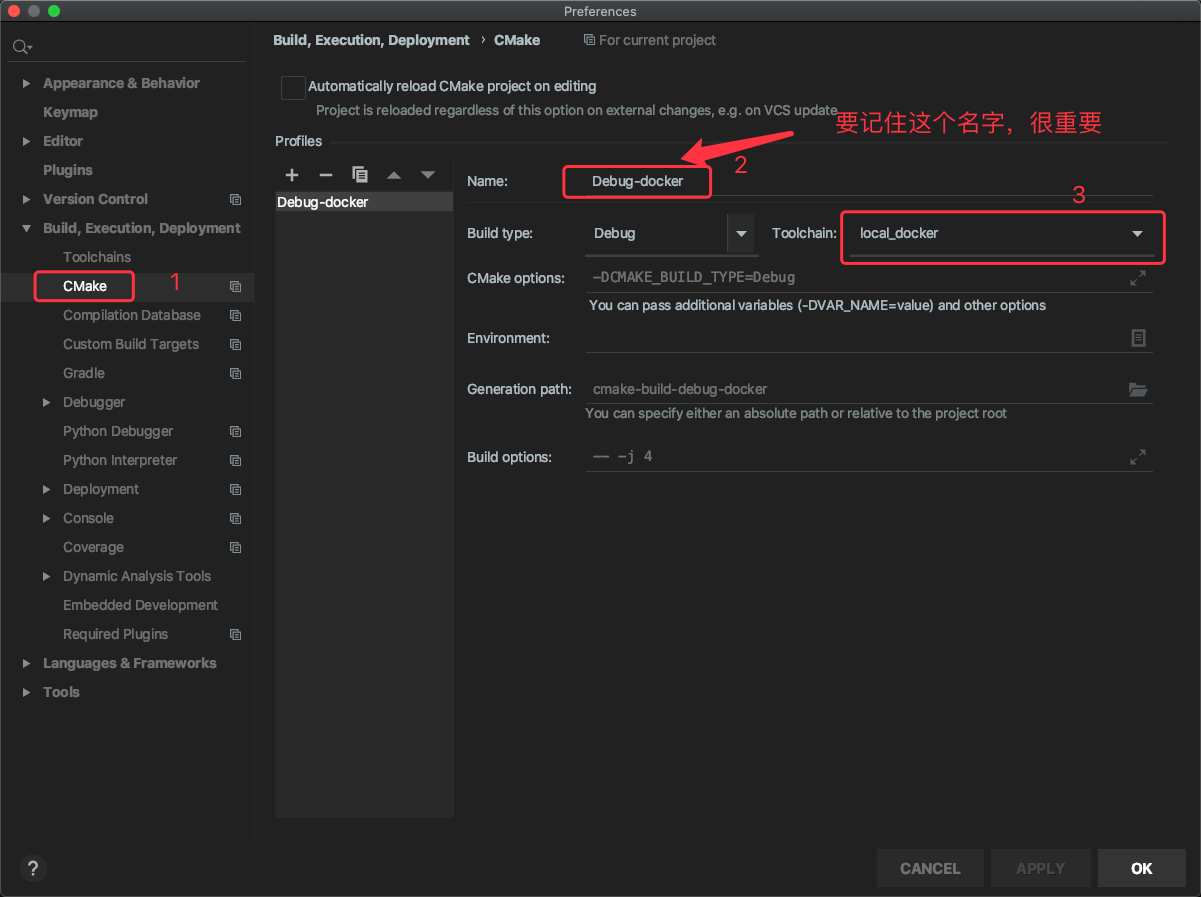
Settings-Build, Execution, Deployment-CMake
Settings-Build, Execution, Deployment-Deployment
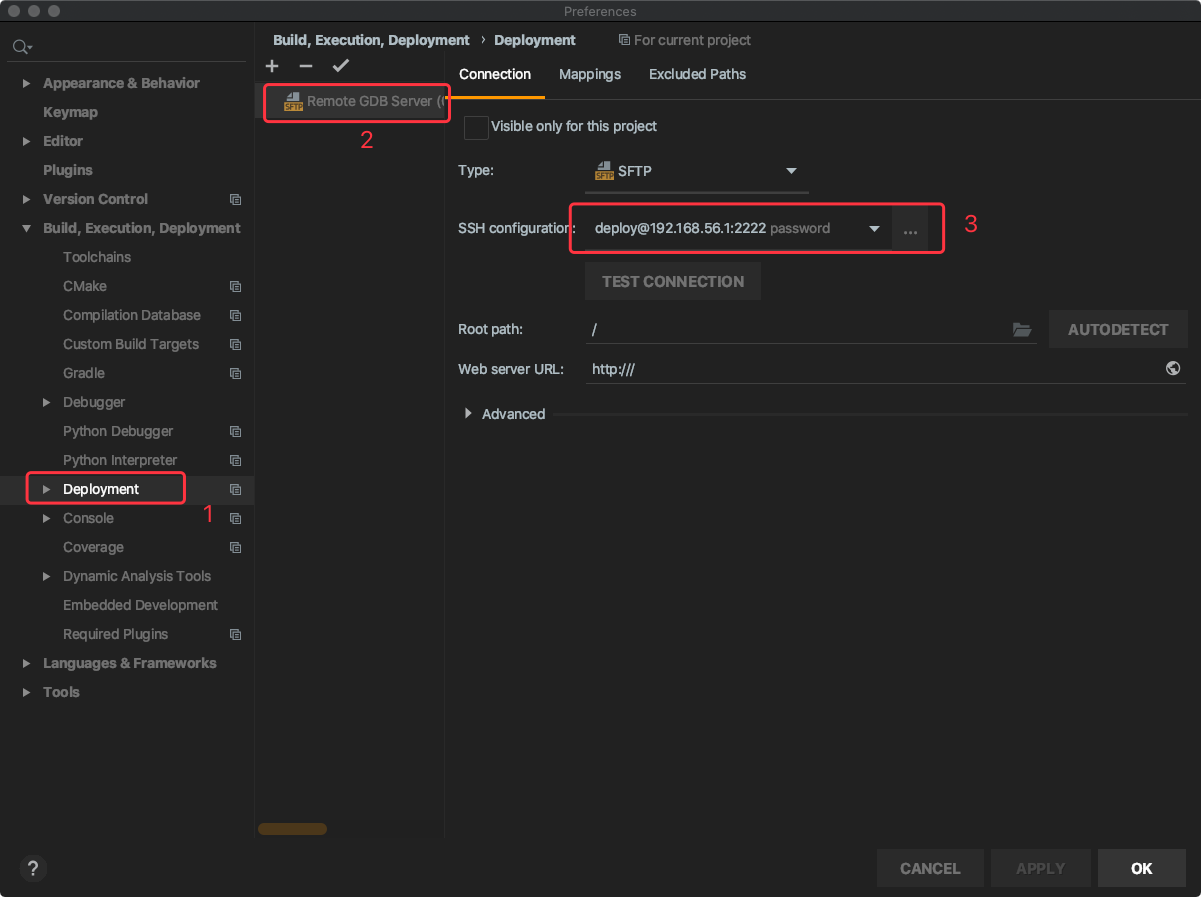
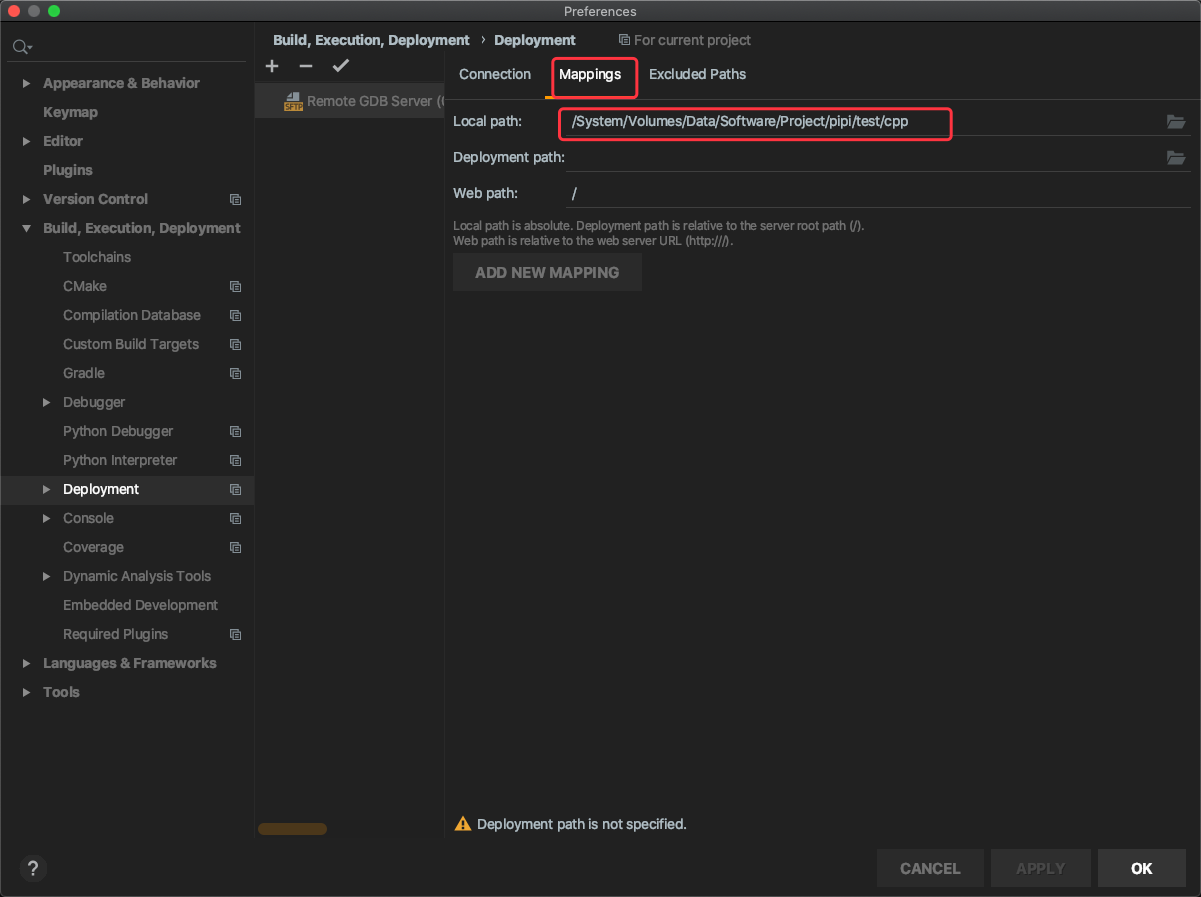
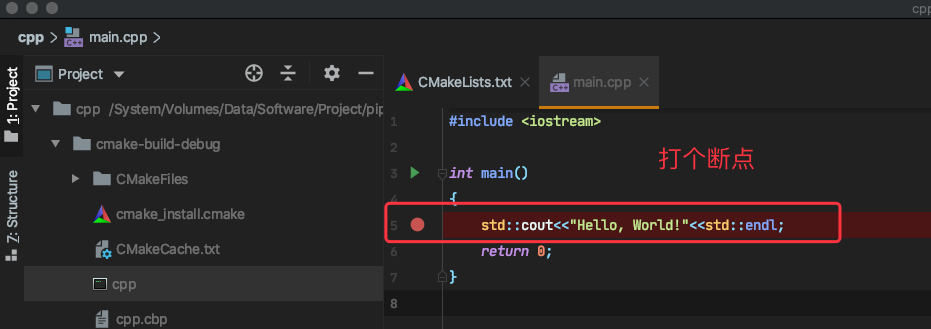
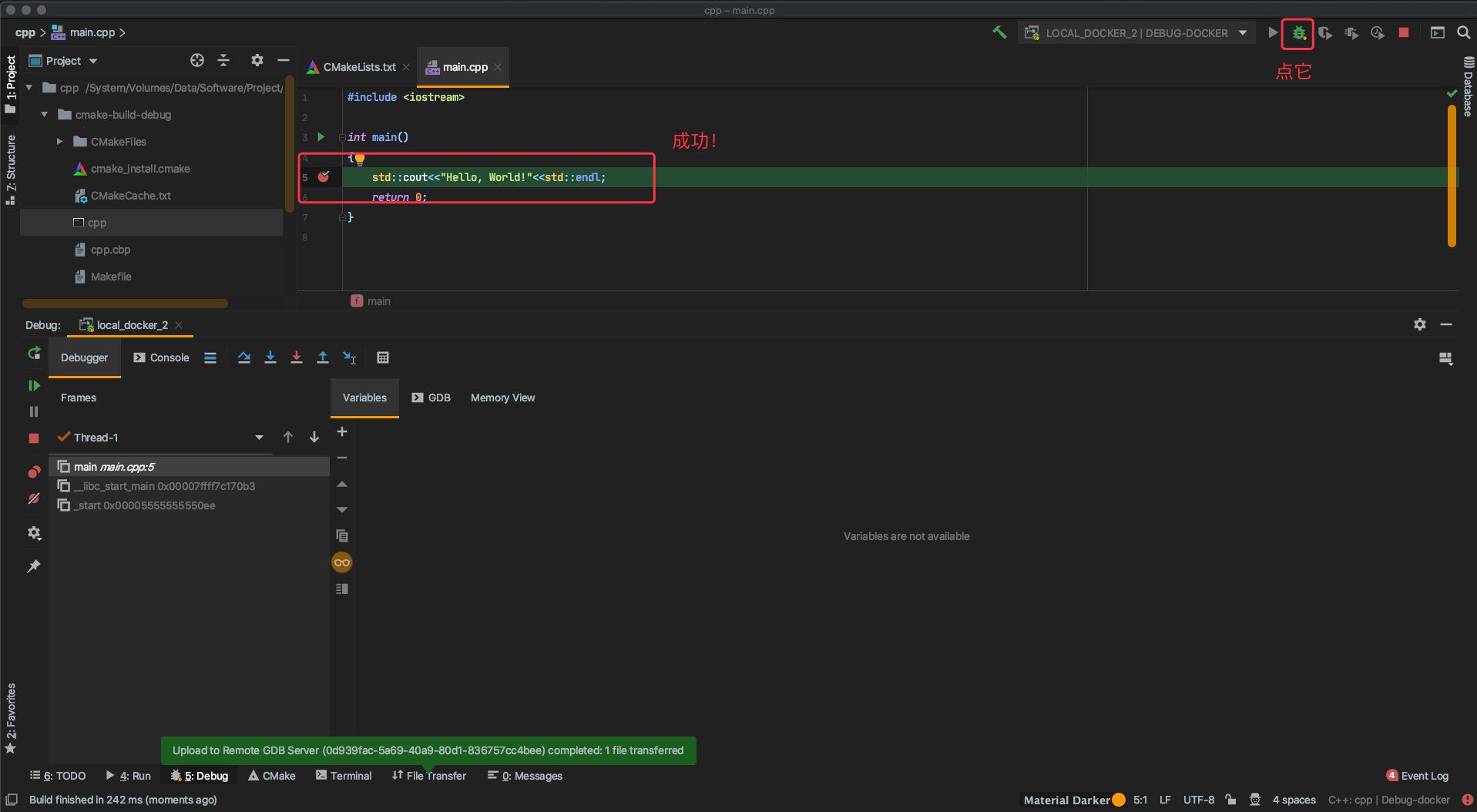
远程debug配置
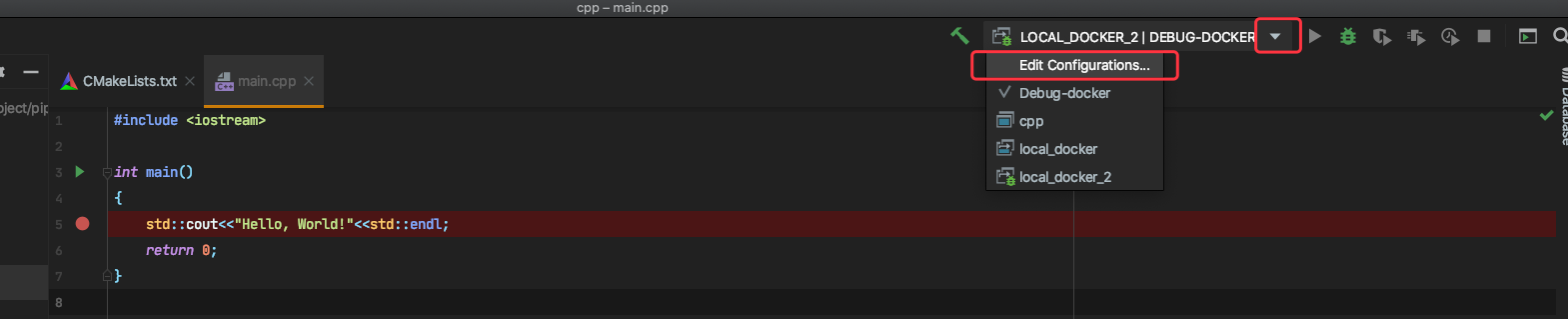
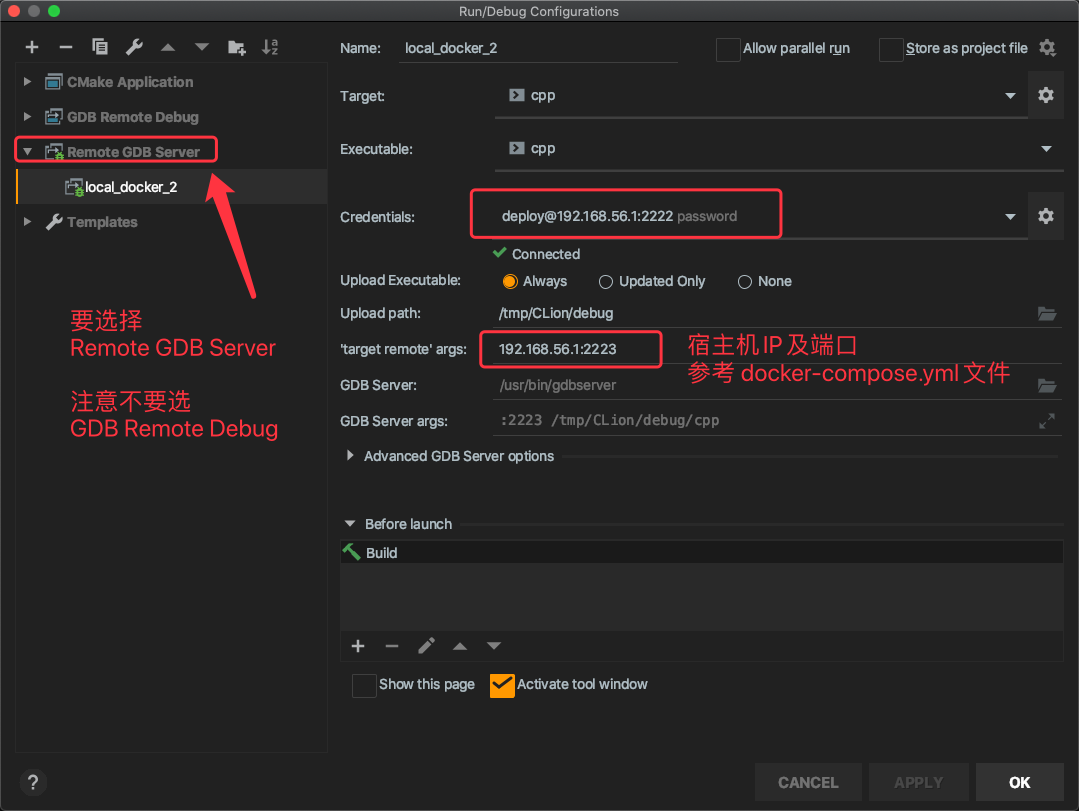
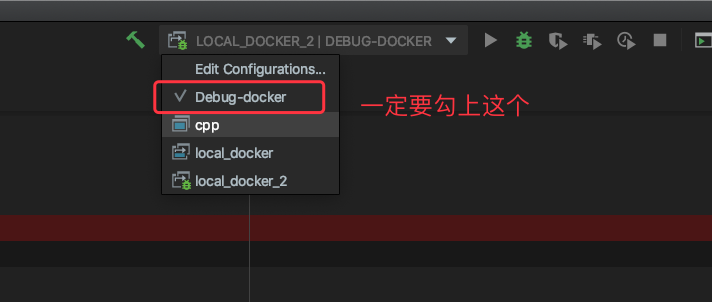
来了来了,他来了

魔乐社区(Modelers.cn) 是一个中立、公益的人工智能社区,提供人工智能工具、模型、数据的托管、展示与应用协同服务,为人工智能开发及爱好者搭建开放的学习交流平台。社区通过理事会方式运作,由全产业链共同建设、共同运营、共同享有,推动国产AI生态繁荣发展。
更多推荐


 0
0 0
0- 0


 已为社区贡献8条内容

所有评论(0)