vscode自定义代码块
·
步骤一:打开vscode,按住ctrl+shif+p唤出命令窗口
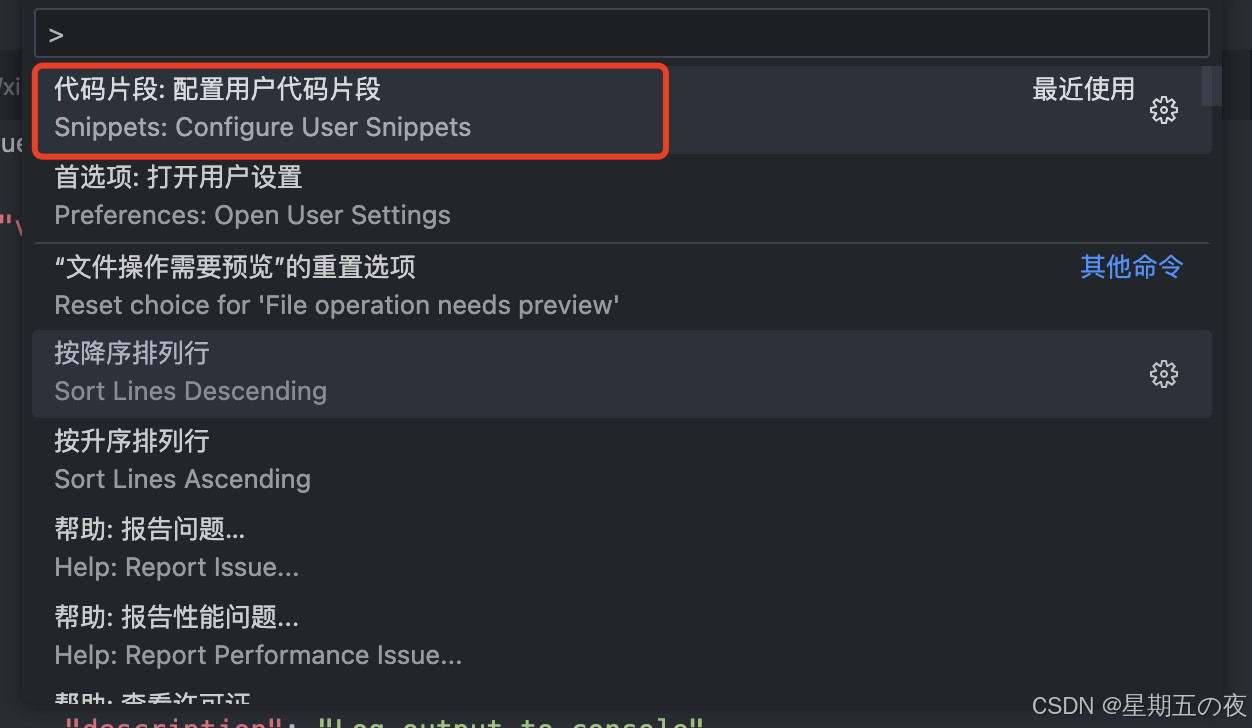
步骤二:在窗口中输入命令,并回车

步骤三:配置代码片段
{
	"vbs": {
		"prefix": "v3",
		"body": [
			"<template>",
			"  <div></div>",
			"</template>",
			"<script setup lang='ts'>",
			"import { ref,reactive} from 'vue'",
			"</script>",
			"<style scoped lang='scss'>",
			"</style>",
		],
		"description": "Log output to console"
	},
	"vbs2": {
		"prefix": "v2",
		"body": [
			"<template>",
            "  <div>",
            "    22",
            "  </div>",
            "</template>",
            "<script>",
            "export default {",
            "  name: '',",
            "  data() {",
            "    return {",
            "      ",
            "    };",
            "  },",
            "  methods: {",
            "   ",
            "  },",
            "};",
            "</script>",
            "<style>",
            "</style>"
		],
		"description": "Log output to console"
	}
}

魔乐社区(Modelers.cn) 是一个中立、公益的人工智能社区,提供人工智能工具、模型、数据的托管、展示与应用协同服务,为人工智能开发及爱好者搭建开放的学习交流平台。社区通过理事会方式运作,由全产业链共同建设、共同运营、共同享有,推动国产AI生态繁荣发展。
更多推荐


 3
3 0
0- 0


 已为社区贡献3条内容

所有评论(0)